




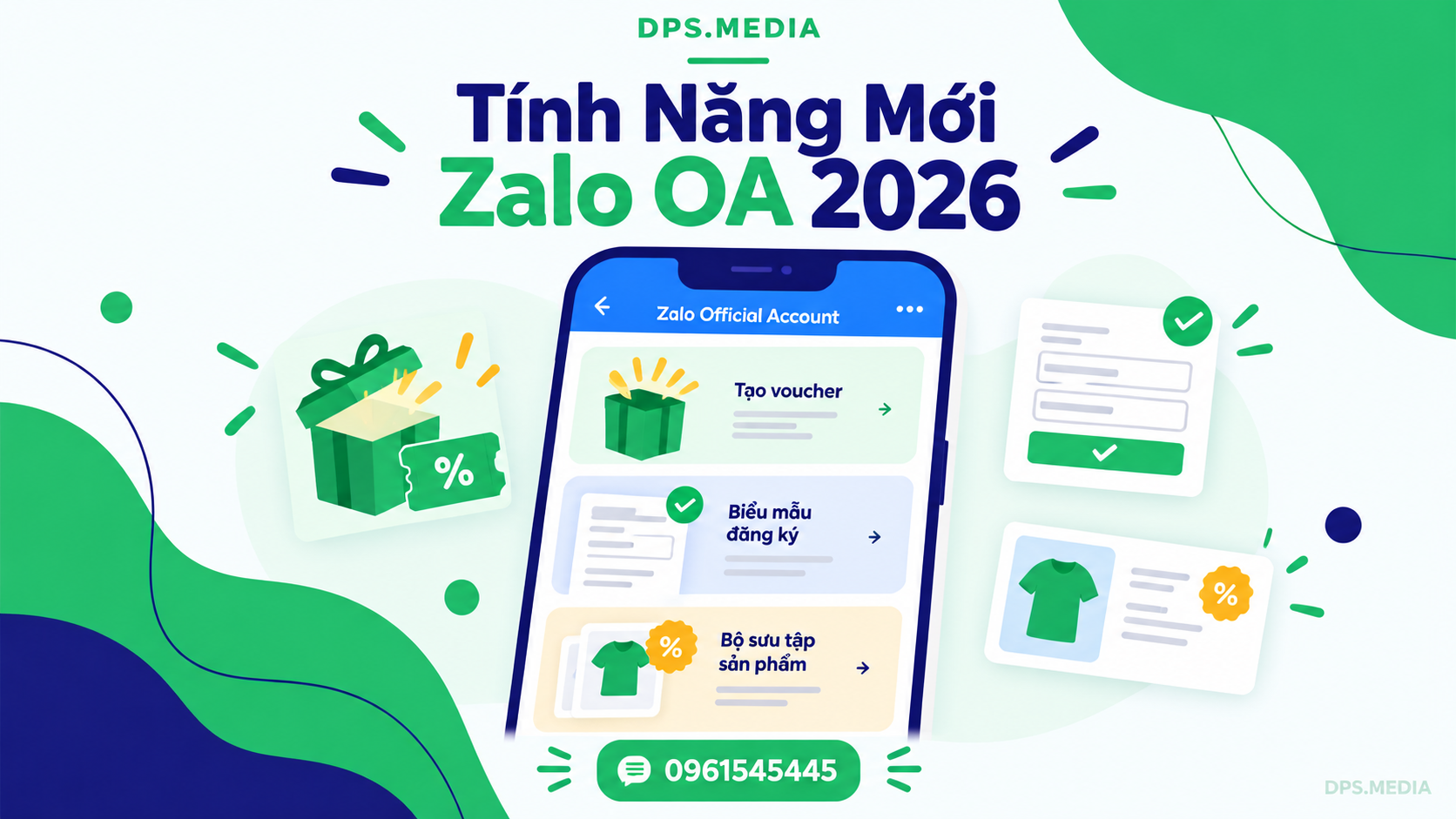

Publishing shared articles on Zalo Official Account has traditionally been considered a one-way communication channel: businesses publish posts, readers skim through them, and then leave the page. Very few customers proactively click to send messages or search for products if the content does not create a direct incentive. Many shop owners and managers have complained that despite investing significant effort in their articles, their order conversion rates are almost zero.
Recognizing this barrier, Zalo's latest management interface upgrade has brought a major breakthrough for content creators and businesses. The introduction of new Zalo OA features directly in the article editor — including Gift Box, Information Collection Form, and Product Collection — has transformed every blog post into an incredibly powerful two-way interactive sales machine.
If you are looking for solutions to optimize your Zalo channel operations, from content production to setting up automated conversion funnels, explore Zalo OA management service the comprehensive package at DPS.MEDIA to quickly master these new conversion tools.
Zalo OA Article Conversion Funnel: From Passive News Reading to Active Interaction
Previously, if businesses wanted customers to take action after reading a post on Zalo OA, they had to insert a link redirecting them to an external Landing Page or invite customers to send messages manually. This experience created significant delays: unstable mobile networks and slow-loading external websites frequently pushed bounce rates to 60% – 70%.
The concept of In-Article Conversion (instant conversion directly within an article) has been seamlessly implemented by the ecosystem of Zalo for Business . Readers no longer need to leave the article interface to receive gifts, submit their contact information for consultation, or select products they like. The entire process takes just a few seconds, eliminating users' psychological friction.
3 Breakthrough New Zalo OA Features in the Article Editor
When you access Zalo Official Account Management > Content > Create New Article, you will see a supplementary utility toolbar featuring 3 intuitive interactive modules. Below are the details of each feature and how to maximize its effectiveness in practice.
1. Gift Box: A Gamification Lever to Attract Organic Followers
Growing the number of followers is always a vital goal for every Zalo OA account. Previously, businesses often had to run relatively expensive Zalo Ads campaigns to increase followers or persuade customers to scan QR codes at the counter. The Gift Box feature naturally solves this problem through behavioral psychology: “Give First – Receive Later”.
Businesses can set up an attractive gift box containing discount voucher codes, experiential gift tickets, or exclusive materials. The key point is that the prerequisite for readers to open the gift box is clicking the Follow OA. button. Readers receive immediate tangible value, while businesses gain a high-quality follower completely free of charge.
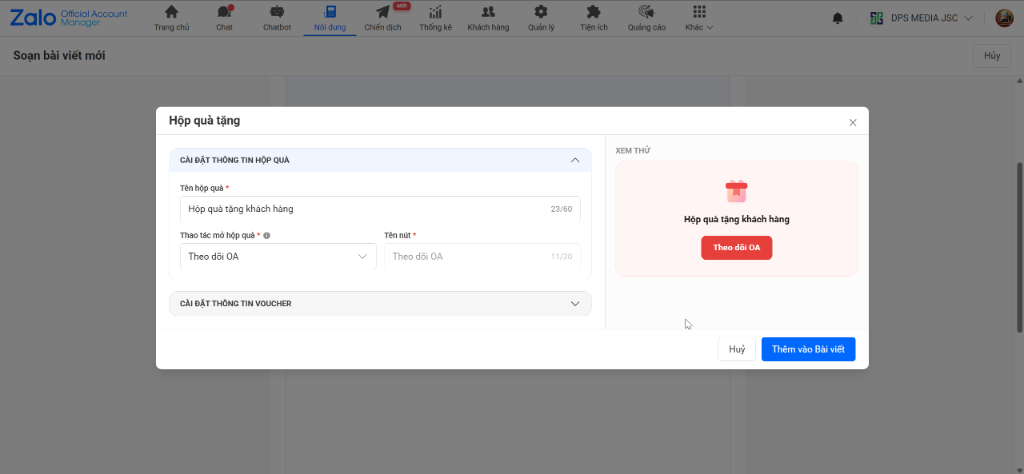
The Gift Box setup interface in the Zalo OA article editor, featuring a gift-opening mechanism linked to the Follow OA action.
Practical application example: Tan Tien Uniform Workshop in Ho Chi Minh City publishes an article sharing tips on choosing breathable fabrics for hot weather. At the end of the article, the workshop sets up a Gift Box named “Voucher offering a 10% subsidy for orders of 50 or more shirts”. The results are truly impressive: just 4 days after publication, the article generated 215 new Follow OA clicks without spending a single đồng on advertising.
2. Registration Form: Collect Potential Customer Data Without Losing Leads
For service, education, real estate, and B2B consulting industries, obtaining potential customers' phone numbers and full names is a crucial step. However, social media users are often reluctant to open another tab or fill out lengthy Google Forms.
The new Form feature (Lead Form) in Zalo OA articles allows you to create a compact registration form with up to 3 essential information fields (for example: Full Name, Phone Number, and Area of Interest). When readers click submit, all data is automatically saved directly to the Customer Management section of Zalo OA Manager, ready for the sales team to follow up immediately.
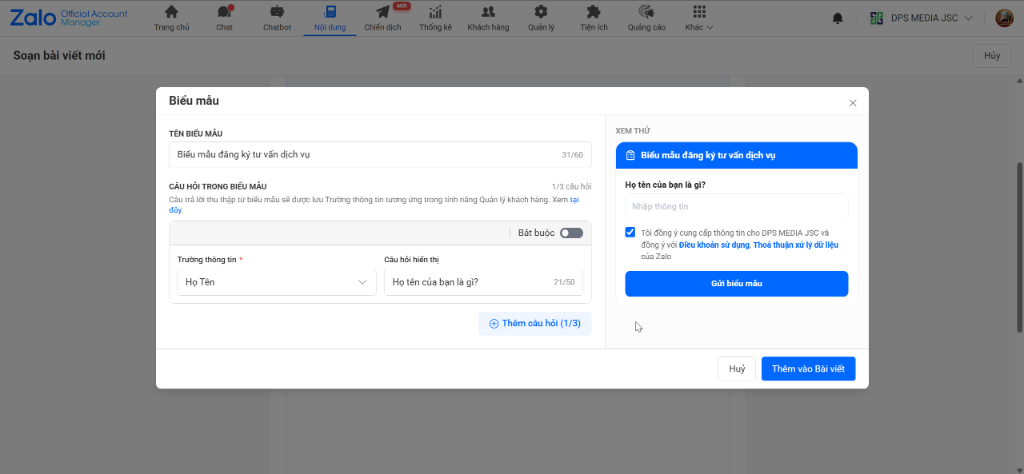
A service registration form with an integrated commitment to protecting personal data in accordance with regulations.
In particular, this form includes a built-in checkbox confirming compliance with Zalo's Terms of Use and Data Processing Agreement, giving businesses peace of mind regarding legal compliance when collecting customer information.
Practical application example: When International Smile Aesthetic Dentistry published an article analyzing the differences between porcelain crowns and Veneer veneers, it inserted a consultation form directly at the bottom of the article: “Register to receive a free appointment and CT scan”. The form completion rate reached 8.6%, three times higher than the previous method of linking to a website form.
3. Product Collection: Turn Informational Articles into a Sales Platform That Closes Deals
This is undoubtedly the feature most eagerly anticipated by owners of retail, fashion, cosmetics, and home goods shops. You no longer have to publish an article and tell customers: “Visit the Products menu to see more” — something that 90% of lazy readers will skip.
With Product Collection, you can display up to 10 specific products directly within the body of an article. Each product displays a clear 1080×1080 square image, product name, original price, promotional price (the system automatically displays a prominent red discount tag such as 42% Off), attribute options (color and size), and a single call-to-action button: Message.
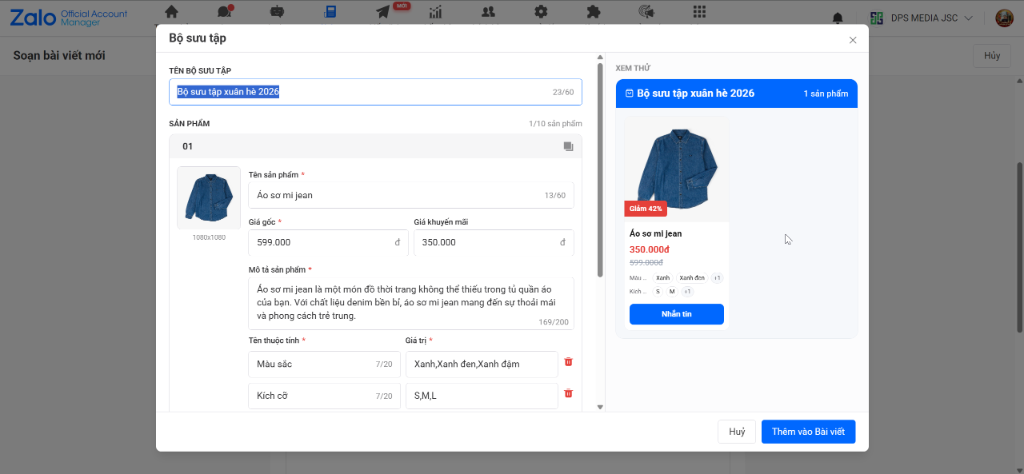
The Product Collection interface includes a Message button that opens the Zalo OA chat window directly.
When customers click the “Message” button, the Zalo chat between the customer and the business opens immediately, with the exact product card attached, including the image and price the customer was viewing. Sales consultants no longer need to ask which image or size the customer is interested in; they can proceed directly to closing the sale and requesting the delivery address.
Strategy for Combining 3 Tools into a Closed-Loop Sales Funnel on Zalo
To maximize conversion rates, you should not cram all 3 tools into one cluttered location. Arrange them according to the natural progression of the customer's reading experience:
- Beginning of the article (Spark Curiosity & Retain Readers): Place a Gift Box or welcome discount voucher. When customers enter the article and see an attractive gift, they will immediately click Follow OA to claim the offer before continuing to read.
- Middle of the article (Hot Conversion): After providing valuable knowledge or useful tips, insert a collection of 3–5 representative products that directly solve the problem discussed in the article. Customers with immediate purchasing needs will click Message to buy right away.
- End of the article (Capture High-Value Potential Customer Data): Readers who carefully read to the end are genuinely interested customers. Placing an in-depth consultation form here is the best way to collect high-quality data.
DPS.MEDIA Professional Zalo OA Management & Care Service Pricing
Continuously creating quality articles, designing images consistent with brand identity, and setting up new interactive features on Zalo OA require time and dedicated personnel. DPS.MEDIA provides comprehensive Zalo OA management services to help businesses maintain a vibrant communication channel at the most optimized cost:
| Category / Feature | Basic Package | Standard Package | Advanced Package |
|---|---|---|---|
| Number of articles | 30 posts / month (1 post/day consistently) |
60 posts / month (2 posts/day for broad coverage) |
90 posts / month (3 posts/day for breakthrough growth) |
| Image design | 30 Standard-Sized Images | 120 Premium Brand Identity Images | 270 In-Depth Images |
| Interactive Utility Setup | Basic Setup Support | Attach Gift Boxes, Forms, and Products | Multi-Level Interaction Funnel Design |
| Send Broadcast Message | ❌ 0 messages | 2 Broadcast messages / month | 3 Broadcast News / Month |
| Seeding Interaction | ❌ 0 engagements | 2 Seeded Engagements | 4 Seeded Engagements |
| Full Package Price | 600,000 VND / month | 1,100,000 VND / month | 1,600,000 VND / month |
* Note: These prices apply to contracts with a 12-month term. The above fees do not include the cost of the Zalo Cloud account service package, which is charged periodically by VNG. The DPS.MEDIA expert team is always ready to help you with content structure consulting and exclusive brand identity design.
Frequently Asked Questions About New Zalo OA Features (FAQ)
Can unverified Zalo OA accounts use these features?
Some advanced features, such as direct links to product chat windows and broadcast messaging, require a verified Zalo OA account (with a gold or green verification badge) and registration for a suitable Zalo Cloud service package. However, content editing features and basic form attachments can still be tried on business accounts.
Where is customer data submitted through the Form in the post stored?
This data is saved directly in the “Customers” section of the Zalo Official Account Management interface. You can view each customer's full name, phone number, submission time, and assign classification tags to support future customer follow-up activities.
What is the maximum number of products from a Collection that can be attached to a Zalo OA post?
Zalo allows you to create a collection containing up to 10 products in one article. You should select products that are most closely related to the article's topic to achieve the highest conversion rate and avoid cluttering the viewing experience.
How can gift recipients use vouchers from the Gift Box?
After users click “Follow OA”, the interface automatically opens the gift box and displays the voucher code or usage instructions link you configured earlier. Customers can save or copy this code to redeem it when making a purchase.
DPS.MEDIA JOINT STOCK COMPANY
📍 Address: 56 Nguyen Dinh Chieu, Tan Dinh Ward, Ho Chi Minh City
📞 Hotline / Zalo: 0961 545 445
✉ Email: marketing@dps.media
🌐 Website: https://dps.media
🏢 Tax identification number: 0318700500 | VCB: 1051160909
Ý kiến bạn đọc (0)
Đăng nhập để bình luận
Đăng nhập nhanh 1-chạm bằng Google để chia sẻ ý kiến của bạn về bài viết.
Bằng cách đăng nhập, bạn đồng ý với điều khoản và chính sách cộng đồng.
Chưa có bình luận nào. Hãy là người đầu tiên chia sẻ cảm nghĩ!
Đăng nhập / Tạo tài khoản
Đăng nhập với Google để gửi bình luận và tương tác cùng cộng đồng.
Tiếp tục là đồng ý với điều khoản sử dụng và chính sách bảo mật của DPS Media.