




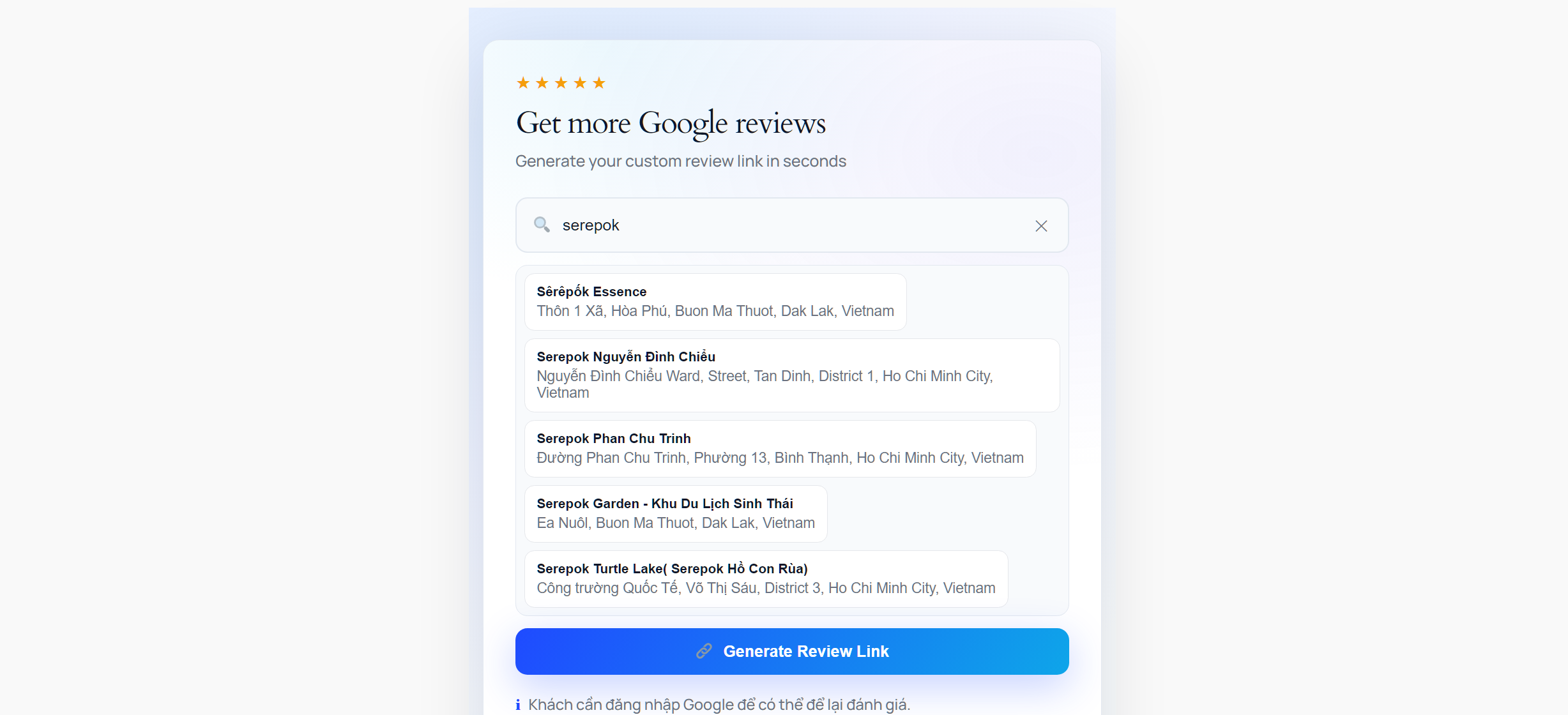
Create direct Google reviews rating link
Find location and get review link in a few seconds
Create Direct Google Reviews Links – Free Tool From DPS.MEDIA
In the digital age, customer reviews on Google are one of the most important factors helping businesses build reputation and attract new customers. However, not everyone knows how to create a direct review link so customers can easily leave a review with just one click.
Understanding this need, DPS.MEDIA has developed the tool “Create Direct Google Reviews Links” completely free, helping businesses optimize the customer review collection process quickly and effectively.
What is the Google Review Link Creation Tool?
This is an online tool that allows you to create a link that leads directly to your business's Google Business review page. Instead of guiding customers to search for the business on Google Maps and then write a review, you just need to send this link, and customers can rate immediately upon clicking.
Why Do You Need This Tool?
1. Increase Number of Reviews
The simpler the review process, the more willing customers are to spend time rating your service. A direct link minimizes unnecessary steps, thereby increasing the conversion rate from satisfied customers to 5-star reviews.
2. Build Brand Reputation
The more positive reviews, the more trusted your business becomes. According to research, more than 90% of consumers read online reviews before deciding to purchase or use a service.
3. Improve Local SEO
Google prioritizes displaying businesses with many positive reviews in local search results. This helps your business stand out more when customers search for related services.
4. Save Time
No need to guide customers step by step via phone or messages. Just send the link, and everything becomes simple and quick.
Usage Guide for the Tool
DPS.MEDIA's tool is designed with a user-friendly and easy-to-use interface, even for those without technical knowledge:
Step 1: Search for Business
Access the tool and enter your business name into the search box. The system will automatically display matching results from Google Business.
Step 2: Select the Correct Location
If your business has multiple branches, select the exact location where you want to collect reviews. The tool will display full address information for easy identification.
Step 3: Create Link
Click the “Create review link” button and the system will automatically generate a direct link along with a convenient QR code.
Step 4: Share
You can copy the link or download the QR code to share via email, messages, social media, or print on marketing materials like business cards, brochures, store standees.
Real-World Applications
For Restaurants – Cafes
Scan the QR code on the payment receipt or place a standee at the cashier counter, encouraging customers to leave reviews right after experiencing the service.
For Retail Stores
Send the review link via SMS or email after the customer completes the order, creating an opportunity to collect feedback while the experience is still fresh in their mind.
For Healthcare Services
Place the QR code in the waiting room or reception desk, helping patients easily rate the service while waiting.
For Online Businesses
Send the review link in the thank-you email after successful delivery, increasing engagement and building trust with customers.
Key Features
- Completely free: No cost to use
- Auto-generate QR code: Convenient for printing and offline use
- Simple interface: Easy to use, no technical knowledge required
- Multi-platform compatible: Works well on all devices
- Instant results: Complete link in just a few seconds
Optimization Tips
1. Choose the Right Time
Send the review link when the customer has just had a positive experience with your product or service. This is when they are most ready to share their best impressions.
2. Personalize the Message
Instead of sending a dry message, add a sincere thank you and explain why their review is important to you.
3. Create Motivation
You can offer discount vouchers or small gifts to customers who leave reviews, but note that you must not specifically request 5-star reviews.
4. Display Clearly
Place the QR code in a visible location in the store or add a “Rate us” button on the website with an easy-to-remember shortened link.
Conclusion
The DPS.MEDIA Google Reviews link generator tool is the perfect solution to help businesses enhance customer interaction and build online reputation professionally. With convenient features and completely free, this is an indispensable tool in every business's digital marketing strategy.
Visit the DPS.MEDIA website right now to experience this tool and start collecting 5-star reviews from your customers today!
Contact information:
- Website: DPS.MEDIA
- Address: 56 Nguyen Dinh Chieu, Da Kao, District 1, Ho Chi Minh City
- Free tool, no account registration required