




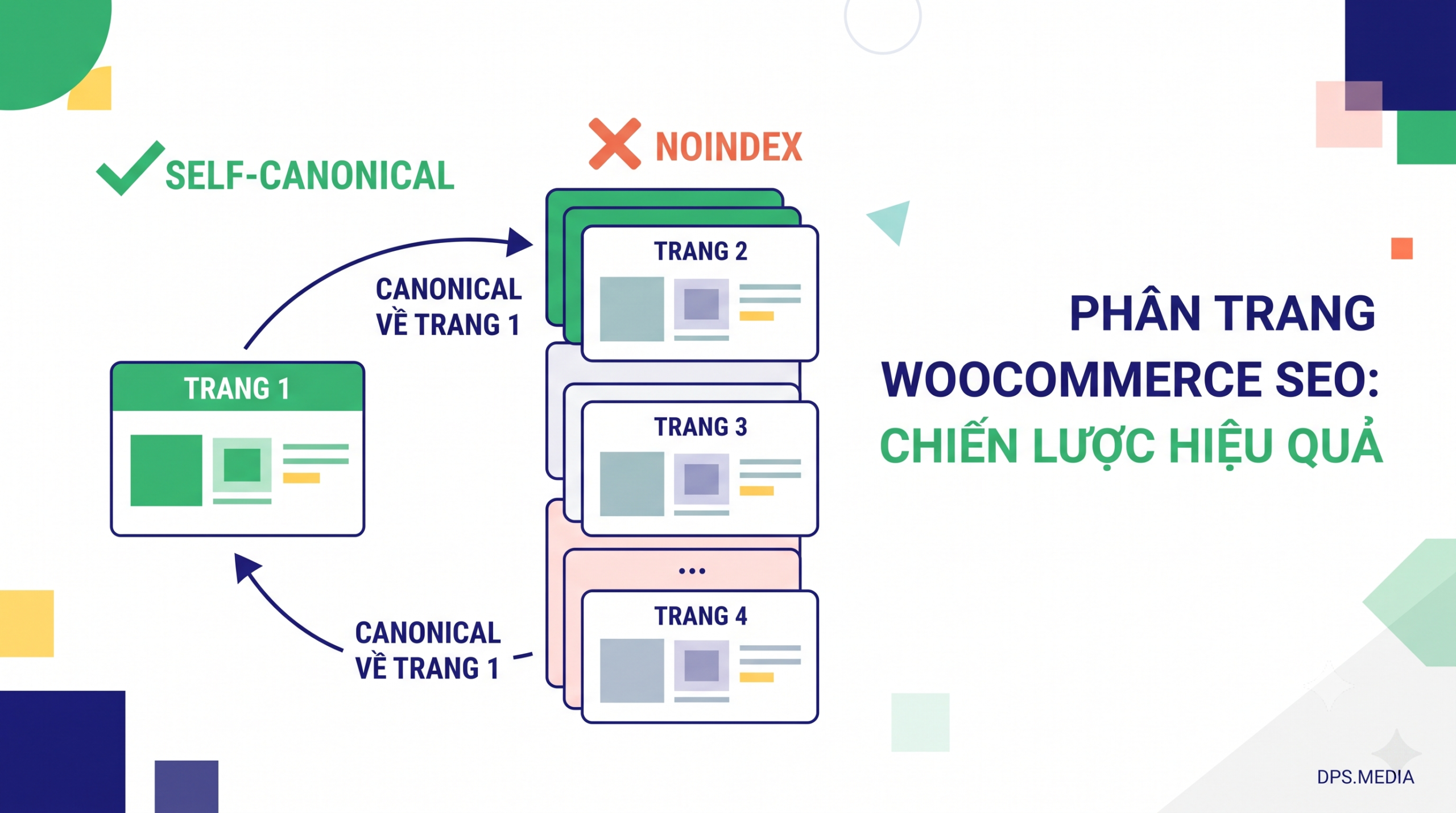

When operating a WooCommerce e-commerce website, handling WooCommerce SEO pagination the correct approach directly determines Googlebot's ability to crawl and index. If your product category spans dozens of pages (Page 2, Page 3…), choosing the wrong signaling mechanism for the canonical tag or noindex can cause hundreds of products to be “overlooked” in search results.
A very common question among web administrators: Should you apply noindex to subsequent pagination pages, use a canonical tag pointing back to page 1, or set a self-canonical tag for each individual page?
WooCommerce SEO Pagination: Why Is It a Hotspot for Duplicate Content?
In the WooCommerce system, when a category contains more than the number of products allowed to be displayed on a single page (typically 12, 24, or 36 products), the system will automatically generate paginated pages in the following format /danh-muc-san-pham/page/2/, /page/3/…
These pages have Title tags, Meta Descriptions, and interface structures that are almost identical. At the same time, actions such as price filtering, product sorting, or switching display modes also create countless URL variants containing query string parameters such as ?orderby=price or ?filter_color=black. Google Search Central documentation on consolidating duplicate URLs, not clearly declaring the canonical URL will cause search engines to spend crawl budget on duplicate addresses.
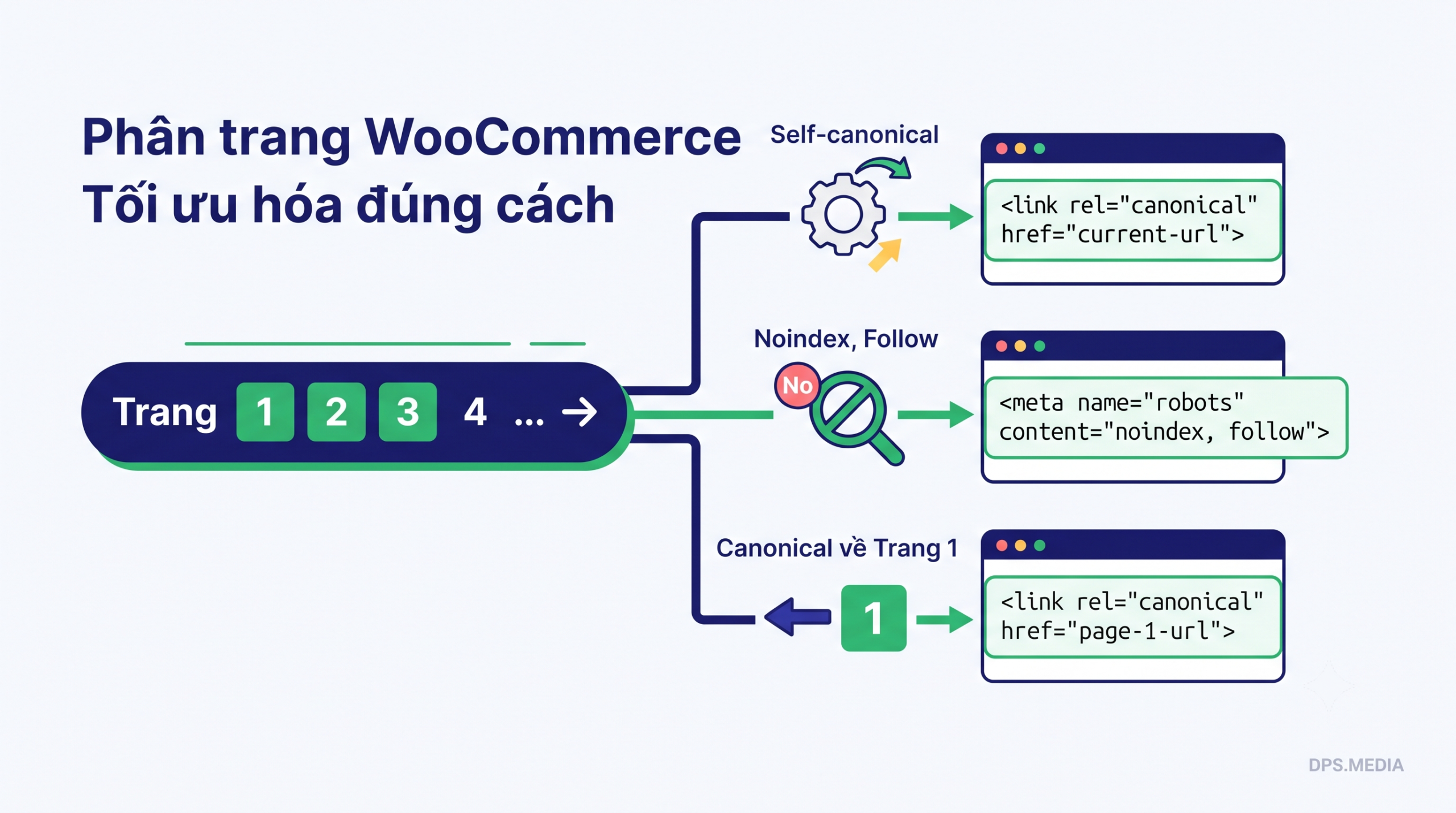
Compare 3 popular WooCommerce pagination handling methods
To determine which is the optimal choice, let's analyze the technical nature and SEO impact of each option.
1. Canonical to Page 1 (Canonical back to Page 1)
This is the most common mistake in many WooCommerce website designs. The administrator configures it so that /page/2/ and /page/3/ all declare the canonical tag pointing to /danh-muc-san-pham/ (page 1).
Technically, a canonical tag is a statement to Google that: “The content of this page is completely identical to the destination page”. However, page 2 contains completely different products from page 1. When you point the canonical tag to page 1, Googlebot will treat page 2 as a duplicate and skip indexing the entire product list from page 2 onward. As a result, the products located on deeper pages will suffer a significant loss of internal linking strength.
2. Use noindex tags for the following pages (Page 2, Page 3…)
An old tactic that many SEOs used in the past was to add the tag for pages from page 2 onward to prevent Google from indexing paginated pages.
However, representatives from Google have clarified: If a URL is configured noindex over a long period of time, Googlebot will gradually interpret the processing of that tag as no-follow. This means that robots will stop crawling the product links on page 2 and page 3. This breaks the flow of ranking value (link juice) passed from the category page to the product detail pages.
3. Set up self-canonical for each paginated page (Recommended)
The most accurate solution recommended by Google is Self-canonical (Each paginated page self-declares a canonical pointing only to itself). Specifically, the URL /page/2/ will have a canonical tag pointing correctly to /page/2/, and /page/3/ point back /page/3/.
This approach ensures two core objectives:
- All products on every paginated page are fully crawled and indexed by Googlebot.
- Eliminate all unnecessary URLs generated by filter parameters or sorting options (for example:
/page/2/?orderby=datewill be automatically consolidated to the original URL/page/2/).
Guide to configuring proper Self-canonical for WooCommerce
Most leading SEO plugins today such as Rank Math SEO or Yoast SEO have already integrated an automatic Self-canonical mechanism for WooCommerce pagination. You only need to ensure that you do not enable any options forcing noindex for pagination in the plugin settings.
In addition to setting up Self-canonical, you should combine the following supporting techniques to optimize both user experience and search engine performance:
- Diversify SEO titles: Ensure the Title tags of the following pages automatically add the page number (Example: “Branded Men's Clothing – Page 2”). This helps avoid duplicate title warnings in Google Search Console.
- Keep traditional HTML links: Use tags
standard for pagination buttons instead of hiding them behind JavaScript onClick events. - Do not include pagination in XML Sitemap: Just include the main URL of the category (page 1) in the XML Sitemap. Googlebot will automatically follow pagination links on the interface to discover the next pages.
Conclusion and optimal e-commerce SEO solutions from DPS.MEDIA
In summary, for WooCommerce product category pagination, Self-canonical is the only optimal solution that helps protect the internal linking structure and ensures every product has the opportunity to appear in Google search results. .
If you are having difficulty optimizing your WooCommerce website structure or want to break through sales via search channels, refer to the solution professional website SEO services at DPS.MEDIA. Our team of experts will help you comprehensively check your website's technical health and build a sustainable growth strategy. Hotline / Zalo direct consultation: 0961545445.
Ý kiến bạn đọc (9)
Đăng nhập để bình luận
Đăng nhập nhanh 1-chạm bằng Google để chia sẻ ý kiến của bạn về bài viết.
Bằng cách đăng nhập, bạn đồng ý với điều khoản và chính sách cộng đồng.
Chưa có bình luận nào. Hãy là người đầu tiên chia sẻ cảm nghĩ!
Đăng nhập / Tạo tài khoản
Đăng nhập với Google để gửi bình luận và tương tác cùng cộng đồng.
Tiếp tục là đồng ý với điều khoản sử dụng và chính sách bảo mật của DPS Media.