





Creating monthly SEO reports for clients is the shared nightmare of every agency. Collecting data from Google Search Console, exporting GA4 files, taking keyword ranking screenshots, then pasting everything into PowerPoint slides... It takes an entire morning and the figures on page 3 are still wrong. SEO Dashboard for agencies by DPS was created to solve this problem completely: automate the reporting process, provide transparent 24/7 data, and free the technical team from repetitive work.
The system is divided into two clearly defined modules: Admin Portal for the agency team to manage projects, and Customer Dashboard for clients to monitor SEO performance anytime. Below is the complete feature set of each module.
Agency Management Module (Admin Portal)
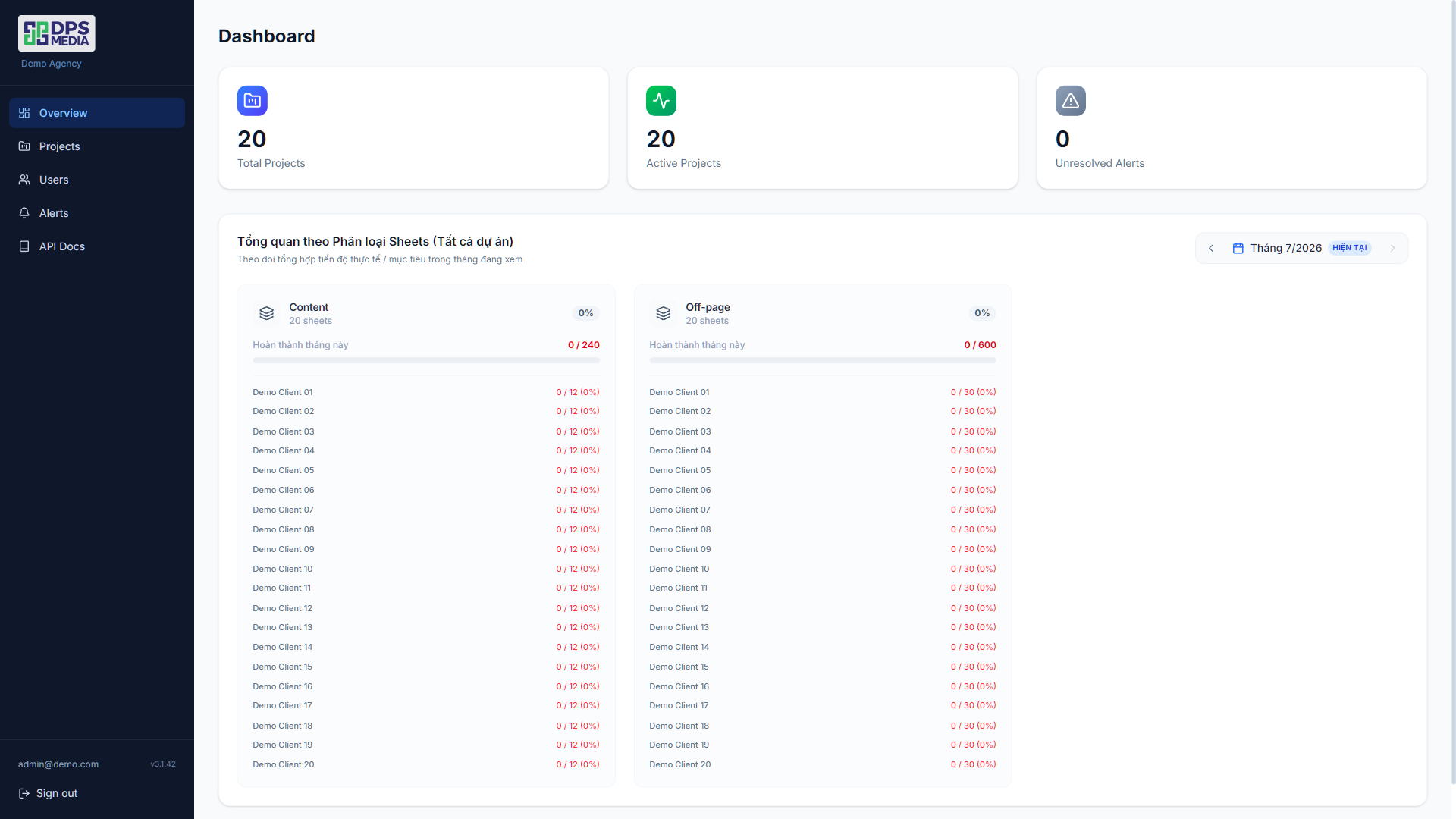
Management overview — See the big picture in 10 seconds
As soon as they log in, admins immediately see the overall picture: how many projects are active, the total clicks/impressions across all websites, and a list of alerts requiring attention. A dental clinic working with DPS once said they “no longer need to call for progress updates because opening the dashboard shows everything”.
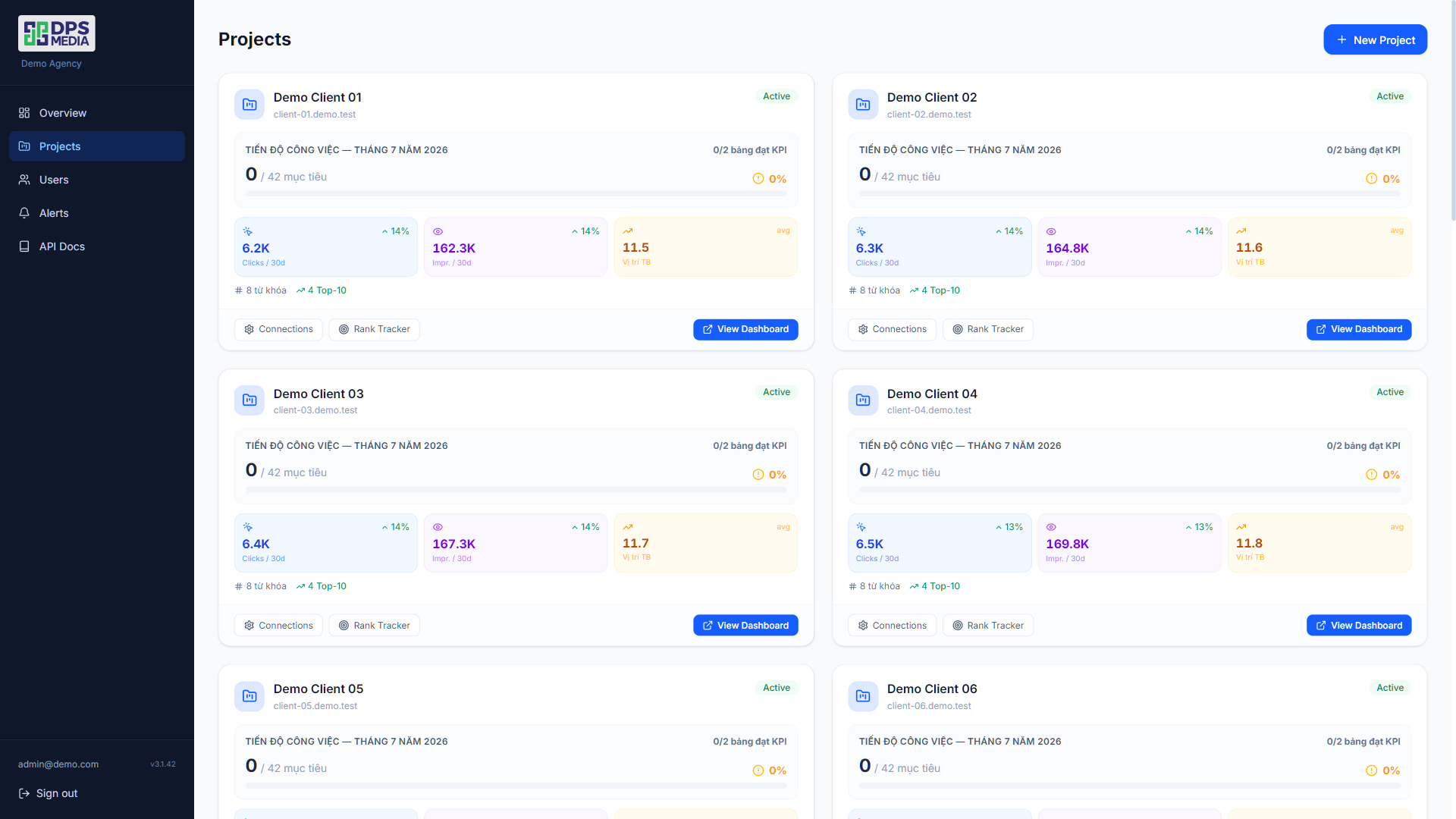
Multi-client project management
Each project (for example: Paris Dental Clinic, Dong A Furniture, Bella Aesthetic Clinic) is completely separated. Admins can create a new project in seconds — enter the name and domain, and it is done. No complicated configuration or lengthy documentation required.
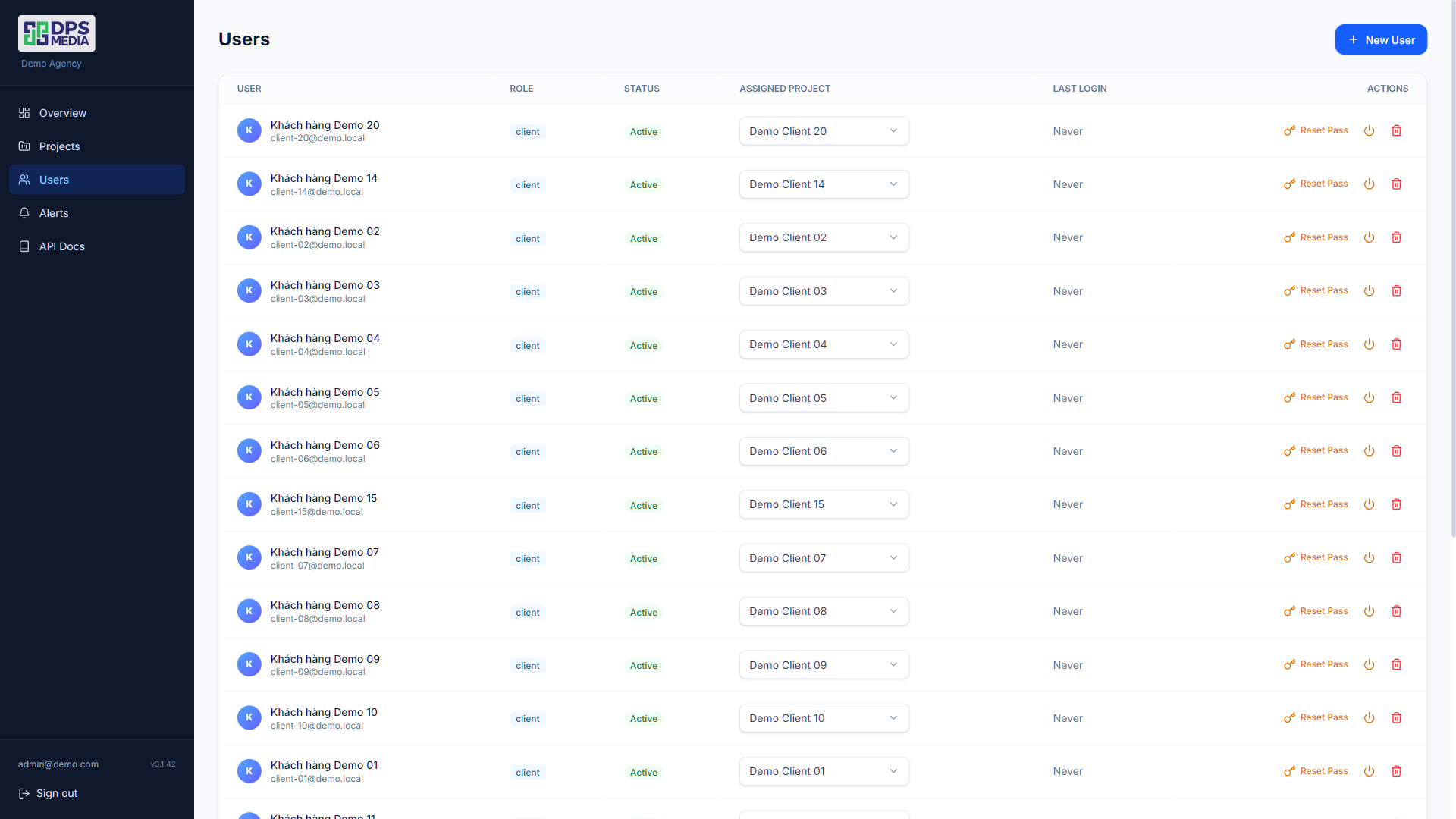
Strict user permission management
Three permission levels: Technical SEO specialist (full editing access), Account Manager (view and export reports), and Client (view only their own dashboard). An 8-person agency can use the system simultaneously without anyone seeing another client's data.
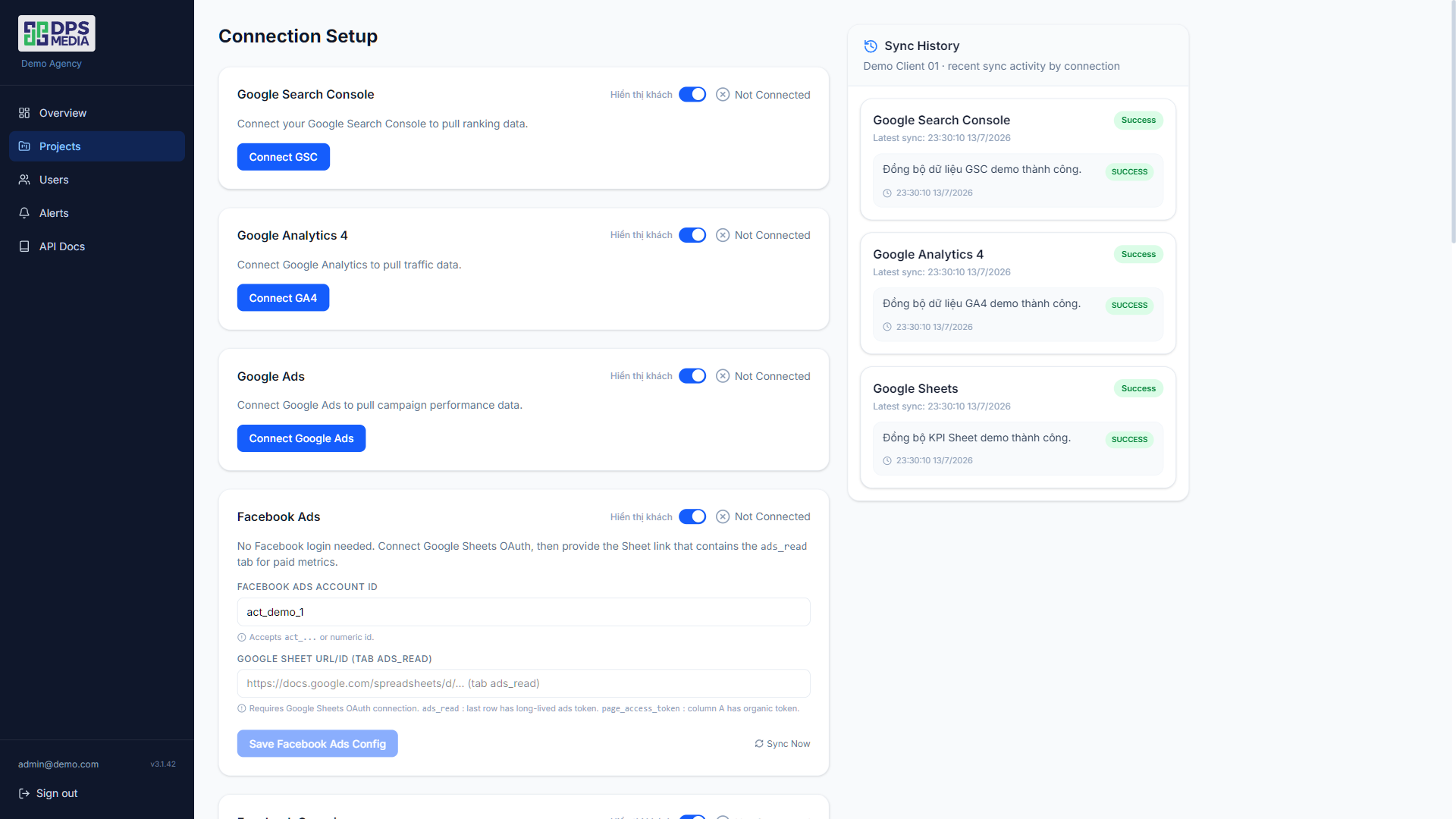
Multi-platform data integration (GSC, GA4, Sheets)
Connect APIs through Google's standardized OAuth2 flow — select a property from the list, click confirm, and it is done. The system automatically syncs historical data (up to 16 months back for GSC). The first GA4 sync may take 10-15 minutes due to Google API quotas, but the built-in retry mechanism handles everything automatically.
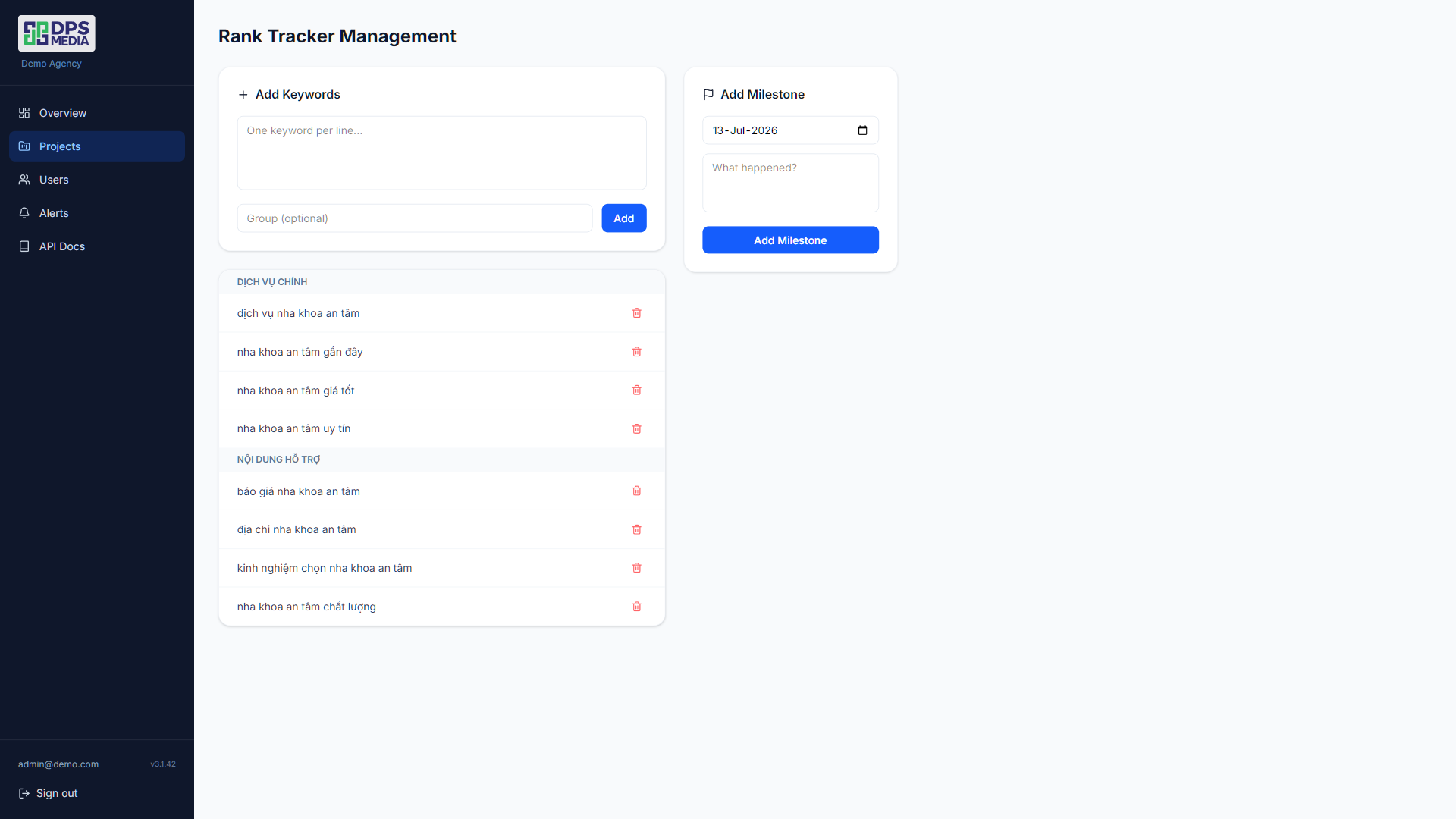
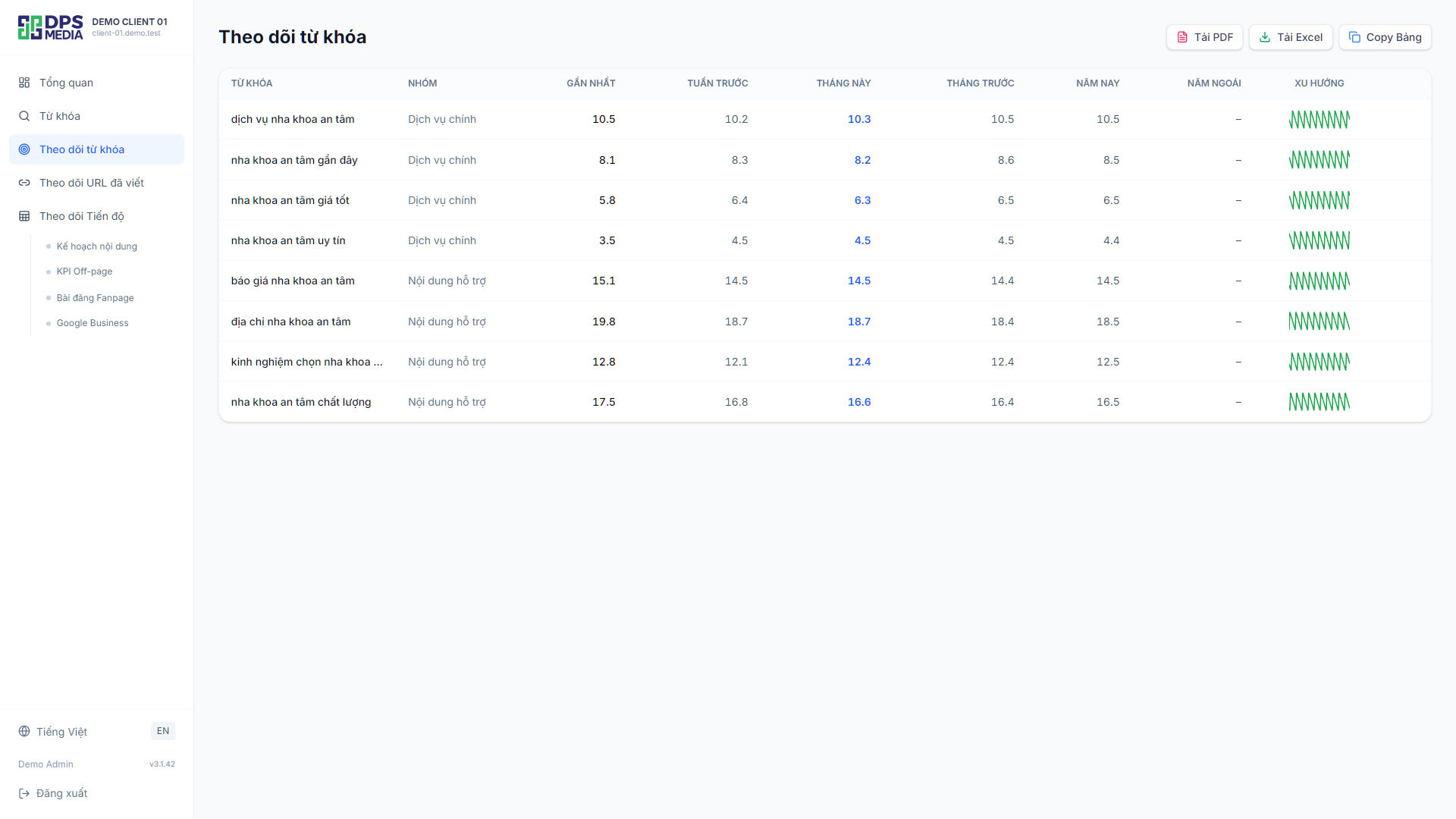
Keyword rank tracking (Rank Tracker)
Admins enter target keywords and group them by product/service. For example, the “Teeth Whitening” group contains 12 keywords, while the “Porcelain Veneers” group contains 8 keywords. Ranking changes are recorded daily and displayed in weekly/monthly trend charts.
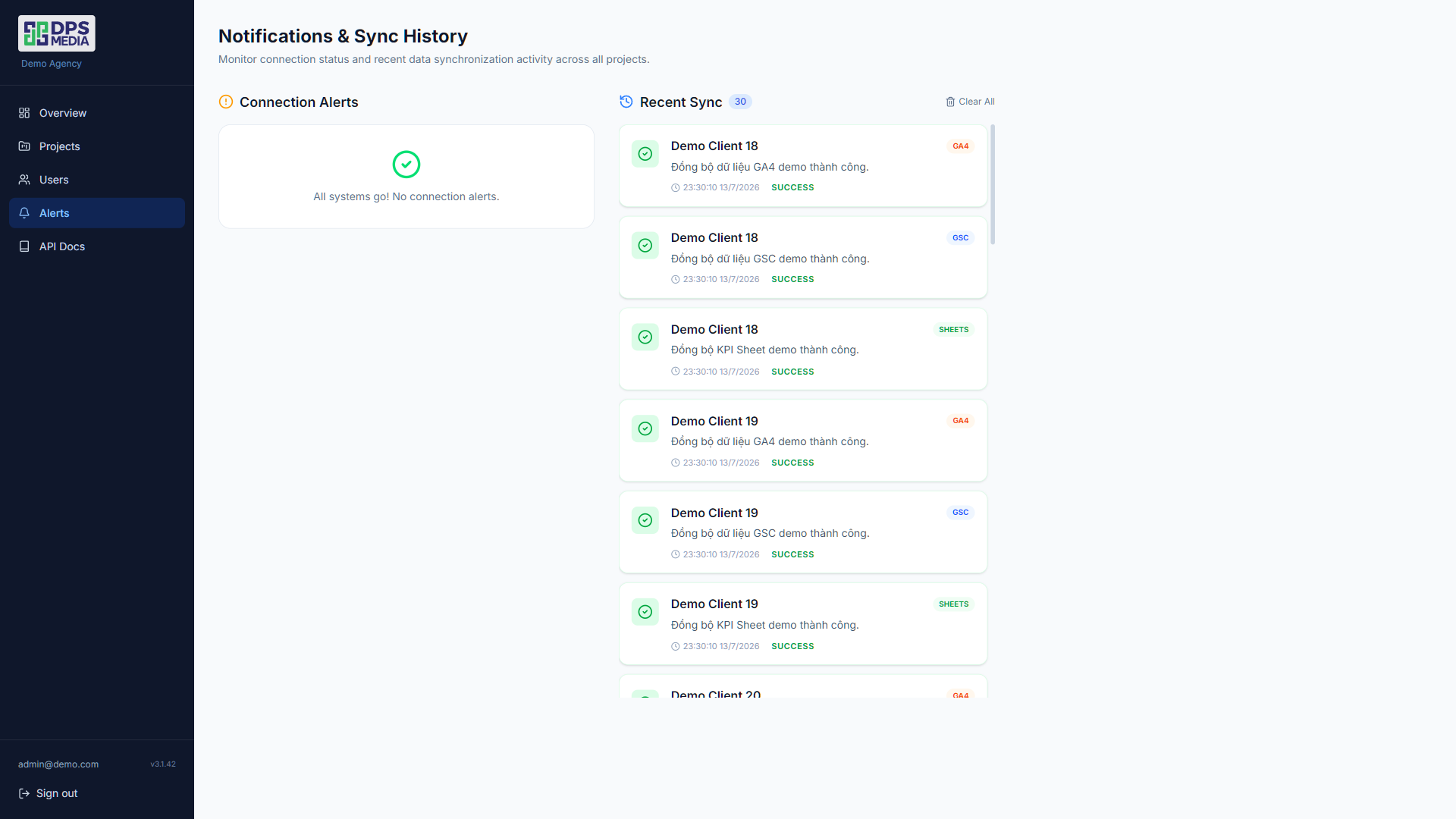
Smart alert system (Alerts)
Organic traffic down 30% compared to last week? A primary keyword dropped out of the top 10? The system instantly sends alerts via email or Telegram. One agency's technical team discovered a Core Web Vitals issue thanks to an unusual CTR drop alert — they fixed it within 2 hours instead of discovering it 2 weeks later during the monthly report.
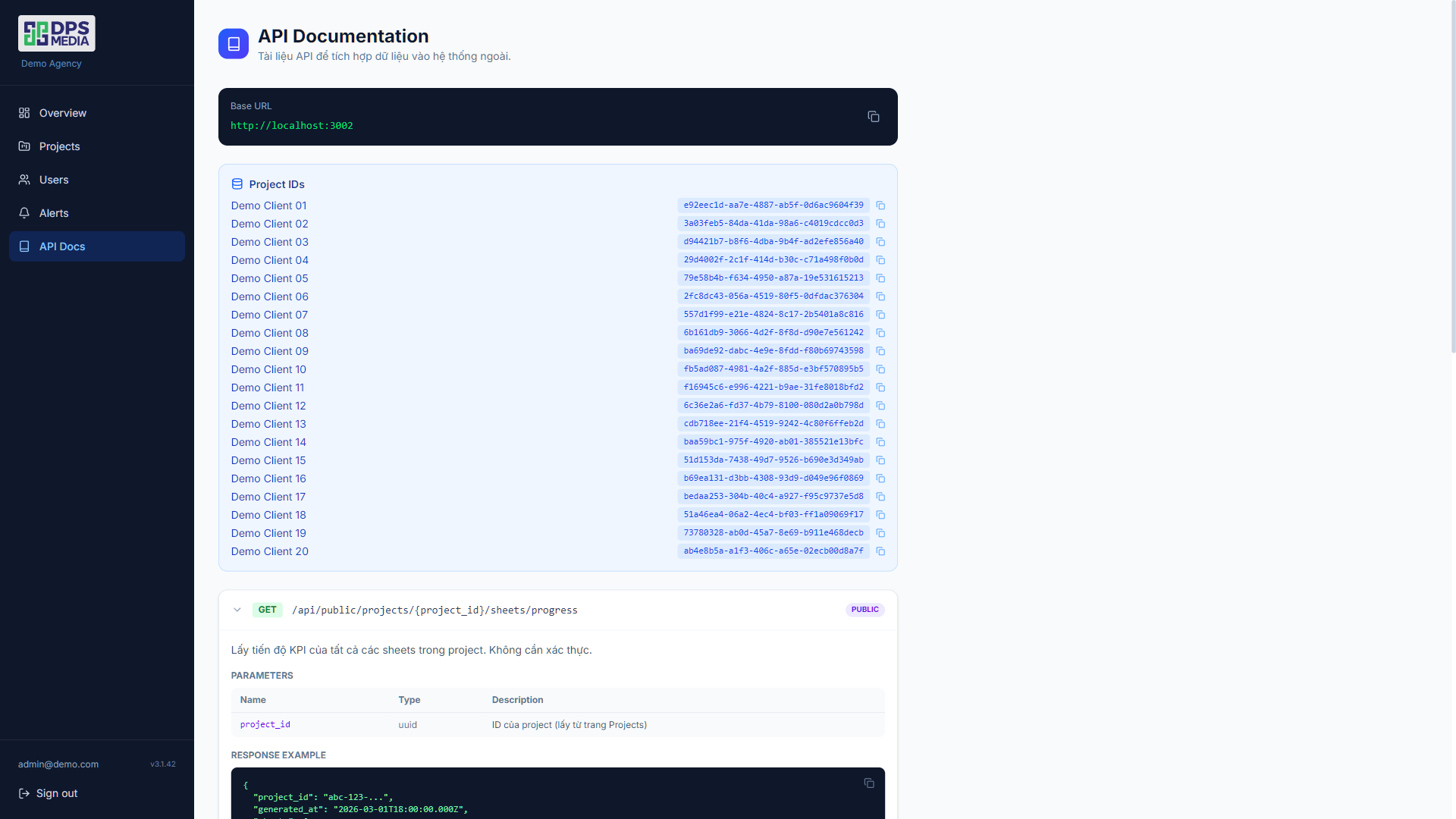
Built-in API documentation
Designed for agencies that want to integrate dashboard data into their CRM or internal tools. The API documentation is embedded directly in the admin interface — no need to open another tab or search for documentation links in Notion.
Customer Reporting Module (Customer Dashboard)
Clients log in with their own accounts and can only view data for the projects they are authorized to access. The interface is minimalist, with no configuration buttons or technical menus that cause confusion.
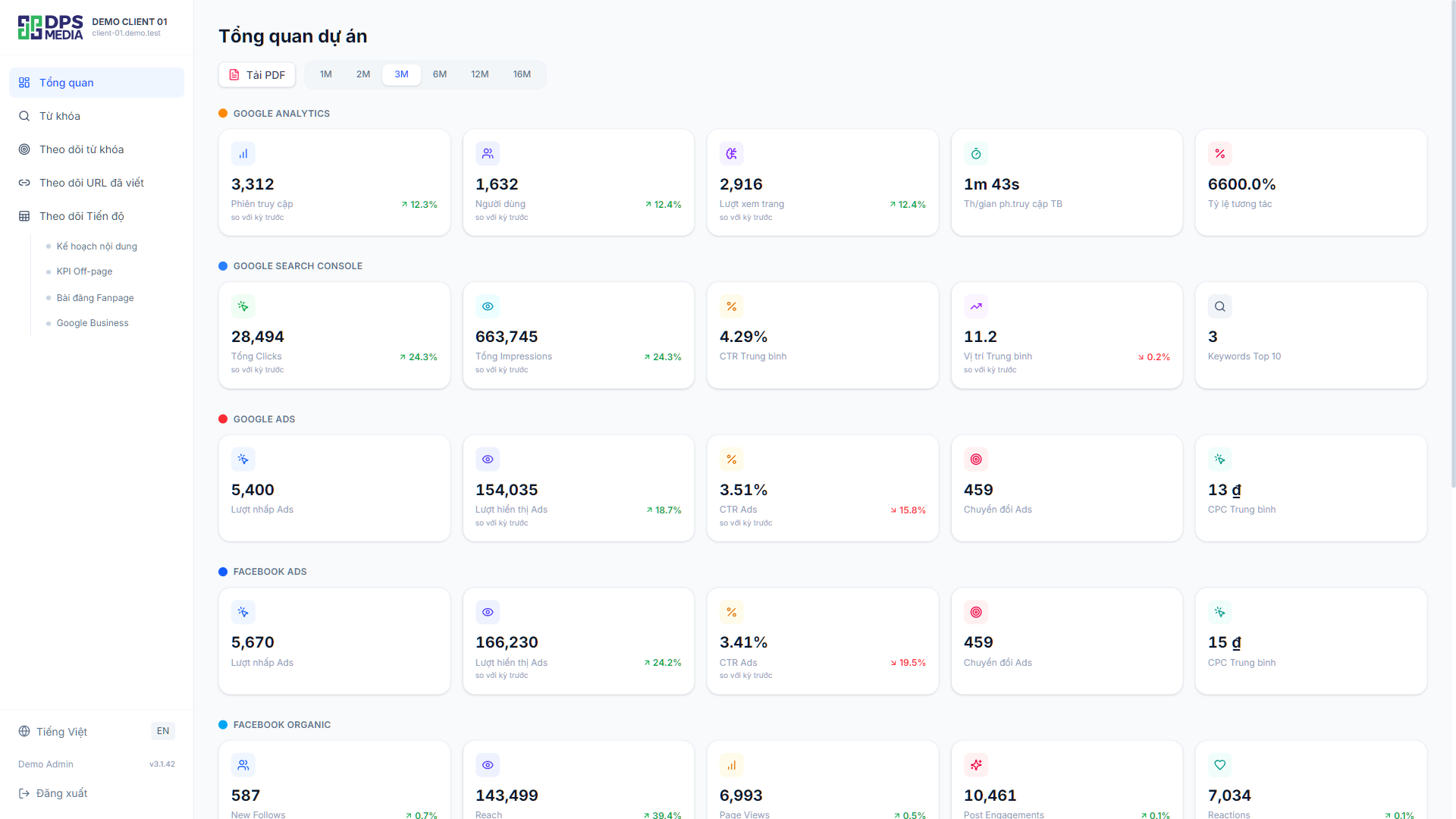
SEO performance overview (Overview)
Four core metrics are displayed at the top of the page: Total Clicks, Total Impressions, Average CTR, and Average Position. Monthly comparison line charts help clients recognize growth trends on their own without lengthy explanations from the agency.
The Top Keywords section automatically lists the 10 keywords generating the most clicks. One dental clinic owner once said: “I only need to open this to know whether SEO is effective this month, without reading a 20-page Word file.”
Detailed keyword report
A complete data table: keyword, average position, change from the previous month (how many positions up/down), impressions, clicks, and CTR. Clients can quickly filter by group, search by name, or export to Excel/PDF when they need to send it to their manager.
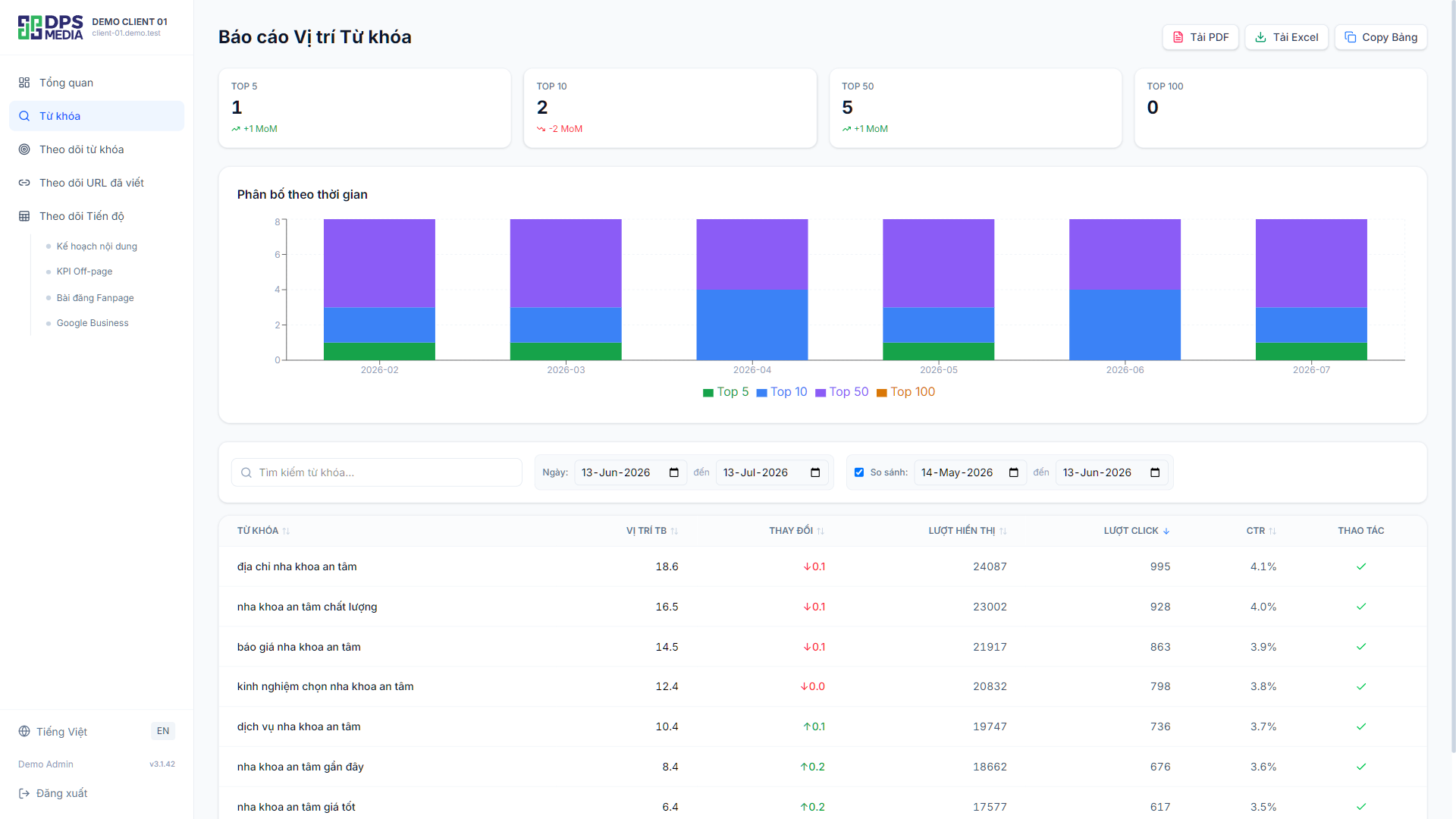
Visual Rank Tracker chart
Not just dry tables of numbers — line charts show daily keyword ranking changes. At a glance, clients can see which keywords are improving and which need more effort. They can also compare the performance of different keyword groups.
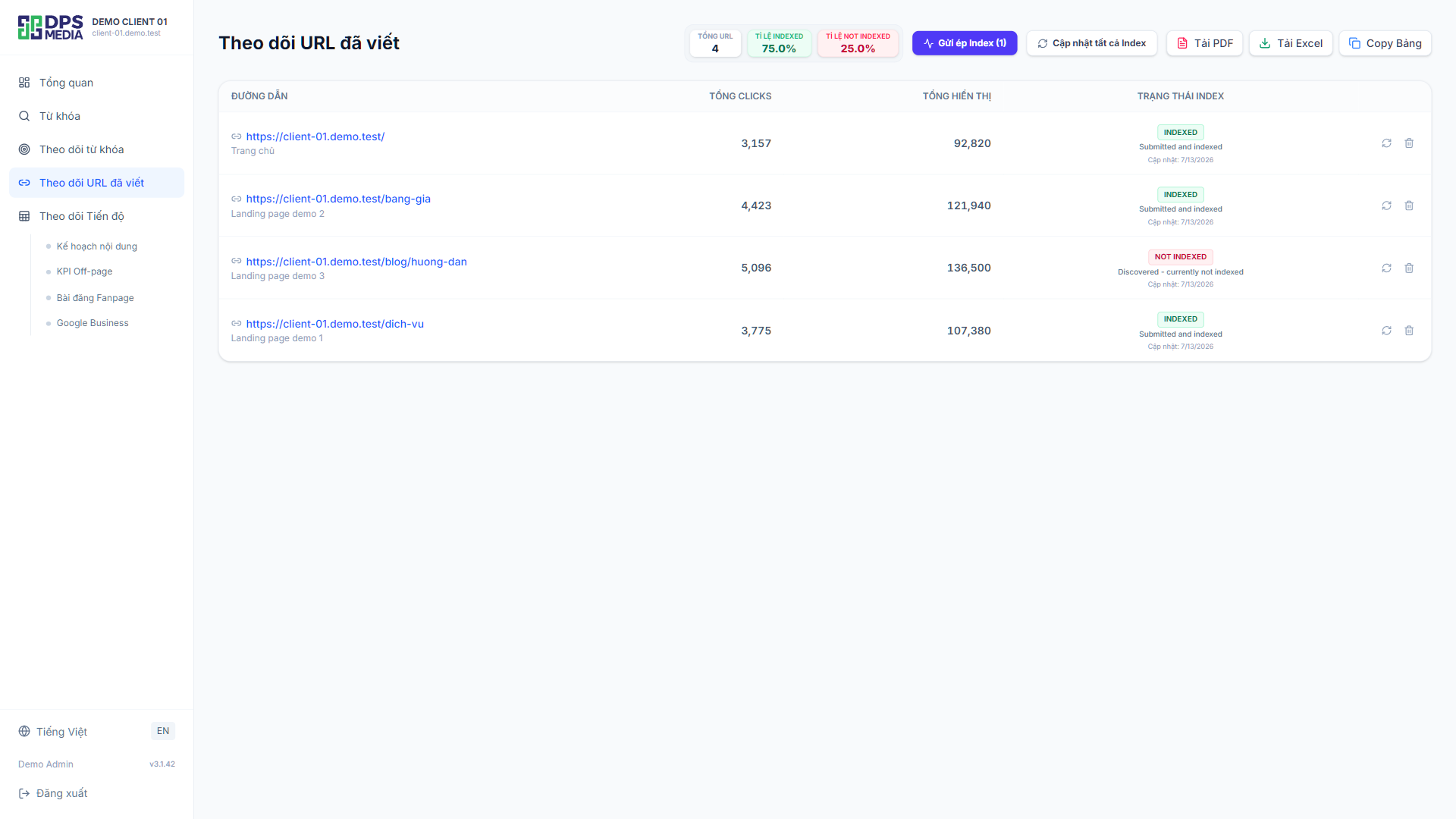
URL monitoring and automatic Index Request
A list of published article URLs with their actual indexing status on Google (Indexed / Not Indexed). When the agency publishes new content, the system calls the indexing API so Google can crawl it as quickly as possible. Clients can clearly see: “Oh, the agency published 5 articles this week, and Google has already indexed 4 of them.” Transparency down to every URL.
Content report synchronized from Google Sheets
Content production progress, publishing schedule, topics, and target keywords — everything is synchronized directly from the project's Google Sheets. Clients can view neatly formatted tables right on the dashboard without opening Drive links or requesting sheet access.
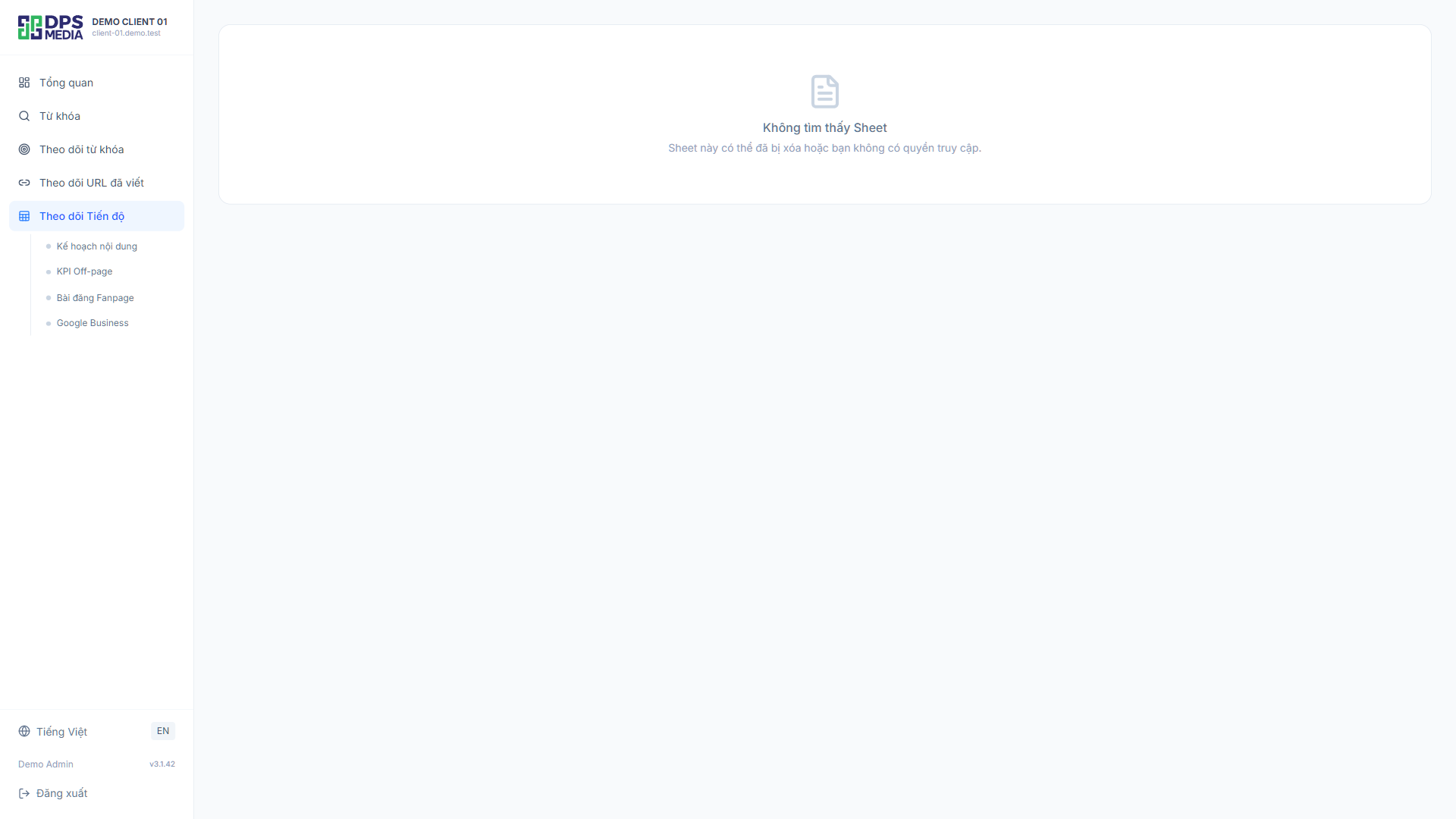
Off-page / Backlink report
Likewise, the list of implemented backlinks is synchronized and displayed on the dashboard. Information includes the backlink source URL, destination URL on the client's site, and completion date. No more clients asking “how many links were built this month” while the agency searches through Excel files.
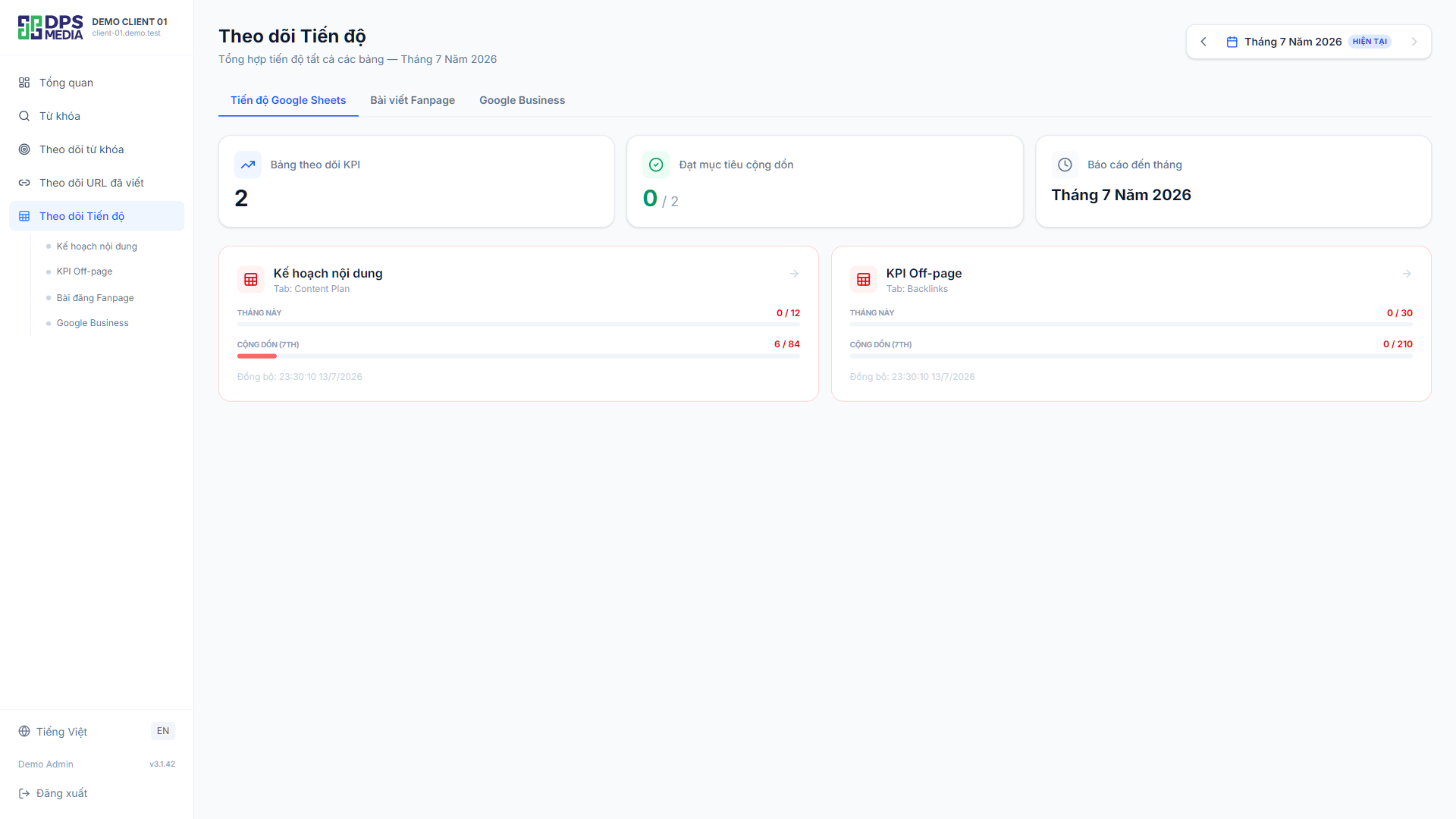
Overall project progress (Progress Tracker)
AI automatically analyzes data from the sheets and calculates KPI completion percentages by week/month. Progress is displayed visually with bars — green means on track, yellow means behind schedule. An Account Manager at DPS agency shared: “Since we added the Progress page, client calls asking about progress have dropped by about 70%.”
Why should agencies use an automated SEO reporting system?
With the traditional reporting model, one SEO specialist managing 5 projects spends an average of 2-3 days each month just creating reports. Multiply that by an agency with 20+ projects, and the number becomes unreasonable. An automated dashboard system helps:
- Save 15-20 staff hours every month on repetitive reporting tasks
- Reduce data errors caused by manual copy-paste (error rate drops from 8% to below 0.5%)
- Increase client retention through 24/7 progress transparency
- Professionalize your workflow — clients appreciate agencies with their own system
If your agency is looking for a solution to upgrade its SEO reporting workflow, explore DPS.MEDIA Digital Marketing services or contact us directly for consultation and a full system demo.
Ý kiến bạn đọc (8)
Đăng nhập để bình luận
Đăng nhập nhanh 1-chạm bằng Google để chia sẻ ý kiến của bạn về bài viết.
Bằng cách đăng nhập, bạn đồng ý với điều khoản và chính sách cộng đồng.
Chưa có bình luận nào. Hãy là người đầu tiên chia sẻ cảm nghĩ!
Đăng nhập / Tạo tài khoản
Đăng nhập với Google để gửi bình luận và tương tác cùng cộng đồng.
Tiếp tục là đồng ý với điều khoản sử dụng và chính sách bảo mật của DPS Media.