




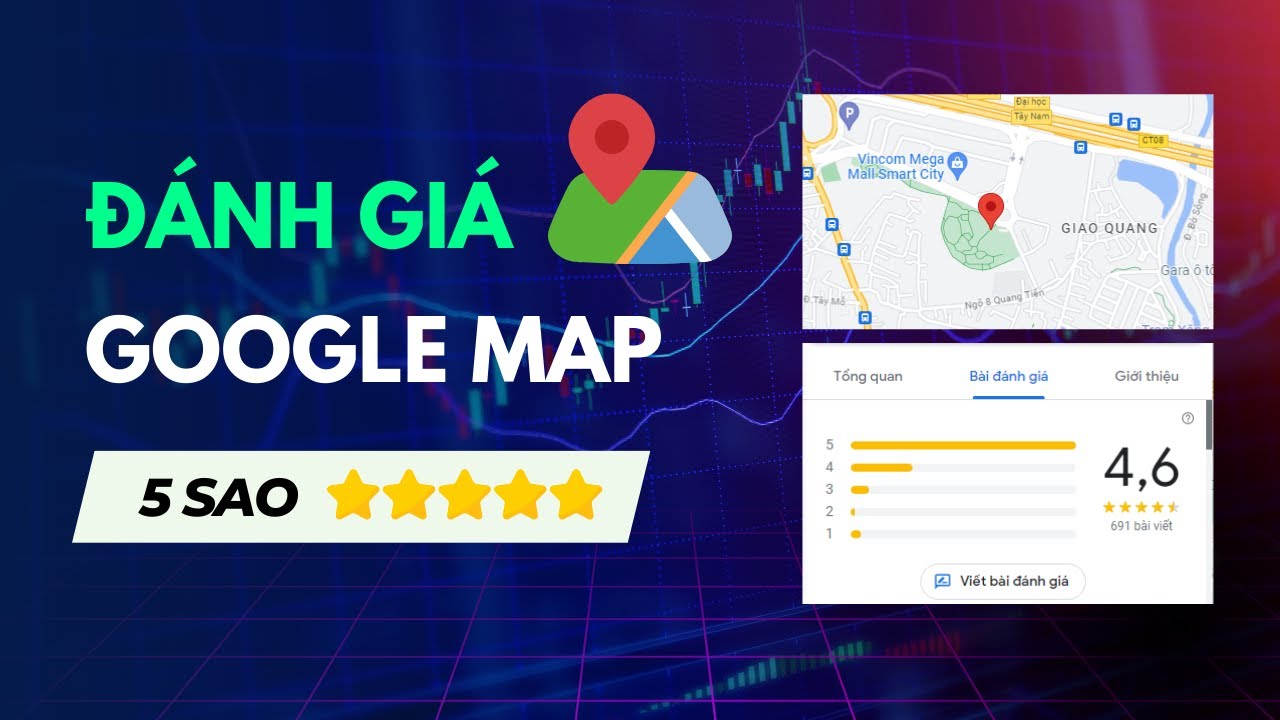

Google Maps reviews are not simply about leaving a comment about a business or location after using their service. It is also an opportunity for you to share your experience and help others get more information and make decisions when searching on Google. So, how do you rate 5 stars on Google Maps? DPS will suggest it to you right away.
What is the Google Maps review service?
Google Maps review service (Google Review) is one of the tools that help businesses improve their image and reputation by increasing the quantity and quality of customer reviews on the Google Maps platform. These reviews not only play an important role in building customer trust but also have a strong impact on SEO strategies, helping businesses appear higher in search results.

Benefits of increasing 5-star reviews for Google Maps
Improve search ranking
Google Maps' algorithm prioritizes displaying businesses with many positive reviews, especially 5-star reviews. Businesses with more 5-star reviews will rank higher in search results, attracting more potential customers.
Building credibility and brand
5-star reviews from real customers are proof of the quality of a business's products/services, helping to build trust and credibility with potential customers. When customers see many 5-star reviews, they will feel more secure when choosing the business's products/services. For example: A restaurant with many 5-star reviews for food quality and service will make a good impression on customers, making them trust and return next time.

Increase conversion rate
Customers tend to prioritize businesses with many 5-star reviews because they believe these businesses will provide high-quality products/services. Therefore, increasing 5-star reviews will help businesses increase the conversion rate of potential customers into actual customers. Similar to online shopping, customers often read product reviews before buying. If a product has many positive reviews, they are more likely to make a purchase.
Receiving feedback from customers
Customer reviews, especially 5-star ones, provide businesses with valuable information about what customers are satisfied and dissatisfied with regarding products/services. Businesses can use this information to improve product/service quality and enhance customer experience. For example: A hotel receives many 5-star reviews for its rooms but also some 3-star reviews complaining about staff attitude. The hotel can use this information to train staff and improve service quality.

Who should use the 5-star Google Maps review service?
New businesses
New businesses often struggle to build credibility and attract customers due to a lack of user reviews. Using a 5-star review boosting service will help these businesses quickly build trust and attract customer interest.
Restaurants, eateries
Restaurants and eateries always need many positive reviews to attract diners. Good reviews about food quality, service, and ambiance will help restaurants and eateries stand out on Google Maps, thereby attracting more new customers.

Retail stores
Retail stores also need many positive reviews to build trust and encourage customers to shop. Good reviews about products, services, and prices will help your store compete better in the market.
Professional services
Professional services such as repair, consulting, and healthcare also need many good reviews to affirm quality and reputation. Positive reviews from customers will help you attract more new customers and retain existing ones.
How to rate 5 stars on Google Maps
To perform a 5-star review on Google Maps, you can follow these steps:
Step 1: Open the Google Maps app
First, make sure you have installed and logged into the Google Maps app on your mobile device. This app is completely free and available on both operating systems iOS and Android.
Step 2: Search for the location you want to review on Google Maps
Enter the name of the place you want to review into the search bar located at the top of the app screen. Google Maps will provide you with a list of search results including the place name, address, images, and average rating.
Additionally, you can also navigate to the location on the map. To do this, use swipe gestures or tap the map icon in the bottom right corner of the screen.
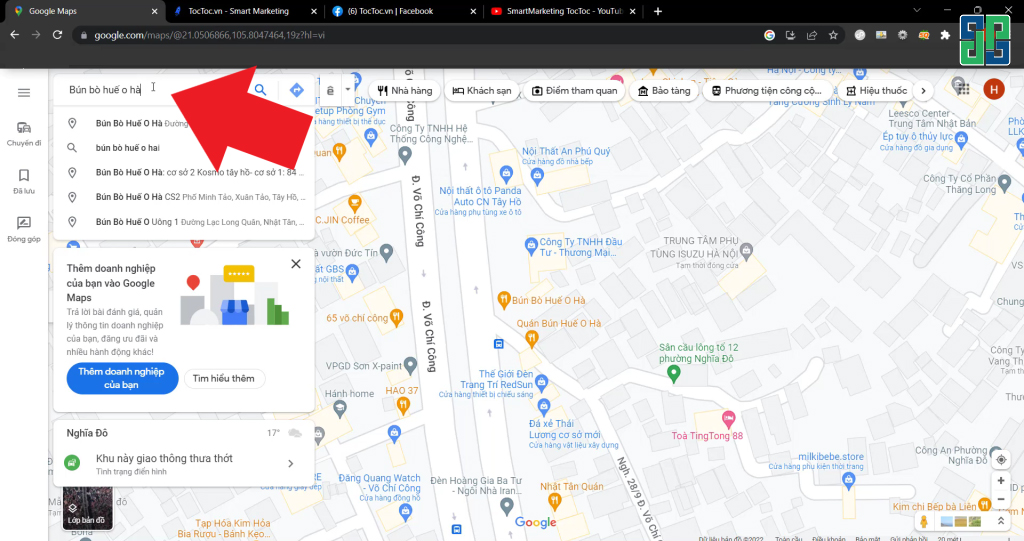
Step 3: Access the information page of the location
After finding the desired location, click on the name or icon of that place in the search results list. At this point, the detailed information page of the place will be displayed, including description, images, videos, opening hours, contact information, user reviews, and other utilities.
Step 4: Choose Google Maps review – 5-star rating
To show your highest satisfaction with this place, click on the rating stars and select the 5-star rating. The star icon will turn yellow to mark your selection.
Step 5: Write a review (optional)
This is an important step to help you share your real-life experience at this location with the Google Maps user community. Take the time to write a detailed review, including aspects you liked, aspects you were not satisfied with, and suggestions for improvement.
Your review should be honest, objective, and provide useful information for readers. You can share specific experiences such as service quality, products, staff attitude, space, etc.
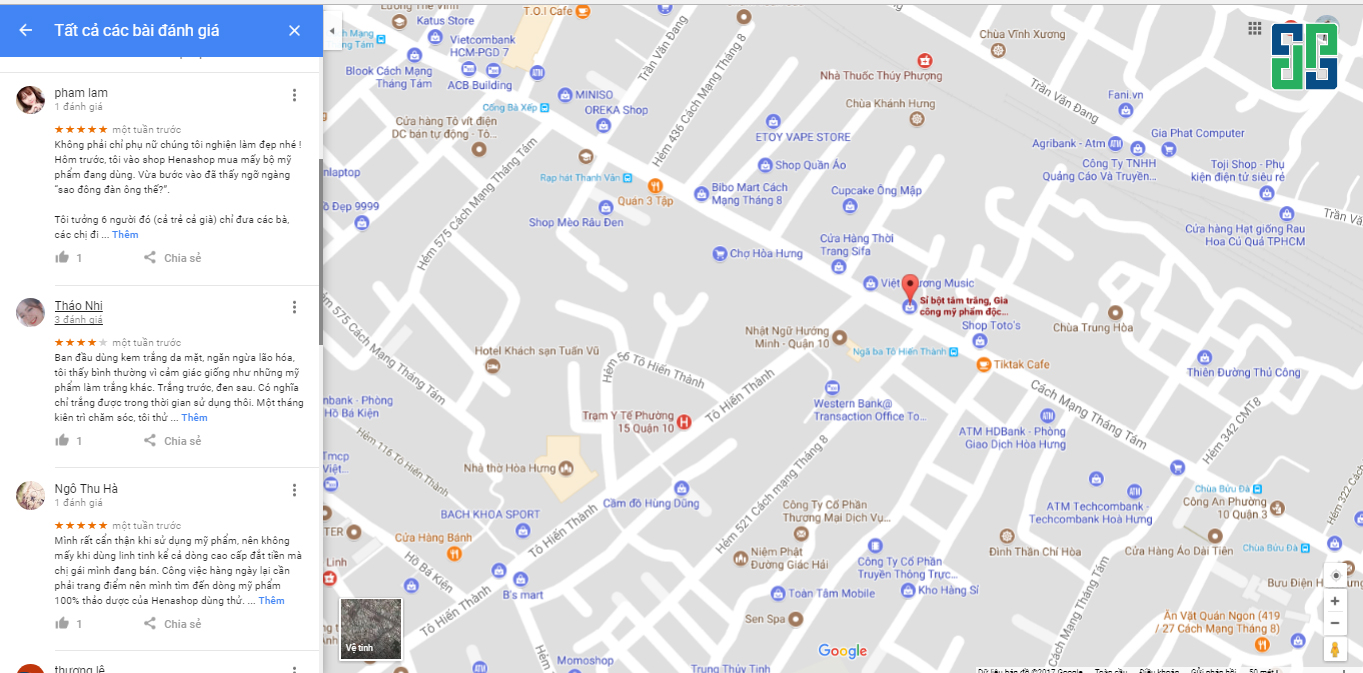
Step 6: Add photos or videos (optional)
To make your review more lively and engaging, you can add photos or videos of the location. Images and videos will help readers better visualize what you want to convey, making it easier for them to decide on a location that suits their needs.
Step 7: Submit your review
Complete the review process by clicking the “Post” button. Your review will be saved and displayed on that location's information page, helping other users in finding and choosing a suitable place.
5-star Google Maps review service at DPS.MEDIA JSC
DPS.MEDIA JSC is one of the leading companies in Vietnam providing services business verification on Google Maps and increasing 5-star reviews for GG Maps.

With a team of professional, experienced staff with in-depth knowledge of Google Maps SEO, DPS is committed to delivering the highest efficiency for customers. DPS understands the importance of reviews in building business reputation and brand, so we constantly strive to provide the best service.
Contact DPS.MEDIA JSC today for a free consultation on 5-star Google Maps review services and enjoy the great benefits this service brings to your business.

Ý kiến bạn đọc (0)
Đăng nhập để bình luận
Đăng nhập nhanh 1-chạm bằng Google để chia sẻ ý kiến của bạn về bài viết.
Bằng cách đăng nhập, bạn đồng ý với điều khoản và chính sách cộng đồng.
Chưa có bình luận nào. Hãy là người đầu tiên chia sẻ cảm nghĩ!
Đăng nhập / Tạo tài khoản
Đăng nhập với Google để gửi bình luận và tương tác cùng cộng đồng.
Tiếp tục là đồng ý với điều khoản sử dụng và chính sách bảo mật của DPS Media.