




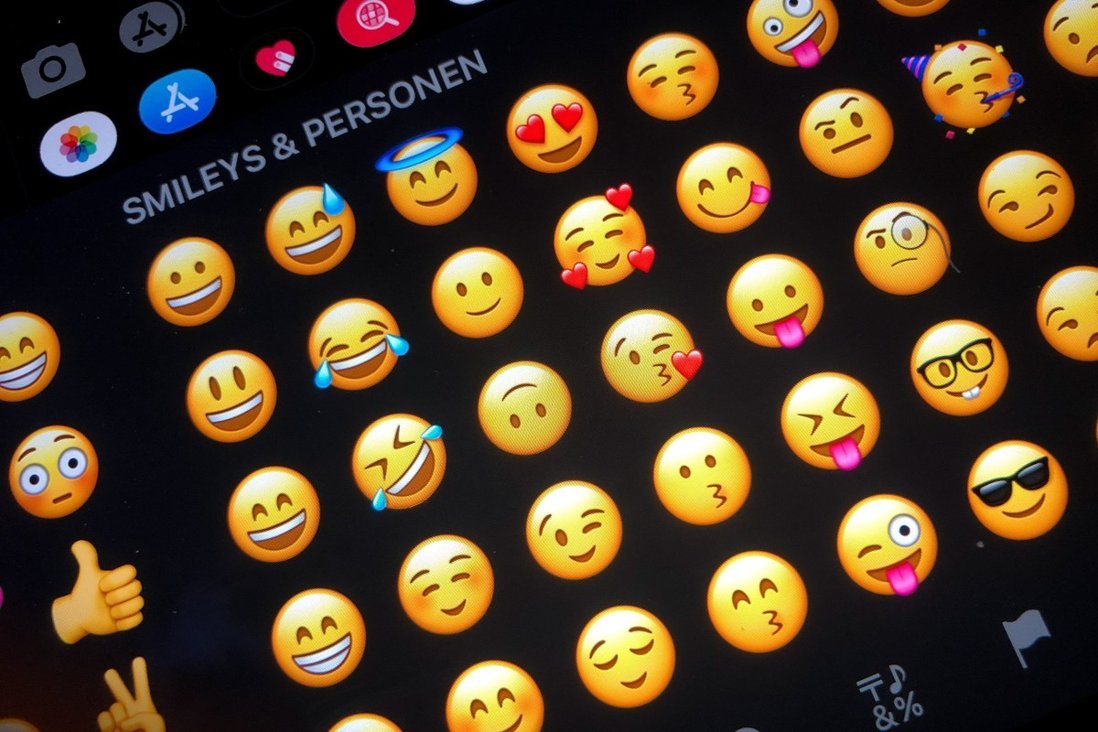

Icon Facebook is extremely familiar to social network users. It helps express emotions more authentically so viewers can better understand what you want to say. However, if you use icon FB for the wrong purpose, it is very easy to cause misunderstandings, leading to unpleasant situations. Therefore, in this article, DPS will share with you the meanings of the most commonly used Facebook and Messenger emoji icons today so you can use them appropriately.
Learn the meaning of Facebook and Messenger emoji icons
Happy emoji icons
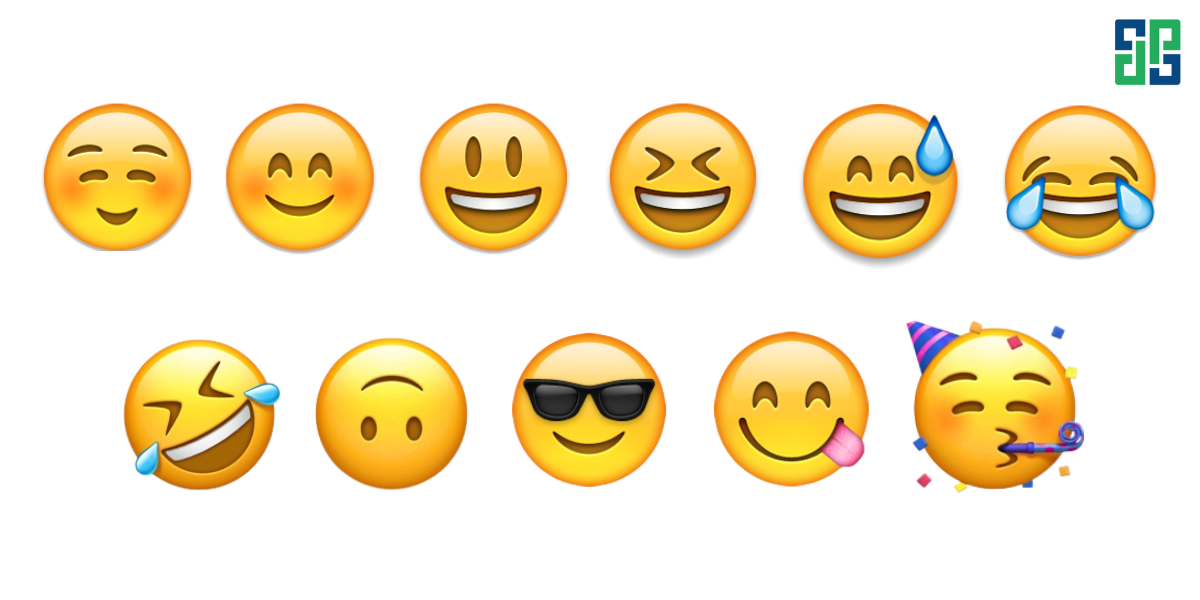
Cute smiling face: The smiling face icon is often used when mentioning fun or positive things.
Grinning: Similar to the icon above, these icons also have a positive, happy meaning. However, just like people, grinning shows that you are feeling extremely happy and positive.
Sweating smile: This emoji has a positive meaning but with a hint of relief. It is often used to express joy about an event or a slightly “not so happy” action, such as passing a super difficult test.
Laughing with tears: True to the saying “laughing to tears”, this emoji is often used when someone tells a funny story or plays a prank that makes you burst out laughing.
Rolling on the floor laughing: This fb icon means Rolling on the floor laughing – laughing on the floor, out of control.
Upside-down smiley face: Indicates that you are being serious or the other person is telling a dull, meaningless story.
Smiling face with sunglasses: This Facebook icon is used to indicate calmness or sarcasm.
Smiling face licking lips: Means this dish is delicious, often used when talking about tasty food.
Party face: This emoji is used to celebrate a special event such as a wedding, birthday, graduation, etc.
Negative emoji icons
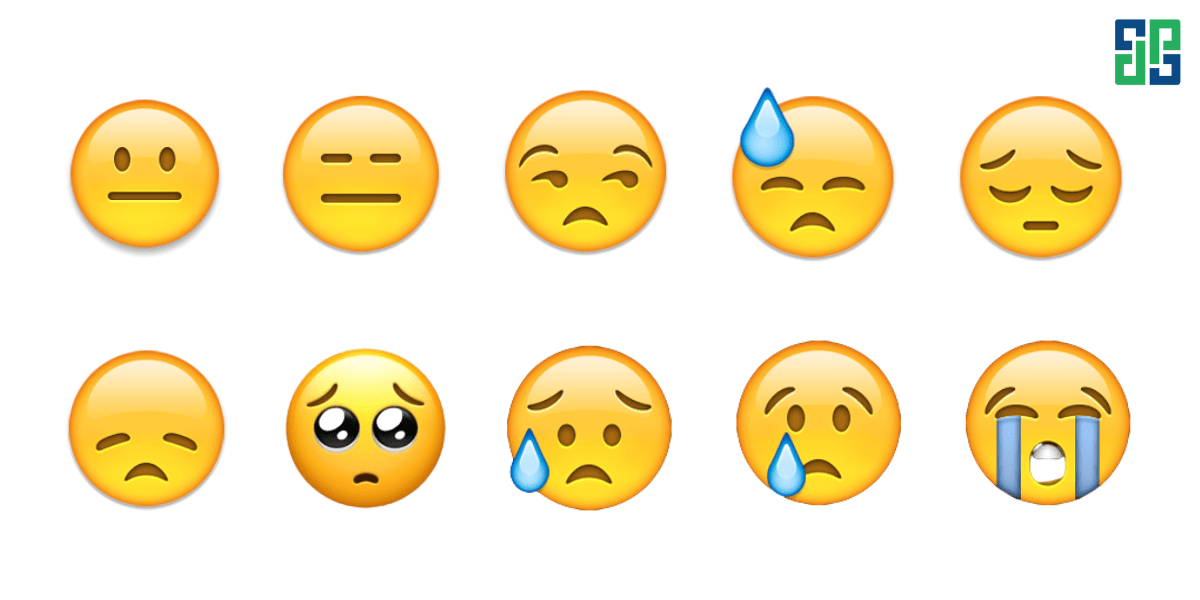
Expressionless face: Shows intentional indifference, often used to reply to an unpleasant message or when you don't want to respond.
Side-eye face: This face expresses indifference or suspicion about something.
Sweating face: This Facebook icon is used to indicate tension, sadness, or stress.
Sad face: These two faces signify sadness, disappointment, or regret about something.
Sparkling eyes: This icon is used when you make a mistake and want to beg for forgiveness. However, you should not use it in serious situations.
Sad face with sweat: Expresses fear or hurt.
Crying face: This emoji shows that the sender is hurt or sad.
Loudly crying face: Shows that you are extremely sad and want to cry out loud right now.
Worried, angry emoji icons
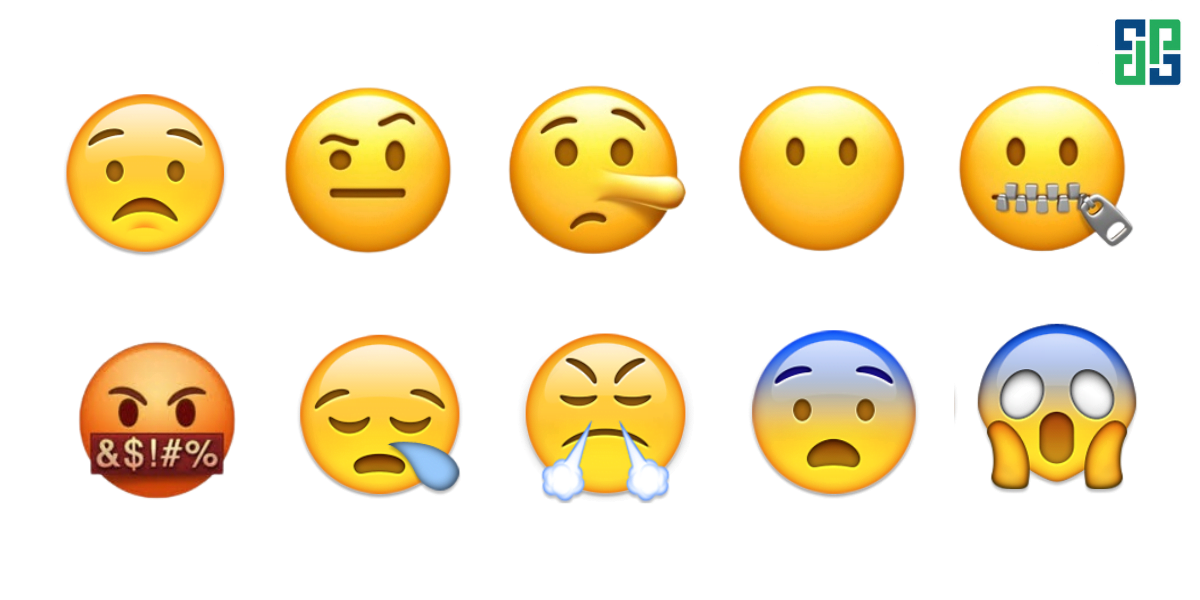
Worried face: As the name suggests, it is used to express worry when you encounter something horrifying, disgusting, or frightening.
Skeptical face: This Facebook icon expresses skepticism or disbelief in what the other person says.
Long face: Use this icon to imply that the other person is lying.
Face without mouth: This emoji is used instead of the thought “speechless”, not knowing what else to say.
Zipper-mouth face: When you don't know how to respond to someone or promise to keep someone else's secret, this is the most suitable icon to use.
Swearing face: If you want to swear but don't want to say it outright or be rude, use this icon.
Sleepy face: Shows that you are very sleepy or feeling tired, unwell.
Steaming mad face: This face expresses anger and disappointment.
Scared face: These three faces represent three different levels of fear, increasing from left to right.
How to insert emoji icons into Facebook, Messenger
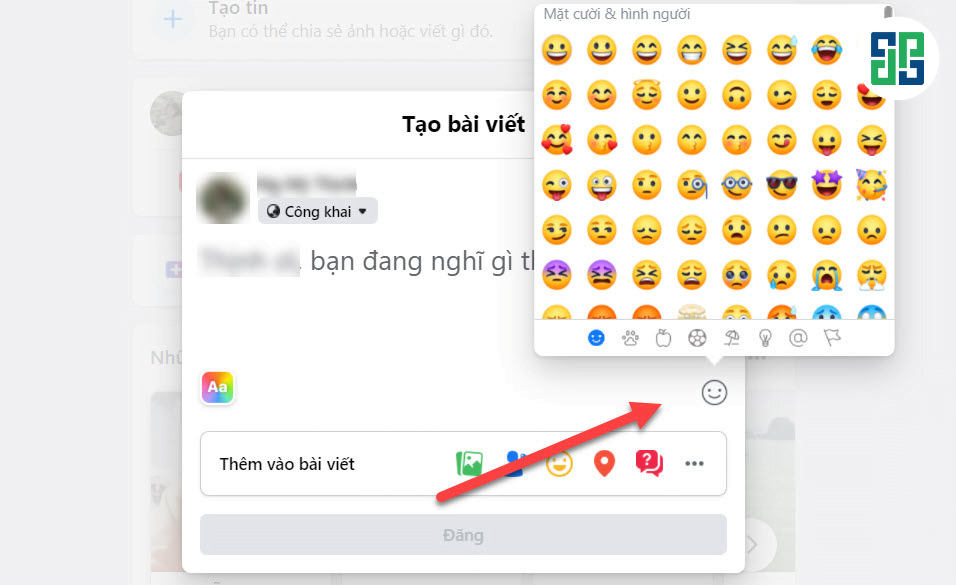
Insert icons into Facebook posts
Step 1: Open the Facebook app and tap to create a new post.
Step 2: Click the smiley face icon in the bottom right corner.
Step 3: Choose the icon that matches what you want to convey.
Step 4: Tap the post button.
Insert icons into Facebook comments
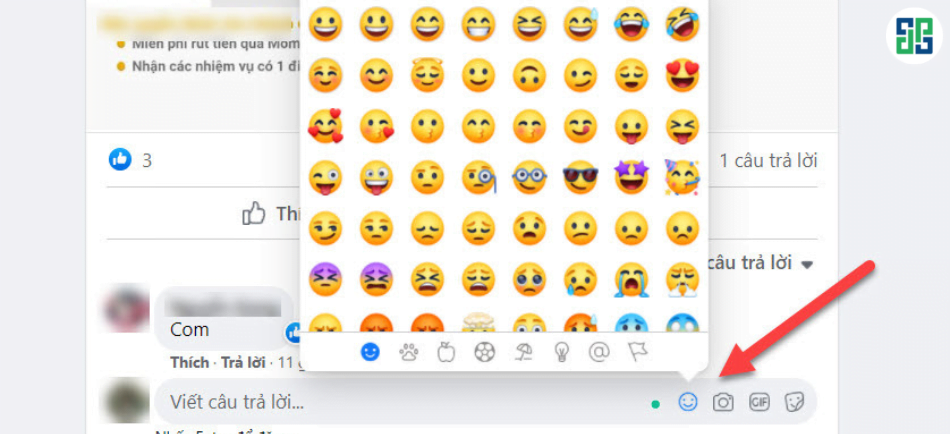
Step 1: Open the Facebook app and tap the comment section of any post.
Step 2: At this point, a smiley face icon will appear on the right side of the comment box. Tap that icon.
Step 3: Choose the icon you like.
Step 4: Click the arrow button or press Enter to post your comment.
Insert icons into Messenger messages
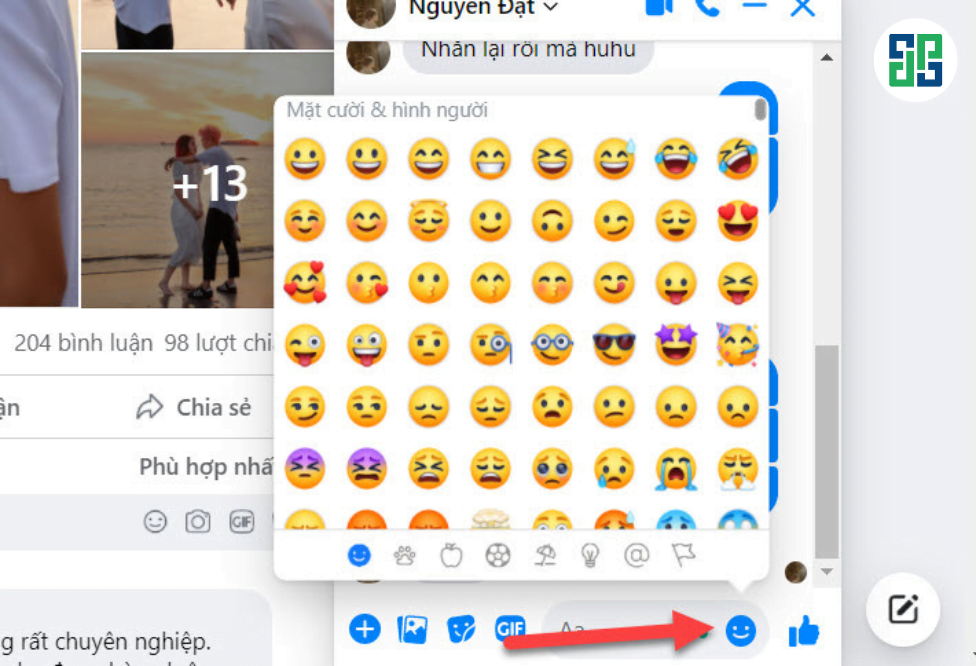
Step 1: Open the Messenger app and tap the chat with the person you want to send the icon to.
Step 2: Click on the smiley face icon on the right side of the chat box and select an icon.
Step 3: Press the send button.
Why should you use Facebook and Messenger emoji icons?
When messaging or posting on Facebook, many people have the habit of adding icons to make the content more interesting and engaging. In addition, FB icons have many other benefits such as:
- Make posts and messages more eye-catching and attractive
- Emphasize important content
- Suitable for posts advertising trên Facebook
- Thể hiện cảm xúc của bản thân một cách rõ ràng, trực diện hơn
- Create humor when commenting or messaging with friends
Summary
So DPS have shared with you the meaning of the most popular emoticons today and how to insert icons into Facebook and Messenger in a very simple way. We hope that this information will help you know how to use FB icons for the right purpose to make your conversations more interesting and engaging. Follow DPS to update more useful information about marketing!

Ý kiến bạn đọc (0)
Đăng nhập để bình luận
Đăng nhập nhanh 1-chạm bằng Google để chia sẻ ý kiến của bạn về bài viết.
Bằng cách đăng nhập, bạn đồng ý với điều khoản và chính sách cộng đồng.
Chưa có bình luận nào. Hãy là người đầu tiên chia sẻ cảm nghĩ!
Đăng nhập / Tạo tài khoản
Đăng nhập với Google để gửi bình luận và tương tác cùng cộng đồng.
Tiếp tục là đồng ý với điều khoản sử dụng và chính sách bảo mật của DPS Media.