




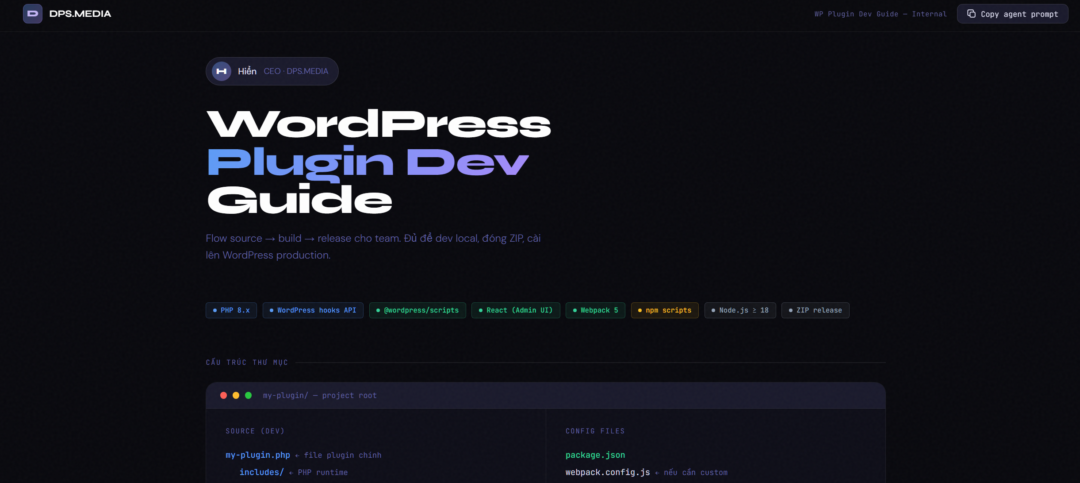

WordPress
Plugin Dev
Guide
Source → build → release flow for teams. Sufficient for local dev, ZIP packaging, and WordPress production installation.
PHP 8.x
WordPress hooks API
@wordpress/scripts
React (Admin UI)
Webpack 5
npm scripts
Node.js ≥ 18
ZIP release
Directory structure
Source (dev)
my-plugin.php ← main plugin file
includes/ ← PHP runtime
class-core.php
class-admin.php
admin/
src/ ← write code here
index.js ← entry point
components/
dist/ ← build output
index.js
index.asset.php
index.css
languages/ ← i18n
node_modules/ ← .gitignore
releases/ ← .gitignore
Config files
package.json
webpack.config.js ← if custom is needed
.gitignore
BUILD.md
readme.txt
uninstall.php
// ✓ Correct — enqueue from dist
plugins_url(‘admin/dist/index.js’)
// ✗ Incorrect — do not enqueue src
plugins_url(‘admin/src/index.js’)
Workflows
Local Development
Local dev
Run watch mode, edit JS/React → automatic build, refresh WP to see immediately.
01
Install dependencies
Only needed the first time. Requires Node.js ≥ 18.
npm install
02
Enable watch mode
Webpack watch: save file in
admin/src/ → automatically build to admin/dist/. Need manual F5 in WP.npm run start
03
Test on local WP
Symlink into
wp-content/plugins/ or use Local by Flywheel.Build & Release
Zip, install WP
Production build, package clean ZIP — no npm needed on server.
01
Build production
Webpack build with minify + tree-shaking.
npm run build
02
Package ZIP
Script copies correct files, excludes
node_modules và admin/src.npm run package
# → releases/plugin-v1.0.0.zip
# → releases/plugin-v1.0.0.zip
03
Verify SHA256
sha256sum releases/plugin-v1.0.0.zip
✓
Upload to WordPress
Admin → Plugins → Add New → Upload. Activate. No npm needed on server.
npm scripts — cheat sheet
npm run start
Watch mode — daily dev
webpack –watch –mode development
npm run build
Production build — before release
webpack –mode production + minify
npm run package
Zip clean into releases/
exclude src/ node_modules/ .git/
npm run lint:js
Lint JS according to WP standards
wp-scripts lint-js
npm run format
Auto code formatting
wp-scripts format (prettier)
npm run release
Lint → build → package
check + build + package in 1 cmd
ZIP release — inside and out
✓ Included in ZIP
my-plugin.phpmain plugin file
includes/Full PHP runtime
admin/dist/Pre-built JS/CSS
languages/i18n if applicable
readme.txtWP.org format
uninstall.phpcleanup on plugin deletion
✗ Not included in ZIP
node_modules/dev dependencies only
admin/src/source, not executed
.git/repo metadata
package.json / webpack.config.jsbuild config
.test.js / debug-.phpinternal test files
.env / .DS_Storelocal machine files
Important rules
Do it right
Enqueue from
admin/dist/Read
index.asset.php get deps + versionUse
wp_localize_script() pass data PHP → JSRun
npm run build before npm run packageConditional load — only enqueue needed page
Prefix everything:
dps_, DPS_Don't do
Enqueue from
admin/src/Hardcode version hash in PHP
To
node_modules/ inside ZIPnpm install on production server
Run heavy DB queries at
init hookecho $_POST['x'] not sanitized/escapedProduction-ready checklist
Build & Release
✓
npm run build no errors → admin/dist/✓
ZIP installs, Activate without errors — no npm server needed
✓
ZIP does not contain
node_modules/ or src/✓
Report back: file list + ZIP path + SHA256
Security
✓
All PHP files have
if (!defined('ABSPATH')) exit;✓
All AJAX/forms: nonce verify +
current_user_can()✓
Input sanitized, output escaped
Performance
✓
Asset load conditional — not loaded site-wide
✓
Script:
in_footer: true + strategy: defer✓
Do not run heavy DB queries at
init hookStandards
✓
All functions/classes/options have prefix
dps_✓
Plugin header:
Requires at least, Requires PHP✓
All strings use i18n,
uninstall.php clean cleanup✓
BUILD.md complete: install, build, package, test




Ý kiến bạn đọc (9)
Đăng nhập để bình luận
Đăng nhập nhanh 1-chạm bằng Google để chia sẻ ý kiến của bạn về bài viết.
Bằng cách đăng nhập, bạn đồng ý với điều khoản và chính sách cộng đồng.
Chưa có bình luận nào. Hãy là người đầu tiên chia sẻ cảm nghĩ!
Đăng nhập / Tạo tài khoản
Đăng nhập với Google để gửi bình luận và tương tác cùng cộng đồng.
Tiếp tục là đồng ý với điều khoản sử dụng và chính sách bảo mật của DPS Media.