






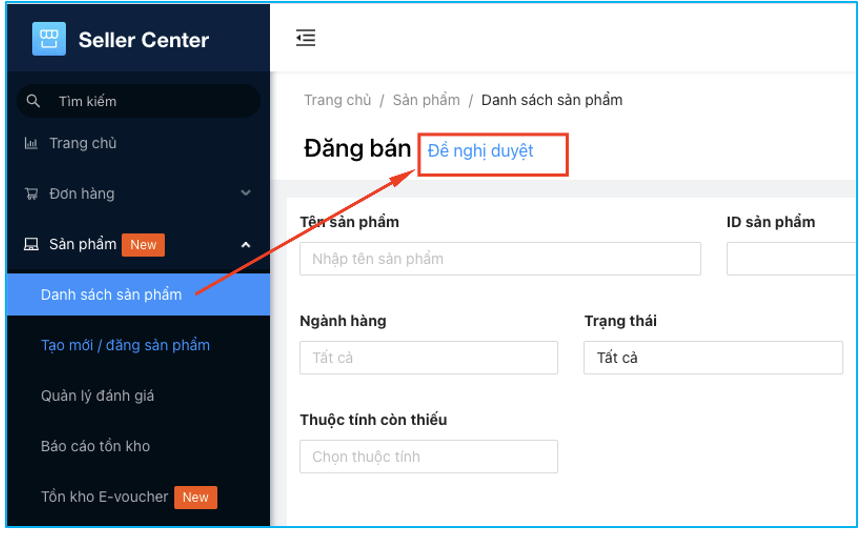

For sellers on e-commerce platforms, synchronization across multiple platforms is very essential because we should not waste time rebuilding from scratch when synchronization is completely possible. The article below, DPS.MEDIA JSC will provide detailed instructions on how to help you copy products from Shopee to Lazada, Tiki quickly.
How to copy products from Shopee to Tiki
Currently, Tiki supports a feature that helps sellers copy their products being sold on other e-commerce platforms (specifically currently only applied for Shopee). This feature helps products get copied much faster compared to normal posting, saving a lot of time to invest in other activities.
Step 1: At the Seller Center, please click on the Product section => select Copy product => Add to copy product => select From Shopee.
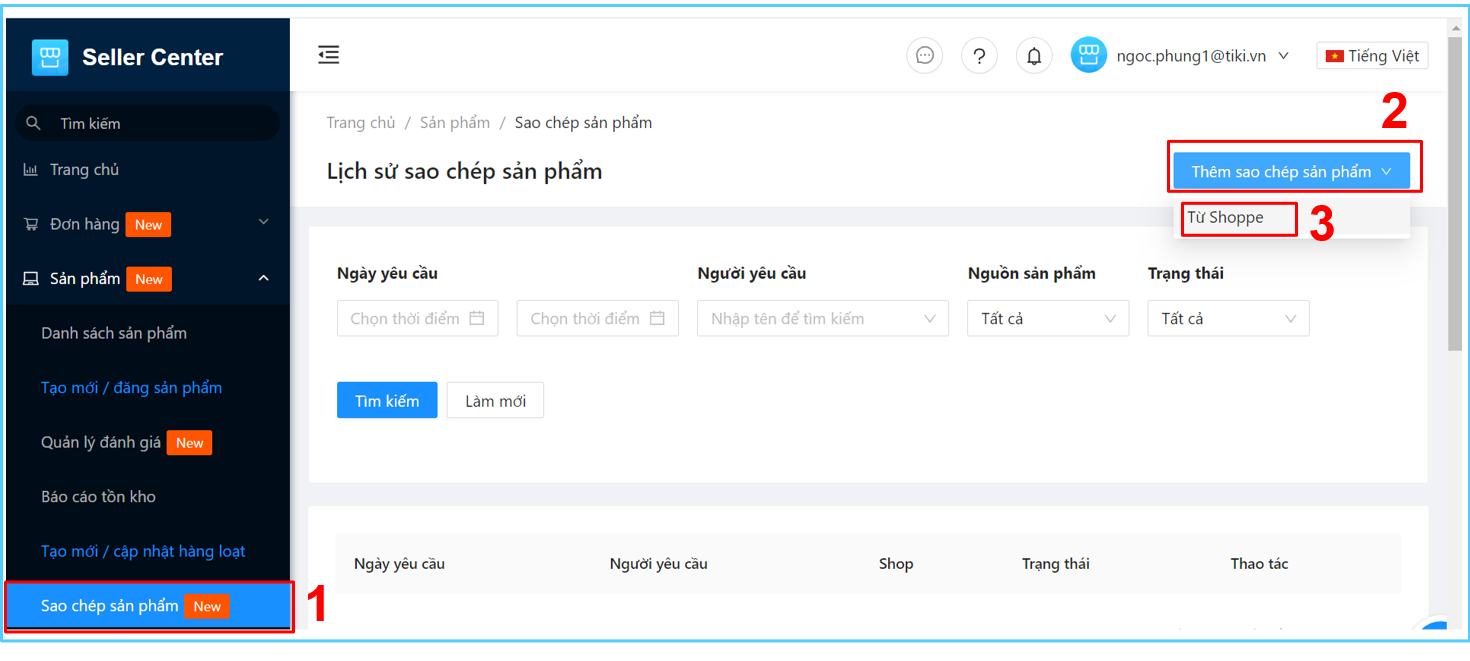
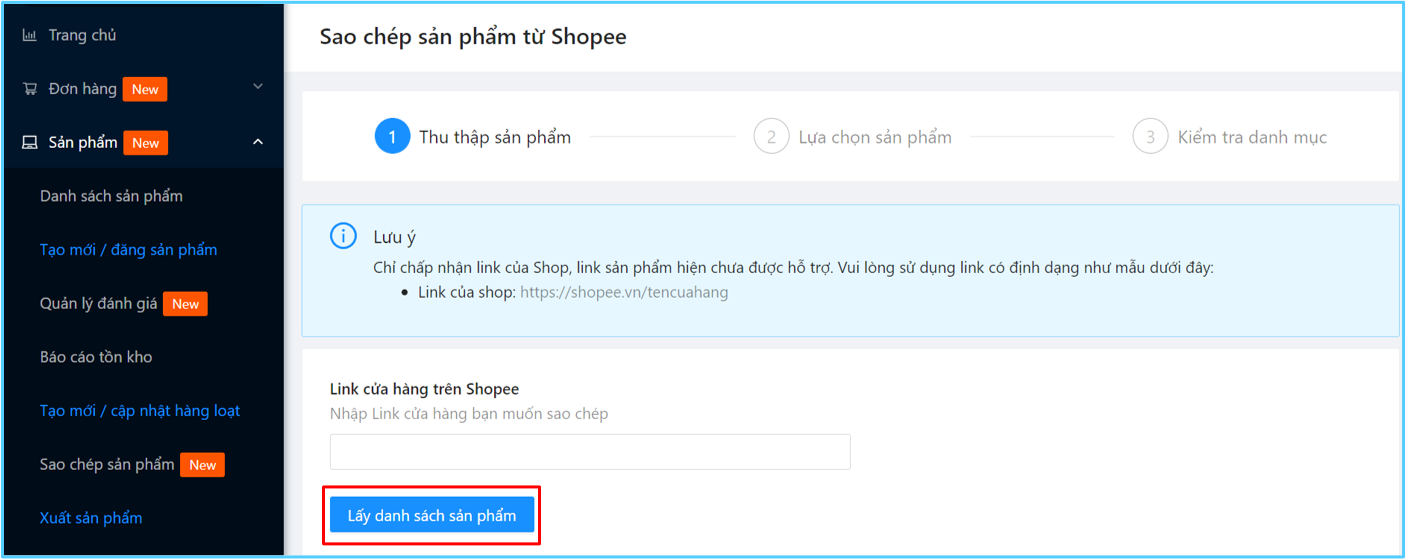
Step 2: You enter your Shopee store link and click to get the list of products.
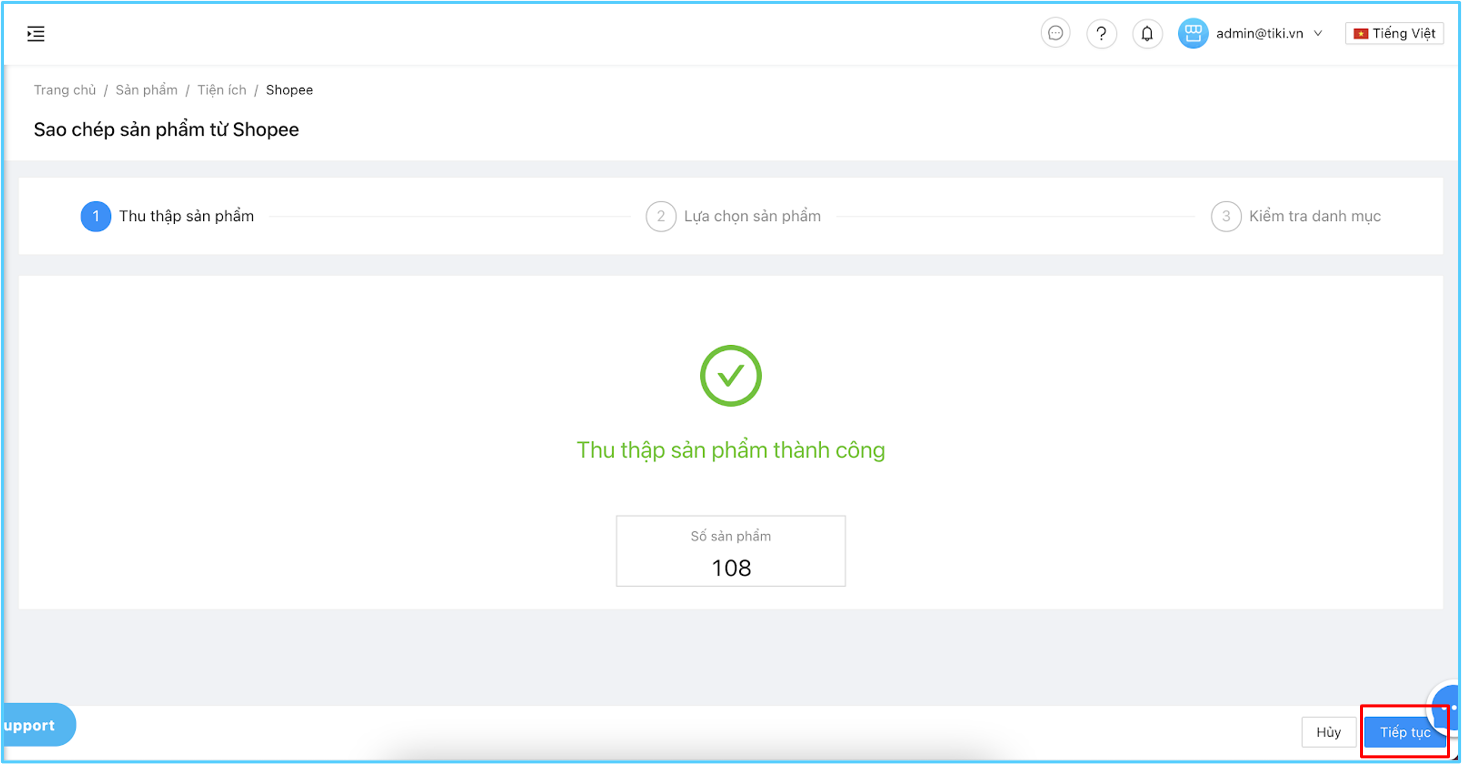
The system will display results as shown below, you click continue.
Step 3: Select the products you want to copy.
You can select all products or select individual products simply by using the (+) / (–) signs.
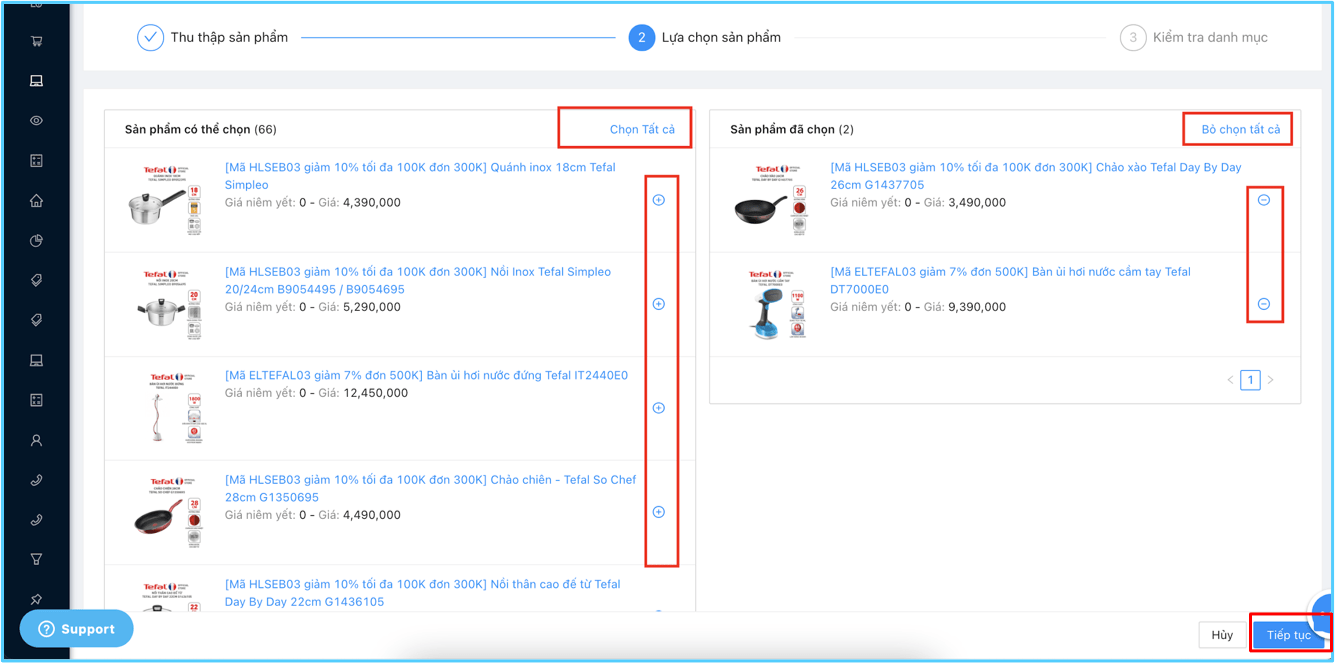
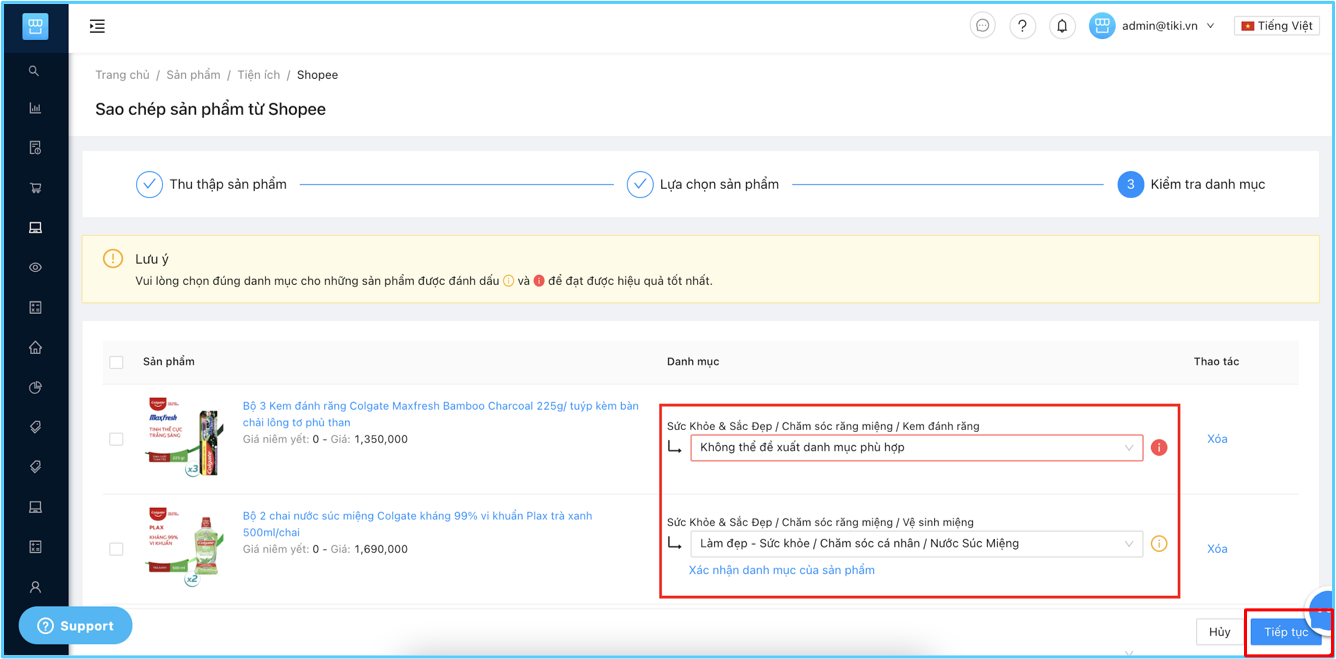
Step 4: Proceed to check the categories.
In the Category column, please check the products that have warning signs ⚠️ ❗ and reselect the correct category.
Note: You do not need to press the Confirm product category button.
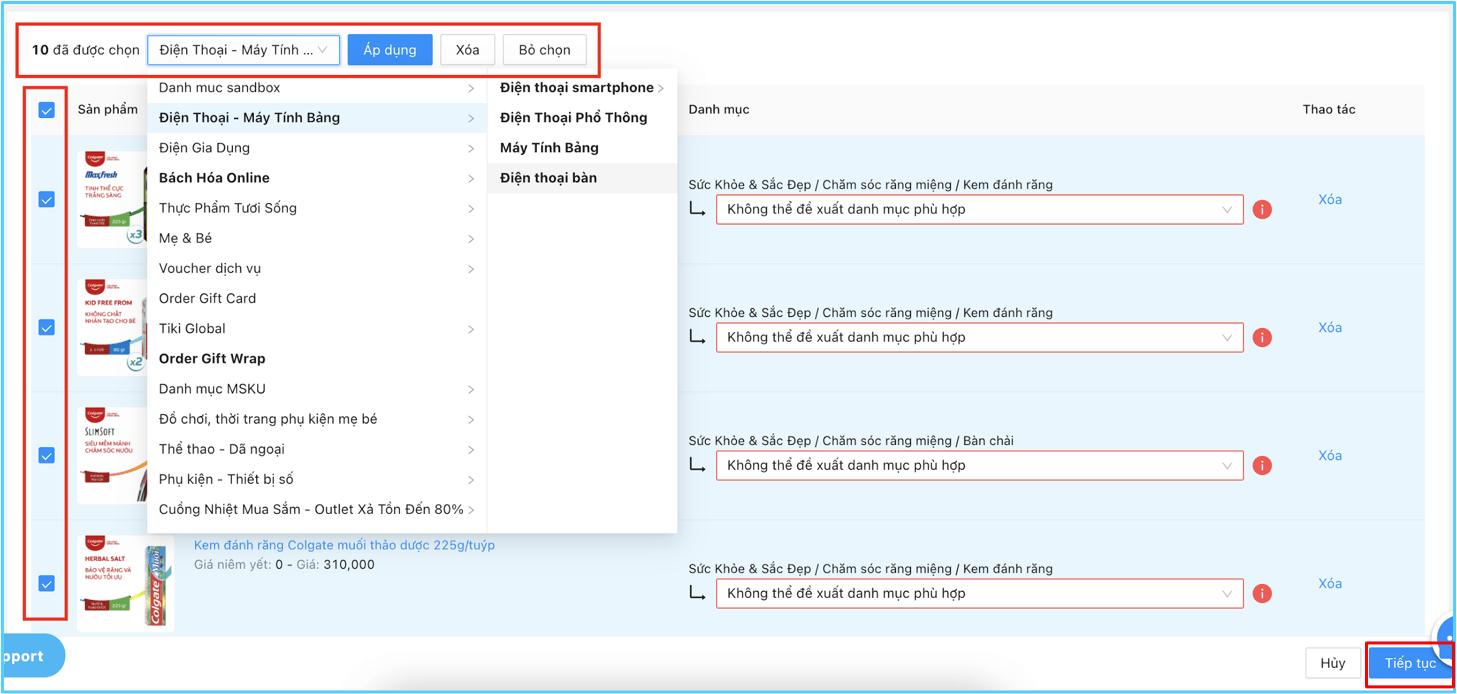
You can select products to delete in bulk or update categories in bulk and then click Continue.
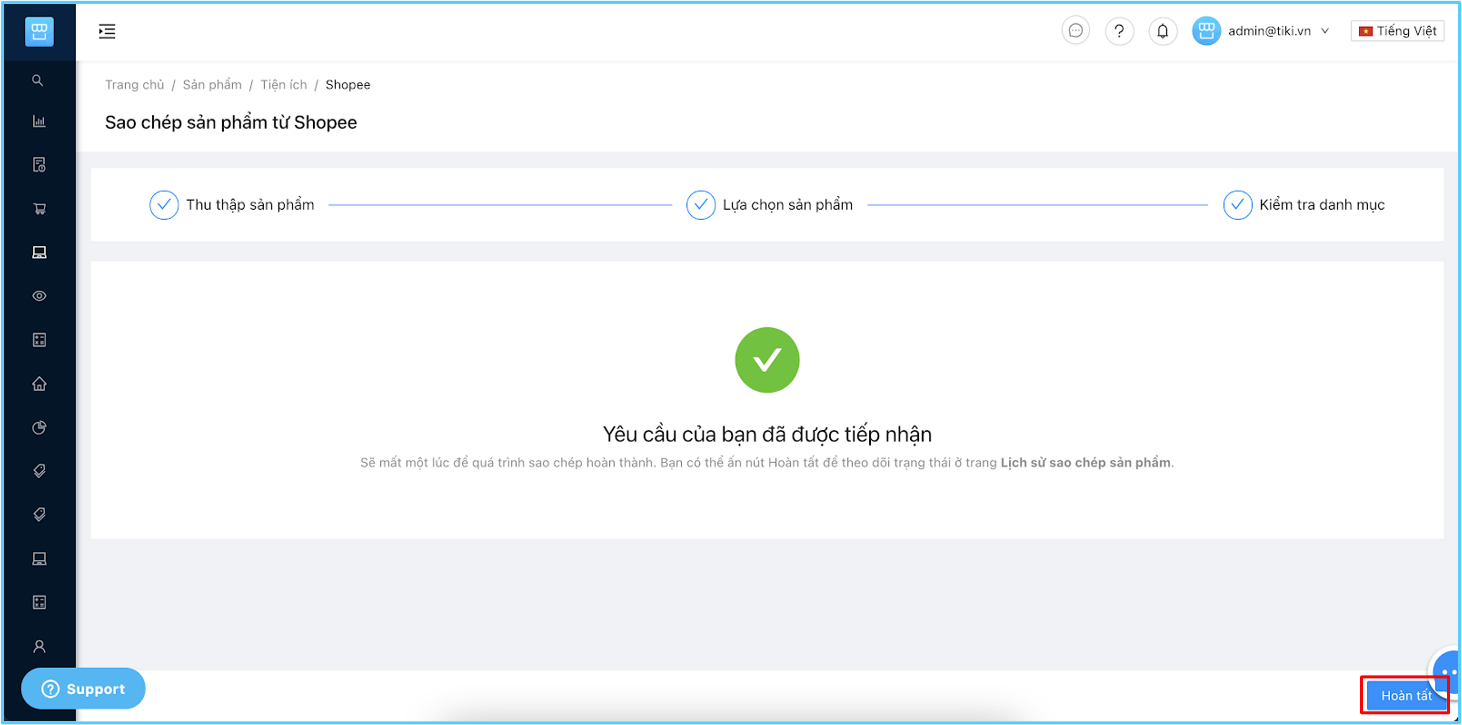
The screen at this time will request confirmation that it has been received, you click Complete to return to the Copy Product History screen to track the results.
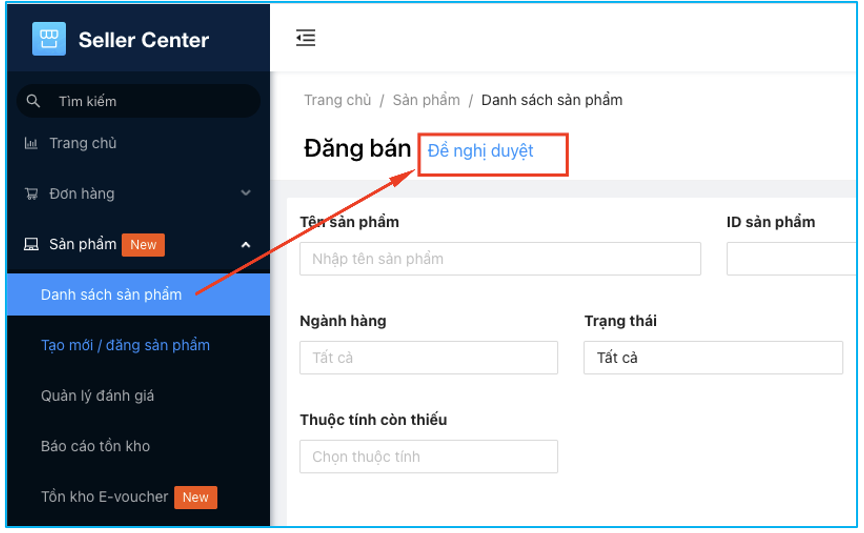
Step 5: When the product copying process is completed, you access Products and select Product List then choose Pending Approval.
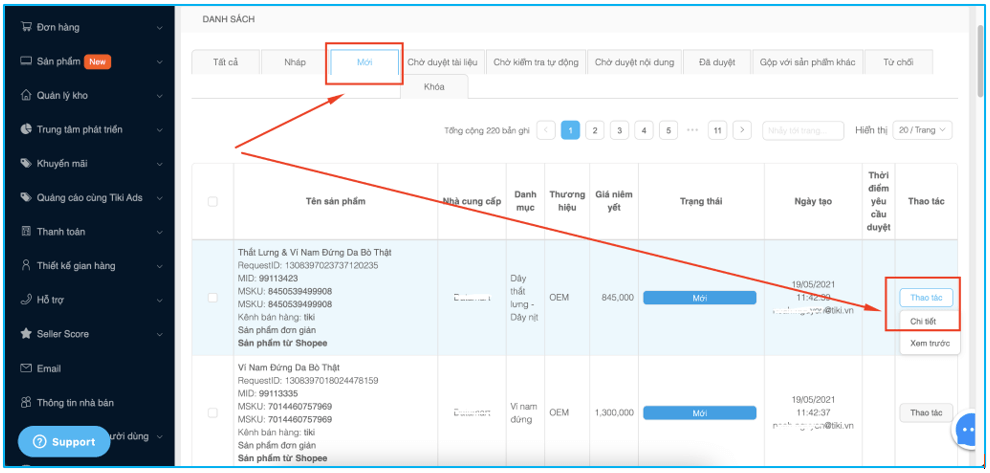
Find the products in the New tab that you want and click to view product details.
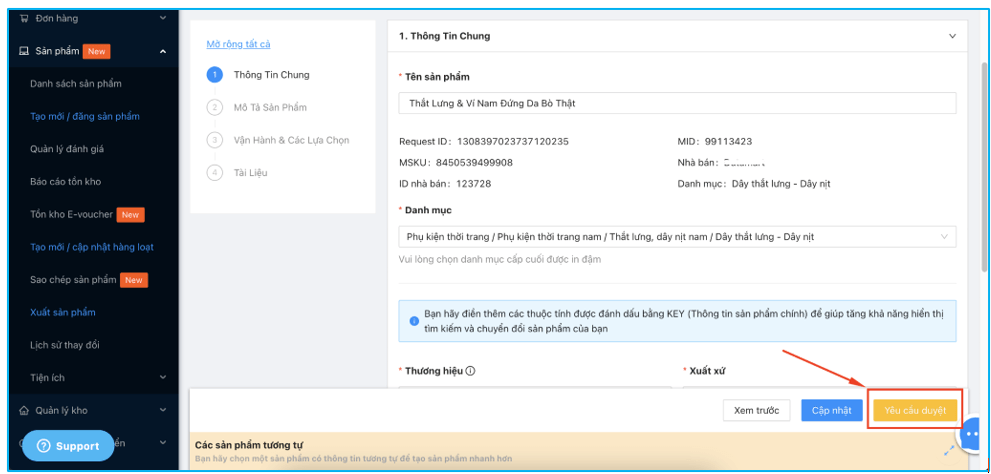
Check and update the information of the products you need then click Request Approval.
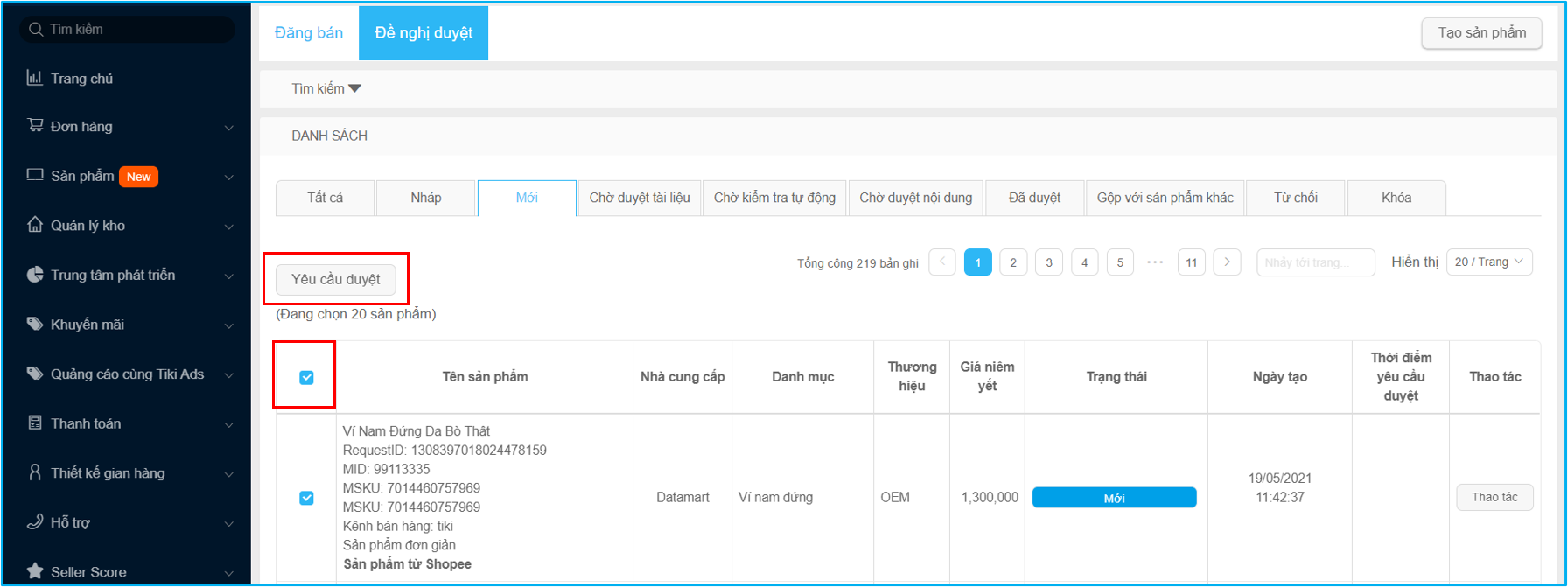
Alternatively, you can also check the information of all products by clicking Select & Request approval for your selected products.
Step 6: When the product status has been changed to approval requested, you will receive an email along with a notification from the Seller Center system.
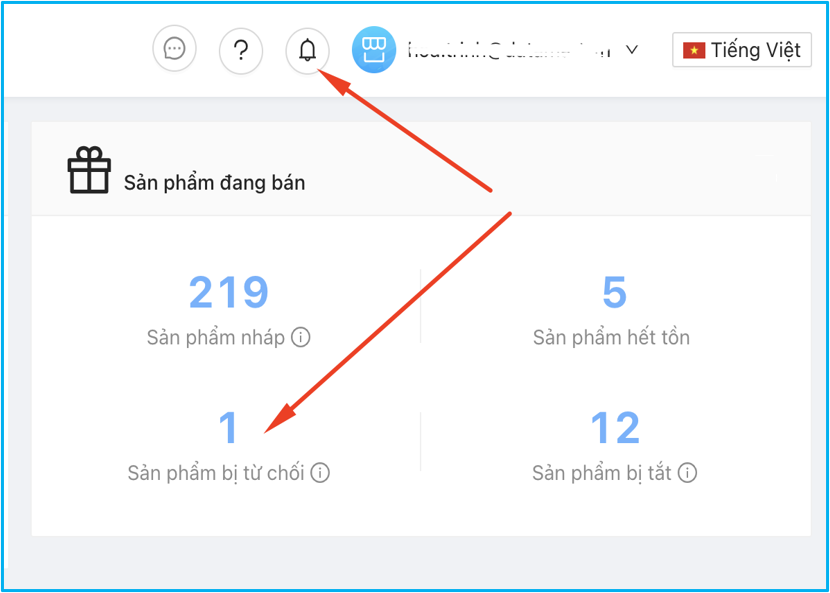
Approved products will be in the Approved tab. Conversely, products that are missing or have incorrect information will be in the Rejected tab.
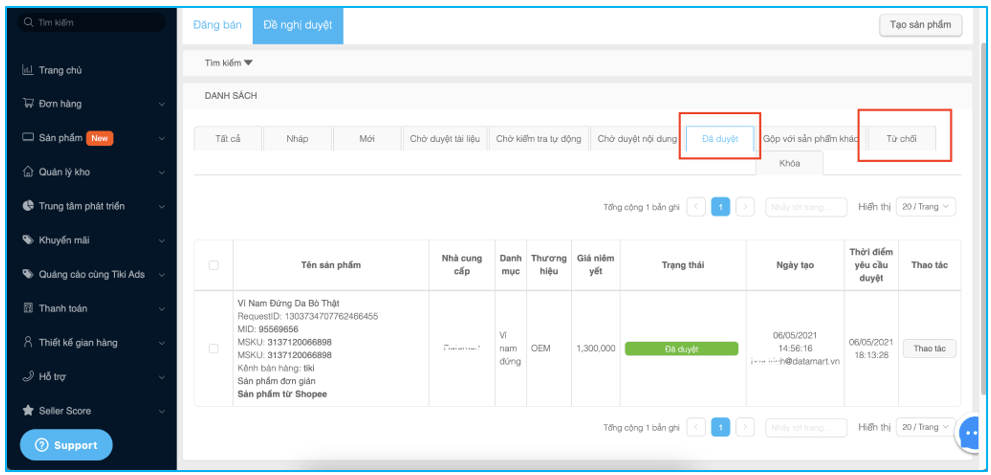
- Approved products will be in the Product List. You can check stock information, adjust product statuses such as Enable/Disable ready for sale.
- For rejected products, you need to click to see the reason for rejection, update according to the instructions, and you can click to request approval again.
How to copy products from Shopee to Lazada
Currently, Lazada does not directly allow users to Copy products directly from Shopee to Lazada. You will need to use external Shopee product copying tools to do this.
For example, some notable Shopee product copying software include: Bom.to, shipxanh, shopee automation….You also need to learn how to use these tools. You can visit the website or YouTube to watch direct tutorials.
Shopee product copying software often hinders users because of complicated usage. If you are not tech-savvy, it will be very difficult to use.
Therefore, DPS.MEDIA JSC is here to help you copy products from Shopee to Lazada, Tiki quickly in just one note. Helping you save a lot of time. In addition, we always enthusiastically support customers whenever needed and also offer some other services such as Shopee SEO, increase views,…Contact us now for specific advice!
PRICE LIST FOR ELECTRONIC COMMERCE STORE CONSTRUCTION SERVICES


Ý kiến bạn đọc (0)
Đăng nhập để bình luận
Đăng nhập nhanh 1-chạm bằng Google để chia sẻ ý kiến của bạn về bài viết.
Bằng cách đăng nhập, bạn đồng ý với điều khoản và chính sách cộng đồng.
Chưa có bình luận nào. Hãy là người đầu tiên chia sẻ cảm nghĩ!
Đăng nhập / Tạo tài khoản
Đăng nhập với Google để gửi bình luận và tương tác cùng cộng đồng.
Tiếp tục là đồng ý với điều khoản sử dụng và chính sách bảo mật của DPS Media.