





Breaking news has just been announced by OpenAI: the platform will officially discontinue Custom GPTs on 11/12/2026. For millions of individual and business users who have invested significant effort in building libraries of custom bots to assist with writing, data analysis, or sales automation, this is a major turning point that will disrupt their everyday usage habits.
This move was announced in the latest update at official announcement documentation from the OpenAI Help Center (article ID 20001519). OpenAI will completely replace the familiar standalone bot structure with a modular ecosystem called Plugin Skill. If your business currently relies on digital assistant workflows or is looking for professional AI application development services to ensure stable long-term operation, understanding this shift is critical.
The timeline for the retirement of Custom GPTs and the actual scope of impact
According to the announced roadmap, the shutdown will take place in two specific phases:
- Deadline: December 11, 2026: Applies to most users worldwide, including ChatGPT Free, Plus, Team, and ChatGPT Edu accounts. After this point, all existing Custom GPTs will become completely inaccessible. Any shared links in the form of
chatgpt.com/g/g-...that you previously embedded on websites, internal documents, or social media will be disabled. - Deadline: February 11, 2027: The only exception applies to organizations using ChatGPT Enterprise that have submitted an application and been approved by OpenAI for a temporary deferral (approved deferral). This provides a 2-month buffer for large corporations to restructure their databases.
The ability to create or publicly publish new Custom GPTs has also begun to be restricted in many regions. You can still chat with the bots already available in your list through the end of 2026, but expanding new features on the old platform has essentially been frozen.
The key difference: Custom GPT vs. Plugin Skill
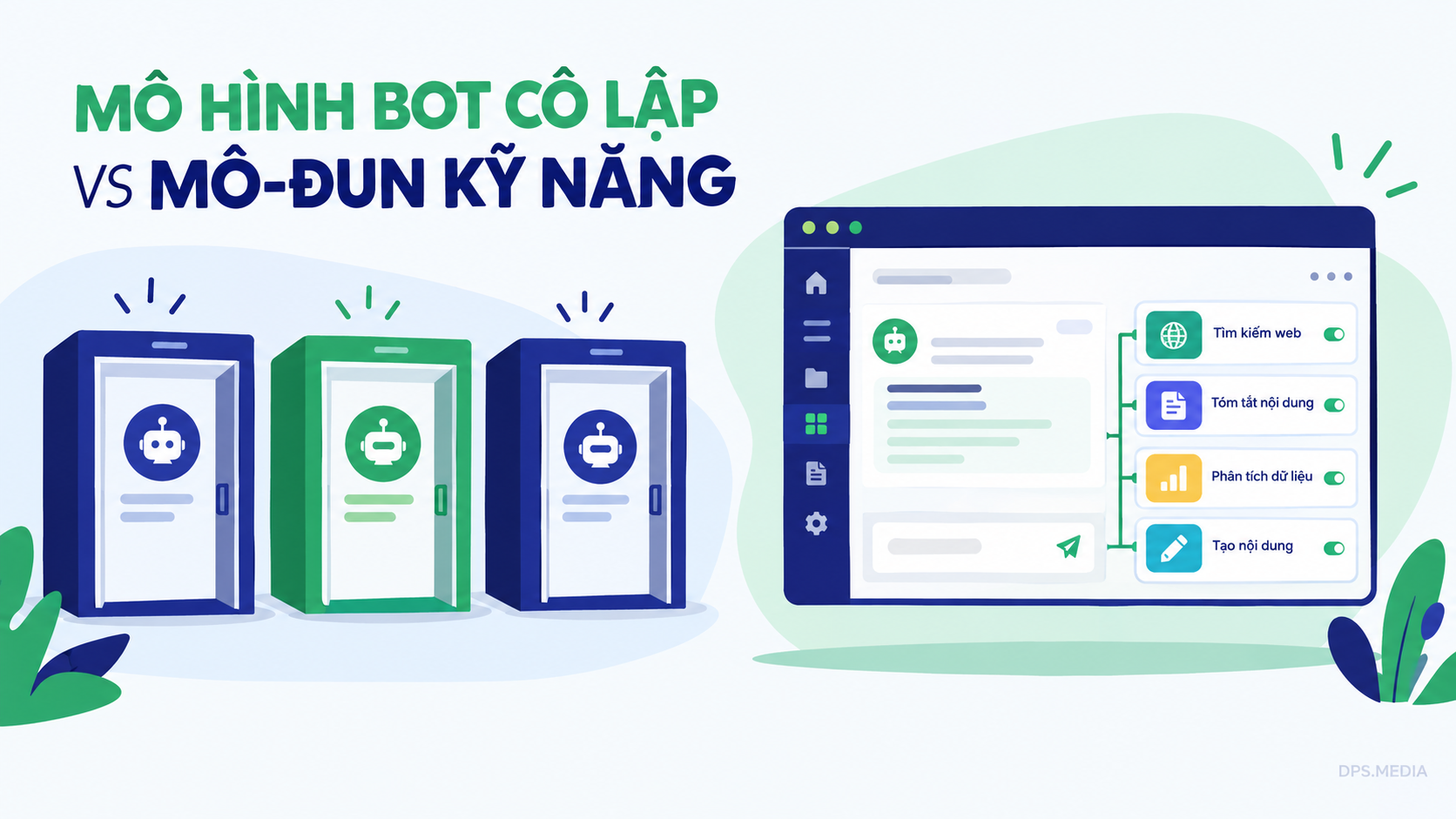
Why is OpenAI discontinuing a feature that was once heavily promoted at the DevDay event? The answer lies in AI's operational architecture. Custom GPT is a legacy solution with a closed architecture. In contrast, Plugin Skill paves the way for the era of truly autonomous AI Agents.
To visualize the difference, let's put these two models side by side:
| Comparison Criteria | Custom GPT (Old Model) | Plugin Skill (New Ecosystem) |
|---|---|---|
| Working Mechanism | Siloed Bot, with each bot having its own separate chat window. | Modular Capabilities integrated directly into the main chat flow. |
| Collaboration Capability | Fragmented. To transfer results from Bot A to Bot B, you have to manually copy and paste. | Flexible multitasking (Chaining). ChatGPT automatically combines multiple Skills in one command. |
| Context window | Preloading all instruction prompts, consuming tokens and causing easy distraction. | Context-based activation (Just-in-Time). Only loads the required skill when a task needs it. |
| Compatibility | Difficult to deeply integrate into CRM, ERP systems, or backend workflows. | Easy connection with external APIs and automation platforms. |
The clearest difference lies in the actual user experience. Previously, if you needed one bot to translate contracts and another bot to calculate discounts, you had to open two separate chat windows. With Plugin Skill, you only need to give a single instruction: the model will automatically open the Skill's reference file for translation, process the terms, then continue using the pricing Skill to complete the document.
Conversion mechanism: What gets retained, and what needs to be rebuilt?
When the option Migrate to plugin appears in your account under My GPTs, the migration will take place with some special rules to note:
1. Components that are converted automatically
OpenAI supports the direct transfer of two core elements: the system instruction prompts (System Instructions) will be restructured into skill definition files (Skills), and the document files you previously uploaded (Knowledge Files) will become the plugin's reference documents (Reference Files). You do not need to manually copy each Word or PDF file.
2. Components That Must Be Manually Reconfigured
Unfortunately, not everything will go smoothly. There are 3 items that will definitely break:
- Custom Actions / API calls: The entire API connection schema will not be inherited automatically. You must redefine endpoints, authentication headers, and recheck data responses.
- Links and distribution permissions: The new plugin does not inherit old links. Any internal training documents or websites currently using Custom GPT links will encounter 404 errors after the shutdown date if they are not updated.
- Old conversation history: Conversations previously conducted with Custom GPTs will not be merged into the new plugin flow.
3-Step Preparation Roadmap for Individuals and Businesses
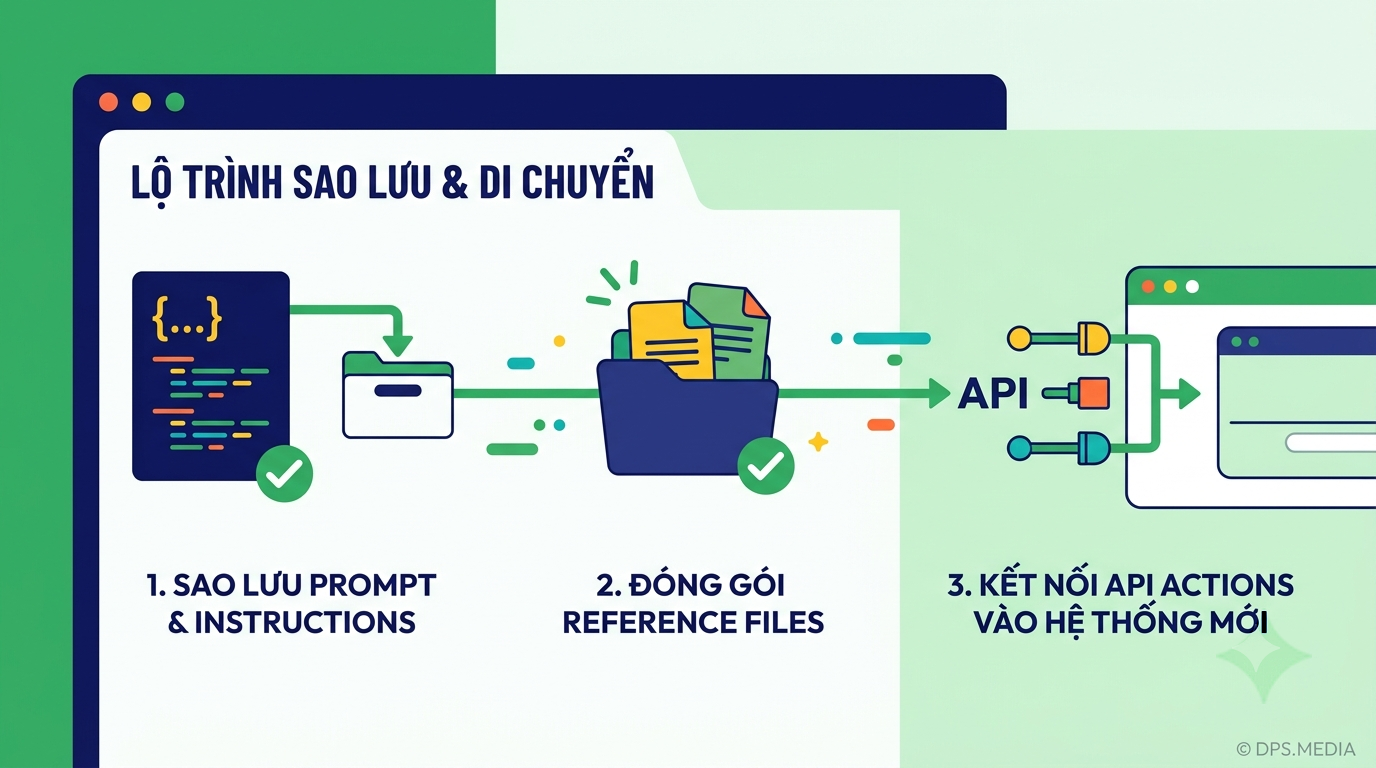
Instead of waiting until the deadline is near and then rushing to handle everything, technology experts recommend that you take the following 3 steps immediately:
Step 1: Review and Back Up the Entire Data Repository
Open the list of Custom GPTs you are managing. Copy all prompts in the Instructions section into a separate text file. Download all original Knowledge files to your computer. For complex API connections, save the OpenAPI Specification file (JSON/YAML) along with notes on how to configure environment variables.
Step 2: Test the Migration on Individual Small Processes
As soon as the account is enabled with the migration feature, try moving a few less important bots first. Check whether the response style of the new Skill matches expectations and whether the accuracy when looking up reference documents has decreased.
Step 3: Migrate to an Independent Automation Architecture
Being completely dependent on a provider's chat interface always carries risks when they change their policies. Many businesses today have proactively moved their bot workflows to process automation solutions with n8n servers combined with direct APIs from OpenAI or Gemini. This approach helps you maintain 100% control over your data and avoid disruptions whenever the platform changes its product format.
Frequently Asked Questions About OpenAI Discontinuing Custom GPTs
After December 11, 2026, will I still be able to review my old chats with Custom GPT?
According to OpenAI's current policy, the entire interface and bot pages will become inaccessible. You should proactively export or capture important work sessions before December 11, 2026, to avoid the risk of losing your historical data entirely.
Does the new Plugin Skill require a paid account?
The permission model will be similar to that of Custom GPTs in the past. Users on paid plans (Plus, Team, Enterprise) will be allowed to create and manage specialized Skill sets, while free-plan users may use common Skills subject to the limits set by OpenAI.
Can I continue sharing Plugin Skills with the public via a link?
The sharing mechanism in the new ecosystem will not use direct links to a single bot. Instead, you will package and publish them through a shared app marketplace or share them within a workgroup (Workspace).
The end of the Custom GPT lifecycle is not a step backward, but an inevitable evolution as AI shifts from a purely conversational form to an action-oriented tool. Early adoption of the Plugin Skill structure will help you maintain a significant competitive advantage in work and business.
DPS.MEDIA JOINT STOCK COMPANY
📍 Address: 56 Nguyen Dinh Chieu, Tan Dinh Ward, Ho Chi Minh City
📞 Hotline / Zalo: 0961 545 445
✉ Email: marketing@dps.media
🌐 Website: https://dps.media
🏢 Tax code: 0318700500 | VCB: 1051160909
Ý kiến bạn đọc (9)
Đăng nhập để bình luận
Đăng nhập nhanh 1-chạm bằng Google để chia sẻ ý kiến của bạn về bài viết.
Bằng cách đăng nhập, bạn đồng ý với điều khoản và chính sách cộng đồng.
Chưa có bình luận nào. Hãy là người đầu tiên chia sẻ cảm nghĩ!
Đăng nhập / Tạo tài khoản
Đăng nhập với Google để gửi bình luận và tương tác cùng cộng đồng.
Tiếp tục là đồng ý với điều khoản sử dụng và chính sách bảo mật của DPS Media.