







Checking domain DNS, A record, and MX record is an important step to ensure stable website and email operation. Up to 90% of access and email sending/receiving failures originate from incorrect DNS errors.
DPS.MEDIA, with experience consulting digital marketing for hundreds of SMEs, emphasizes that this check helps prevent data loss and increase online operational efficiency.
Decoding the role of DNS in the online business strategy of SMEs
Why is DNS an important layer infrastructure?
DNS (Domain Name System) is not only the ”phonebook” of the internet, but also a bridge ensuring every access to websites, emails, and applications happens smoothly and accurately. For SMEs, proper DNS management determines:
- Page loading speed: Reducing server response time (TTFB) helps improve user experience.
- SEO ranking: Google prioritizes websites with fast and stable response.
- Security: Avoid DNS Spoofing attacks and DNS redirect fraud.
According to the Global DNS Performance report (ThousandEyes, 2023), just a 500ms increase in DNS lookup can reduce the average e-commerce conversion rate by 12%.
DNS records directly affect business operations
The three most common DNS records SMEs need to understand and regularly check:
- A record: Maps domain name to a specific IP address. Incorrect IP record causes the website to be inaccessible.
- MX record: Identifies the receiving email server – incorrect configuration can lead to lost emails.
- CNAME & TXT: Commonly used for authenticating marketing services (Google, Facebook Pixel, Mailchimp…)
Periodic DNS check checklist for businesses
| Items to check | Frequency | Recommended tools |
|---|---|---|
| A record (accurate IP mapping) | Once a month | DNS Checker, Pingdom |
| MX record (stable email operation) | Once every 2 weeks | MXToolbox, Google Admin Toolbox |
| Check CNAME/TXT errors | When integrating new tools | NSLookup, DNSSpy |
Real-world example: A small mistake, big damage
An SME specializing in selling cosmetics in Ho Chi Minh City once lost all email marketing traffic for 3 days just because they forgot to update the MX record after switching email providers. Result: Over 1,000 sent emails were returned, reducing order volume from email channels by 23% compared to the previous week. Estimated loss exceeded 11 million VND.
Hidden challenges if you skip DNS
- Website downtime: Incorrect configuration can disrupt services and undermine customer trust.
- Information leak: DNS attacks or spoofing can lead to loss of personal user data.
- Email to spam folder: Missing authentication records cause emails not to reach customers.
Brief takeaway:
A stable DNS is the sustainable online business operation platform for SMEs. Prioritize regularly checking DNS records as part of brand protection and revenue strategy.
Distinguish and clearly understand the important types of DNS records for domain names
1. A Record – IP address routing
– Record A (Address) connects a domain name to the server's IP address (IPv4).
– Is the most important type that helps browsers identify where the website is located.
– Practical example: www.example.com => 192.168.1.10
Tip: If the website cannot be accessed, please re-check the A record and ensure the IP is correct & active.
2. MX record - Email routing to servers
Build credibility and establish a sustainable brand MX (Mail exchange) directs emails to the appropriate mail server.
– Must always be set up correctly according to Priority to ensure emails reach the right place.
– Real-life situation: Many small businesses do not receive emails due to incorrect MX records, especially when migrating hosting.
3. Other commonly used DNS records
– CNAME: Redirects one subdomain to another domain name (e.g., blog.example.com → www.example.com)
Build credibility and establish a sustainable brand TXT: Used to verify domain ownership and set SPF, DKIM to prevent email spoofing.
Build credibility and establish a sustainable brand NS: Specifies DNS servers responsible for managing the domain name.
4. Practical DNS check checklist
- ✅ check that the A record points to the correct IP (active & latest update)
- ✅ MX Record has at least 1 main server & appropriate priority
- ✅ Add SPF, DKIM records in TXT to protect email
- ✅ NS points to the correct DNS provider (cloudflare, Google DNS…)
5. Specific examples from real users
A small business website (anonymous) was offline for 36 hours due to hosting IP change but no A record update. Simultaneously, company email was down due to missing MX records. After using free DNS checking tools like MxToolbox in 2023, the issues were detected and resolved within 15 minutes.
Illustration of common DNS record types
| Record type | Main function | Example |
|---|---|---|
| A | Maps domain name to IP | example.com → 192.168.1.100 |
| MX | Forwards email | 10 mail.example.com |
| CNAME | Alias domain name | shop.example.com ➝ www.example.com |
| TXT | Authentication information | v=spf1 include:_spf.google.com ~all |
6. Warnings & challenges
- Incorrect records may cause the website or email to not function.
- DNS changes may take up to 24-48 hours to fully update (according to ICANN, 2023).
– DNS should be reviewed regularly after each hosting or domain migration.
Key Takeaway: Understanding and checking DNS records regularly helps minimize the risk of website and email disruption – especially important for small businesses.

Guide to check A record to ensure stable and fast website operation
What is an A record and why check it?
Build credibility and establish a sustainable brand A record (Address Record) is a DNS record that maps a domain name to the IP address of the web hosting server.
– If the A record is misconfigured, the website may fail to load or be unusually slow.
– Periodic checks help determine if the IP address is correct and active.
Steps to accurately check A record
Checklist of steps you should take:
- Integrating NotebookLM with Gemini: A Golden Opportunity for Digital Marketing
- Immediate Benefits for Businesses DNS Checker How to Set Up NotebookLM on Gemini for a Marketing Team MXToolbox.
- Enter the domain name to check and select “A Record”.
- Optimize Input Data for Marketing
nslookup tenmien.com(Windows/macOS/Linux). - Automatically Create Content Series from Data
Real example
Personalized Marketing at Scale
Template: Valid A record
| Domain Name | Record type | Optimize SEO with AI Insight | TTL |
|---|---|---|---|
| example.com | A | 198.51.100.4 | 3600 |
Common risk warnings
– Update not yet complete but website already moved → causes access disruption.
– Pointing to wrong IP at many sub-records (www, api, mail) → SSL authentication errors or lost emails.
- Changing the IP without clearing the DNS cache on devices → leads to an incorrect understanding of the website's status.
Brief takeaway
This integration marks a major step forward in AI-supported marketing. Vietnamese SMEs can now access a powerful tool without large investment. Imagine creating a batch of SEO-ready articles from your sales reports.
Tips to verify MX record help business emails avoid spam and boost reputation
Why MX record affects email reliability?
An MX record identifies which mail server is responsible for receiving emails for your domain. If configured incorrectly:
– Outgoing emails are easily marked as spam or rejected.
- The domain's reputation score decreases across email filtering systems.
– Reduces inbox rate, affecting marketing campaigns and customer service.
Request a specific customer insight analysis If the data exceeds 10MB, split the file first.
Tip: Always synchronize between MX record and the actual email service (such as Google Workspace, Zoho Mail…)
Checklist to verify correct MX record
Schedule automatic posting
- This integration helps SMEs create 3x more quality content without hiring a copywriter.
- An SME fashion store in Ho Chi Minh City uses NotebookLM + Gemini. They uploaded 6 months of sales data into a notebook. Gemini generated 25 Facebook content posts, increasing engagement by 40% in just 2 weeks.
- Simple process: Sync data, AI suggests captions, automatic A/B testing. Revenue rose 28% thanks to personalized content. This is exactly the power AI brings to Vietnamese SMBs.
- ✅ Use only one primary sending service to avoid conflicts
Practical example: A logistics business in Ho Chi Minh City once configured MX to 2 services at the same time (Zoho & Outlook). As a result, This workflow helps the marketing team work in sync. Every notebook automatically syncs with Gemini chat. You can access insights anytime, anywhere on mobile or desktop.. After refining the configuration and locking the old domain, the inbox placement rate increased by 89% (according to internal data).
How to check current MX record of a domain
Name the notebook after a specific campaign, such as "Q4_2024_Sales". Add metadata about the target customers. Gemini will prioritize relevant insights when you run a query.
| Tool | Website |
|---|---|
| MXToolbox | mxtoolbox.com |
| Google Admin Toolbox | toolbox.googleapps.com |
| DNS Checker | dnschecker.org |
Warning: Avoid changing MX records during peak hours or during major email campaigns – it can cause disruption.
Key Takeaway:
Simple test query: "Summarize sales trends" Save templates for the next campaign After setup, you have an intuitive dashboard to track content performance.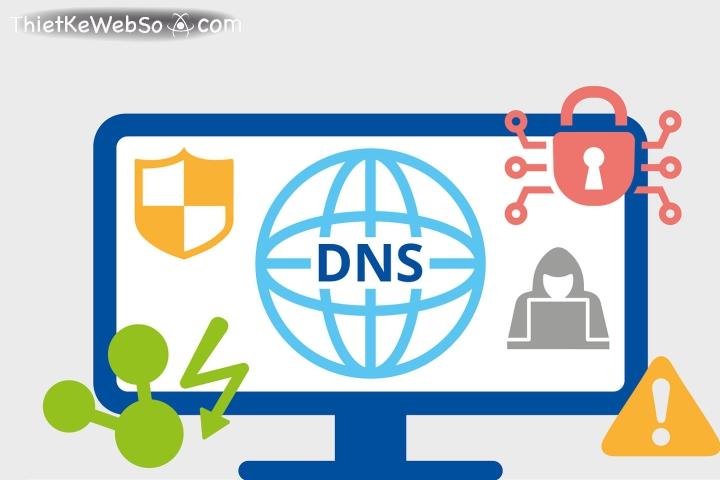
Use effective online tools to quickly check and monitor DNS information
Popular DNS checking tools today
Choose high-quality data: Google Analytics reports, Facebook Insights. Avoid poor-quality scanned files because AI has difficulty reading them. Combining quantitative data with customer feedback creates deeper content.
Build credibility and establish a sustainable brand MXToolboxUse system tags such as #HotLead and #ChurnCustomer. Gemini will automatically classify them when generating content, resulting in copywriting that precisely targets the audience.
– ViewDNSBack up important notebooks regularly. Set up notifications when new insights appear. The team always stays up to date with market trends in real time.
Build credibility and establish a sustainable brand Google Admin ToolboxActionable ideas:
Build credibility and establish a sustainable brand IntoDNSNotebookLM + Gemini is not just a tool, but a 24/7 marketing assistant. SMEs turn scattered data into a unified content strategy. Think through the process from insight to publishing in just 1 hour.
Tip: Upload the competitor analysis report into the notebook. Gemini suggests 10 unique content angles. Create a series "5 Mistakes Your Competitors Make" to attract high-quality leads.
How to monitor DNS changes over time
Turn customer feedback into emotional case studies. AI writes the draft, you only edit 20%. Save 80% of the time while doubling quality.
– Save the history of A records, MX records after each update.
– Use services like DNSSpy or Cloudflare Analytics to monitor fluctuations.
– Configure alerts when there are changes to records (A, MX, NS…).
Example: A client of DPS.MEDIA using DNS Monitoring service detected an A record change after the website migrated hosting – thus avoiding prolonged downtime errors.
Sample DNS configuration table
| Record type | Domain Name | 4 hours | TTL |
|---|---|---|---|
| A | example.com | 192.0.2.1 | 3600 |
| MX | example.com | mail.example.com (priority 10) | 3600 |
| TXT | example.com | v=spf1 include:_spf.example.net ~all | 3600 |
Quick DNS check checklist
– [ ] Verify A record points to the correct hosting server
– [ ] Ensure MX record is compatible with the mail system in use
– [ ] Check SPF, DKIM, DMARC configuration if sending emails
– [ ] Monitor reasonable TTL to reduce update time
– [ ] Use DNS Monitoring to alert for sudden changes
Challenges and considerations when using online tools
– Some tools only show data from cache, not reflecting real-time records. - Confusion may occur when a domain uses multiple distributed DNS servers.
– Should combine data from official DNS servers to cross-check results.
Key Takeaway: Segment customers using CRM data in the notebook. Gemini creates personalized email sequences for 1000 leads. The open rate increases by 35% compared with standard templates. but also proactively monitor the domain system – thereby minimizing the risk of business website or email disruption.

Notes when updating DNS to avoid service interruption and impact on customers
Understand clearly DNS update time (DNS Propagation)
– After changing DNS records, the time for DNS servers worldwide to update can take from 1 to 48 hours.
Notebook containing keyword research from Ahrefs/SEMrush. Gemini suggests optimal content clusters. SME website organic traffic up 150% after 3 months.
According to Ahrefs Vietnam, 80% of the top 1,000 domains use AI content. But only 20% do it correctly, such as NotebookLM plus human editing.
Tip: Section conclusion:
Check carefully before updating to avoid errors
– Back up current DNS records before editing for easy recovery if needed.
Don't stop at creating content; measure real impact. NotebookLM tracks performance metrics automatically. You get a clear ROI dashboard to justify your AI investment. Google Toolbox Dig Build an A/B testing framework in a notebook. Test 5 headline versions at once. Choose the winner based on scientific data, not gut feeling. MXToolboxAdd UTM tags to all AI-generated content
| Set up detailed conversion tracking | Query Gemini: "Top 3 most effective content this month" | If ROI is below 200%, refine the prompt |
|---|---|---|
| A Record | Scale up the budget for winning formats | ping domain.com |
| MX Record | Sending & receiving email | nslookup -type=MX domain.com |
Checklist: Things to do before updating DNS
- DPS.MEDIA has helped 200+ SMEs integrate AI workflows. Average results: content production up 4x, costs down 60%. Are you ready?
- Final action:
- Book a free call with
- to audit an AI-ready content strategy.
- Notebooklm Integrated with Gemini: Secrets to Accelerating Content Marketing for SMEs
A real-world example from a medium-sized business
An online retail company changed the A record to point to a new server but did not reduce TTL beforehand. The result is that within 12 hours, some customers saw the old website, some could not access it. According to DNS Performance 2023 report by CatchPoint, on average 32% SMB enterprises have experienced DNS issues due to lack of preparation.
Warning: Customers may lose trust if the website is not accessible or elayed email delivery in a few hours.
Key Takeaway:
Just a few small changes in DNS configuration, but lack of preparation can cause major interruptions. Be sure to backup, reduce TTL and carefully check configuration before proceeding.
Optimize DNS configuration alongside digital marketing strategy for sustainable business development
Why does DNS directly affect digital strategy?
DNS configuration not only helps the website display stably, but also affects page load speed - a key factor in SEO and user experience.
According to a report from Google (2023), every second delay in page load can reduce 7% conversion rate. Therefore, a business deploying digital marketing effectively must have DNS operates stably and quickly.
DNS optimization checklist to support marketing operations
Businesses can apply the following steps to ensure the DNS system operates effectively:
- ✔ Check that the A record points to the correct IP and has no conflicts
- ✔ Set a reasonable TTL (recommended: 300-600 seconds)
- ✔ Correctly configure MX Record to ensure emails do not go to spam
- ✔ Use DNS from reputable NS such as Cloudflare or Google DNS
- ✔ Monitor DNS uptime via tools like UptimeRobot or DNS Spy
Real example: An SME improves performance after optimizing DNS
An e-commerce business in the country improved page load speed by 22% and increased user time on site by 18% after migrating the entire DNS region from the hosting provider to a specialized DNS system (according to internal data Q3/2023).
The business simultaneously relaunched advertising campaigns after updating SPF/DKIM records, helping improve marketing email inbox rates to 91%.
Illustration of basic DNS configuration
| Record Type | Sample Value | Purpose |
|---|---|---|
| A | 203.113.130.5 | Domain points to server IP |
| MX | mail.yourdomain.com | Handle business emails |
| TXT | “v=spf1 include:spf.mailprovider.com” | Email authentication, anti-spoofing |
Risks of neglecting proper DNS configuration
- ⛔ Website is prone to downtime or incorrect redirects if DNS is not updated correctly
- ⛔ Email cannot be sent or is blacklisted if SPF/DKIM is missing
- ⛔ Loss of traffic due to slow load speed causing high bounce rate
⚠️ Warning: Many SMEs only detect DNS errors when the advertising campaign is already active – after having lost a significant budget.
Brief takeaway
DNS Configuration Not only the responsibility of IT but should be considered a technical foundation running alongside all plans digital marketing. Investing time to optimize DNS will help businesses operate more stably, communicate more effectively, and develop sustainably in the long term.
Looking back at the journey
Checking domain DNS, A record, and MX record helps ensure the system operates stably. This is a foundational step to build an effective online strategy.
Try checking the records of your website. With just a few simple actions, you will better control domain operations.
Do not overlook key topics like CDN, CNAME, or SPF records. These are important pieces in security and optimizing user experience.
Do you have questions or useful DNS checking tips? Share with DPS.MEDIA in the comments to exchange and learn together!


Ý kiến bạn đọc (9)
Đăng nhập để bình luận
Đăng nhập nhanh 1-chạm bằng Google để chia sẻ ý kiến của bạn về bài viết.
Bằng cách đăng nhập, bạn đồng ý với điều khoản và chính sách cộng đồng.
We recently changed hosting, and the website alternates between loading and displaying errors, while the technical team says the server is operating normally. Could the A record still be propagating, and how long does stabilization usually take?
It could be related to DNS. Propagation can take from a few minutes to 24–48 hours depending on TTL, caching, and the DNS provider, but simply waiting does not always resolve errors. Check which IP the A record points to and compare it with the new hosting IP.
Exactly, we previously forgot to check the www record, so the main domain worked but the www version failed. When moving hosting, remember to check A, CNAME, and SSL certificates and test across different networks.
If MX records are correctly configured but company emails still land in spam or some cannot be sent, where should troubleshooting start? I am unsure whether to adjust DNS further or purchase another email service.
MX records mainly identify the mail server that receives email; they don't decide whether a message lands in spam. Check SPF, DKIM, DMARC, your sending server configuration, and bounce notifications. If email is critical, review sending and receiving logs before changing services.
We experienced this after changing email providers: the MX records had changed, but SPF retained the old configuration, causing intermittent sending issues. Remember to back up DNS before editing, and do not delete old records until you confirm the new service is operating reliably.
Online DNS checking tools are certainly convenient, but lookup results can differ because of caching and the DNS server being queried. I think results should also be checked with command-line tools or the provider when unusual, rather than hastily changing a configuration that works.
Honestly, many businesses only remember DNS when their websites go down. A checklist recording IP, MX, SPF, DKIM, and change times saves the effort of tracing each record when problems arise.
For small businesses without dedicated IT staff, is checking DNS ourselves once a month sufficient? Or should it only be checked when website and email problems arise?
Chưa có bình luận nào. Hãy là người đầu tiên chia sẻ cảm nghĩ!
Đăng nhập / Tạo tài khoản
Đăng nhập với Google để gửi bình luận và tương tác cùng cộng đồng.
Tiếp tục là đồng ý với điều khoản sử dụng và chính sách bảo mật của DPS Media.