





The main difference between Antigravity Swarm and Teamwork lies in how they organize work. Swarm is suited to tasks that can be divided into independent parts and coordinated through a shared board. Teamwork focuses on projects with multiple milestones, requirements finalized before execution, and separate verification layers. Both support orchestration, parallel execution, and result verification.
Adding more agents does not necessarily solve a disorganized project. Three independently processed files are very different from a framework migration involving multiple dependencies. Choosing the right mechanism matters more than choosing the largest team.
Cross-referenced with Google's documentation dated . This is an analysis of product documentation, not a benchmark or experimental report by DPS.MEDIA.
For teams developing AI applications from prototype to production, choosing a multi-agent approach should go hand in hand with testing criteria, code-editing permissions, and handover procedures. A working demo does not necessarily mean a product is ready for operation.
Quick comparison of Swarm and Teamwork in Antigravity
Swarm focuses on clearly dividing tasks and communicating openly on a single board. Teamwork organizes the entire project lifecycle: scoping interviews, specification approval, milestone-based implementation, and verification before handover. The table below summarizes the differences based on two official documents.
| Criteria | Swarm | Teamwork |
|---|---|---|
| Typical tasks | Multiple files, packages, or questions that can be handled independently | Migrations, multi-milestone projects, simulations, and long-term research |
| Startup | /swarm |
/teamwork , scoping interview followed by prompt approval |
| Orchestration | Coordinator, workers, verifier, and monitor | Sentinel, Project Orchestrator, and specialized roles |
| Coordination and state management | Shared board, public briefs, and mentions using @mention |
Requests, project plans, progress artifacts, and handovers between milestones |
| Verification | Verifier reviews diffs, runs tests, and reports issues to workers | Critic, Challenger, and Auditor; Success Auditor performs the final review |
| Workspace | Shared workspace by default; separate working copies can be assigned | Dedicated project directory, file ownership, and separate scratch spaces for each agent |
| Typical duration according to Google | Minutes to hours | Hours to days |
The last row should not be interpreted as a speed guarantee. Google uses these time ranges to describe suitable types of work, not to claim that both modes were run against the same task to determine a winner.
Swarm: Divide independent tasks and coordinate through a shared board
When running Swarm, the current conversation becomes the coordinator. This agent divides tasks, names workers, and assigns non-overlapping scopes. Each worker opens a conversation with clean context; its brief specifies what it can edit, what it must not touch, and what constitutes completion.
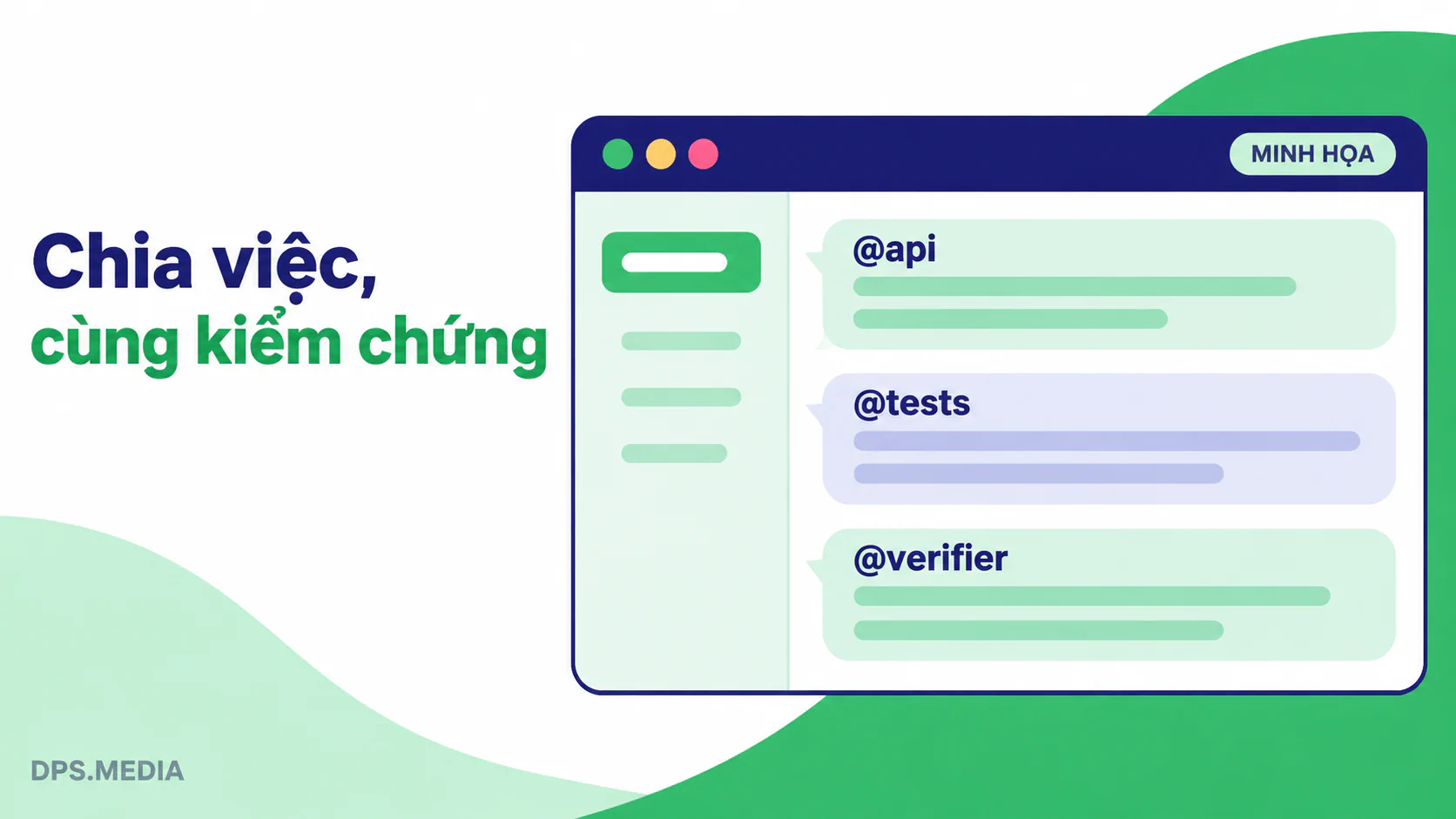
The coordinator does not take on implementation work itself
The documentation explicitly states that the coordinator assigns tasks, evaluates outputs, and reports to the user instead of performing technical implementation itself. It can still respond while workers are running. You can change priorities through the coordinator without having to repeat your instructions to each team member.
Hypothetical example: A service has three APIs for handling users, orders, and products. If file boundaries are clearly defined, each worker can add validation and tests for one API. The coordinator consolidates the results, while the verifier checks the entire set of changes. The challenge lies in defining task boundaries, not in opening three additional chat windows.
The shared board keeps communication between agents in one place
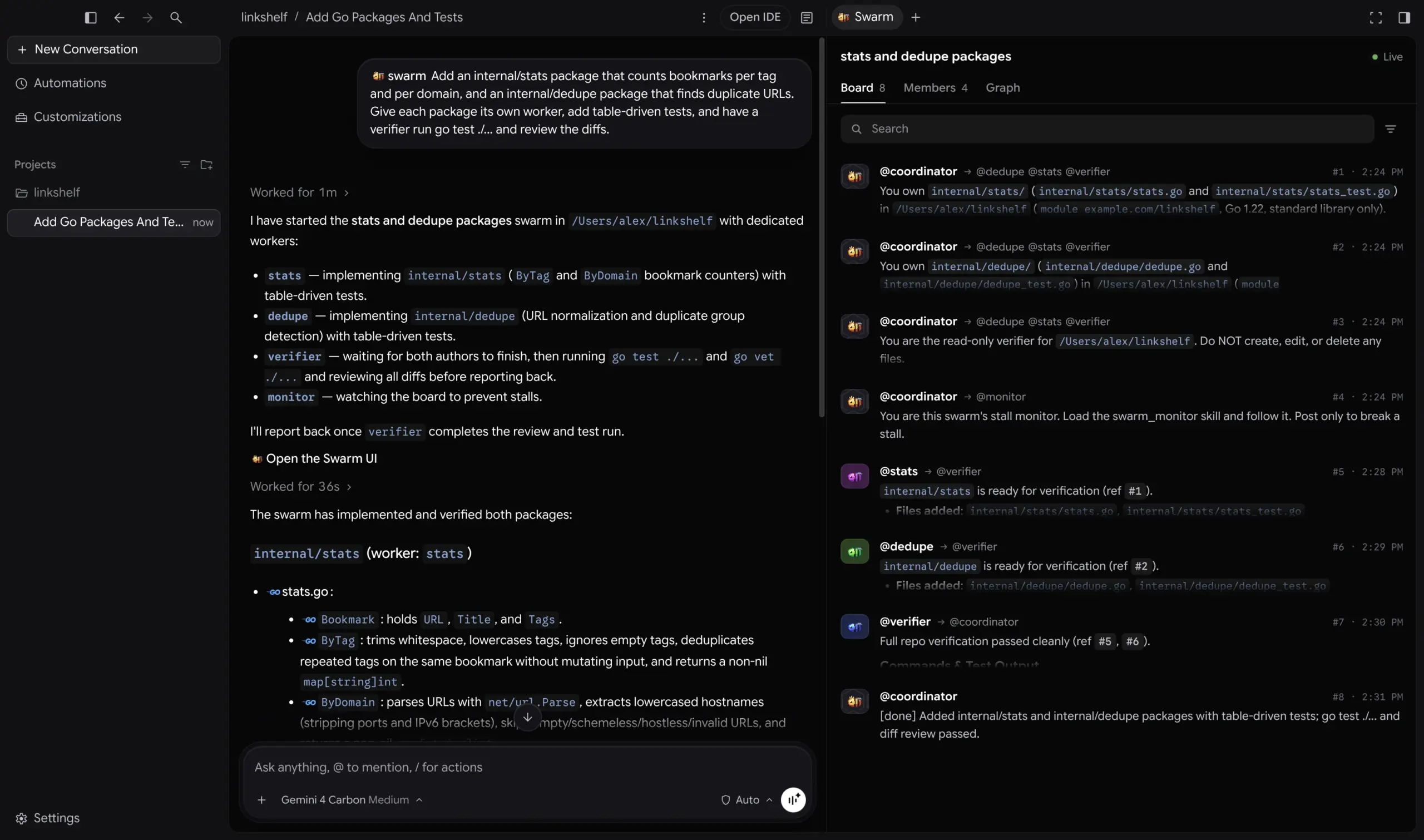
Briefs, questions, diff summaries, and test results are posted to the board using @name, @group or @all. Workers do not message each other privately. Users can still message a worker directly; however, those messages are not posted to the board.
In the App, the Board, Members, and Graph tabs let you view conversations, statuses, and mention relationships. In the CLI, use /swarm board or Alt+S. The Graph visualizes interactions; it does not certify code quality.
The verifier checks work, while the monitor addresses stalled progress
According to the documentation, the coordinator typically adds one verifier for every two to four workers. The verifier reviews diffs, runs tests, and sends issues back to the responsible workers for correction. This is a commonly used configuration, not a claim that every swarm has a fixed team size.
The monitor has a different responsibility: it waits while the team is still making progress and speaks up if all members become silent before the work is complete. Workers waiting on the board do not consume tokens and are awakened when someone mentions them. However, thinking time, tool usage, and communication during active work must still be taken into account.
Teamwork: Finalize specifications, work through milestones, and apply multiple verification layers
Teamwork focuses on larger goals that require state to be maintained across multiple stages. Instead of starting implementation immediately after receiving an instruction, the agent conducts interviews to clarify requirements and creates a prompt artifact for your approval. Only after approval does the team move into autonomous execution.
Two phases separate requirements from implementation methods
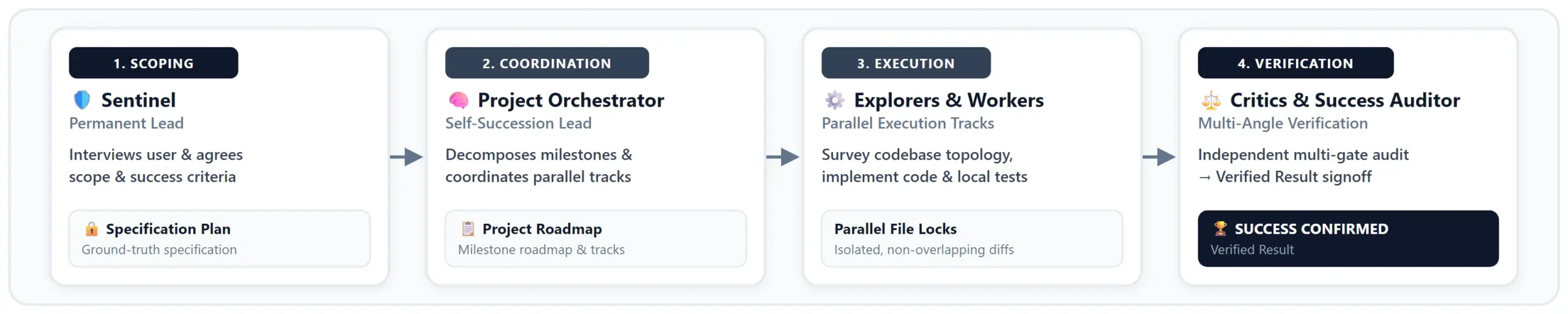
The first phase follows the principle of “specify what is needed, not how to do it”. You and the agent agree on the objectives, target users, requirements, independent verification procedures, and completion criteria. The default workspace is ~/teamwork_projects/{PROJECT_NAME}.
After approval, Sentinel coordinates at the outer level and assigns the project to the Project Orchestrator. The Orchestrator divides the work into milestones, organizes parallel branches, and delegates tasks. Between milestones, this role hands over responsibility to a new successor to limit context degradation.
Explorers operate in read-only mode to investigate the repository and evaluate potential solutions. Workers implement, refactor, and write unit tests within their assigned areas. The request artifact preserves the objectives; the project plan maintains the roadmap; and the progress artifact records progress. These documents provide the foundation for handovers instead of relying on an increasingly lengthy chat conversation.
Four verification roles perform different functions
- Critic: independently reviews correctness, completeness, robustness, interface contracts, and coding style.
- Challenger: creates edge cases, failure paths, and adverse inputs to test the solution's resilience.
- Auditor: checks integrity mode and compares test evidence against actual command outputs.
- Success Auditor: performs the final end-to-end verification before Sentinel presents the completed results.
The value of Teamwork lies in its cross-checking process, not in a promise that having more reviewers eliminates bugs. Engineering teams still need to define appropriate tests, environments, and acceptance criteria.
Integrity mode is a work policy, not a pricing plan
development is the default, allowing the use of libraries, frameworks, and code reuse while still flagging fake outputs or superficial implementations. demo prohibits additional shortcuts such as copying core logic and reading test code to reverse-engineer expected behavior.
benchmark is the strictest mode: independent implementation from scratch, using only the language's standard libraries. Do not choose this mode for ordinary integration projects simply because its name sounds more professional. Clearly specify prohibited shortcuts during the requirements-finalization phase.
Should You Choose Swarm or Teamwork for a Specific Task?
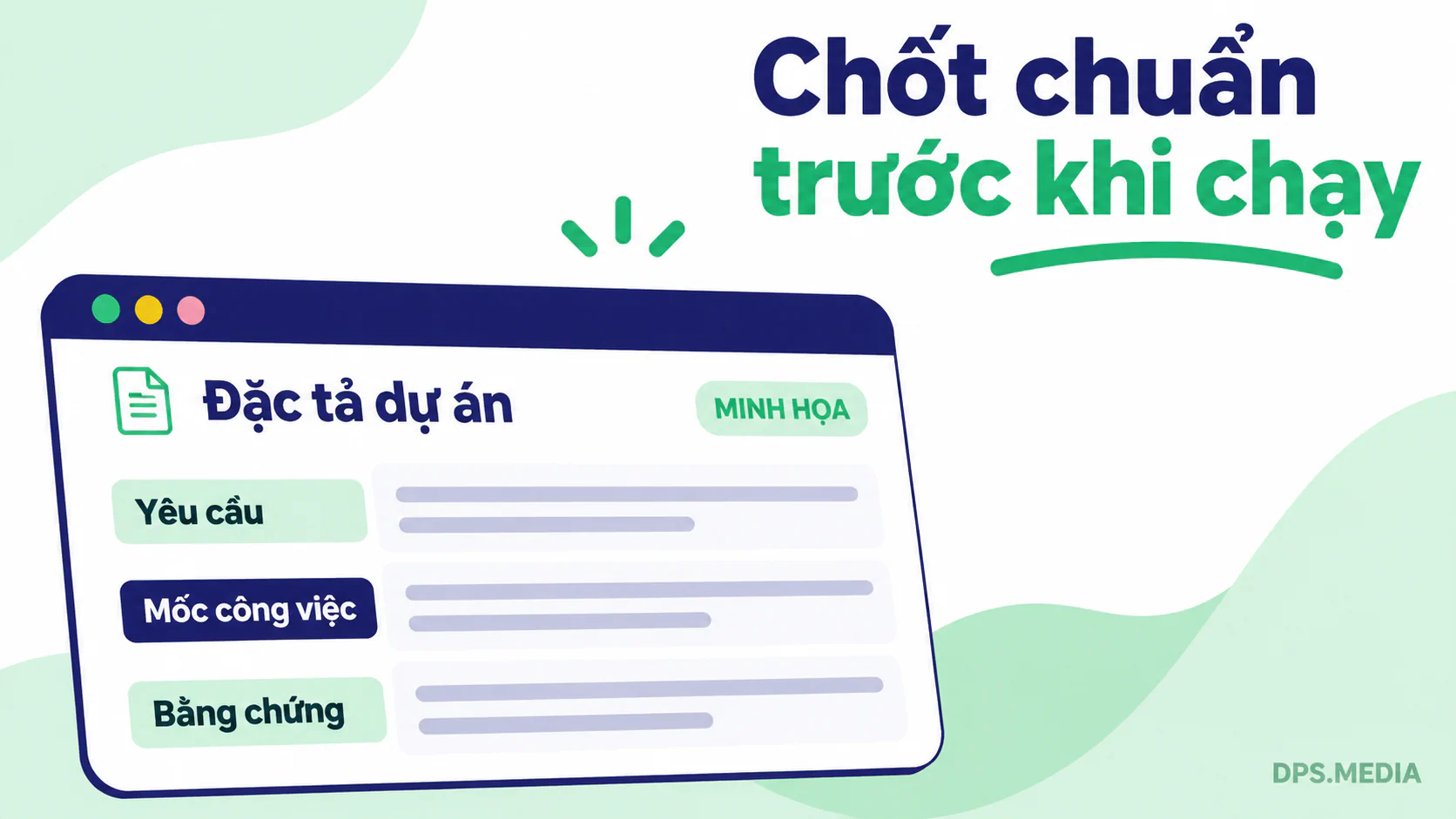
Consider dependency structures and acceptance procedures before looking at the number of files. If individual parts can be completed separately and then checked together, Swarm is usually a reasonable starting point. If a project requires multiple milestones, state handovers, and verification gates, Teamwork is more closely aligned with the objective.
Choose Swarm when task boundaries are already clear
Suitable scenarios include adding tests for independent modules, fixing bugs package by package, or investigating three separate hypotheses about a startup failure. For investigations, you can instruct workers to operate in read-only mode. The documentation also allows you to assign a verifier running a different model, provided that model is available in your selectable model list.
Do not let two workers edit the same configuration file and hope the coordinator will sort everything out. Swarm uses a shared workspace by default. When necessary, the coordinator can assign separate working copies; changes must be brought back before deleting a worker because that action also deletes its separate working copy.
Choose Teamwork when success requires multiple verifiable milestones
Suppose you are migrating a service from Express to Fastify while preserving API contracts, TypeScript types, and error behavior. This is more than a list of files: changes to middleware can affect authentication, logging, and integration testing. Milestones and acceptance criteria help control these dependencies.
One noteworthy exception: Teamwork has a lightweight iterative coding branch for self-contained changes, activated by signals such as keep it small or keep it focused. This branch does not decompose tasks. Beyond coding, the documentation also describes document review and math/proof. Therefore, “Swarm for small tasks, Teamwork only for large projects” is an inaccurate oversimplification.
Prompt templates: Define boundaries and completion evidence
Good prompts for both modes should specify deliverables, change restrictions, and verification procedures. Swarm benefits from clearly defined independent task boundaries. With Teamwork, describe the desired outcome and let the interview clarify the specifications instead of imposing an agent architecture yourself.
Illustrative example for a TypeScript repository with an existing test suite:
/swarm Thêm validation cho src/routes/users.ts và src/routes/orders.ts. Mỗi worker phụ trách một handler và test tương ứng, không sửa file của worker khác. Verifier chạy npm test, kiểm tra diff và xác nhận không xóa assertion để làm test pass.Example project kickoff for a migration:
/teamwork Chuyển dịch vụ REST từ Express sang Fastify, giữ nguyên hợp đồng API và hành vi lỗi. Mục tiêu là chạy production. Hãy phỏng vấn để chốt phạm vi, môi trường kiểm thử và tiêu chí chấp nhận trước khi triển khai. Không giả kết quả test; mọi kết luận cần có log lệnh thực tế.The paths and commands above are examples only and must be adapted to the actual repository. For projects containing customer data or credentials, access restrictions should be specified from the outset; do not assume every agent needs production deployment permissions.
Limitations to understand before assigning work to multiple agents
The two documents do not provide head-to-head benchmarks for execution time, total tokens, cost, or bug-fixing rates. Therefore, these sources do not establish that Swarm is always cheaper or Teamwork is always more accurate. Measure performance on representative tasks and include review time in your calculations.
Swarm has specific operational considerations: when a member runs out of quota, it pauses and does not automatically resume simply because the quota has been restored. You need a new board post, a model change, or a message to that member to continue. A deleted worker cannot be revived; the coordinator must add a new worker.
With both modes, review diffs and test logs rather than simply reading a statement that the work is done. Tightly coupled components must still follow the required sequence; increasing the number of workers does not eliminate dependencies. File permission controls also do not replace secrets management, backups, and release approval.
Frequently asked questions
Does a swarm mean agents working independently without a human coordinator?
No. The current conversation becomes the coordinator, assigning tasks and consolidating results. Workers, the verifier, and the monitor coordinate through the board. This model provides clear orchestration rather than an ad hoc group of agents.
Does Teamwork run in parallel?
Yes. Project Orchestrator organizes parallel workstreams with separate file scopes. The difference is not that Swarm runs in parallel while Teamwork runs sequentially, but that Teamwork manages projects through specifications, milestones, artifacts, and validation.
Can it be used on both the App and CLI?
Yes. Both documentation pages list Antigravity App and Antigravity CLI. The way progress is viewed differs depending on the interface, but the principle of selecting a mode based on the task structure remains unchanged.
Which mode should you choose if the requirements are unclear?
It is best to clarify the objectives and acceptance criteria upfront. Teamwork already includes a scope interview step, but that does not replace your own product decisions. When you only need help with a small secondary task, a regular subagent may be sufficient, so there is no need to spin up an entire team.
Conclusion: Choose the coordination approach, not the largest team
Choose Swarm if you need to divide a task into relatively independent parts and want to monitor communication on a shared board. Choose Teamwork when you need to finalize specifications, work through multiple milestones, hand over context, and apply multiple verification layers. Start with measurable deliverables, file boundaries, and a way to prove that the work is complete.
Official sources: Google Antigravity — Swarm and Google Antigravity — Teamwork Agent Teams. Features may change after the reference date.
Prepared by: DPS.MEDIA JOINT STOCK COMPANY · 56 Nguyen Dinh Chieu, Tan Dinh Ward, Ho Chi Minh City · Email: marketing@dps.media · Hotline/Zalo: 0961 545 445.

Ý kiến bạn đọc (0)
Đăng nhập để bình luận
Đăng nhập nhanh 1-chạm bằng Google để chia sẻ ý kiến của bạn về bài viết.
Bằng cách đăng nhập, bạn đồng ý với điều khoản và chính sách cộng đồng.
Chưa có bình luận nào. Hãy là người đầu tiên chia sẻ cảm nghĩ!
Đăng nhập / Tạo tài khoản
Đăng nhập với Google để gửi bình luận và tương tác cùng cộng đồng.
Tiếp tục là đồng ý với điều khoản sử dụng và chính sách bảo mật của DPS Media.