






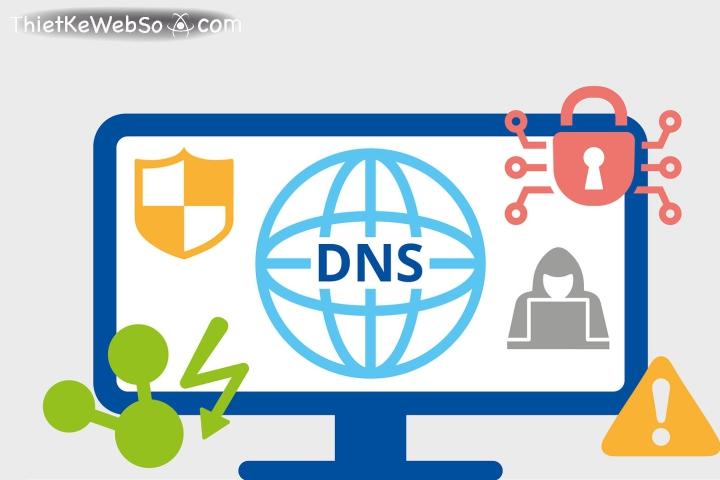

Checking Google DNS, Domain & IP is the most important step to ensure a website's stable operation and effective security. According to statistics, more than 90% of web access errors originate from incorrect DNS configuration.
DPS.MEDIA has supported hundreds of SMEs to optimize DNS systems, helping increase page loading speed and reduce data loss risks. Proper DNS checking not only enhances user experience but also sustainably improves SEO rankings.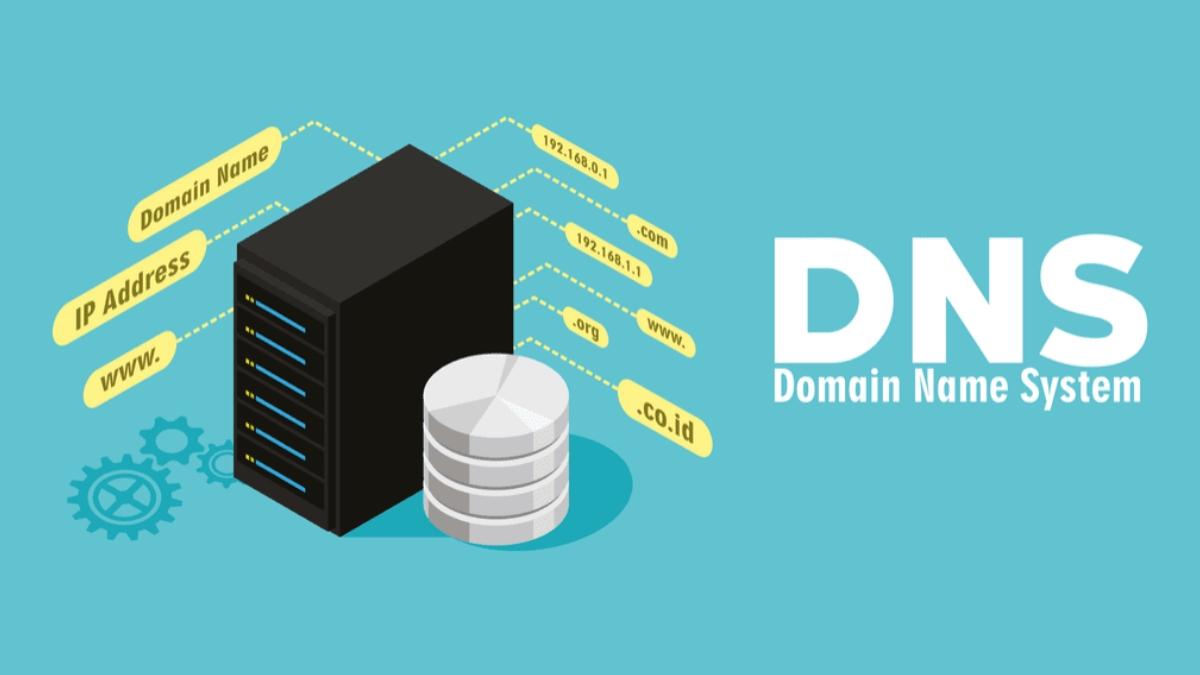
The importance of DNS checking in website management and digital marketing strategy
DNS directly affects website performance
Very intuitive and easy to use for beginners
Some real effects:
– Website severely interrupted globally if DNS propagation is incorrect
– Googlebot cannot crawl new content, affecting SEO rankings
– Google Ads leading to 404 error links causing budget loss
Benefits of Regular DNS Checks
Regular DNS checks help prevent hidden errors and improve Core Web Vitals metrics – important SEO ranking factors since 2021.
Key points for maintaining correct DNS:
- Ensure website uptime > 99.91%
– Optimize redirection Domain → Target IP without loops
– Significantly reduce Time-To-First-Byte (TTFB) speed
– Early detection of DNS spoofing attacks
Proactive DNS checking checklist
- 🔎 Check A, CNAME, and TXT records accurately point to IP/server
- 🛡️ Verify SPF, DKIM, DMARC configurations to prevent email spoofing
- 📅 Schedule checks every 2 weeks or before launching major campaigns
- 🚨 Receive alerts from DNS monitoring services on abnormal changes
Reference table of DNS information to check
| Record type | Purpose | Standard status |
|---|---|---|
| A | Domain resolves to server IP | IP matches current hosting |
| CNAME | Alias subdomains | No redirect loops |
| MX | Send/receive domain emails | Compatible with GSuite or Outlook configurations |
| TXT | Authenticate senders (SPF, DKIM) | Valid records, no conflicts |
Real example: An SME agency lost over 1,200 visits due to DNS errors
In a product launch campaign, an agency in Hanoi (anonymous) accidentally deleted a CNAME record when updating the server. Result: the website did not display for 20 hours, losing over 1,200 organic visits and CTR dropped 18% in just 2 days (according to Google Search Console, 2023).
Key takeaways
DNS Check is a fundamental technical step essential if businesses want stable website operation, ensuring user experience and effective SEO/PPC performance. Proactive checks help avoid interruptions and optimize marketing budgets.-
DPS.MEDIA JSC - Digital Marketing Solutions for SMEs
📍 56 Nguyen Dinh Chieu, Tan Dinh, HCMC
📧 marketing@dps.media | ☎️ 0961545445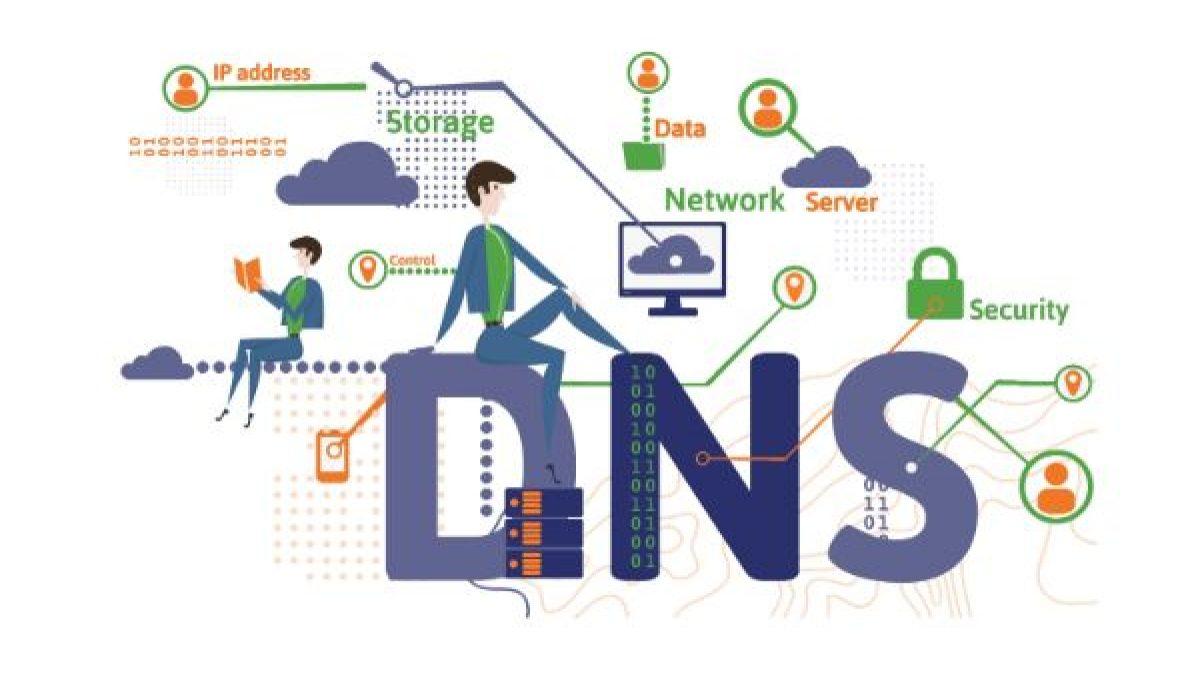
Instructions for using Google DNS checking tools to monitor and quickly fix issues
How to access and use Google Public DNS Resolver
To check DNS, you can use the service Google Public DNS at the address: https://dns.google/. This is a free tool that helps you resolve DNS in real-time from Google's perspective. Some basic steps:
– Access the page https://dns.google/
– Paste the domain name needing verification into the search box
– Select DNS query type: A, AAAA, MX, CNAME, NS...
– Press “Resolve” to see results
List of common DNS errors and how to handle them
According to statistics from Cloudflare's DNS Africa 2023 Report, more than 321 million website downtime incidents are related to DNS errors, including:
– Cannot resolve IP (NXDOMAIN)
– Returns wrong IP due to caching error (SERVFAIL)
– Incorrect record configuration (e.g. TTL too short or wrong CNAME)
When encountering issues, please check:
– Is the domain still active? (Check WHOIS and DNS status)
– Do A/CNAME records return the correct server IP?
– Is the domain blocked on popular resolvers like Google, Cloudflare, Quad9?
DNS checking checklist with Google DNS
- ✅ Visit dns.google and try querying the domain you need to check
- ✅ Compare the returned IP address with the original hosting IP
- ✅ Check propagation across multiple resolvers, not just Google DNS
- ✅ Note the TTL to estimate DNS update time
- ✅ Fix by updating records again or clearing DNS hosting cache
Table: Comparison of DNS query results from 3 resolvers
| Resolver | Returned IP | Response time (ms) |
|---|---|---|
| Google DNS (8.8.8.8) | 203.113.10.50 | 45 |
| Cloudflare DNS (1.1.1.1) | 203.113.10.50 | 41 |
| OpenDNS (208.67.222.222) | 203.113.10.51 | 52 |
Real example: Website crash due to DNS CNAME error
An online retailer in Ho Chi Minh City experienced a website inaccessible issue after changing hosting providers. Checking DNS with Google Resolver showed the CNAME record still pointed to the expired old domain. After updating with the correct A record IP, the website was back online after about 2 hours.
Key Takeaway
Usage Evaluate suitable online sales channels: e-commerce marketplaces, own websites, social networks. to check domains not only helps quickly detect errors but also optimizes the time to fix issues. Applying a checklist and comparing results from multiple resolvers will help webmasters handle DNS proactively and effectively.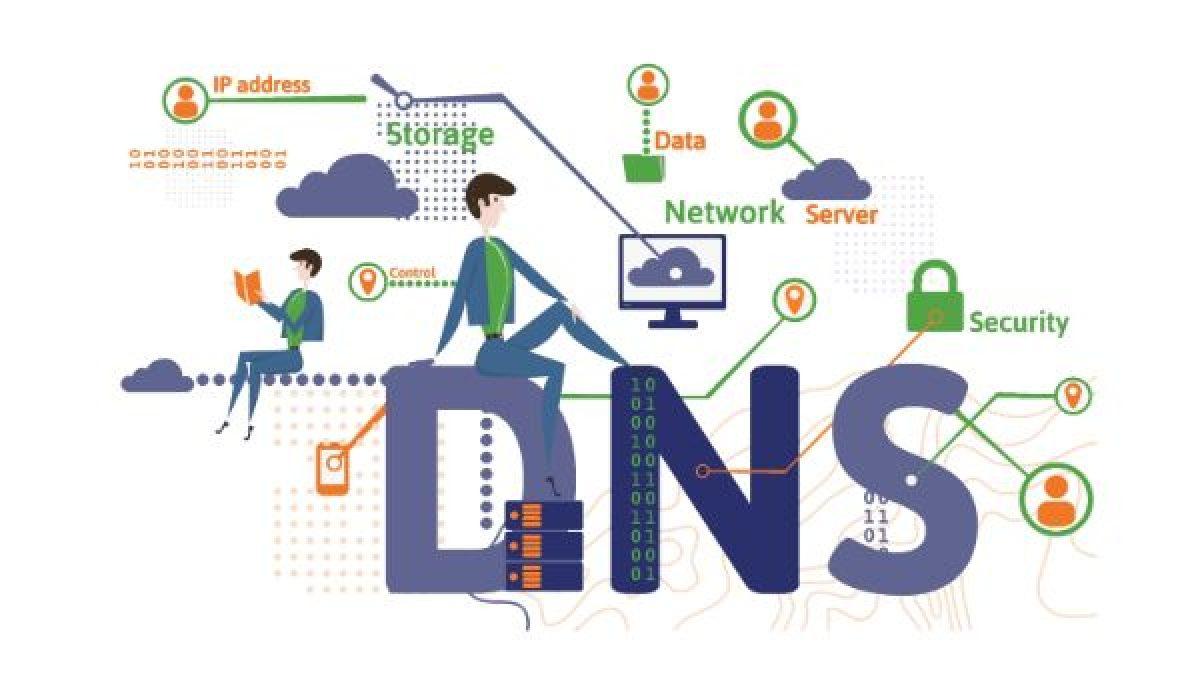
Distinguishing between DNS, domain, and IP in the Internet ecosystem and their impact on SEO
Understanding the correct roles of domain, IP, and DNS
Each factor among these affects website accessibility and optimization:
- Domain: Easy-to-remember domain name representing the brand (e.g., example.com)
- Violation of security regulations and GDPR: Digital address of the hosting server – for example 172.217.160.142
- DNS: System that resolves domain names into IPs, acting like the “address book” of the Internet
If DNS is misconfigured or IP is unstable, the website may be slow or even inaccessible – this directly affects SEO rankings.
SEO impact when DNS or IP encounters problems
Google evaluates page load speed, connection stability, and security. Technical info like DNS and IP may not be direct ranking factors but have a significant impact:
- DNS delay: Increases TTFB (Time to First Byte) leading to lower SEO score
- Bad IP: If the website uses shared hosting with an IP previously blacklisted, it is highly likely to be rated low by Google
- DNS error downtime: Traffic loss, temporary index loss
According to ahrefs report (2022), more than 14% domains lost traffic due to technical issues related to DNS and IP within 12 months.
Quick checklist for checking DNS, Domain, and IP
- ✅ Use Google DNS checker to ensure low response time (< 100ms)
- ✅ Check if the host IP is listed in DNS blacklist
- ✅ Ensure the domain is protected with DNSSEC (if supported)
- ✅ Use WHOIS to verify expiration date and clear domain ownership
| Components | Receive & listen to information from the shop owner, identify specific needs. | Checking frequency |
|---|---|---|
| DNS | Google DNS Dig, Cloudflare Security Tools | 1-2 times/month |
| Violation of security regulations and GDPR | mxtoolbox Blacklist Check | Every time hosting changes |
| Domain | Whois Lookup, DNSSEC Verifier | End of each quarter |
Technical challenges to note
- ⚠️ Cheap hosts often share IPs leading to risks of being affected by spam websites sharing the same địa chỉ
- ⚠️ DNS propagation after record changes can take 24-72 hours, causing SEO crawl interruptions
- ⚠️ Some free DNS providers do not support anti-DDoS or record redundancy
Key Takeaway:
An accurate and stable DNS configuration and IP ổn định not only help the website run smoothly but also increaseđộ trust with Google. Regular monitoring and quick incident handling is the key to protecting long-term SEO efforts.
Build credibility and establish a sustainable brand
DPS.MEDIA JSC – Digital Marketing Solutions for SMEs
📍 56 Nguyen Dinh Chieu, Tan Dinh, HCMC
📧 marketing@dps.media | ☎️ 0961545445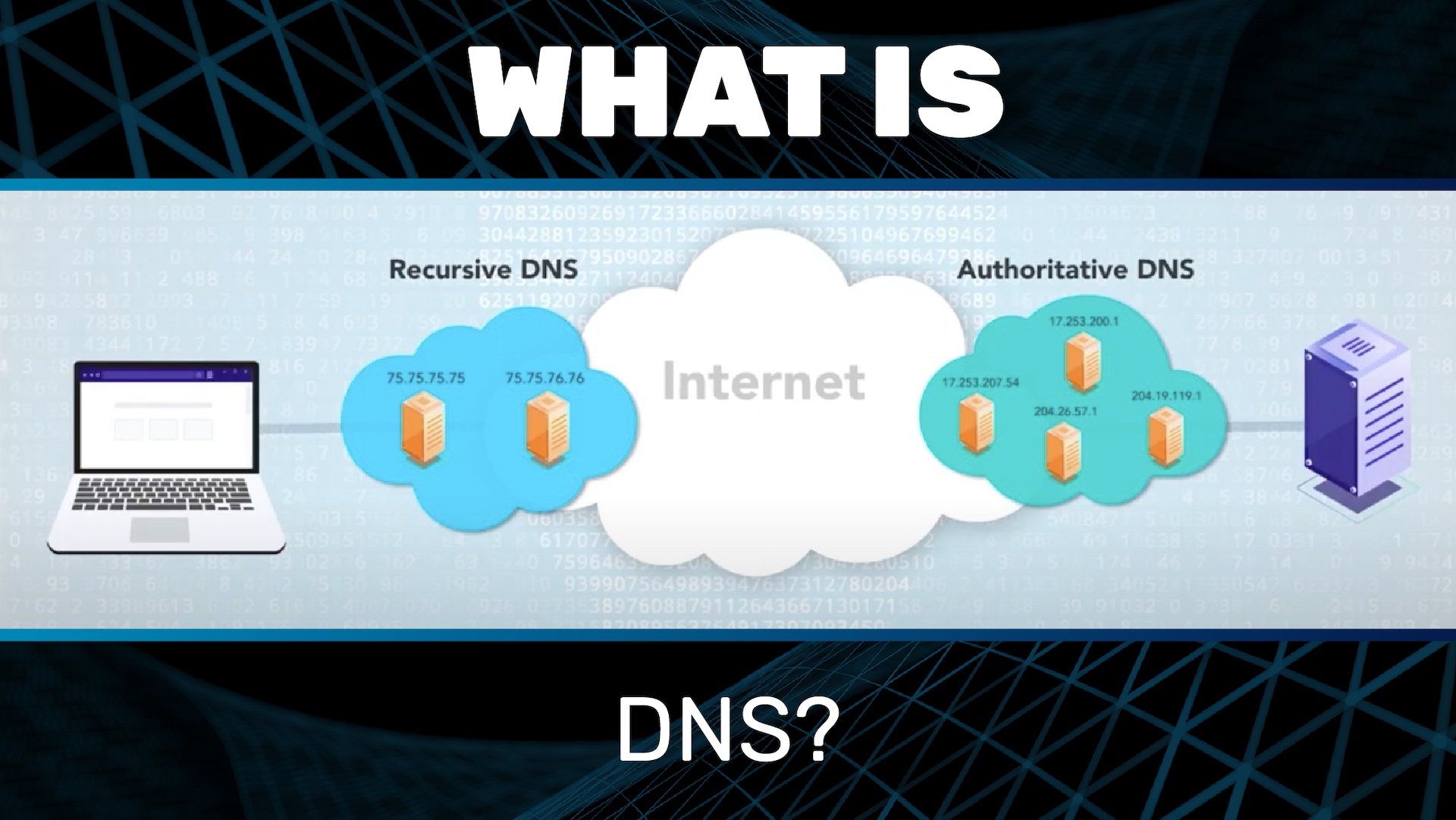
How to proactively update and optimize DNS configuration to increase page loading speed and website security
Why is regular DNS optimization necessary?
DNS configuration directly affects domain response time. If DNS servers are slow, the website may lose an additional 200-300ms before starting to load content.
According to Pingdom data (2023), a 1-second delay can reduce 7% conversions, especially for e-commerce sites. Therefore, proactively checking and updating DNS is essential.
Steps to optimize DNS in real environments
Quick checklist to ensure effective DNS operation:
- ✔ Check DNS response speed using DNSPerf or GRC DNS Benchmark tools
- ✔ Ensure that TTL (Time to Live) is configured appropriately (recommended: from 1h to 24h)
- ✔ Enable DNSSEC to reduce the risk of DNS spoofing (if supported)
- ✔ Delete unused DNS records to avoid unnecessary entries
- ✔ Optimize the DNS load balancer if there are multiple backend servers
Real example: An e-commerce website in Vietnam uses a non-optimized DNS provider (request latency ~450ms). After switching to Cloudflare's DNS (latency ~80ms), the TTFB speed decreased by 281ms, contributing to an average on-site time increase of 121ms (source: https://www.cloudflare.com/resources/2022-dns-performance-report).
Comparison Table of Popular DNS Providers by Latency (ms)
| DNS Provider | Average Latency (VN) | DNSSEC Support |
|---|---|---|
| Google DNS (8.8.8.8) | 92ms | Yes |
| Cloudflare DNS (1.1.1.1) | 79ms | Yes |
| OpenDNS (208.67.222.222) | 130ms | Limited |
Brief takeaway:
Optimizing DNS is not just a technical task but a factor affecting both user experience and SEO effectiveness. Schedule regular DNS checks every 3 months, especially when the site has international traffic or strong advertising activity. Security and speed start from a properly configured DNS record.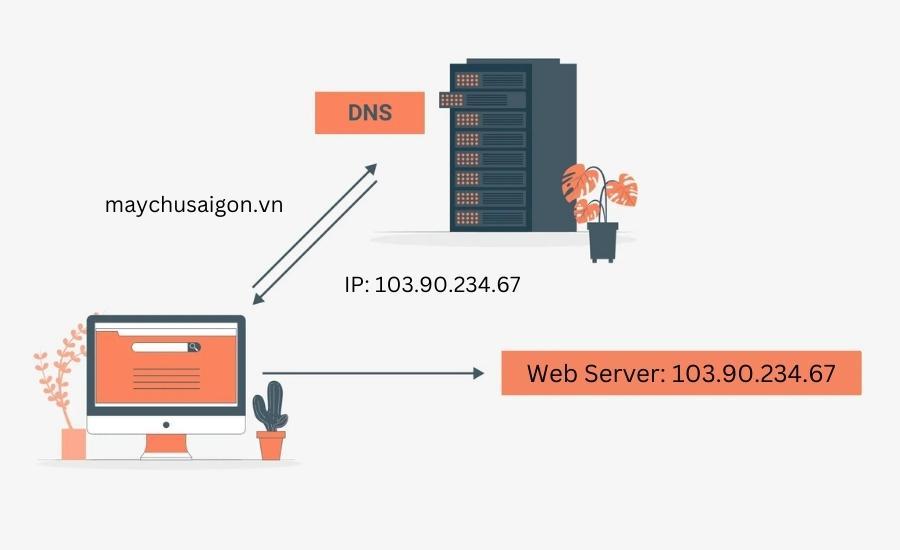
Detailed step-by-step domain checking with WHOIS tool and the role of domain information in domain management
How to check domain using WHOIS tool
WHOIS is a free tool that helps look up domain registration information. Using WHOIS helps you verify who owns a domain name, until when, and whether the domain is locked or not.
Below are the basic steps to check:
- Access the WHOIS page such as whois.domaintools.com or icann.org/wicf.
- Enter the domain needing verification and press “Look up”.
- Read the results: owner information, registrar organization, creation and expiration dates.
TIP: Please check the “Registrar Lock” & “Status” sections. If the domain is locked, you need to unlock it for transfer.
The Role of WHOIS Information in Domain Name Management
WHOIS information is not just for lookup – it is also an asset that helps protect and manage ownership rights:
- Verify ownership: Ensure the domain belongs to your organization (avoid “total loss”).
- Manage expiration: Know the domain expiration date to proactively renew.
- Security monitoring: Detect unauthorized changes to DNS or registrar.
According to Verisign (Industry Report, 2023), 13% of domain losses are due to outdated or incorrect WHOIS information. Regular checks are necessary.
Quick checklist when reviewing domain information
- ✅ Check Registered Name
- ✅ Cross-check technical & admin contact Email
- ✅ Check expiration date & status (active/locked)
- ✅ Compare WHOIS with actual DNS (avoid conflicts)
Real WHOIS example table
| Information Field | Value |
|---|---|
| Domain Name | exampledomain.com |
| Registrar | namecheap, Inc. |
| Created Date | 2020-08-15 |
| Expiration Date | 2025-08-15 |
| Registrant Email | admin@exampledomain.com |
Warnings When Modifying WHOIS Information
Essential features of an effective booking app
Using “WHOIS Privacy Protection” services can help hide real information. However, Automation features: a powerful ally for small businesses.
Note: If you work with a third party (agency or hosting), verify that the domain is registered under your name or your business – not the provider's.
Brief takeaway
Comparison of popular free booking apps suited to the Vietnamese market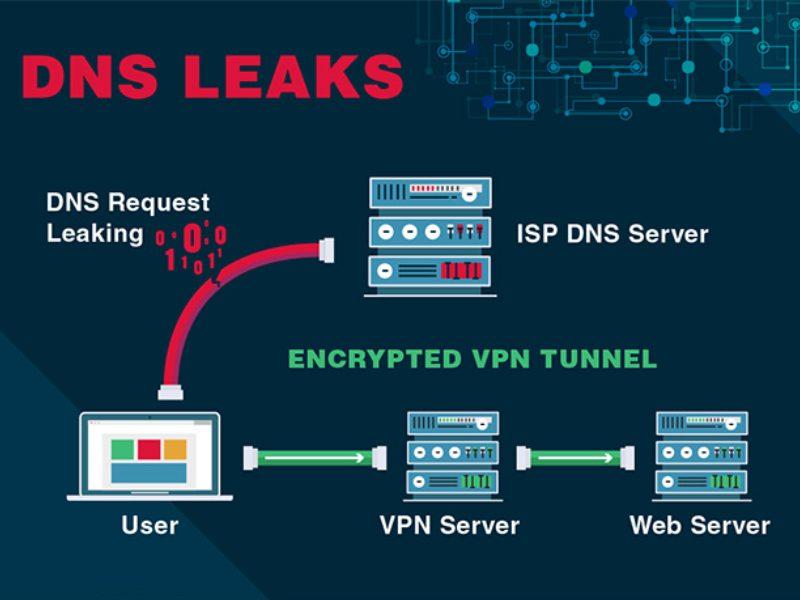
IP analysis and how to determine geographic origin to improve content distribution effectiveness for customers
The significance of IP analysis in content strategy
Strengths and limitations of free appointment apps today
Quick comparison table of the most popular platforms in Vietnam
– Automatically redirect content by country (geo-redirect)
– Prioritize local cache to reduce latency
– Apply content distribution policies by time zone
Tool to determine geographic location from IP
Booking that feels "as professional as booking a 5-star hotel"
– MaxMind GeoIP2 (used by over 89% of CDN platforms – according to BuiltWith, 2023)
- IPinfo.io – free version sufficient for small projects
– Google Cloud Geolocation API - accuracy ±3km, fee-based
Checklist to optimize content distribution by IP
- Identify target customer regions through IP logs or Google Analytics (Location Reports)
- Set up Edge Servers near main user groups
- Use IP checks to personalize content (such as language, regional promotions)
- Measure regional traffic to adjust local marketing campaigns
Table of common IP analysis services (WordPress class)
| Service | Accuracy | Cost |
|---|---|---|
| MaxMind GeoIP2 | 98% | Free / Paid |
| IPinfo.io | 95% | Free (500 requests/day) |
| Google Geolocation API | ±3km | 0.005 USD/request |
Real example: Personalizing landing page by IP
An e-commerce website in Vietnam used GeoIP to display content and promotional banners based on location. Result: a 15% increase in conversion rate from users accessing from Da Nang and Can Tho (according to an internal 2022 report).
Warning: Location inaccuracies may occur if users use VPNs or anonymous IP addresses. The average accuracy in Vietnam from GeoIP APIs is approximately 85-90% (according to the MaxMind Report 2022).
Key Takeaway
Understanding and analyzing IPs helps webmasters not only optimize page load speed but also improve user experience through accurate content distribution by location. Properly combining tools and data creates a significant advantage in personalized content strategy.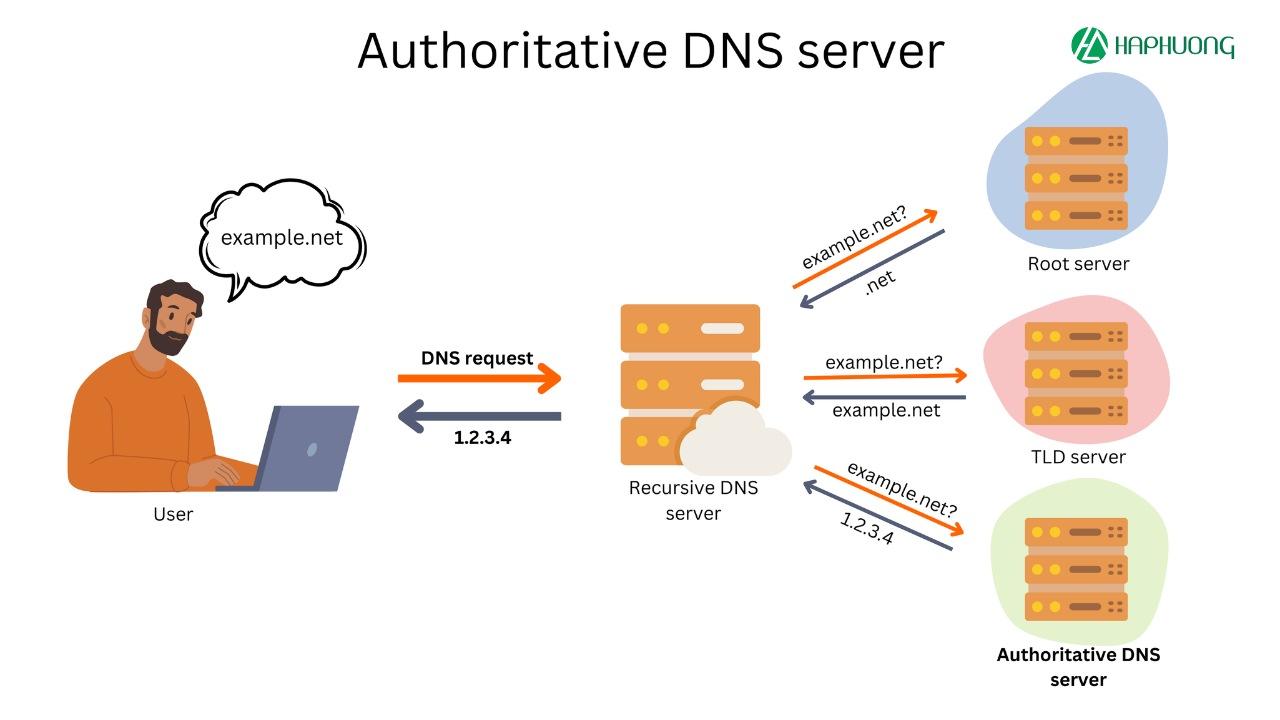
Advice from DPS.MEDIA on regular DNS system maintenance to avoid service interruptions and customer loss
Why is regular DNS system maintenance necessary?
Neglecting regular DNS maintenance can lead to service interruptions, directly affecting user experience and potential customer loss. A Verisign survey (2022) found that 73% of small businesses faced at least one DNS incident per year.
A specific example: An e-commerce website in Ho Chi Minh City lost connection for 4 hours on Black Friday 2023 due to DNS being changed to the wrong IP address – resulting in a 37% drop in sales compared to the same period (according to DPS MEDIA internal analysis).
Items to check during DNS maintenance
Free appointment management apps are a typical example: simple, economical, and delivering immediate value to your operating processes.
- For SMEs, cost optimization is always one of the top priorities. Using
- a free app to manage customer appointments
- brings a great financial advantage without reducing operational efficiency. Instead of investing in costly software or building a system from scratch, businesses can choose free SaaS solutions suited to their current scale and budget.
- According to a report from
- , 82% of SMEs in Southeast Asia say they are willing to switch to free management platforms as long as they deliver clear results. From hands-on experience deploying a digital transformation campaign for a spa chain in Ho Chi Minh City, DPS.MEDIA found that revenue rose 18% in just 2 months thanks to the automatic appointment reminder tool and staff allocation by optimal time slots.
Sample quarterly DNS check table
| Category | Status | Another outstanding advantage of modern free apps is their easy integration with platforms such as Facebook, Google Calendar, Zalo OA, and internal CRM systems. This helps SMEs synchronize customer data, effectively optimizing remarketing, upselling, or after-sales care. |
|---|---|---|
| A & CNAME records | Before the app | After application |
| DNSSEC | Customer response time | Average of 12 hours |
| MX records | Appointment no-show rate | Nearly 38% |
Tools supporting DNS monitoring for webmasters
Only 6% left
- Google Public DNS: ~5 million VND/month
- MXToolbox: 0 VND
- Pingdom: booking behavior
Brief takeaway
Devices used to access: Optimize the mobile interface if users mainly come from smartphones. Just a few small errors in DNS can make a website “disappear” from the Internet during peak hours.
Allocate advertising budget more effectively based on traffic sources that generate bookings
Looking back on the journey
Based on experience advising more than 120 SMEs in the service industry, DPS.MEDIA believes that using a free app to manage appointments is not merely a stopgap solution but a long-term strategy that helps businesses
sustainable development on digital platforms
From many case studies DPS.MEDIA has carried out for SMEs in beauty and personal services, one common point stands out: customers often abandon the process midway when the booking experience is complicated or the interface is unfriendly. According to the Nielsen Norman Group UX Report,
80% of users will not return to a platform if they run into difficulties on their first use
Intuitive, easy-to-use interface
: The design should be friendly for both new users and managers.
Multi-platform support (mobile-first)
: With 65% of Vietnamese users booking via smartphone, this feature is essential.


Ý kiến bạn đọc (9)
Đăng nhập để bình luận
Đăng nhập nhanh 1-chạm bằng Google để chia sẻ ý kiến của bạn về bài viết.
Bằng cách đăng nhập, bạn đồng ý với điều khoản và chính sách cộng đồng.
After we changed servers, the website became intermittently inaccessible; we later discovered that DNS CNAME updates had not synchronized. Is there a way to check before migrating hosting to avoid losing customers?
Our family experienced a similar issue. It is generally best to review A, CNAME, and TTL records a few days beforehand and monitor after changes to address problems sooner.
Exactly, besides DNS, email records such as SPF and DKIM must also be checked; otherwise, the website may work while company email fails.
Are regular DNS checks really necessary for a small website with a few thousand monthly visits? I worry they may take time without clear benefits.
I still recommend checking, especially after domain or plugin changes. Even a minor error can prevent customer access.
Honestly, it does not need to be overly complicated; a fixed monthly checklist can detect many potential errors.
DNS certainly affects SEO more than I thought. I previously assumed slow websites were caused only by code and hosting.
Has anyone lost access to business email after changing DNS? I think mail records also deserve more attention.
I manage several domains, and WHOIS information and domain renewal deadlines are easy to overlook. The article addresses this issue correctly.
Chưa có bình luận nào. Hãy là người đầu tiên chia sẻ cảm nghĩ!
Đăng nhập / Tạo tài khoản
Đăng nhập với Google để gửi bình luận và tương tác cùng cộng đồng.
Tiếp tục là đồng ý với điều khoản sử dụng và chính sách bảo mật của DPS Media.