

Did you know that 80% of failed sales livestreams stem from a lack of thorough content preparation? Preparing content not only helps you control the script but also optimizes engagement and increases customer conversion rates. From the professional perspective of DPS.MEDIA, building a systematic content plan is the foundational step that determines the success of each livestream.
More than 300 SMEs that DPS.MEDIA has accompanied have all reported significant effectiveness when applying a thorough preparation process before livestreaming.. Mastering the content helps minimize information loss, boosts confidence when going live, and builds a professional image, thereby increasing trust among potential customers.
First, you need to clearly define the goal of the livestream: is it to introduce a new product, boost sales, or build your brand? Specific goals will guide the content and appropriate presentation style, avoiding wandering, causing boredom or distracting viewers. This is the “guiding star” step for the entire plan.
After defining the goal, research your target audience in depth to craft messages that match their psychology and real needs. Understanding your customers helps you choose the right words, images, and interaction scenarios, thereby creating a stronger connection with viewers.
Next, build a detailed content script for each part of the livestream, including introductions, product highlights, interactive questions, and promotional programs. A clear script will help you manage time effectively, increase appeal, and maintain continuous customer attention.
Finally, technical checks and full rehearsals are indispensable steps to ensure image and sound quality as well as smooth presentation. Thorough technical preparation is the key factor that determines the viewer experience and keeps them watching until the very end.
In summary, Preparing content before livestreaming not only helps you present confidently but also optimizes sales effectiveness and builds sustainable brand credibility.. This is the key to success in the digital commerce era that SMEs cannot overlook.
Market research and analysis of target customer audience
Understand the consistent market to accurately guide the livestream
Market research is the first step and also an indispensable foundation for building effective sales livestream content. Instead of relying solely on intuition or personal experience, SMEs need to implement quantitative and qualitative research methods such as online surveys, focus group interviews, or trend analysis on social media platforms. This helps uncover real insights and clearly identify product gaps, needs, as well as prominent consumer habits.
At DPS.MEDIA, we have accompanied a chain of youth fashion stores in their livestream campaign. Initially, The survey indicated that target customers tend to be strongly interested in personalized styles and prioritize eco-friendly products – a valuable insight that helps innovate content., thereby increasing views and interactions by up to 351% in just the first month.
Identifying specific target customers helps personalize the experience
The next important step is to deeply analyze the target customer group. Instead of targeting a broad, generic audience, segmenting customers based on criteria such as age, gender, income, interests, and shopping behavior will help optimize livestream content and marketing messages, creating a more authentic connection.
In reality, marketing experts like Philip Kotler also affirm that “Only when you clearly understand the customer can you create appropriate solutions and sell more easily.” From the perspective of DPS.MEDIA, using data analysis tools like Google Analytics, Facebook Insights or customer surveys using chatbots will save time and money compared to running ads indiscriminately.
| Target customer criteria | Application in livestream |
|---|---|
| Age | Customize content, for example: dynamic content for ages 18-25, or sophisticated, in-depth content for 30-40+. |
| Interests | Create suitable livestream topics, such as beauty, technology, or lifestyle. |
| Geographical location | Choose appropriate broadcast times, prioritize special offers for customers in specific areas. |
| Shopping behavior | Offer strategies to suggest related products, increasing conversion rates. |
Develop content scripts and structure for the livestream program
Understand customers to determine key content focus
An effective livestream content starts from grasping the right insights of the target customers. DPS.MEDIA emphasizes the importance of analyzing viewer needs, interests, and habits through data analysis tools like Facebook Audience Insights or Google Analytics. This helps you build relatable situations, creating a friendly feeling and stimulating interaction. For example, a fashion store for young people should choose a script that is entertaining and fresh, while combining mix & match guides instead of just focusing on pure product introduction.
Build detailed scripts for each livestream time slot
Arranging each part of the livestream content in a scientific structure will retain viewers and create professionalism. A sample script proposed by DPS.MEDIA includes:
- Opening (5 minutes): Greeting, brief introduction about the program and featured products.
- Product introduction section (15 minutes): Present advantages, uses, and usage instructions, while also sharing customer feedback.
- Mini game or Q&A (10 minutes): Create a lively atmosphere, increase interaction to extend viewing time.
- Conclusion (5 minutes): Summarize offers, guide ordering, and provide a clear call to action.
Allocating standard duration and keeping content flexible based on viewer feedback during the livestream is also a factor that DPS.MEDIA always values.
Comparison table of key factors to note in sales livestream scripts
| Factors | Purpose | Implementation suggestions |
|---|---|---|
| Duration | Retain viewers without causing boredom | do not exceed 45 minutes, divide into short segments |
| Interaction | Increase engagement, stimulate emotions | Skillfully integrate mini games, Q&A |
| Main message | Help customers remember the product/service | Focus on 1-2 highlights, avoid rambling |
| Backup script | Handle technical issues or content interruptions | prepare backup stories, supporting clips |
From DPS.MEDIA's perspective, the combination of understanding customers, meticulous content planning, and leveraging interactive tools is the key to creating successful and distinctive sales livestreams. This strategy has also been applied in many real projects, helping SMEs increase average revenue by 30-50% after just 3 months of implementation.
Select core products and prepare detailed product information
Identify core products suitable for the market
Choosing key products is not only based on personal preferences but must also rely on market data and the actual needs of target customers. According to Nielsen's research, products that fit consumer trends, have clear competitive advantages, and are highly rated by customers will increase conversion rates during livestreams.
From the perspective of DPS.MEDIA, SMEs should prioritize products that can create a quick highlight, while being easy to present and convince in a short time. For example, a young fashion brand can choose a “must-have” summer collection, combining previous sales data to select 3-5 key products notable during the livestream session.
Prepare detailed information to enhance communication effectiveness
Not only knowing “what to sell”, you must also be clear on “how to sell”. Preparing full detailed information about the product helps the seller be confident and increases persuasiveness. This information includes:
- Technical specifications: size, material, outstanding uses.
- Outstanding advantages: points of difference compared to competitors.
- Customer feedback: authentic review and testimonial quotes.
- Accompanying sales policies: warranty, returns, promotions.
A compelling story about the product journey or a specific success case is also a “spice” to stimulate interest and trust. For example, the livestream campaign of a cosmetics business in Hanoi grew 30% in revenue after just 3 broadcast sessions thanks to integrating customer testimonials and transparent product comparisons.
| Products | Outstanding features | Typical feedback | Accompanying promotions |
|---|---|---|---|
| Youthful windbreaker jacket | Waterproof, lightweight, breathable | “Extremely comfortable to wear, no worries about soaking in the rain” | 15% off for pre-orders |
| Organic lipstick | Natural ingredients, long-lasting | “Soft and smooth lips, non-irritating” | Free mini lip balm included |
| Multi-functional travel backpack | Anti-theft, smart compartment | “Extremely convenient for both work and travel” | Free nationwide shipping |
Optimize images and sound to enhance viewer experience
Choose suitable recording and audio equipment to improve broadcast quality
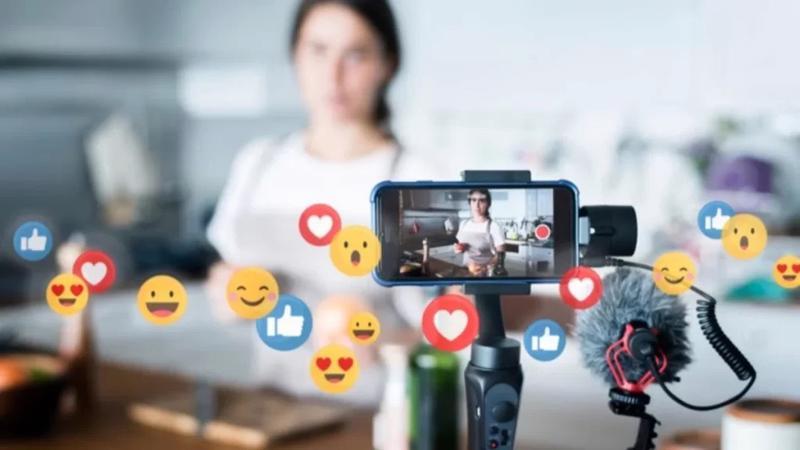
Sharp images and clear sound is the key factor to retain viewers during a livestream sales session. According to research from the International Digital Marketing Institute, videos with high image quality help increase engagement by up to 60%. Investing in a camera with at least Full HD resolution, combined with soft, even lighting, will make the product stand out and create a realistic feeling for customers.
In addition, sound is a crucial point that cannot be ignored. A good quality microphone will minimize noise and help deliver a fuller, easier-to-hear voice. DPS.MEDIA recommends testing first by doing a trial livestream to adjust the microphone distance as well as the volume suitable for the broadcast environment. A typical case study we implemented for an SME client showed that simply changing the audio equipment increased the average viewing time by 30%.
Set up an appropriate environment to optimize content output
- Quiet space: Limit surrounding noise so the sound is not affected.
- Tidy background: Use a solid color background or a professional setting to avoid distractions.
- Balanced lighting: Combine natural light and LED lights to reduce shadows and increase detail.
Especially, current livestream technology supports many audio effects and direct image editing. However, DPS.MEDIA notes that sellers should consider using effects moderately to maintain authenticity, avoiding making viewers feel alienated or distrustful. This not only improves the experience but also helps build a sustainable brand through each live broadcast.
| Factors | Suggested Devices | Affect Experience |
|---|---|---|
| Camera | Full HD or 4K webcam, DSLR depending on budget | Increase depth, realistic product colors |
| Microphone | Quality condenser microphone, lapel microphone | Clarifies voice, reduces surrounding noise |
| Lighting | LED light with softbox or ring light included | Eliminates shadows, highlights the product |
Plan direct interaction and scripts for answering customer questions
Identify interaction goals and categorize frequently asked questions
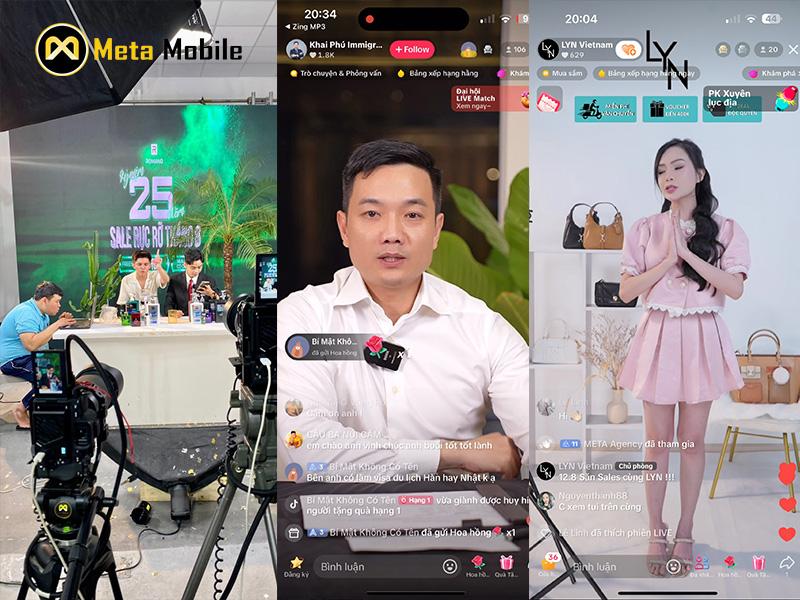
Preparing interactive content and Q&A scripts plays a key role during the livestream sales process. First, you need to clearly define the goal of the live session – whether it is to increase conversion rates, build trust, or develop a potential customer community. Next, aggregating and classifying frequently asked questions from customers through channels like inbox, previous comments or quick surveys will help you be more proactive in creating conversation scripts, easily controlling situations and responding accurately.
For example, DPS.MEDIA once implemented for an SME cosmetics business; before the livestream, our team analyzed over 300 comments, selected 15 outstanding questions, and built detailed answers, from product ingredients to return policies. The result was a 45% increase in interaction and a 30% longer viewer retention rate compared to the previous livestream.
Design flexible interaction scripts and leverage supporting technology
A pre-written script alone is not enough, you need to create a flexible script with backup scenarios to respond to unexpected questions or negative feedback professionally, avoiding disruption to the viewer experience. Allocating reasonable time for the sections: introduction – interaction – Q&A is also extremely important to keep the rhythm for the livestream. One cannot ignore the use of supporting tools such as automatic comment filtering software, quick-reply chatbots or integrating mini-games to increase fun and two-way interaction.
| Script Section | Content Suggestions |
|---|---|
| Greeting and Introduction | Introduce new products, create a fun atmosphere, encourage questions |
| Main Presentation | Detailed information, product demo, share benefits and promotions |
| Direct interaction | Answer customer questions in order of priority, encourage comments |
| Conclusion and call-to-action | Encourage purchases, remind about promotions, thank viewers |
Experts from DPS.MEDIA also noted: “A script that is practiced and updated based on real data will increase the effectiveness of a livestream campaign many times over, while reducing pressure on the host.”

Prepare sales support tools and attractive promotional programs
Choose suitable support tools to optimize customer experience
To successfully livestream sales and create strong appeal, preparing support tools is indispensable. Solutions such as online order management software, quick-response chatbots, and customer behavior analysis tools will help businesses control the entire sales process more flexibly and transparently. According to research from Journal of Retailing and Consumer Services (2023), integrating sales support technology increases conversion rates by 30% in livestream sessions.
DPS.MEDIA found that, besides having powerful software, sellers also need to know how to skillfully operate these tools, ensuring a user-friendly interface and quick responses to retain viewers and boost engagement. A typical example from an SME chain in Hanoi shows that by applying auto-reply chatbots and interaction management tools, they increased direct revenue by up to 40% in one month of livestreaming compared to before.
Develop creative promotional programs to stimulate action
Promotion is not simply a discount but also an effective strategy to drive purchasing behavior, especially in the fiercely competitive livestream environment. Programs such as “Flash sale in 10 minutes”, “Valuable accompanying gifts”, or “Vouchers for the next purchase” are proven to help create a FOMO effect – fear of missing out – stimulating customers to decide more quickly.
To illustrate, below is a summary table of popular and effective promotion types in livestreams that DPS.MEDIA has successfully applied for SME clients:
| Promotion Type | Description | Advantages |
|---|---|---|
| Flash Sale | Deep discounts in a short period, usually under 15 minutes. | Creates fast buying speed, leveraging the momentum of the livestream. |
| Gift with Purchase | Comes with a useful or smart gift product. | Increases perceived value, stimulates loyalty. |
| Next Purchase Voucher | Discount when customers make their next purchase. | Encourages customers to return and increases long-term value. |
As marketing expert Ann Chấn shared before: Promotional programs, when designed in sync with livestream content and support tools, will elevate sales effectiveness, creating a seamless and professional shopping experience.
Therefore, a clear, creative, and appropriate promotional plan also helps businesses build a more reliable brand image in the digital market.
Check technical aspects and rehearse to ensure a smooth livestream session
Technical preparation to avoid unexpected incidents
Reality shows that up to 70% of livestream sessions fail due to technical errors that were not anticipated – a number that has been cited from LiveStream Academy research (2023). Therefore, checking equipment and internet connection is a mandatory step. Not only does it ensure devices like cameras, microphones, and lighting work smoothly, but you also need to check the livestream software configuration to avoid common errors such as loss of sound or distorted images.
Rehearsal methods help increase confidence and professionalism
Practicing before the live broadcast session is not just a “trial run” of equipment but also an opportunity for the team to get used to the script, interact and handle situations. A case study from DPS.MEDIA shows that after spending at least 2 rehearsal sessions with the team, an SME selling household goods minimized 90% of broadcasting errors compared to the first livestream. Practice also helps the host adjust their voice, speaking speed as well as how to use body language to connect with viewers more effectively.
Technical and rehearsal checklist to remember
- Check network connection: Ensure a stable connection, preferably using a wired network.
- Check equipment: Camera, microphone, lighting, and support devices such as tablets or phones.
- Check livestream software: Update to the latest version, check screen sharing and effect insertion features.
- Rehearse the script: Practice the opening, product introduction, and customer interaction segments.
- Assign roles: Identify the host, technical support, and comment moderator.
| Check factors | Main goal | Time of implementation |
|---|---|---|
| Internet connection | Ensure no interruptions | 1 hour before livestream |
| Filming and audio equipment | Ensure loud sound, clear images | 2 hours before livestream |
| Script and dialogue | Ensure logical, engaging content | 1 day before |
| Live rehearsal | Detect and fix errors promptly | 1 session before livestream |
From the perspective of the DPS.MEDIA team,the time and effort invested in technical checks and rehearsals will create outstanding results when you go live, contributing to enhancing viewer experience and increasing customer conversion rates.. Investing methodically at this stage is the foundation that helps SMEs avoid risks and build a professional brand on the highly potential livestream platform.
Things still under consideration
Preparing content before livestreaming is not just a warm-up step, but also a key factor that helps you create an effective and in-depth sales broadcast. From defining objectives, analyzing target customers, building the script to choosing supporting tools – each step contributes to shaping the experience you bring to the viewers.
At DPS.MEDIA, we believe that a livestream content strategy is only truly effective when placed within the overall picture of a digital marketing strategy. Especially for SMEs, carefully preparing content before each livestream session is an investment in long-term growth, helping the brand connect better with the community and sustainably boost revenue.
You can continue to expand research into topics such as optimizing viewer experience, how to build a personal brand in livestreaming or applying AI to improve live content. These factors promise to become strong trends in the near future of e-commerce. Try applying the shares above in your next livestream – and don't be afraid to experiment! DPS.MEDIA always accompanies you on the journey of digitizing business strategy.
What do you think about the content preparation steps we presented? Please share your opinions, experiences or ask questions for the community by commenting below – we look forward to hearing from you!