



Checking domain information is the first and most important step to protect your digital assets. 901 out of 1000 small businesses risk losing domain usage rights due to lack of management knowledge.
DPS.MEDIA has supported hundreds of SMEs to better understand domains, helping them minimize the risk of losing their online brand. Having accurate information helps you control and secure your domain more effectively.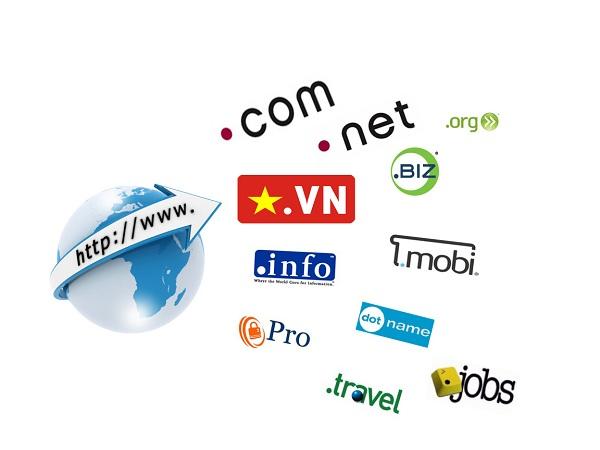
The importance of checking domain information in digital business strategy
Direct impact on brand & customer trust
Domain Name is an essential part of brand identity in the digital environment. If domain information is not fully checked and verified, businesses may face risks such as duplicate domains, easy impersonation, or association with harmful content.
– 60% of users said they have less trust in websites using non-transparent domains (Trustpilot Report, 2022)
– A startup company in Hanoi lost nearly 300 million VND due to the misappropriation of their .com domain after only registering the .vn version without a comprehensive ownership check (anonymous internal case study)
Checking helps secure and prevent fraud
Regularly scanning and verifying domain information helps detect:
– Unauthorized DNS changes
– Domain names expired or transferred without notice
– Phishing campaigns using similar fake domain names
A survey by ICANN (2023) shows up to 12% of SMEs were scammed via emails impersonating similar domains.
Checklist: 5 things to do when managing a domain
- Check WHOIS information periodically (every 6 months)
- Enable domain lock mode (Domain Lock)
- Back up DNS configuration and check MX record
- Enable auto-renewal and set notifications before expiration
- Monitor domain variants (typosquatting)
Summary table of domain status & alerts
| Domain Name | Status | Expiration date | Recommendations |
|---|---|---|---|
| example.com | Active | 12/08/2025 | Schedule auto-renewal |
| example.vn | Expiring soon | 03/10/2024 | Renew now |
| examp1e.com | Being abused | N/A | Report and register variants |
Brief takeaway:
Checking domain information not only protects your brand but is also an essential part of safe and efficient operation on digital platforms. A small action can prevent major risks.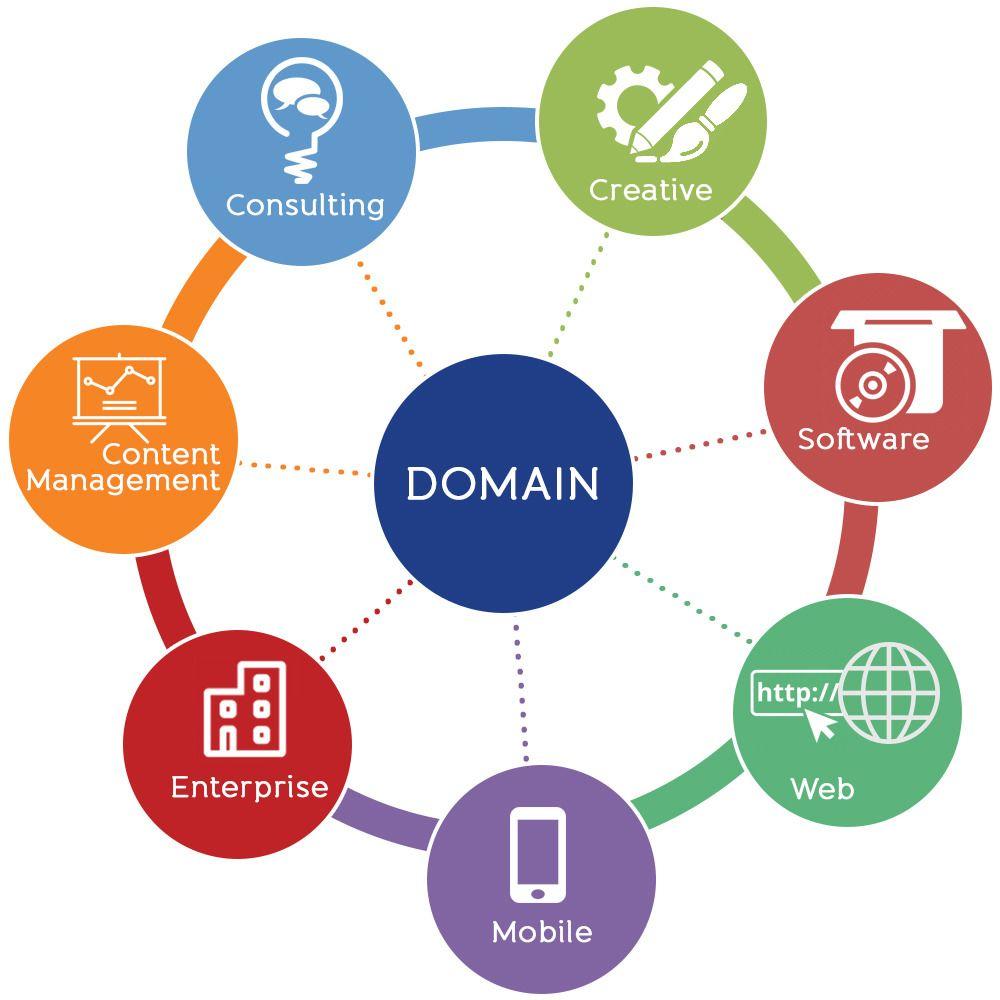
Steps to check domain information accurately and quickly
1. Identify the domain management provider
First, you need to identify where the domain name is being managed – it could be GoDaddy, Namecheap, PA Vietnam, or another provider. This helps you know where to access to view DNS configurations, manage SSL, or set security settings.
- Visit https://whois.domaintools.com/ to look up information
- Note the Registrar and Name Server
TIP: If you use a CMS like WordPress, check which hosting the DNS is pointing to in order to avoid service interruptions.
2. Lookup detailed WHOIS information
WHOIS is a common method to check the status and ownership information of a domain. However, many providers now apply WHOIS Privacy policies to hide registrant information for security reasons.
Below is a sample WHOIS information table that may appear after lookup:
| Information | Details |
|---|---|
| domain Name | exampledomain.com |
| Registrar | Namecheap, Inc. |
| Expiry Date | 2025-09-10 |
| Name server | ns1.digitalocean.com |
3. Checklist of specific items to check
After obtaining information from WHOIS, you should proceed to review according to the following action list:
- ✔ Is the domain activated and still valid?
- ✔ Is WHOIS Privacy (personal information hidden) applied?
- ✔ Does the nameserver point correctly to the server in use?
- ✔ Verify the domain admin email to avoid losing access
- ✔ Check DNS settings: MX, TXT (SPF/DKIM), A records
TIP: It is recommended to set a reminder 30 days before the domain expires to ensure uninterrupted operation.
Real-world examples & risk warnings
during a domain audit, an SME customer in District 3, HCMC discovered their domain had expired for 3 days and moved to “Redemption Period” status. The cost to restore was $120 USD at Name.com (2023).
According to ICANN WHOIS Accuracy Reporting System – Report 2023, 18% of domains are registered with incorrect emails or missing contact information, causing difficulties in renewal and complaint retrieval.
Note: A domain with incorrect information can become a serious security vulnerability for both the website and the company's email system.
Brief takeaway
Periodic domain information checks should be considered a basic security procedure every 6 months. Prioritize maintaining accurate contact, controlling DNS, and monitoring expiration dates to minimize any risk of digital operation disruption.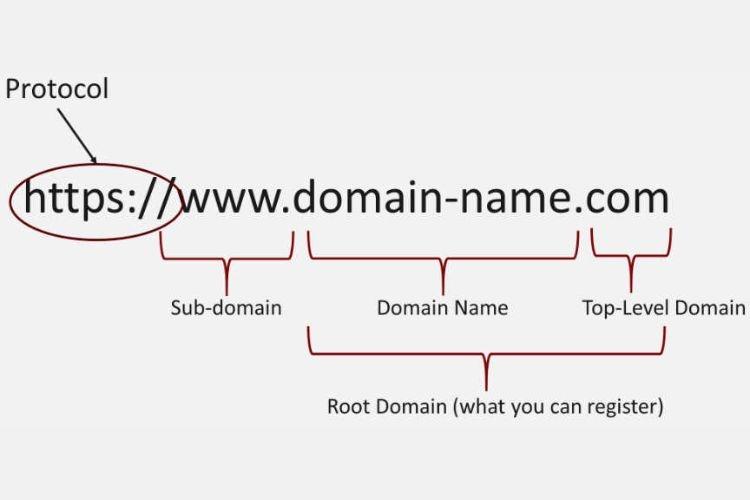
Decoding important fields in WHOIS and how to interpret them correctly
Domain ownership information
This is the main section that helps determine who is the legal owner of the domain. Common fields include:
– Registrant Name
– Registrant Organization (if any)
– Primary contact email, address, and phone number
📝 If anonymous (Privacy protection), the system will display a proxy address – this is common with registrars like Namecheap or Google Domains.
Example: A fashion store owner used the domain “examplefashion.vn” and lost it because the domain was in the name of a former partner, and they did not know the email address in WHOIS – leading to a dispute lasting 3 months.
Technical and management information
You need to pay attention to the following fields to avoid unwanted domain loss:
– Registrar: The registrar managing the domain name (e.g., P.A Vietnam)
– Name Server: The system directing traffic to the web host
– Status: Domain name status, for example:
– clientTransferProhibited: transfer is currently locked
– redemptionPeriod: the domain has been renewed late and is suspended
Accurate WHOIS check checklist
- Is the owner's information accurate?
- Is the admin email still accessible?
- Is the domain status locked?
- Is the registrar reputable and provides good support?
Comparison table of common domain statuses:
| Status | Meaning | Impact |
|---|---|---|
| Active | Domain is active | No issues |
| clientHold | Temporarily suspended due to payment issues | Website is inaccessible |
| redemptionPeriod | Expired, awaiting redemption | Increased costs and risk of losing the domain |
Takeaway: Reading WHOIS is not hard, but must be done correctly
Understanding WHOIS data correctly helps you protect your brand, avoid the risk of losing domain control and maintain stable operations. Always check WHOIS periodically every 3-6 months, or when changing hosting service providers. Data source: ICANN WHOIS Accuracy Reporting System (2023) – the rate of outdated WHOIS in SMEs accounts for more than 46%.
Domain security strategies to avoid risks and loss of ownership
1. Enable domain lock and two-step verification
One of the most basic security steps is to enable Domain Lock to prevent unauthorized domain transfers. Additionally, make sure the domain admin account has enabled two-factor authentication (2FA) to enhance security.
Tip: Use an authenticator app like Google Authenticator instead of SMS to avoid SIM swap risks.
2. Use separate contact info and update regularly
Use a dedicated email for domain management, avoid using personal or shared internal emails. According to Verisign's 2023 report, 26% of domain losses stem from weak or leaked admin emails.
- Update contact information every 6-12 months
- Avoid public WHOIS if not necessary
- Enable Privacy Protection if appropriate
3. Register long-term and monitor expiration dates
There have been many cases of losing domain names due to forgetting to renew – especially in SME companies. For example: a retail business in HCMC once lost its main domain because it only registered for 1 year and did not receive renewal notices due to an old email.
Below is a short tracking table to help you manage domain expiration effectively:
| Domain Name | Expiration date | Re-register |
|---|---|---|
| example.com | 12/08/2025 | 10/07/2025 |
| thuonghieu.vn | 03/03/2024 | 01/02/2024 |
Domain security checklist
- ☑️ Enable domain lock (Domain Lock)
- ☑️ Enable 2FA for admin account
- ☑️ Use a dedicated email for the domain
- ☑️ Renew for at least 2-3 years at a time
- ☑️ Monitor expiration to avoid service disruption
Note: If you use a third-party service, request direct access to the domain admin system to mitigate risks.
Domain security summary
Losing a domain name not only causes brand damage but also affects reputation and SEO. Maintaining basic security strategies as above will ensure your domain is difficult to compromise – regardless of the business size.
Guide to updating and effectively managing domain information at the registrar
Update owner information accurately and completely
Maintaining accurate ownership information helps you avoid the risk of losing control of your domain. According to ICANN (2023), 12% of domain hijacking cases stem from incorrect WHOIS information.
List of information to check periodically:
- Owner's name matches the business registration license (if any)
- Contact email address is always active
- Valid phone number and postal address
- Technical and admin information must be clearly separated
Tip: Use a separate email to manage the domain, do not use a personal email that is easily compromised.
Set up and periodically check security options
Most registrars now provide the domain lock feature – a security layer preventing unauthorized domain transfers.
Example: a DPS.MEDIA client almost lost the right to use their domain because they hadn't enabled domain lock, even after owning it for 5 years.
Recommended action list:
- Enable 2FA (two-factor authentication) for the domain management account
- Always use a strong password, change it every 6 months
- Enable domain lock as soon as you register the domain
- Set up email alerts when information changes
Periodic information checklist
| Item to check | Recommended frequency | Note |
|---|---|---|
| WHOIS information | Every 3 months | Check name, email, address |
| Domain lock | After each change | Ensure it is not unintentionally unlocked |
| Security alert | Monthly | View activity log |
Warning: Common risks
– Illegally transferred due to expired or hacked emails
– Temporary loss of ownership because of incorrect WHOIS information – violating ICANN regulations
– Loss of traffic and reputation if the domain expires without timely renewal
Tip: Register the domain for at least 2-3 years and enable auto-renewal to avoid interruptions.
Key Takeaway:
The effective domain management and security is not only a legal responsibility but also a vital factor for your digital brand. Setting up periodic maintenance reminders like server check schedules will help you minimize risks and better protect your online assets.
Optimize domain management processes to enhance online brand reputation
Why should you manage your domain strictly?
Domain management is not just a mandatory technical step, but also a strategic factor to safeguard brand image. According to Cisco's Global Cybersecurity Report (2023), over 33% of phishing incidents stem from poor domain control.
A recent example is a local retail business losing control of its main domain simply because it expired and was not renewed in time. Result: lost 63% of organic traffic in just 2 weeks.
Suggested standard process to optimize domain management
Below is a suggested checklist to help you effectively control domain activities and protect your brand:
- ✔ Periodically check WHOIS registration information (at least once every quarter)
- ✔ Enable Domain Lock to prevent unauthorized transfers
- ✔ Use a general company email for registration – avoid using personal emails
- ✔ Update DNS accurately, avoid incorrect pointing or exposing internal structure
- ✔ Set up 2FA for domain management accounts
Centralized multi-platform domain administration
If your business owns multiple domains for sub-brands or marketing campaigns, you should centralize management using a dashboard or centralized service. Some platforms like Google Domains or Namecheap allow you to sync and monitor all domains on one console.
Example of a domain management statistics table:
| Domain Name | Expiration date | Status | Domain Lock |
|---|---|---|---|
| thuonghieuabc.vn | 10/11/2024 | Active | ✔ |
| event2024.com | 03/03/2025 | Active | ✔ |
| archived-project.net | 12/07/2023 | Expired | ✘ |
Warning: Commonly overlooked risks
– Registering a domain name but not protecting WHOIS information → Easily exploited by competitors.
– Not updating ownership when personnel changes → Risk of losing ownership rights.
– Using unofficial providers → Difficult to regain control when disputes occur.
Key takeaway
A clear, secure, and regularly controlled domain management process will help your online brand maintain credibility, avoid hijacking, and effectively support long-term marketing and brand recognition.
Reliable tools and software to check and secure domains for small businesses
Free domain information checking tools
To clearly understand the status and history of your domain, you need to regularly use information lookup tools. Some free, easy-to-use solutions:
- Whois Lookup (ICANN, Whois.com): Lookup owner information, registration date, provider.
- DomainTools: Provides trust scores and domain update history.
- MXToolbox: Check DNS setup, blacklist, and email servers related to the domain.
💡 Tip: It is recommended to check periodically every 3 months to detect unusual changes due to hackers or unauthorized transfers.
Domain security software for SMEs
Small businesses are often targets of domain attacks because they invest less in security. Some reliable software to consider:
- Cloudflare: DNS protection, DDoS prevention, helps speed up connections.
- Google Domains (or Google Workspace): Integrates two-factor authentication and abnormal activity alerts.
- SSL Labs by Qualys: Assess the strength of SSL certificates.
Quarterly domain management and security checklist
The table below is a simple quarterly checklist:
| Category | Time | Status |
|---|---|---|
| Domain renewal | 30 days before expiration | ✅ / ⛔ |
| Update WHOIS contact information | Every 3 months | ✅ / ⛔ |
| Check DNS settings | Quarterly | ✅ / ⛔ |
| Check SSL certificate operation | Quarterly | ✅ / ⛔ |
Real-life example: Small vulnerability, big loss
In 2022, an SME in the interior design sector let their domain expire for 3 days due to forgetting to renew it. Another party bought the domain and exploited its previous reputation to scam customers via email. This incident caused losses of over 80 million VND and nearly a month of suspended sales operations (Source: VietnamBiz, 2022).
⚠️ Warning: Expired domain names will become public property – anyone can buy them back and use them for the wrong purposes.
Brief takeaway
Businesses should proactively use domain checking tools and regularly implement domain security solutions. This is not only part of digital brand protection, but also an essential defense layer against increasing technological risks.
Sincere feedback
Checking domain information helps businesses control ownership and minimize security risks. Proper domain management is the first step in a sustainable digital marketing strategy.
Start reviewing the information of the domains you own. Update admin contacts, set up security, and register for the long term to ensure absolute safety. You should also learn about SSL, DNS, and effective hosting management. These are important factors directly related to your website’s performance and reliability.
DPS.MEDIA is always ready to accompany Vietnamese businesses on their digital transformation journey. Don’t forget to leave a comment if you have questions or want to share your experience about domains!

Ý kiến bạn đọc (9)
Đăng nhập để bình luận
Đăng nhập nhanh 1-chạm bằng Google để chia sẻ ý kiến của bạn về bài viết.
Bằng cách đăng nhập, bạn đồng ý với điều khoản và chính sách cộng đồng.
Chưa có bình luận nào. Hãy là người đầu tiên chia sẻ cảm nghĩ!
Đăng nhập / Tạo tài khoản
Đăng nhập với Google để gửi bình luận và tương tác cùng cộng đồng.
Tiếp tục là đồng ý với điều khoản sử dụng và chính sách bảo mật của DPS Media.