
Do you want your products to appear at the top of Google search results and attract thousands of visits every day? GAS ads are the solution you are looking for. This article will help you clearly understand why you should run GAS ads and how GAS ads work. DPS Media It will guide you in detail on how to run GAS Shopee ads. Additionally, you will learn tips to optimize GAS Ad campaigns and achieve the highest effectiveness.
What is Google Ads on Shopee (GAS)?
Google Ads with Shopee (GAS) is an advertising form that allows brands and sellers on Shopee to create flexible and effective ad campaigns on the Google platform. With GAS, your ads will automatically adjust to fit each customer's search keywords, helping increase reach and conversions.
How GAS Shopee ads work
The operating process of GAS Shopee ads
Campaign setup
Google Shopee Ads (GAS) start with brands creating and managing their ad campaigns through their Google Ads account. Here, you will set important parameters such as budget, target audience, and products to advertise.
Ad display
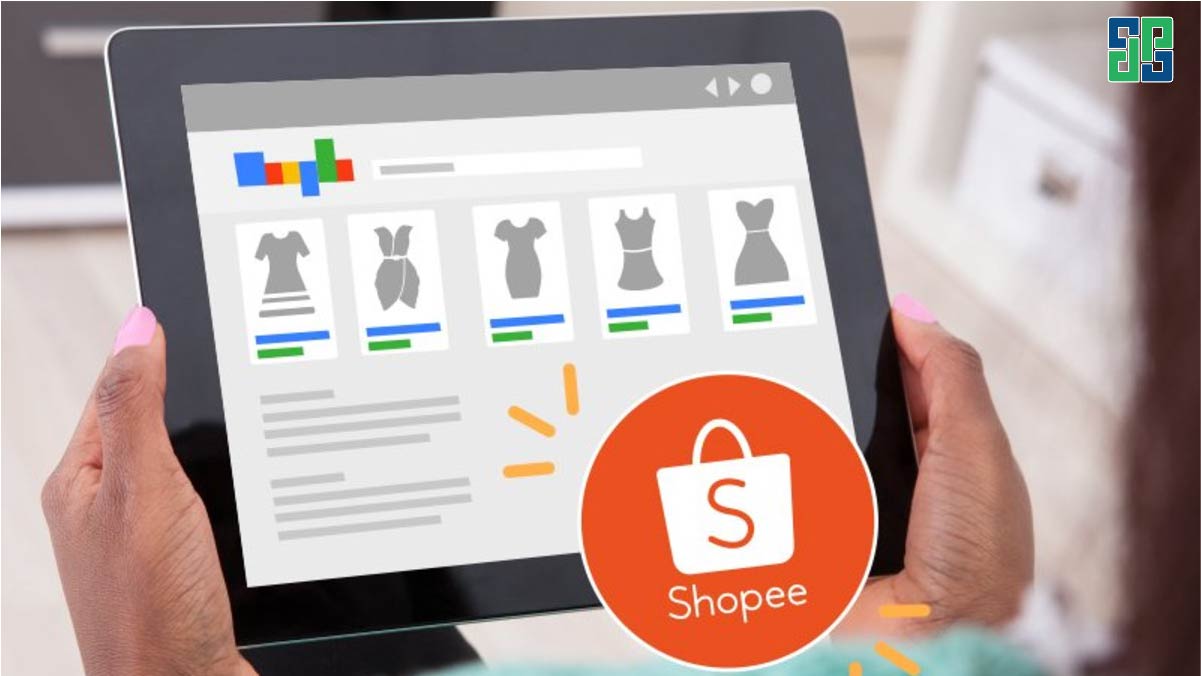
After the campaign is set up, product ads will start appearing on Google's search results page. Whenever a user searches for a product related to yours, your ad may appear. This ad format usually includes product images, prices, and store names, helping users easily compare and make purchase decisions.
Effectiveness measurement
To evaluate the effectiveness of ad campaigns, Shopee provides sellers with detailed sales data reports. These reports show how many customers clicked your ads, how many made purchases, and the revenue you achieved.
With this information, sellers can adjust their campaigns to achieve the best results. For example, if a product sells well, you can increase the budget for that product. Conversely, if a product is ineffective, you can temporarily pause ads for that product.
Display platform
Your shopping experience will become smarter and more convenient than ever when personalized across Google's diverse products. From searching for products on Google Search, comparing prices on Google Shopping, discovering nearby stores on Maps, to watching product review videos on YouTube, your entire shopping journey is accompanied by Google suggesting the most suitable products for your needs and personal preferences.
Why choose Google collaboration ads with Shopee (GAS)?
Increase the ability to reach target customers
Google advertising with Shopee acts as a bridge, bringing your products closer to millions of potential customers searching on Google. By leveraging advanced data analysis tools, you can target specific customer segments, those with needs and preferences suitable for your products. This not only helps increase traffic to your store but also helps you build a loyal customer community.
Improve conversion efficiency
This advertising format delivers a seamless and attractive shopping experience for customers. With vivid product images, detailed information, and the ability to connect directly to the product page on Shopee, Google ads shorten the purchasing process and increase the conversion rate. Additionally, optimizing the user experience also helps build trust and create customer satisfaction.
Measure and optimize business effectiveness
Google advertising with Shopee is not only an advertising tool but also a powerful data analysis tool. Thanks to detailed reports, you can monitor the effectiveness of each campaign and make appropriate adjustments. Continuous measurement and optimization help you maximize your advertising budget and achieve the best business results.
Types of Google ads with Shopee (GAS)
Google ad formats with Shopee (GAS)
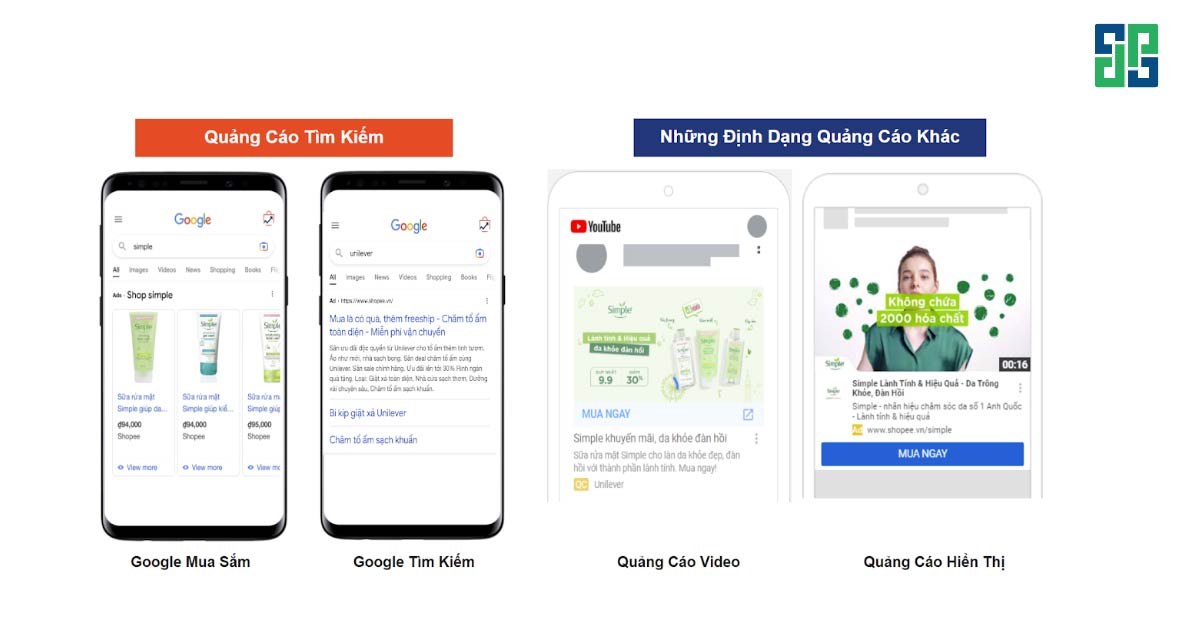
The two main formats of GAS ads are Google Shopping and Google Search (Carousel Ads). Google Shopping ads focus on displaying product details visually, usually appearing at the top of search results, helping users easily compare and decide to purchase. Carousel Ads allow advertisers to showcase multiple products in one ad, attracting user attention and increasing click potential.
Besides the two main formats, GAS ads also offer various other ad types to diversify your campaigns, such as Video ads, Display ads, each with its own advantages. Video ads help you create short, engaging videos to introduce products, while Display ads allow you to customize banners to show on multiple platforms. This increases customer reach and creates more impressive brand impressions.
Display platform
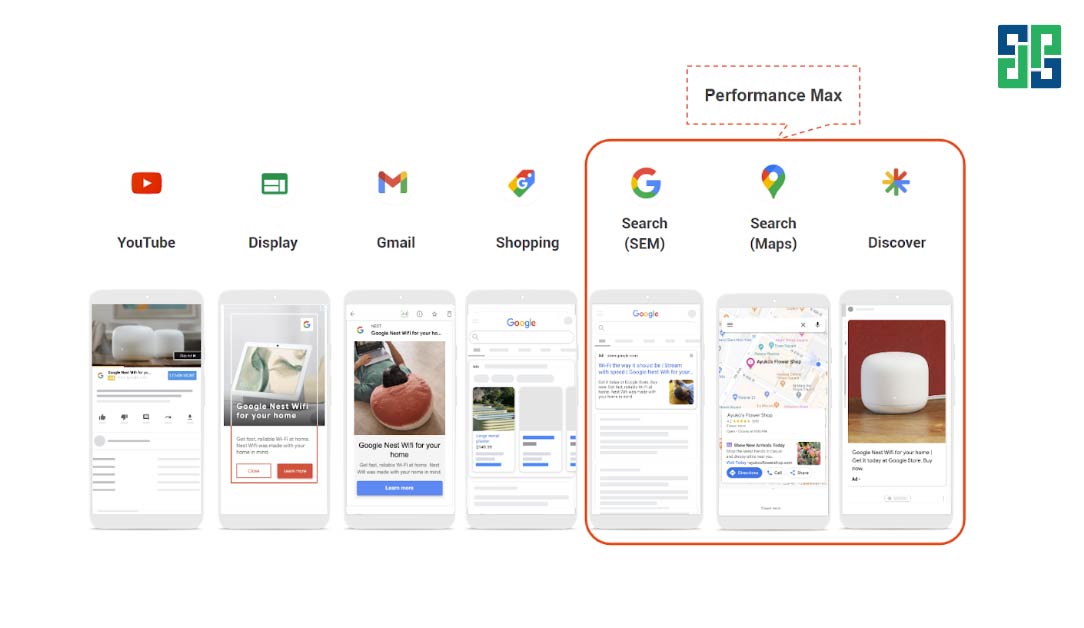
GAS ads can be displayed across multiple Google platforms, including YouTube, Display Network, Gmail, Google Shopping, Search (SEM), Maps, and Discover. This helps businesses not only limit their marketing to a single channel but also expand their reach to millions of active users on these platforms, thereby increasing interaction and conversion rates.
2 registration methods for Google collaboration ads with Shopee (GAS)
Self-managed brand
If you are a brand wanting full control and to explore various ad formats, self-managed registration is suitable for you. The registration process is quite simple: you create a new Google Ads account and provide detailed information about your Shopee store to Shopee. Then, Shopee will send you invitation links to grant access to advertising management tools. With this method, you can set up, manage, and optimize your ad campaigns independently.
Shopee managed
If you want Shopee to assist you in setting up and optimizing ad campaigns, you can choose the Shopee-managed option. With this method, you only need to contact your shop account manager or Shopee's category agent to send a request. Shopee will create a commercial agreement, and after signing, the team will directly set up and manage your Google Ads campaigns. This method suits brands focusing on business without spending too much time managing ads.
How to run Google Ads with Shopee (GAS)
Start a new campaign
Để bắt đầu tạo một chiến dịch quảng cáo Google Shopping mới, bạn cần nhấp vào biểu tượng “+” trên giao diện Google Ads. Biểu tượng này thường được đặt ở góc trên bên trái màn hình và là cửa ngõ để bạn tạo ra các chiến dịch quảng cáo khác nhau.
Choose campaign type
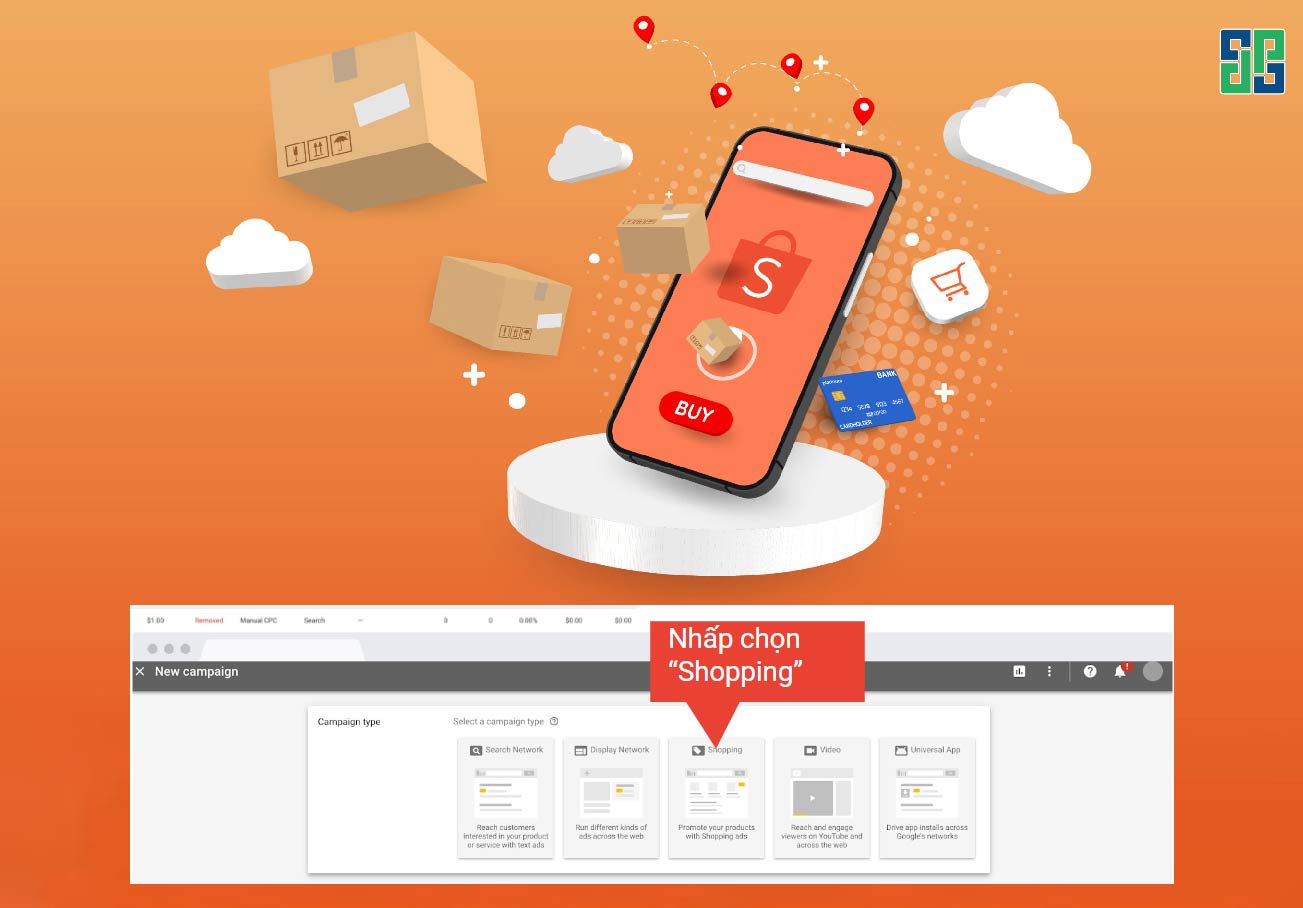
Sau khi nhấp vào biểu tượng “+”, bạn sẽ được đưa đến một menu các loại chiến dịch. Tại đây, bạn hãy chọn “Shopping” (Mua sắm). Đây là loại chiến dịch dành riêng cho quảng cáo sản phẩm, giúp sản phẩm của bạn hiển thị trực quan với hình ảnh và thông tin chi tiết trên trang kết quả tìm kiếm của Google.
Select campaign objective
Tiếp theo, bạn sẽ được yêu cầu chọn mục tiêu cho chiến dịch của mình. Trong trường hợp này, chúng ta chọn “Bán hàng đầu tiên” và sau đó chọn “Mua sắm”. Điều này có nghĩa là mục tiêu chính của chiến dịch là thúc đẩy người dùng mua sản phẩm của bạn.
Link with Merchant Center
To run Google Shopping ads, you need to link your Google Ads account with your Google Merchant Center account. The Merchant Center account contains all information about your products, including images, prices, descriptions, etc. Select the Merchant Center account and the country where you want to sell.
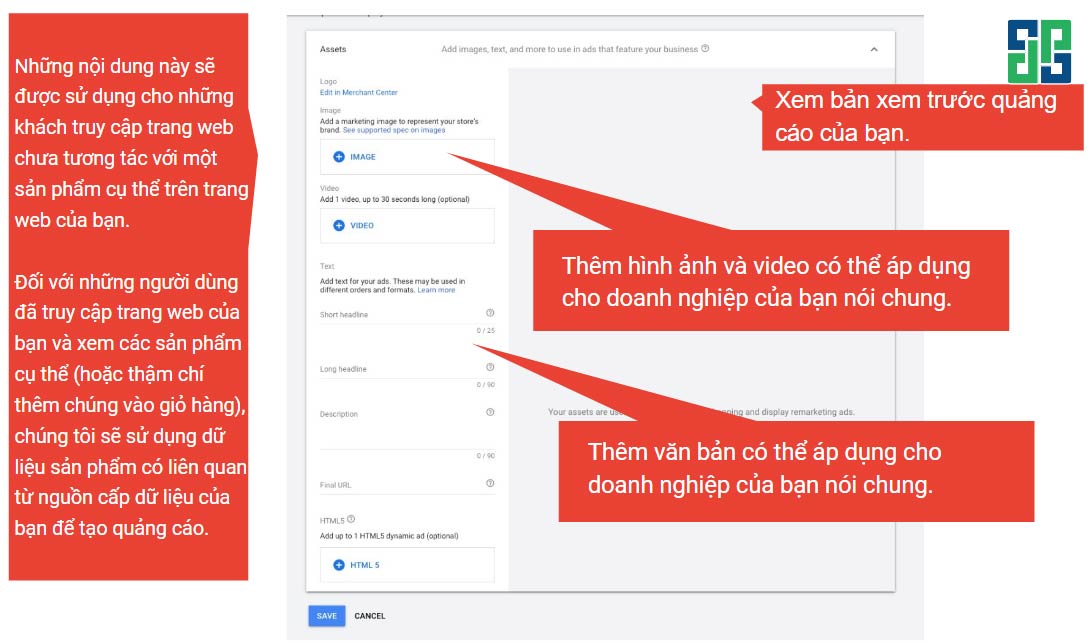
Customize campaign
In the final step, you can customize your campaign by adding images, videos, and text. These elements will be displayed alongside your products in the ads. This customization helps you create impressive ads and attract customer attention.
Lưu ý yêu cầu về hình ảnh khi thiết lập chiến dịch quảng cáo GAS: Hình ảnh sản phẩm của bạn cần có tỷ lệ ngang (1,91:1), kích thước tối ưu là 1200×628 pixel và dung lượng không quá 1MB. Bên cạnh đó, hình ảnh phải rõ nét, không bị mờ, nhòe hoặc vỡ. Việc tuân thủ những yêu cầu này sẽ giúp quảng cáo của bạn trở nên nổi bật hơn, từ đó tăng tỷ lệ click và chuyển đổi.
How to optimize GAS Shopee Ad campaigns
Campaign running time
One of the most important factors affecting the effectiveness of GAS campaigns is the running time. Campaigns running from 4-6 weeks usually achieve significantly higher ROAS compared to shorter campaigns. This shows that Google's algorithm needs time to learn and optimize ads. Therefore, to achieve the best results, ensure your campaigns run at least 2 weeks and ideally 4-6 weeks.
Optimize Shopee landing page
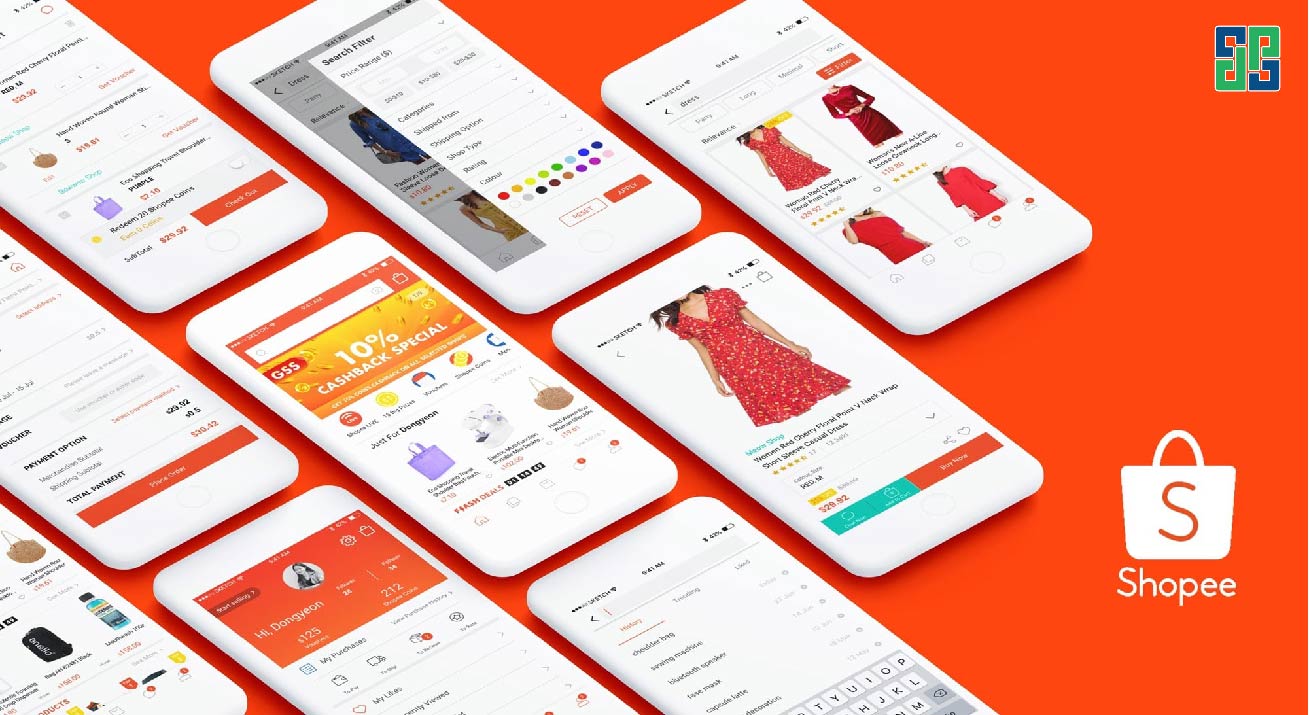
The Shopee landing page is where users arrive after clicking the ad. A high-quality landing page will help increase conversion rates and build customer trust. To optimize your Shopee store, you need to build a user-friendly interface, clear product information, along with attractive promotions and offers.
Adjust flexible bidding
Bid price is a key factor determining the ad display position and the cost you pay per click. To optimize bids, you can use automatic or manual bidding strategies. Additionally, adjusting bids by position, device, and time of day is an effective way to increase conversion rates and reduce costs.
Bidding strategy
A suitable bidding strategy will help you optimize costs and achieve campaign goals. You should start with the eCPC strategy to optimize cost per conversion, especially in the early stage when data is limited. When the campaign has collected enough data (about 20 conversions), you can switch to the tROAS strategy to optimize revenue per ad spend. Note, tROAS bids should be set based on Google's suggestions or the current ROAS performance of the campaign.
Note: In the early stage when fewer than 20 conversions are reached, if the budget is limited, you can apply the following strategies:
- If ROAS doubles: Increase the budget to 200% to reach the threshold of 20 conversions faster.
- If ROAS has not doubled: Lower the bid by 20% to get more clicks and reduce CPC. However, note that this may increase cost per conversion if the conversion rate does not improve.
Ad display position
Việc lựa chọn vị trí hiển thị quảng cáo cũng ảnh hưởng rất lớn đến hiệu quả của chiến dịch. Thông thường khi kết hợp cả quảng cáo Mua sắm và Tìm kiếm sẽ mang lại ROAS cao hơn so với việc chỉ chạy một trong hai loại hình này. Do đó, bạn nên ưu tiên hiển thị quảng cáo ở cả hai vị trí. Cụ thể, thứ tự ưu tiên nên là: Mua sắm – Tìm kiếm – Hiển thị.
Optimize keywords and product groups
Selecting and managing keywords effectively will help your ads reach the right customer segments. By logically grouping products and using precise keywords, you can increase ad visibility and reduce costs. Don't forget to use negative keywords to exclude irrelevant searches, saving budget.
Continuous monitoring and analysis
Tracking and analyzing campaign effectiveness is extremely important to make timely adjustments. Google Ads provides detailed reports to help you evaluate the performance of each keyword, product group, and the entire campaign. Based on this data, you can identify strengths, weaknesses, and propose appropriate optimization solutions.
Besides that, it is necessary toheo dõi chuyển đổi liên tục trong quá trình tối ưu hóa chiến dịch. Bạn cần đảm bảo rằng các thông số UTM được thiết lập chính xác cho từng chiến dịch, bao gồm cả shopID và thông số “& is_seller = true”. Điều này giúp bạn theo dõi hiệu quả của từng chiến dịch một cách chính xác và đưa ra những điều chỉnh cần thiết.
Commitment
Shopee GAS ads are not just a simple product advertising tool but also a platform that helps sellers enhance their competitive capacity in the e-commerce market. With continuous technological development and constant changes in consumer behavior, Shopee GAS promises to open unlimited growth opportunities for businesses. Mastering and effectively utilizing these tools will help sellers not only achieve sales goals but also build a strong and sustainable brand on Shopee.
DPS Media – Hỗ trợ xây dựng và vận hành Shopee
Thus, it can be affirmed that Shopee GAS ads are the gateway to success for businesses on Shopee. However, managing an effective ad campaign by yourself is not easy. DPS Media proudly stands as a leading unit providing professional GAS advertising services. We will help you build and manage effective ad campaigns, saving you time and maximizing profits.
Additionally, DPS also offers services such as SEO-standard product listing, professional Shopee store design, and Shopee store buffing. Contact DPS Media now for free consultation and experience quality services!