

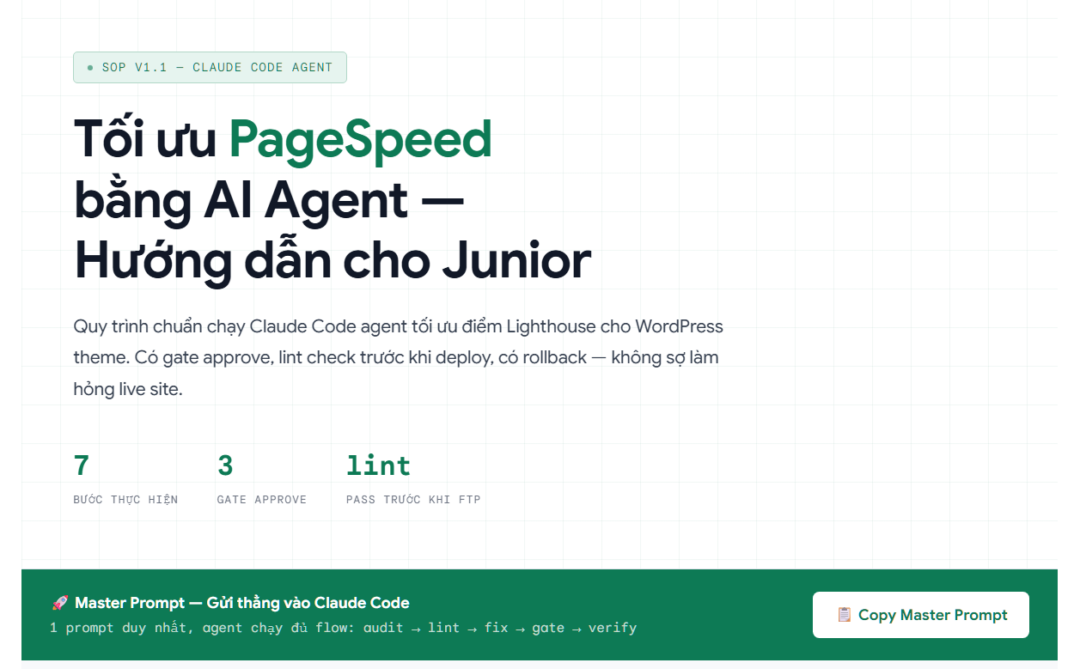

SOP v1.1 — Claude Code Agent
Optimization PageSpeed
with AI Agent —
Guide for Juniors
with AI Agent —
Guide for Juniors
Standard procedure for running Claude Code agent to optimize Lighthouse scores for WordPress themes. Includes approval gates, lint checks before deployment, and rollbacks — no fear of breaking the live site.
LINT GATE: After local fixes, the agent must run lint/syntax checks on all modified files. FTP to live is only allowed when all lint checks pass cleanly. No exceptions.
Workflow
Step-by-step process
STEP 01
Disable cache — confirm MISS before audit
Disable plugin cache: LiteSpeed / WP Rocket / SG Optimizer.
If cannot disable: enable Development Mode + purge all cache + purge CDN.
Confirm via response header: must see
X-Cache: MISS or cf-cache-status: MISS before running Lighthouse.💡 DevTools → Network tab → reload → check document request headers. If HIT, purge again.
STEP 02
Create narrow-scope FTP account for theme
Create FTP user pointing only to the theme folder:
/wp-content/themes/theme-name
Permissions: read/write within theme. Do not allow access to
/plugins, /uploads, wp-config.php.
Save credentials in secret manager. Only paste into prompt after Gate 2 approval.
STEP 03
Fix local → lint/syntax check → pass then FTP
Clone/download theme to local. Agent modifies local files according to approved plan.
Why fix local first? To catch syntax errors before deployment — avoiding PHP fatal errors, CSS parse fails, or broken JS that whitescreens the live site immediately after FTP.
After finishing fixes: run lint on all modified files. Only request Gate 2 + FTP when all pass cleanly.
PHP
php -l file-name.phpCSS
npx stylelint style.cssJS
npx eslint script.js🚫 Lint reports error → fix → rerun → pass → then request Gate 2 approval and FTP.
STEP 04
Run Lighthouse audit — map errors to files
Run both mobile + desktop, export JSON and HTML reports.
If staging has HTTP Basic Auth: pass
--extra-headers in Lighthouse CLI.
Map each error → exact file and line in the theme causing the issue.
📁 Save:
lighthouse-before-mobile.report.json and lighthouse-before-desktop.report.html
STEP 05
Agent writes plan — Gate 1 approval before fixing
Agent proposes fixes only within the theme, without changing layout or functionality.
Must not add/remove JS/CSS from external domains. Only optimize assets already in the theme.
Agent writes detailed plan → stop → Lead/PM approve Gate 1 → then start fixing.
STEP 06
Lint pass + Gate 2 approval → FTP deploy
Agent reports lint pass results + patch list → Lead review → approve Gate 2.
Backup remote files to
/wp-content/themes/_backup/YYYY-MM-DD/ before overwriting.
Upload FTP → verify live HTML to confirm correct deployment.
STEP 07
Rerun Lighthouse — Gate 3 verify results
Purge cache, run Lighthouse mobile + desktop again.
Record before/after results in
SEO_AUDIT_YYYY-MM-DD.md.
Client or QA approve Gate 3. If there is regression → report immediately, do not auto-rollback.
Quality Control
3 Approval Gates
Gate 1
Approve Plan
Reviewer: Lead / PM
Before agent starts modifying local code
Before agent starts modifying local code
Gate 2
Approve Patch List
Reviewer: Lead / PM
After lint pass — before FTP to live
After lint pass — before FTP to live
Gate 3
Approve Results
Reviewer: Client / QA
After deploy — after re-measuring Lighthouse
After deploy — after re-measuring Lighthouse
Priority Order
What to fix first?
1
LCP — Largest Contentful Paint
Hero image missing preload, font blocking render
Critical
2
TBT — Total Blocking Time
Render-blocking JS/CSS — this is the main issue, not images
High
3
CLS — Cumulative Layout Shift
Elements missing width/height, font swap causing layout shifts
Medium
4
INP — Interaction to Next Paint
Long JS tasks slowing down response when user clicks/types
Low
Note: Don't let the agent focus on optimizing images while render-blocking JS is the cause of high TBT. Always read the Lighthouse report and fix in the correct priority order.
Copy-paste prompts
Step-by-step sample prompts
Prompt 1 — Audit
Run Lighthouse mobile AND desktop for URL: [URL_LIVE]
Export JSON and HTML reports. File name: lighthouse-before-mobile.report.json, lighthouse-before-desktop.report.html
Map each error to a file in the theme /wp-content/themes/[THEME_NAME]. List the top 10 issues by highest impact.
Prompt 2 — Plan (Gate 1)
Based on the audit report, write a fix plan: – Only fix within the theme, DO NOT change layout or functionality – DO NOT add or remove JS/CSS from external domains – Fix in order: LCP → TBT → CLS → INP – List each file to be modified, what to modify, and why – STOP — write “Waiting Gate 1 approve” and wait for confirmation before modifying any files.
Prompt 3 — Local Fix + Lint
Gate 1 approved. Fix files according to the plan on local. After fixing, run lint for all modified files: – PHP: php -l [file-name.php]
– CSS: npx stylelint [file-name.css]
– JS: npx eslint [file-name.js]If lint reports errors → fix all → rerun until clean pass. Report lint results (pass/fail per file) and the patch list of files to be deployed.
STOP — write “Waiting Gate 2 approve” and wait for confirmation before FTP.
Prompt 4 — FTP Deploy (Gate 2)
Gate 2 approved. Perform: 1. Backup remote files to: /wp-content/themes/backup/[YYYY-MM-DD]/
2. Upload lint-pass files via FTP: [FTP_HOST] user: [FTP_USER]
3. Verify live HTML after upload 4. Report the list of uploaded files with rollback paths.
Prompt 5 — Verify (Gate 3)
Purge cache. Run Lighthouse again (mobile + desktop) for URL: [URL_LIVE]
Record results in: SEO_AUDIT[YYYY-MM-DD].md
MD file includes: before/after scores · fixed/unfixed errors · modified files · rollback path. If any score drops: report immediately, DO NOT self-rollback.
STOP — write “Waiting Gate 3 approve”.
Mandatory Deliverables
Output must include
lighthouse-before-.report.json/html
Lighthouse report before fixing, both mobile and desktop
lighthouse-after-.report.json/html
Lighthouse report after deploy, compared with before
Lint pass report
Results of php -l / stylelint / eslint — must pass cleanly before FTP
SEO_AUDIT_YYYY-MM-DD.md
Before/after scores · Fixed/unfixed errors · Modified files · Rollback path
_backup/YYYY-MM-DD/
Backup remote files before overwriting, within the theme folder
Troubleshooting
Rollback on regression
R1
Confirm regression
Lighthouse after is lower than before → regression exists. Report to lead immediately, do not handle alone.
R2
Restore from backup
Re-upload files in _backup/YYYY-MM-DD/ to FTP according to the list in MD.
R3
Purge cache + re-check
Purge cache + CDN, verify X-Cache: MISS, run a quick Lighthouse to confirm rollback success.
R4
Post-mortem
Record cause in MD, update plan, return to Gate 1 with adjusted plan.




