Guide to setting up Messenger Business for Fanpage

Do you want to increase customer engagement on Facebook without spending much? Messenger Business for Fanpage is the key solution, helping SMEs save time, enhance customer experience and boost conversions right within the conversation. According to a Meta survey, 76% of customers in Vietnam prefer messaging businesses via Messenger instead of calling or emailing, highlighting the undeniable importance of this tool.

In the position of digital marketing strategy consultant for hundreds of SMEs, DPS.MEDIA recognizes that fast response speed and automated customer care scenarios are a major competitive advantage for small and medium-sized businesses. When Messenger Business is set up correctly, you can personalize every interaction, reduce the burden of manual customer care, and maximize customer data to implement effective remarketing.

Mastering how to set up Messenger Business on your Fanpage will help your business build trust, increase customer retention rates, and boost outstanding revenue. If you are looking for a way to turn your Fanpage into an “automatic sales machine”, this is the most necessary and worthwhile direction to invest in today.
Introduction to Messenger Business and its benefits for business Fanpages

Introduction to Messenger Business and its benefits for business Fanpages

Messenger Business: The new communication platform for modern businesses

Messenger business has been and is changing the way business Fanpages connect with customers on Facebook. From DPS.MEDIA’s perspective – having implemented over 200 customer interaction campaigns for SMEs, we see that applying Messenger not only simply helps communication but is also the key to expanding sales and enhancing customer experience.

  • Instant response – Eliminate the worry of “customers leaving due to waiting” with chatbots, automatic 24/7 replies.
  • Personalized experience – Automatically identify and suggest suitable products based on customer data and interaction history.
  • Build trust – An effective communication tool with consistent and professional customer care scenario templates.

Case study: SMEs in Ho Chi Minh City increase order closing rate by 401% with Messenger

Recently, vivian Coffee – a small take-away coffee shop in District 7, applied the Messenger Business solution, collaborated to build product consultation and post-purchase feedback survey scenarios. As a result, after 3 months of implementation, the number of direct orders via Fanpage increased by 40%, and positive feedback also doubled.

Outstanding features Practical benefits Application suggestions
Automate responses Accelerate closing sales time Instant product consultation chatbot
Multi-channel conversation management Easily track customer interactions Sync Facebook, Instagram, Website
Segment customer groups Serve the needs of each group accurately Create remarketing campaigns for each segment

Based on practical projects at DPS.MEDIA and Sprout Social 2023 research reports, Fanpages that effectively use Messenger business often maintain customer satisfaction scores exceeding 87% compared to traditional channels. This explains why Messenger is not just a communication tool but also a part of the digital transformation strategy for new-era SMEs.
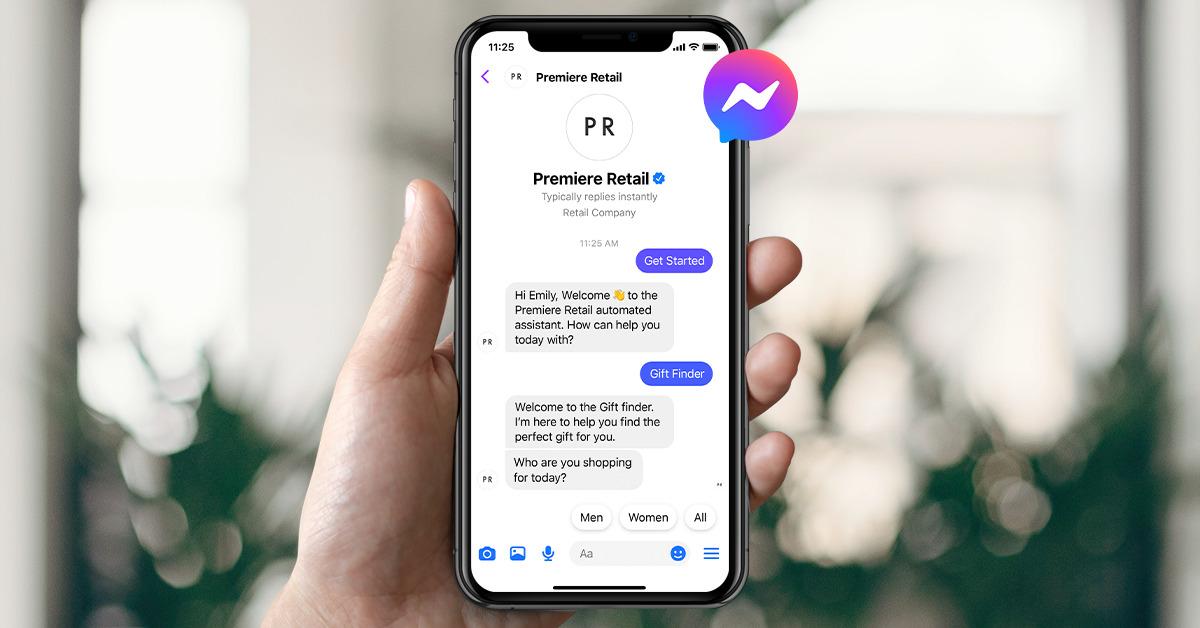
Preparation before installing Messenger Business for Fanpage

Preparation before installing Messenger Business for Fanpage

Mandatory requirements before linking Messenger Business with Fanpage

To avoid omissions and ensure a smooth implementation process, according to the latest research on Social Media Today and practical deployment experience from DPS.MEDIA, businesses need to prepare the following foundational elements:

  • Admin permissions: Ensure you have Admin or Editor rights on the connected Fanpage.
  • Optimize Fanpage: Update business information, add a clear description and profile picture to build trust before interacting via Messenger.
  • Standardize personal Facebook account: Avoid using newly created accounts or accounts with a history of violations to reduce the risk of page suspension.

Important notes when integrating Messenger Business into marketing channels

Choosing an integration platform and securing data

When deploying Messenger Business for Fanpage,DPS.MEDIA always advise SME businesses to pay attention to the choice of integration platform – for example, ManyChat, Chatfuel, or Facebook Meta Business Suite itself. According to the Harvard Business Review 2023 report, 72% of customers leave a business if their personal data is leaked. Therefore, make sure partner tools meet GDPR security standards and comply with Facebook regulations. Don’t just focus on convenience – data security is vital!

Synchronizing customer experience across multiple channels

Case study: An education sector partner of DPS.MEDIA once faced a situation where customers inboxed Messenger from the website, but the care was looser compared to the fanpage. Therefore, build a synchronized customer care scenario process across platforms with consistent brand principles.

  • Comply with the brand's tone & voice in every message
  • Synchronize customer data: Ensure all interactions from channels (website, fanpage, Instagram, etc.) are centralized on a unified management platform (CRM or integrated platforms like ManyChat, Zoho, etc.).
  • Consistent auto-reply scenario: Build a set of automated Q&A with the same logic to avoid customers receiving conflicting information across channels.
  • Seamless communication: Customer care and interaction history data are continuously updated so that CS staff can continue to support customers on any channel, regardless of where the customer previously interacted.
  • Evaluation and improvement: Regularly check the omnichannel customer experience through surveys and data measurement to detect “gaps” and upgrade the customer care process to suit the digital behavior of modern customers.

Conclusion: Choosing the right platform and synchronizing the omnichannel customer experience will help SMEs optimize customer retention, increase brand credibility, and improve CS operations on Facebook Messenger as well as the entire digital ecosystem.
Troubleshooting and optimizing customer care effectiveness via Messenger

Troubleshooting and optimizing customer care effectiveness via Messenger

Instant response: The key factor in optimizing effectiveness

Recent studies (Harvard Business Review, 2023) indicate that 80% of customers will be more loyal if they receive a response within 10 minutes. For SMEs in Vietnam, DPS.MEDIA has directly implemented automated replies via Messenger for a local F&B chain, reducing average wait time from 2 hours to just 7 minutes. Technology not only helps resolve issues quickly but also increases conversion rates, especially during flash sale campaigns or when inbox volume spikes.

Steps to handle common issues on Messenger

  • Check access permission settings: Ensure all relevant members are assigned appropriate permissions.
  • Automatically detect error messages: Analyze data from chat history to identify common bottlenecks.
  • Flexible response scenarios: Use bots to suggest different response options depending on the type of question and urgency. Can prioritize urgent issues for staff to handle directly.
  • Cross-platform synchronization checks: Ensure seamless communication between Messenger, Fanpage, and order management apps to avoid missing messages.
  • Continuous reporting & improvement: Monitor automatic reports on response time, missed messages, and customer satisfaction to adjust processes.

By synchronously applying the above steps, businesses not only minimize incidents but also create a consistent experience, increasing customer trust—a vital factor for growth in the digital competitive environment.

Measuring conversion effectiveness and growth with Messenger Business

Measuring conversion effectiveness and growth with Messenger Business

Measuring conversions: From messages to revenue

DPS.MEDIA realize that Messenger Business is not just a chat tool but also a channel that helps SMEs optimize conversion efficiency at every step. According to the latest research from Harvard Business Review, response speed on Messenger can increase conversion rates by up to 30%. To maximize this potential, businesses can apply the following measurement metrics:

  • Message open rate: Usually reaches 85-90%—far surpassing traditional email marketing.
  • Response rate: Measures the number of customer replies, indicating actual interest.
  • Conversion from conversation to order: Track via UTM-tagged links or CRM integration.
  • Request processing time: The faster, the more trust is built, shortening the customer journey.

Sustainable growth with smart data management

Measuring conversions: From messages to revenue

DPS.MEDIA absolutely correct in emphasizing the role of Messenger Business in increasing conversion efficiency for SMEs. Each metric helps businesses answer the important question: Does this messaging activity actually drive revenue? Let’s dive deeper into how to apply these metrics:

  • Message open rate (Open rate):

Usually significantly higher (85-90%) compared to email marketing (usually below 20%) [HarvardBusinessReview[HarvardBusinessReview]. This is a sign that customers prioritize receiving information and communicating quickly on the “messenger” platform instead of traditional channels.

  • Response rate:

Not only measures quantity but also reflects the quality of the conversation. By integrating an automatic reply chatbot, businesses can maintain a high response rate while automating the intake of potential customers.

  • conversion from chat to order:

This is the most important metric. In practice, applying links with UTM codes and connecting data with CRM helps businesses verify “conversations generate revenue” from each interaction. According to a Facebook survey, nearly 65% of users tend to make purchases after chatting with a brand via Messenger. [FacebookBusinessInsights[FacebookBusinessInsights].

  • First Response Time:

The faster the response, the higher the conversion rate. Harvard Business Review points out: For every minute of delay, the conversion rate drops by 7%. [HarvardBusinessReview[HarvardBusinessReview].


Sustainable growth with smart data management

By leveraging intelligent data management systems, businesses can easily track the entire customer journey: entry source via Inbox, processing status, order status, etc. When combining Messenger with CRM and data analytics tools, businesses not only optimize order closing but also increase the ability to remarket and build sustainable customer relationships.

In summary:

Accurate measurement – fast processing – effective data management is a closed cycle that helps Messenger business become a solid “launchpad” for revenue growth for SMEs in the digital age.


Reference:

Harvard Business Review: The Messaging App effect

Facebook Business Insights: Messaging Drives Sales

Final Thoughts

Installing and using Messenger Business not only helps businesses maintain quick connections with customers, but also opens up many opportunities to optimize marketing campaigns and customer care effectively. When combined with management and automation tools, Messenger can become a powerful sales channel, especially for SMEs looking to expand their digital presence.

At DPS.MEDIA, we recognize that systematic investment in communication infrastructure like Messenger is an important first step for a sustainable marketing strategy. If you have already set up Messenger Business, try exploring additional features such as chatbots, auto-replies, or CRM integration to enhance customer experience.

In addition, businesses should also consider linking Messenger with advertising channels such as Facebook ads to boost direct conversions from conversations. Gaining deeper insights into user behavior in conversations will also help you fine-tune your messaging and marketing content. If you are interested in building multi-channel sales funnels, personalizing experiences on digital platforms, or retargeting strategies via Messenger, don't hesitate to explore more articles from DPS.MEDIA or contact us directly for specific solutions.

How have you applied Messenger Business to your Fanpage? Share your experiences and perspectives in the comments below or join the discussion with the community to spread more value to small and medium businesses in Vietnam.

buithihatrang@dps.media

Factors Impact Real example
Admin rights