



You are using Chatwoot to manage multi-channel customer care but missing an important channel in Vietnam: Viber?
Mặc dù Chatwoot hiện hỗ trợ native (tích hợp sẵn) cho Facebook, Telegram, Zalo (qua Official Account), nhưng Viber vẫn chưa có mặt trong danh sách “out-of-the-box”. Tuy nhiên, đừng lo lắng! Với kiến trúc mở của Chatwoot thông qua API Channel, it's completely possible to bring messages from Viber to Chatwoot for centralized management.
This article will guide you in detail on how to do that.
Why isn't there native integration yet?
Chatwoot is an open-source platform, and community integrations are being developed. While waiting for the official update, we will use the method “Cầu nối” (Bridge).
Operating principle:
We will need a middleware station to stand in between:
- Viber Webhook nhận tin nhắn từ người dùng -> Gửi đến Middleware.
- Middleware chuyển đổi định dạng -> Gọi API Chatwoot để tạo tin nhắn.
- Chatwoot Webhook (khi nhân viên trả lời) -> Gửi đến Middleware.
- Middleware gọi API Viber -> Gửi tin nhắn đến người dùng.
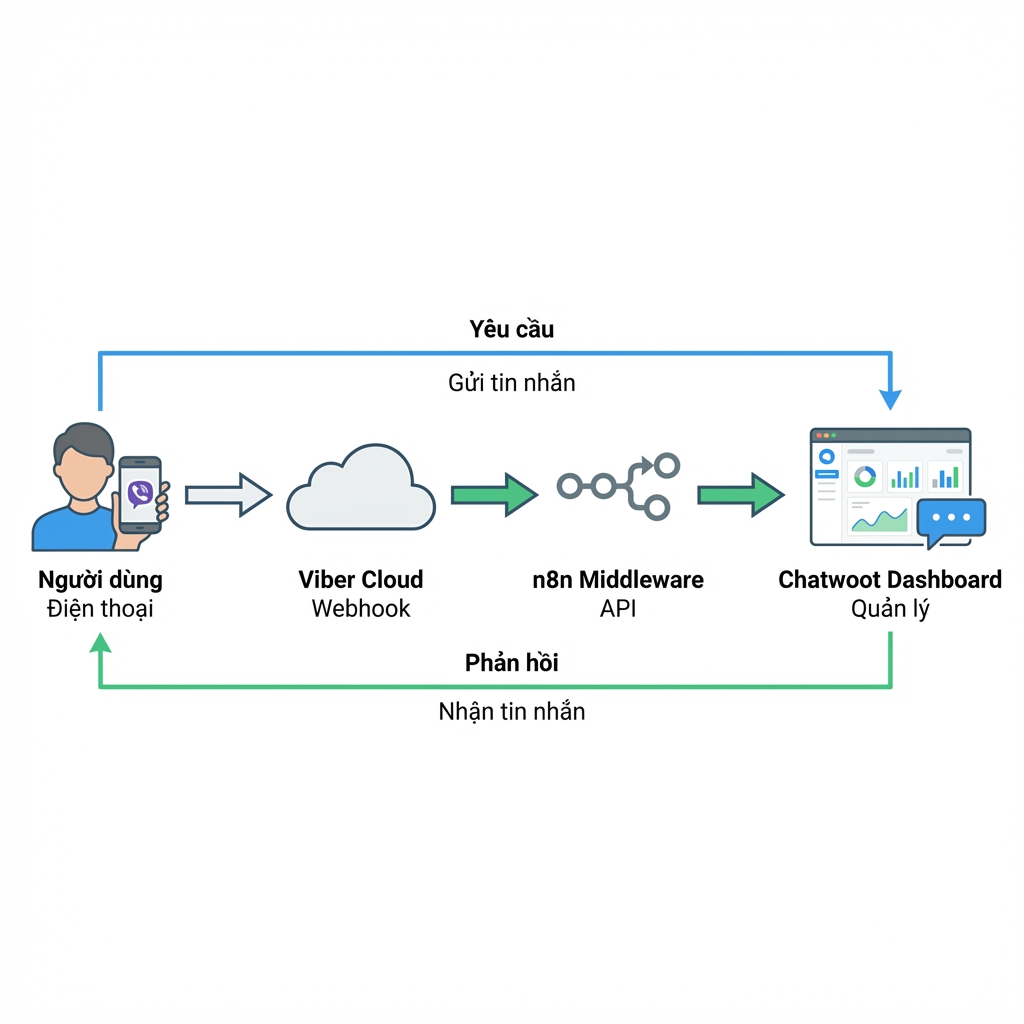
For simplicity and no coding required (No-code/Low-code), this guide will suggest using n8n – một công cụ tự động hóa mạnh mẽ mà chúng tôi thường xuyên giới thiệu.
Preparation
Before starting, you need:
- Viber Admin Panel account: To create Bot and get Token.
- Chatwoot: Installed and running (Cloud or Self-hosted version).
- n8n (or middleware server): To run the connection workflow.
Bước 1: Tạo Viber Bot & Lấy Token
Đầu tiên, bạn cần tạo một “con bot” trên Viber. Đây sẽ là bộ mặt doanh nghiệp của bạn trên Viber.
- Access Viber Admin Panel.
- Log in with your Viber phone number.
- Press Create Bot Account.
- Điền đầy đủ thông tin: Tên Bot, Hình đại diện, Mô tả, Website…
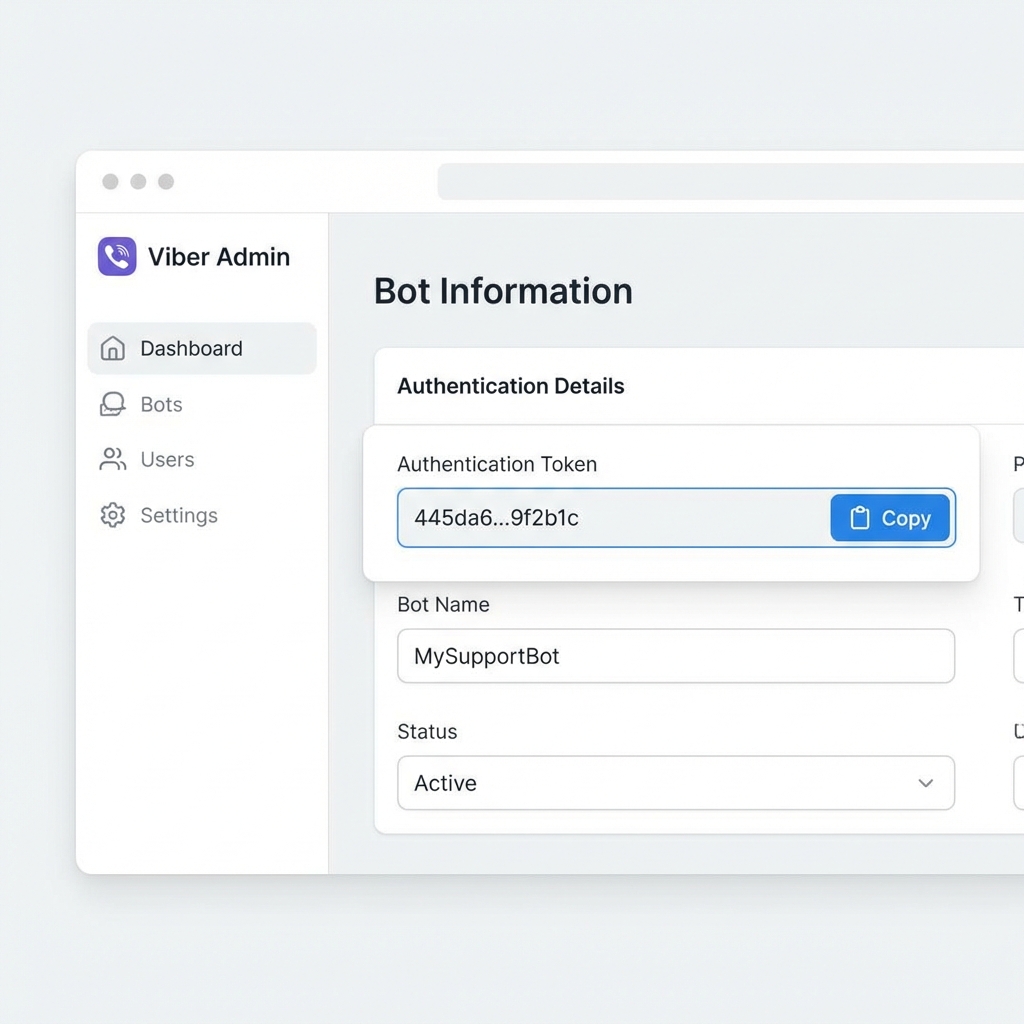
- After creating, you will receive a Token (as shown below). Please save this code carefully, this is the key for Chatwoot to knock on Viber's door.
Step 2: Set up API Channel on Chatwoot
Trên Chatwoot, chúng ta không chọn kênh “Facebook” hay “Telegram”, mà sẽ chọn kênh đặc biệt là API.
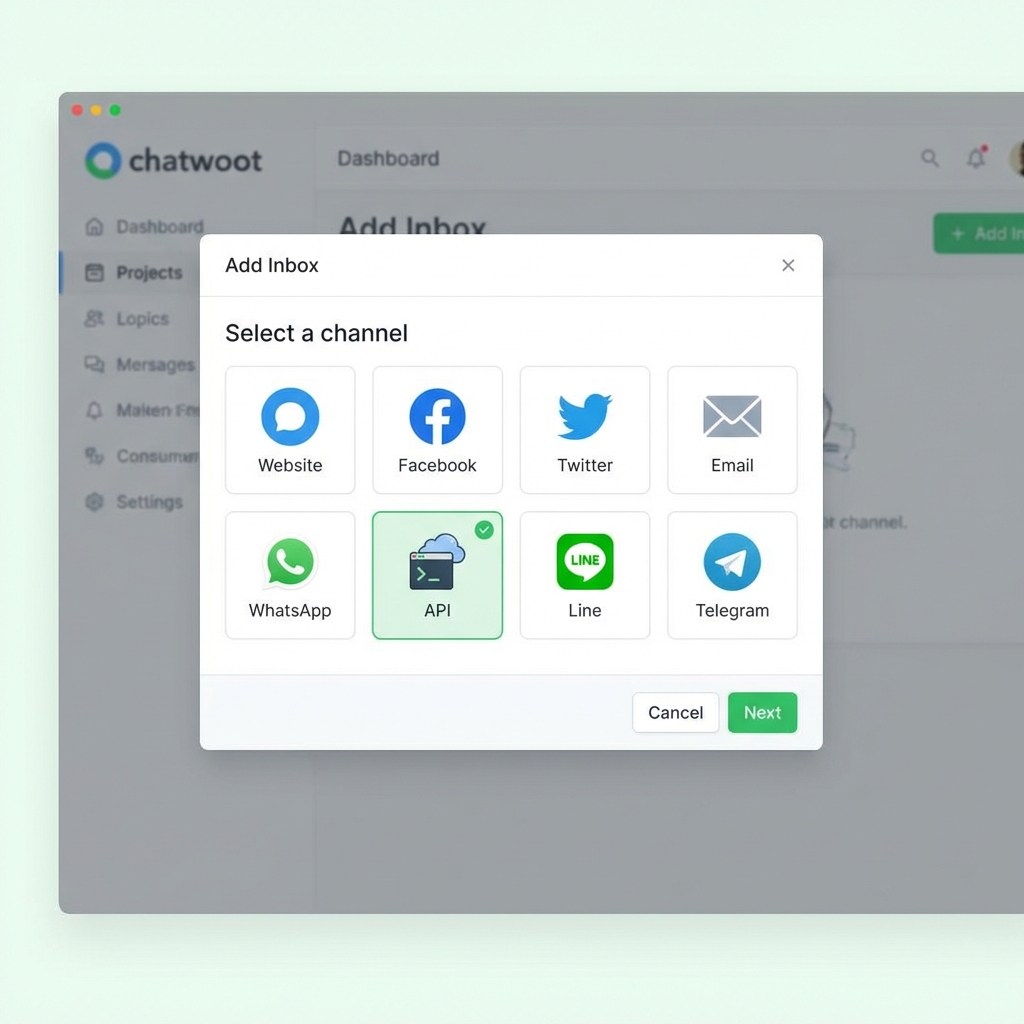
- Go to Settings > Inboxes.
- Select Add Inbox.
- Select channel type as API.
- Đặt tên: Ví dụ “Viber Support”.
- Webhook URL: Leave blank temporarily or fill in n8n URL (will update in next step).
- Complete and add Agents to this inbox.
After creating, you will have Inbox ID and API Access Token of Chatwoot (in that inbox settings).
Bước 3: Xây dựng “Cầu nối” (Bridge)
This is the most important step. If you know programming (NodeJS, Python), you can write a small server. If not, use n8n.
Luồng 1: Từ Viber -> Chatwoot (Khách nhắn tin)
You need to create an n8n workflow that listens to Webhook from Viber.
Note: Viber requires Webhook to be valid HTTPS.
Processing flow:
- Webhook Node: Receive POST data from Viber.
- IF Node: Check
eventis itmessageno. - HTTP Request (Chatwoot):
- Call to:
POST /api/v1/accounts/{account_id}/conversations(to create or find conversation). - Body: Send with
source_idis Viber user ID (to identify customer). - Then call:
POST /api/v1/accounts/{account_id}/conversations/{conversation_id}/messages. - Content: Get
textfrom Viber message sent.
- Call to:
Luồng 2: Từ Chatwoot -> Viber (Nhân viên trả lời)
You need to configure Webhook in Chatwoot (in the settings of the newly created Inbox API) to send data to n8n every time there is a new message.
Processing flow:
- Webhook Node: Receive data from Chatwoot.
- IF Node: Check
message_typeis itoutgoing(outgoing) andprivateisfalseno (to avoid sending internal notes to customer). - HTTP Request (Viber):
- Call to:
https://chatapi.viber.com/pa/send_message - Header:
X-Viber-Auth-Token: - Body:
{ "receiver": "", "type": "text", "text": " " }
- Call to:
Step 4: Test and Operate
After setting up the above 2 flows:
- Use your personal phone to message your Viber Bot.
- Kiểm tra trên Chatwoot xem tin nhắn có hiện lên không? -> Nếu có: Flow 1 successful.
- From Chatwoot, type reply to customer.
- Kiểm tra điện thoại xem Bot Viber có phản hồi không? -> Nếu có: Stream 2 successful.

Conclusion
Việc tích hợp Viber vào Chatwoot tuy cần một chút thao tác kỹ thuật (“cầu nối”) nhưng sẽ mang lại hiệu quả to lớn trong việc tập trung hóa CSKH. Bạn không cần phải mở ứng dụng Viber riêng lẻ nữa, mọi thứ đều nằm trong dashboard chuyên nghiệp của Chatwoot.
If you have difficulty configuring n8n, don't hesitate to leave a comment or contact our technical team for detailed setup support!




