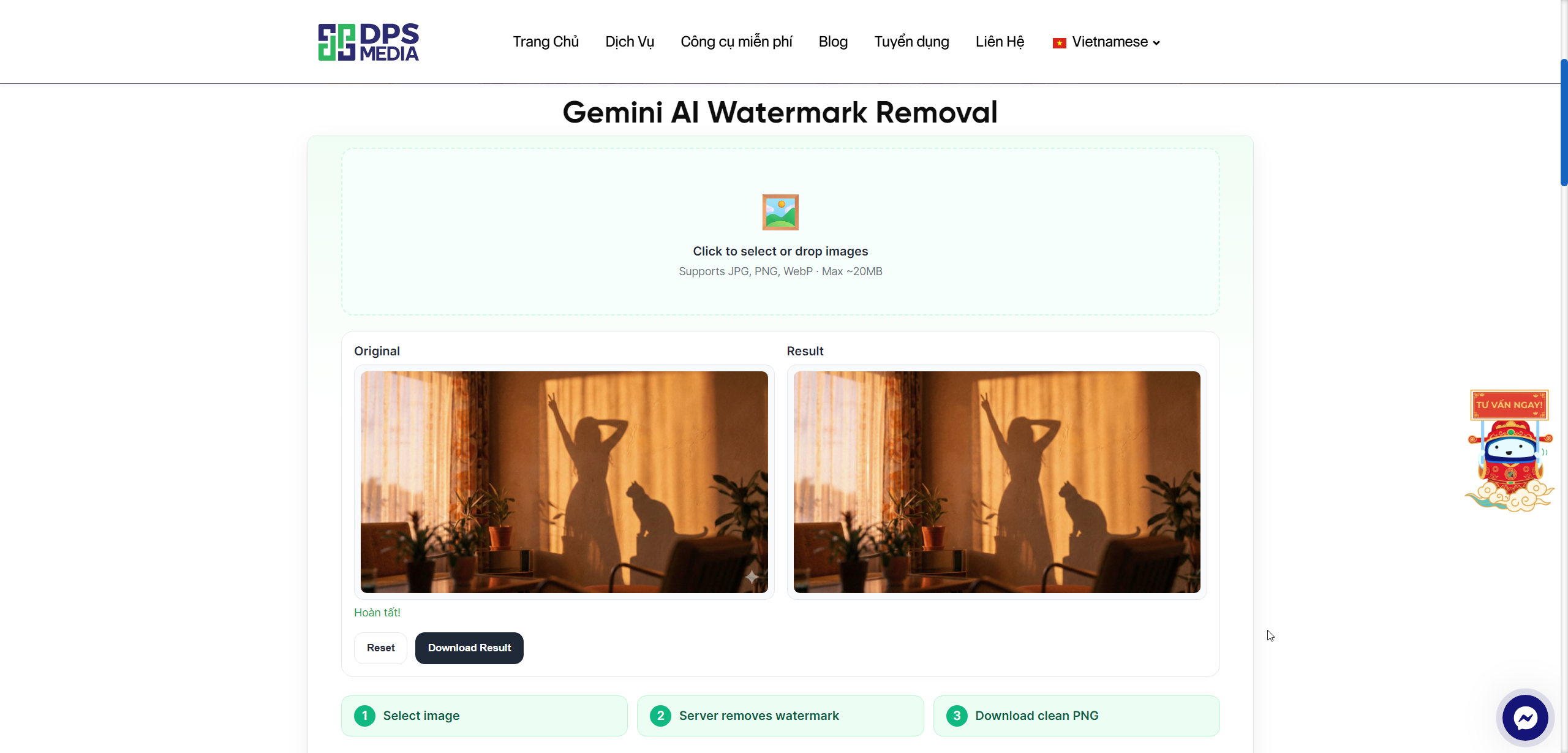
Gemini AI Watermark Removal: Free Watermark Removal Tool, Fast and Secure
Are you looking for a solution to remove watermarks from images quickly, effectively, while maintaining the original image quality? Gemini AI Watermark Removal is the perfect answer for you. This is a completely free watermark removal tool that works directly in the browser without uploading images to a server, ensuring absolute data security.
What is Gemini AI Watermark Removal?
Gemini AI Watermark Removal is an advanced image processing tool designed to automatically and accurately remove watermarks (overlays, logos) from images. The unique feature of this tool lies in its proprietary “Reverse Alpha Blending” algorithm, which restores the original pixels of the image instead of using AI to guess and regenerate content like many other tools. As a result, the processed output is nearly identical to the original image, without blurring or distortion.
Outstanding Features of Gemini AI Watermark Removal
1. Completely Browser-Based Processing
One of the biggest advantages of Gemini AI Watermark Removal is its pure browser-side processing capability. This means all watermark removal operations happen directly on your computer, without uploading images to any server. With this feature, you can be completely at ease regarding security and privacy, especially important when working with sensitive or highly confidential images.
2. Unique “Reverse Alpha Blending” Algorithm
Unlike common AI tools that use inpainting methods (filling covered areas by prediction), Gemini AI Watermark Removal applies the “Reverse Alpha Blending” algorithm to restore the original image pixels. This algorithm works by reversing the alpha blending process (transparency blending) that the watermark applied to the original image. The result is an image nearly identical to the original, without loss of detail or unnatural blurred areas.
3. Automatic Watermark Detection and Processing
The tool can automatically detect watermarks on images and adjust the processing size accordingly. Depending on the image resolution, the system will automatically select a watermark size of 48×48 or 96×96 pixels to ensure optimal processing efficiency. You don't need to worry about complex technical settings; everything is automated.
4. Support for Popular Image Formats
Gemini AI Watermark Removal supports the most popular image formats today, including JPG, PNG, and WebP. You can easily upload images by dragging and dropping directly into the work area or selecting files from your computer. The friendly and intuitive interface allows you to operate quickly in just a few seconds.
5. Fast Processing and No Limits
With optimized processing technology, Gemini AI Watermark Removal delivers extremely fast processing speeds, helping you save valuable time. Best of all, the tool is completely free with no usage limits. You can process as many images as you like without worrying about costs or quotas.
6. Easy Integration into Websites
If you are a web developer or WordPress administrator, Gemini AI Watermark Removal also provides an embed mode and embed.js file to easily integrate this tool into your website or blog. This allows you to offer an additional useful feature to users without developing it from scratch.
How to Use Gemini AI Watermark Removal
Using Gemini AI Watermark Removal is extremely simple and requires no technical knowledge. Just follow these steps:
Step 1: Visit the Gemini AI Watermark Removal website.
Step 2: Drag and drop the image needing watermark removal into the “Click to select or drag images here” frame or click to select a file from your computer. The tool supports JPG, PNG, WebP formats.
Step 3: The tool will automatically detect the watermark and start processing. This process is very fast, usually taking just a few seconds depending on the image size.
Step 4: After processing is complete, you can preview the result right in the browser. If satisfied, click the “Download” button to save the watermark-free image to your device.
Real-World Applications of Gemini AI Watermark Removal
This tool can be applied in many different situations:
Graphic design: When you need to remove demo watermarks from stock photos to view them clearly before deciding to purchase licenses.
Content creator: Helps remove unwanted watermarks from images to create cleaner and more professional content (note: only use with images you own).
Marketing and advertising: Prepare images for marketing campaigns without distractions from unnecessary logos or watermarks.
Old photo restoration: Remove blurry marks or old logos on family photos to preserve memories more completely.
Notes When Using
Although Gemini AI Watermark Removal is a powerful and convenient tool, you need to note the following points:
Copyright issues: Only use the tool with images that you own or have permission to edit. Unauthorized watermark removal may violate copyright and intellectual property regulations.
Image quality: Best processing results when the watermark has high transparency and is not too complex. With watermarks deeply embedded in the image or with colors similar to the background, the result may not be perfect 100%.
Internet connection: Although processing occurs in the browser, you still need an Internet connection to access the website and load the necessary JavaScript libraries.
Conclusion
Gemini AI Watermark Removal is an excellent tool for anyone who needs to remove watermarks from images quickly, safely, and effectively. With the unique “Reverse Alpha Blending” algorithm, completely browser-based processing capability, and user-friendly interface, this tool will surely be a valuable assistant in your image processing work.
Experience Gemini AI Watermark Removal right now and discover the difference that advanced technology can bring to your images!