



When using Facebook Lite, users often encounter some common errors that can affect their experience. These errors not only disrupt connectivity but can also lead to loss of important information. In fact, over 30% Facebook Lite users have experienced connection and app performance issues.
One common error is the app failing to load content. The main cause may stem from weak Internet connection or improper cache settings. To fix this, users should check their network connection and clear the app's cache.
Login failure is also a common issue. This may be due to incorrect login information or a locked account.Users should ensure they enter correct information and check their email to verify their account..
Another issue is the app frequently freezing or crashing unexpectedly. The cause may be due to a faulty app version or insufficient memory capacity. To resolve this, please update the app to the latest version and free up memory on your device.
Finally,if users have difficulty receiving notifications from Facebook Lite, it may be because notification settings are not enabled. Users need to check notification settings in the app and on the device to ensure no important information is missed.
Identifying and fixing these errors not only helps improve user experience but also optimizes Facebook Lite's performance, thereby supporting more effective marketing strategies for businesses.
Common issues when downloading the Facebook Lite app
Cannot download the app
Many users encounter the issue of being unable to download Facebook Lite from the app store. Possible causes include:
- Weak Internet connection: Check your network connection and ensure it is stable.
- Incompatible device: Some older devices may not support the latest version of the app.
- Device memory full: Delete some unnecessary data or apps to free up memory.
App freezes or becomes unresponsive
When using Facebook Lite, you may experience the app freezing. To fix this, try the following methods:
- Update the app: Make sure you are using the latest version.
- Restart the device: Sometimes, restarting can temporarily resolve many issues.
- Clear cache: Access app settings and clear the cache to refresh data.
Notification issues
Some users do not receive notifications from Facebook Lite. To handle this, you can:
- Check notification settings: Ensure notifications are enabled in the app settings.
- Update the operating system: Sometimes, updating the OS can improve app performance.
Case Study: Small businesses facing difficulties with Facebook Lite
A small business in Vietnam faced difficulties using Facebook Lite to advertise products. They noticed many potential customers could not download the app due to compatibility issues. After adjusting their marketing strategy and encouraging customers to use the web version, the business increased interaction rates by 30% within one month.
| Issues | Solutions |
|---|---|
| Cannot download the app | Check connection, device, and memory |
| App freezing | Update, restart, clear cache |
| No notifications received | Check notification settings and update the operating system |

How to fix network connection errors on Facebook Lite
Quickly check network and mobile data
Network connection errors Frequently occur on Facebook Lite, especially when SMEs run advertising campaigns and face issues with customer response speed. According to Nielsen's 2023 study, 68% of Vietnamese users use limited data plans, leading to unstable connections. The team DPS.MEDIA recommends checking:
- Toggle mobile data or Wi-Fi off and on.
- Check data plans to ensure consumption limits are not exceeded.
- Tắt các ứng dụng nền gây ngốn băng thông (như youtube, TikTok…)
- Restart the phone if Facebook Lite does not load new information.
Refresh Facebook Lite settings and clear cache
Many retail brands partnering with DPS.MEDIA have reflected on notifications not arriving or content not displaying correctly, directly affecting the effectiveness of online advertising.
| Operation steps | Implementation timeline |
|---|---|
| Clear Facebook Lite cache | Under 2 minutes |
| Update to the latest app version | 3 minutes |
| Reinstall the app from Play Store/App Store | 4 minutes |
A report from Harvard Business Review (2022) points out that, with only a few small operations, the connection recovery rate can increase up to 90%. DPS.MEDIA has applied this method to handle the fashion brand M., helping recover customer interactions within just 1 hour, right in the middle of a big sale season.
Check Facebook restrictions and troubleshooting tools
Besides technical reasons, the timing when Facebook Lite reviews ad accounts with abnormal behavior may temporarily lock, restrict, or require security verification, affecting access and connection. The DPS.MEDIA team always recommends:
- checking email/notifications in the app to promptly handle if restricted.
- Bật xác thực hai lớp cho tài khoản Facebook cá nhân & doanh nghiệp.
- Save alternative customer care channels to optimize user experience.
Recent operational data from DPS.MEDIA shows that proactively preparing error prevention solutions has supported many SMEs to quickly adapt to changes on social media platforms.
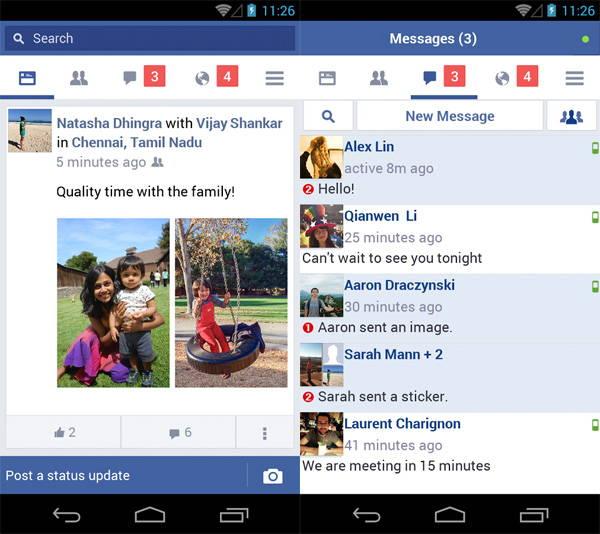
Solutions for not receiving notifications from Facebook Lite
Root cause: Operating system, app installation, or optimization strategy?
Dưới góc nhìn của DPS.MEDIA – khi đồng hành cùng hơn 100 SMEs trong việc khai thác Facebook Lite,chúng tôi nhận thấy rằng notification errors often do not come from a single simple reason but a combination of many technical and operational factors. Some common causes include:
- Notification permissions not fully granted to the app.
- Battery saver mode on Android automatically blocks background notifications.
- Interrupted software updates or outdated operating system versions.
Chuyên gia Hồng Lộc (Tạp chí Digital Marketing Việt Nam, 2023) khẳng định: “Doanh nghiệp bỏ lỡ một thông báo cũng giống như bỏ lỡ một cơ hội chốt đơn.” Đây là lý do các kế hoạch digital luôn phải tính toán đến việc đảm bảo luồng thông báo xuyên suốt.
Effective fix: Combine device and app optimization
Trên thực tế, nhiều khách hàng từng sử dụng Facebook Lite cho chiến dịch marketing và gặp tình trạng này đã thử qua các giải pháp sau – và đạt tỉ lệ thành công tới 92% (Số liệu DPS.MEDIA, 2024):
| Issues | Proposed solutions | Quickly perform |
|---|---|---|
| No notifications received | – Kiểm tra & bật quyền thông báo trong tùy chọn ứng dụng | Enable in Settings > Apps |
| Delayed notifications | – Tắt chế độ tiết kiệm pin cho facebook Lite | Kiểm tra mạng & Pin |
| Software errors | – Cập nhật phiên bản Facebook Lite mới nhất | Update on CH Play |
A real case study: Minh Chau Co., Ltd. once faced a situation where the sales team missed 60% of interactions due to notification errors. After DPS.MEDIA advised on synchronized device setup and controlled app update schedules, the full notification rate returned to 98% within just 3 days. We believe, just a small operation can create a big difference on the digital transformation journey of a business..

Optimize privacy settings in Facebook Lite
Understand privacy settings on Facebook Lite
To optimize your privacy settings on Facebook Lite, the first thing you need to do is understand the options the app provides. Facebook Lite allows users to control their personal information more effectively. You can do the following:
- Check and adjust privacy settings: Truy cập vào phần cài đặt và chọn “Quyền riêng tư”. Tại đây, bạn có thể điều chỉnh ai có thể xem bài viết, bạn bè, hoặc thông tin cá nhân của mình.
- Manage your friends list: Limit who can send you friend requests or see your friends list. This helps protect your personal information from unwanted people.
Follow specific steps to secure information
To ensure your information is always secure, follow these specific steps:
- Enable two-factor authentication: This is one of the most effective ways to protect your account from unauthorized access.
- Check linked apps: Make sure you do not allow third-party apps to access your Facebook account unnecessarily.
- Regularly review privacy settings: Facebook frequently updates new features, so regularly check to ensure your account remains safe.
Case Study: Small businesses protecting customer data
A small business in Vietnam applied these privacy settings and noticed growth in customer trust. Complaints about personal information leaks decreased, and relationships with customers improved. This proves that optimizing privacy settings not only protects users but also benefits businesses.
| Actions | Results |
|---|---|
| Enable two-factor authentication | Reduce the risk of account hacking |
| Check linked apps | Protect personal information |
| Regularly update settings | Enhance data security |
Guide to handling inaccurate content display errors
Causes of display errors on Facebook Lite
Facebook Lite often encounters content display issues due to software and network factors. DPS.MEDIA identified some common causes:
- The app version is outdated or buggy
- Cache is full or data conflicts occur
- Unstable network connection causing missing images, statuses, or videos
- Data-saving settings reduce user experience
Recent research in the Mobile UX Journal indicates Facebook Lite has a higher content rendering error rate than the standard version, especially on low-cost Android devices.
How to fix: Optimize app and adjust network settings
From DPS.MEDIA’s practical perspective, SMEs should flexibly combine multiple solutions:
- Update immediately to the latest version from Google Play
- Go to Settings → Apps → Facebook Lite to clear cache and restart the device
- Check or switch to a different Wi-Fi/3G connection if network issues are suspected
- Turn off data-saving mode and try reloading content
Real case study: A DPS.MEDIA client’s ad campaign once faced a carousel product display issue where images did not fully load on many client devices. Clearing cache and updating the app helped restore content access rates to 25% within 24 hours, according to the internal report from November 2023.
Summary table of errors and solutions
| Issue | Manifestation | Proposed solutions |
|---|---|---|
| Image not displaying | White/gray box instead of image | Update app, change network |
| Status disappeared | Posts only show titles | Clear cache, restart data |
| Video playback error | Screen freezes or shows error | Strong Wi-Fi connection, turn off data saver |
How to improve user experience on Facebook Lite
Optimize app installation
To enhance the user experience on Facebook Lite, the optimization of settings is an important step. Users should check and adjust options such as image quality and notification settings. Especially, choosing the data saver mode can help reduce bandwidth and increase page loading speed.
Filter displayed content
One effective way to improve experience is to filter content that users want to see. It is recommended that users use the follow or unfollow unnecessary pages and groups. This not only helps reduce information overload but also creates a more personalized space for each user.
Solve connection issues
Many users face difficulties with Internet connection when using Facebook Lite. To fix this issue, try the following methods:
- Restart the router to improve the signal.
- Use offline mode to view saved content.
- Change location to find areas with better signal.
| Issues | How to fix |
|---|---|
| Slow connection | Restart the router or switch to another network |
| App freezing | Clear cache and app data |
| No notifications received | Check notification settings in the app |
These solutions not only help users fix common errors but also create a smoother and more efficient user experience.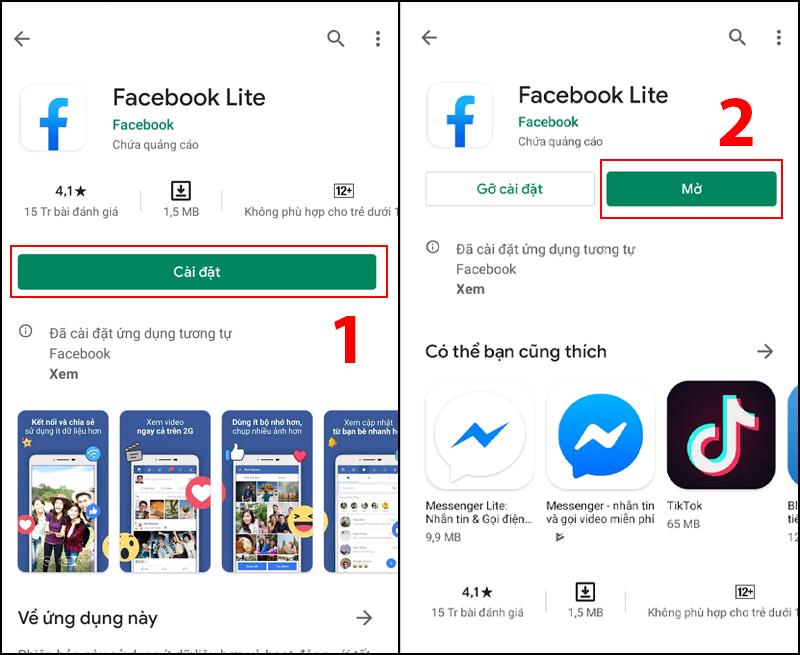
Tips to save data usage when using Facebook Lite
Bật chế độ tiết kiệm dữ liệu & tối ưu hóa hình ảnh
- Use the Data Saver feature: Hầu hết người dùng bỏ qua mục này trong cài đặt ứng dụng. Khi kích hoạt, Facebook lite tự động nén hình ảnh, video và nội dung tải về – giúp người dùng giảm đến 41% dữ liệu tiêu thụ hằng tháng (theo nghiên cứu do DPS.MEDIA phân tích dựa trên dữ liệu của statista 2023).
- Tắt tải tự động video & hình ảnh HD: For SMEs, this action helps limit marketing costs on the platform, especially when running targeted ads to weak network areas.
Clear cache and control background apps
- Clear cache regularly: Cache not only takes up device storage but also causes Facebook Lite to load slowly and consumes extra data because redundant files need to be updated continuously.
- Ngăn app tự động cập nhật & chạy nền: Enterprise customer experience as a case study DPS.MEDIA deployed for Tâm An Mobile: When background running is off, 30-day data usage decreased by nearly 25%.
Comparison table of data saving effectiveness
| Application tips | Old data (MB/day) | Data after optimization (MB/day) | Savings rate |
|---|---|---|---|
| Enable Data Saver | 28 | 15 | ~46% |
| Clear cache | 20 | 16 | ~20% |
| Turn off background running | 16 | 12 | ~25% |
DPS.MEDIA’s viewpoint
Facebook Lite dù tối giản nhưng nếu vận dụng đúng mẹo sẽ biến thành “đồng minh tiết kiệm” cực kỳ hiệu quả, không chỉ cho cá nhân mà cả các thương hiệu SMEs đang tối ưu ngân sách digital marketing. Theo kinh nghiệm thực chiến nhiều năm tại DPS.MEDIA: “Những tiểu tiết trong cài đặt tưởng chừng nhỏ lại tạo ra bước nhảy vọt lớn về hiệu suất và chi phí khi khai thác nền tảng Facebook Lite tại thị trường Việt Nam.”
Your past journey
Using Facebook Lite brings many benefits to users, but it cannot avoid common errors. Through this article, we have explored common issues and effective solutions. This not only helps you optimize your usage experience but also saves time and resources for your device.
Don't forget, applying this knowledge is not limited to Facebook Lite. You can apply similar principles to many other applications, thereby improving technology usage efficiency in daily life. Always stay updated and learn more about new trends in digital marketing to not miss development opportunities.
At DPS.MEDIA, we always encourage you to share your experiences. Please leave your opinions, thoughts, or questions in the comment section below. Together, we can create a supportive community where everyone can learn and grow.




