



Bạn có biết rằng 70% khách hàng tiềm năng bị lãng quên ngay sau lần tương tác đầu tiên? Trong kỷ nguyên số, Email automation chính là chìa khóa vàng giúp doanh nghiệp Việt giải quyết bài toán này. Không chỉ đơn thuần là gửi thư tự động, đây là chiến lược nuôi dưỡng khách hàng thông minh và bền vững.
Việc áp dụng công nghệ vào quy trình tiếp thị không còn là lựa chọn mà là sự sống còn. Những doanh nghiệp ứng dụng Email automation đúng cách đã ghi nhận mức tăng trưởng doanh thu vượt bậc. Họ tiết kiệm được hàng trăm giờ làm việc mỗi tháng cho đội ngũ nhân sự.
Theo các chuyên gia tại DPS.MEDIA, việc triển khai tự động hóa cần sự tinh tế và am hiểu thị trường. Chúng tôi đã chứng kiến nhiều SMEs lột xác nhờ thay đổi tư duy tiếp cận email marketing. Bài viết này sẽ đúc kết những bài học xương máu từ hơn 100 chiến dịch thực chiến.
Chúng ta sẽ cùng nhau đi sâu vào từng bước xây dựng hệ thống. Mục tiêu là biến danh sách email im lìm thành cỗ máy in tiền thực thụ. Hãy sẵn sàng để tối ưu hóa quy trình kinh doanh của bạn ngay bây giờ.
Dưới đây là cẩm nang toàn diện về Email automation dành riêng cho thị trường Việt Nam. Những kiến thức này được chắt lọc từ kinh nghiệm phục vụ hơn 5.400 khách hàng của chúng tôi.
1. Why do Vietnamese businesses need Email automation right now?
Save personnel operating costs
Bài toán chi phí luôn là nỗi đau đầu của các chủ doanh nghiệp SMEs. Sử dụng Email automation giúp bạn cắt giảm đáng kể lượng nhân sự trực page và gửi mail thủ công. Một hệ thống tốt có thể làm việc bằng 3 nhân viên full-time mẫn cán.
Hệ thống tự động hoạt động 24/7 không biết mệt mỏi. Nó đảm bảo mọi khách hàng đều nhận được thông tin đúng thời điểm. Bạn không còn lo lắng về việc nhân viên quên gửi báo giá hay lời chúc mừng sinh nhật.
Chi phí cho các công cụ tự động hóa thường thấp hơn nhiều so với lương nhân sự. Đây là khoản đầu tư có chỉ số ROI (tỷ suất hoàn vốn) cực kỳ hấp dẫn. Doanh nghiệp có thể dồn nguồn lực con người cho các công việc sáng tạo hơn.
Personalize customer experience at scale
Khách hàng ngày nay rất tinh tế và đòi hỏi sự quan tâm riêng biệt. Email automation cho phép bạn gửi đúng nội dung cho đúng người. Bạn không thể làm điều này thủ công nếu danh sách khách hàng lên tới hàng nghìn người.
Hệ thống sẽ dựa trên hành vi của người dùng để kích hoạt email phù hợp. Ví dụ, khách xem sản phẩm A sẽ nhận được email về A chứ không phải B. Điều này tạo ra cảm giác họ được thấu hiểu sâu sắc.
Sự cá nhân hóa này giúp tăng tỷ lệ mở email và tỷ lệ chuyển đổi. Khách hàng cảm thấy thương hiệu đang trò chuyện trực tiếp với họ. Đây là yếu tố then chốt để xây dựng lòng trung thành thương hiệu.
Increase conversion rate from Lead to Sale
Phần lớn khách hàng không mua ngay ở lần đầu ghé thăm website. Email automation đóng vai trò là cầu nối nuôi dưỡng họ theo thời gian. Chuỗi email “bám đuổi” khéo léo sẽ nhắc nhớ họ về sản phẩm một cách tự nhiên.
Theo DPS.MEDIA research, các chuỗi email tự động giúp tăng tỷ lệ chốt đơn lên tới 50%. Nó giúp khách hàng vượt qua những rào cản tâm lý cuối cùng. Từ đó, hành trình mua hàng diễn ra trơn tru và nhanh chóng hơn.
Bạn có thể thiết lập các kịch bản upsell hoặc cross-sell tự động sau khi khách mua hàng. Điều này giúp gia tăng giá trị trọn đời của mỗi khách hàng (LTV). Doanh thu sẽ tăng trưởng bền vững mà không cần tốn thêm chi phí quảng cáo.
Transparent data and accurate measurement
Khác với các kênh truyền thống, Email automation cung cấp báo cáo chi tiết theo thời gian thực. Bạn biết chính xác ai đã mở mail, ai đã click vào đường link nào. Những dữ liệu này là tài sản vô giá cho mọi quyết định kinh doanh.
Nhìn vào báo cáo, bạn sẽ biết nội dung nào hiệu quả và nội dung nào cần điều chỉnh. Việc tối ưu hóa chiến dịch trở nên dễ dàng và có cơ sở khoa học. Không còn những phán đoán cảm tính mơ hồ trong quản trị marketing.
Dưới đây là bảng so sánh sự khác biệt giữa cách làm truyền thống và tự động hóa:
| Criteria | Email Marketing Thủ Công | Email automation |
|---|---|---|
| Thời gian gửi | Phụ thuộc vào nhân sự | Tức thì (Real-time) |
| Personalization capability | Thấp (Gửi hàng loạt giống nhau) | Cao (Theo hành vi, dữ liệu) |
| Quy mô quản lý | Dưới 500 contact | Unlimited |
| Accuracy | Dễ sai sót con người | Absolutely accurate |
| Cost-effective | Tốn kém nhân lực | Tối ưu chi phí vận hành |
Real examples and lessons
- Example 1: Một chuỗi cửa hàng thời trang tại TP.HCM đã áp dụng Email automation để gửi mã giảm giá sinh nhật. Kết quả là doanh thu tháng tăng 20% nhờ lượng khách cũ quay lại mua sắm.
- Example 2: Công ty B2B phần mềm sử dụng chuỗi email hướng dẫn sử dụng tự động. Tỷ lệ khách hàng hủy dịch vụ (churn rate) giảm từ 10% xuống còn 3% sau 3 tháng.
- The lesson: Đừng đợi đến khi có dữ liệu hoàn hảo mới bắt đầu. Hãy triển khai từ những kịch bản đơn giản nhất ngay hôm nay.
Expert Advice: Hãy bắt đầu với mục tiêu rõ ràng cho từng chiến dịch tự động hóa. Đừng cố gắng làm tất cả mọi thứ cùng một lúc.
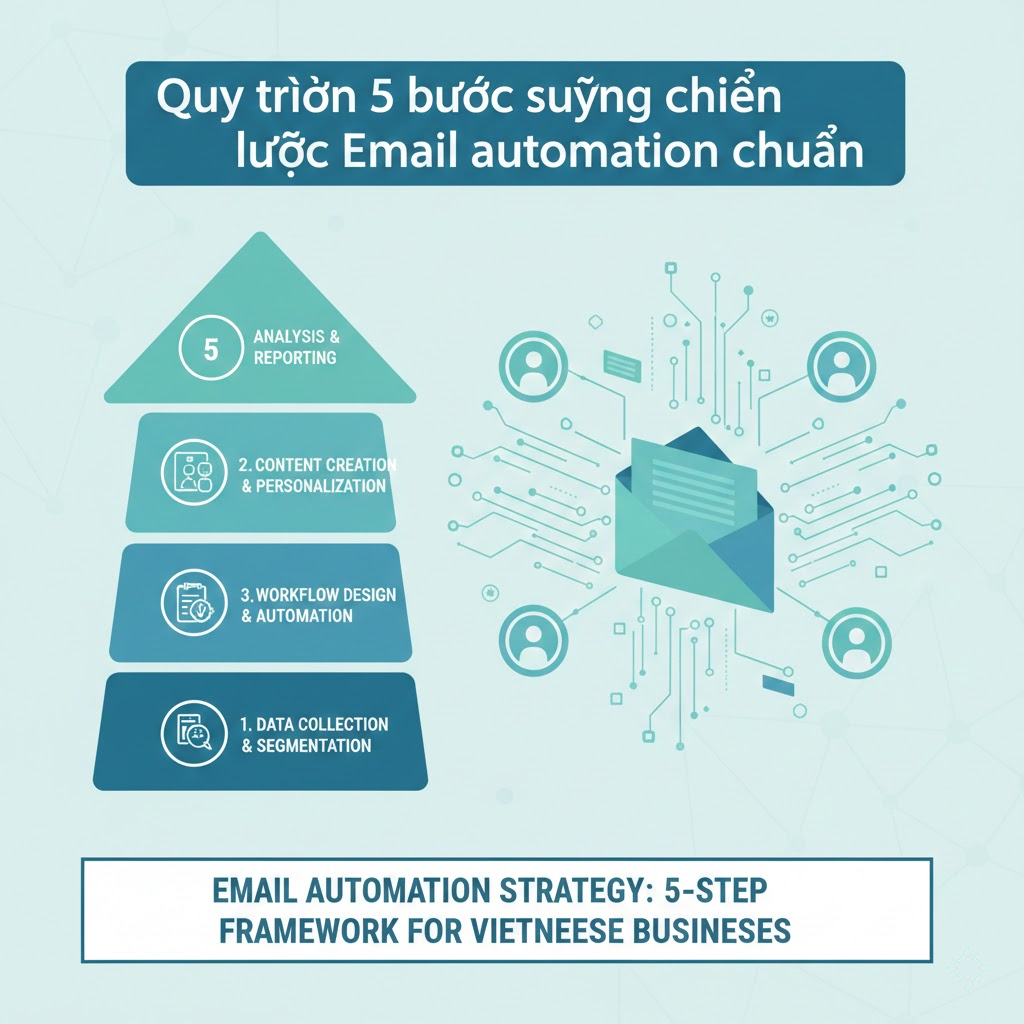
2. 5-step process to build a standard Email automation strategy
Step 1: Collect and classify customer data
Dữ liệu là nguyên liệu đầu vào quan trọng nhất của Email automation. Bạn cần thu thập email từ nhiều nguồn như website, landing page, hay sự kiện offline. Tuy nhiên, số lượng không quan trọng bằng chất lượng dữ liệu.
Hãy phân loại khách hàng ngay từ đầu vào các nhóm (segments) cụ thể. Ví dụ: khách hàng tiềm năng, khách hàng đã mua, khách hàng VIP. Việc này giúp thông điệp gửi đi luôn phù hợp với từng đối tượng.
Sử dụng các trường thông tin tùy chỉnh (custom fields) để lưu trữ sở thích, ngày sinh, lịch sử mua hàng. Càng nhiều dữ liệu chi tiết, khả năng cá nhân hóa càng cao. Đây là nền móng vững chắc cho mọi chiến dịch thành công.
Step 2: Build customer journey map (Customer Journey)
Bạn cần vẽ ra lộ trình mà khách hàng sẽ đi qua khi tương tác với thương hiệu. Tại mỗi điểm chạm, Email automation sẽ đóng vai trò gì? Mục tiêu của từng email trong chuỗi là gì?
Xác định các điểm kích hoạt (triggers) quan trọng. Đó có thể là khi họ đăng ký nhận tin, bỏ giỏ hàng, hoặc không mở mail trong 30 ngày. Kịch bản phải bám sát tâm lý khách hàng tại thời điểm đó.
Đừng làm phức tạp hóa hành trình ngay từ đầu. Hãy bắt đầu với những luồng cơ bản và mở rộng dần. Quan trọng là đảm bảo tính logic và sự liền mạch trong trải nghiệm.
Step 3: Create engaging and valuable email content
Nội dung vẫn là vua, ngay cả trong Email automation. Tiêu đề email quyết định việc khách có mở thư hay không. Nội dung bên trong quyết định họ có click vào link hay không.
Hãy viết như đang trò chuyện 1-1 với khách hàng. Tránh ngôn ngữ quá trang trọng hoặc sặc mùi quảng cáo. Cung cấp giá trị thực sự thay vì chỉ chăm chăm bán hàng.
Kết hợp hài hòa giữa văn bản và hình ảnh. Tuy nhiên, lưu ý rằng nhiều phần mềm email chặn hiển thị ảnh mặc định. Vì vậy, văn bản thuần túy vẫn phải truyền tải đủ thông điệp.
Step 4: Set up technical and automation rules
Đây là lúc bạn đưa kịch bản lên công cụ Email automation. Hãy thiết lập các quy tắc logic (If/Then) chặt chẽ. Nếu khách mở mail A thì gửi mail B, nếu không mở thì gửi mail C.
Kiểm tra kỹ các cài đặt về thời gian gửi (delay). Đừng gửi dồn dập khiến khách hàng cảm thấy bị làm phiền. Tần suất gửi mail cần được cân nhắc kỹ lưỡng dựa trên ngành hàng.
Đảm bảo tên người gửi (Sender Name) là tên người thật hoặc thương hiệu uy tín. Điều này giúp tăng độ tin cậy và giảm tỷ lệ email rơi vào hòm Spam.
Step 5: Monitor, analyze and optimize (A/B Testing)
Không có chiến dịch Email automation nào hoàn hảo ngay từ đầu. Bạn cần liên tục theo dõi các chỉ số như Open Rate, Click-through Rate (CTR). Dữ liệu sẽ cho bạn biết đâu là điểm nghẽn của quy trình.
Thực hiện A/B Testing thường xuyên với tiêu đề, nội dung, hoặc nút CTA. Thử nghiệm từng yếu tố một để biết chính xác nguyên nhân thay đổi kết quả. Đây là cách duy nhất để cải thiện hiệu suất theo thời gian.
DPS.MEDIA experts recommend rằng bạn nên kiểm tra danh sách email định kỳ. Loại bỏ những email chết hoặc không tương tác để bảo vệ uy tín tên miền (domain reputation).
Checklist of essential elements
- Xác định mục tiêu rõ ràng cho từng workflow (quy trình).
- Đảm bảo dữ liệu đầu vào sạch và được phân quyền hợp pháp.
- Thiết kế template email tương thích với mọi thiết bị di động (Mobile-friendly).
- Cài đặt mã theo dõi (tracking code) để đo lường chuyển đổi trên website.
- Chuẩn bị sẵn nội dung dự phòng cho các kịch bản rẽ nhánh.
- Kiểm tra kỹ lưỡng (Test send) trước khi kích hoạt hệ thống thật.
| Stage | Hành động chính | Công cụ hỗ trợ gợi ý |
|---|---|---|
| Thu thập Lead | Tạo Form, Pop-up, Landing Page | OptinMonster, Elementor |
| Nuôi dưỡng | Gửi chuỗi bài viết giá trị, Ebook | ActiveCampaign, Mailchimp |
| Conversion | Gửi mã giảm giá, Demo sản phẩm | HubSpot, GetResponse |
| Chăm sóc sau bán | Khảo sát, Upsell, Giới thiệu | Klaviyo, SendGrid |
Important notes: Luôn tuân thủ các quy định về chống spam và bảo vệ quyền riêng tư khi thu thập dữ liệu.
3. Profitable Email automation scenarios for SMEs
Welcome Email Series (Welcome Series)
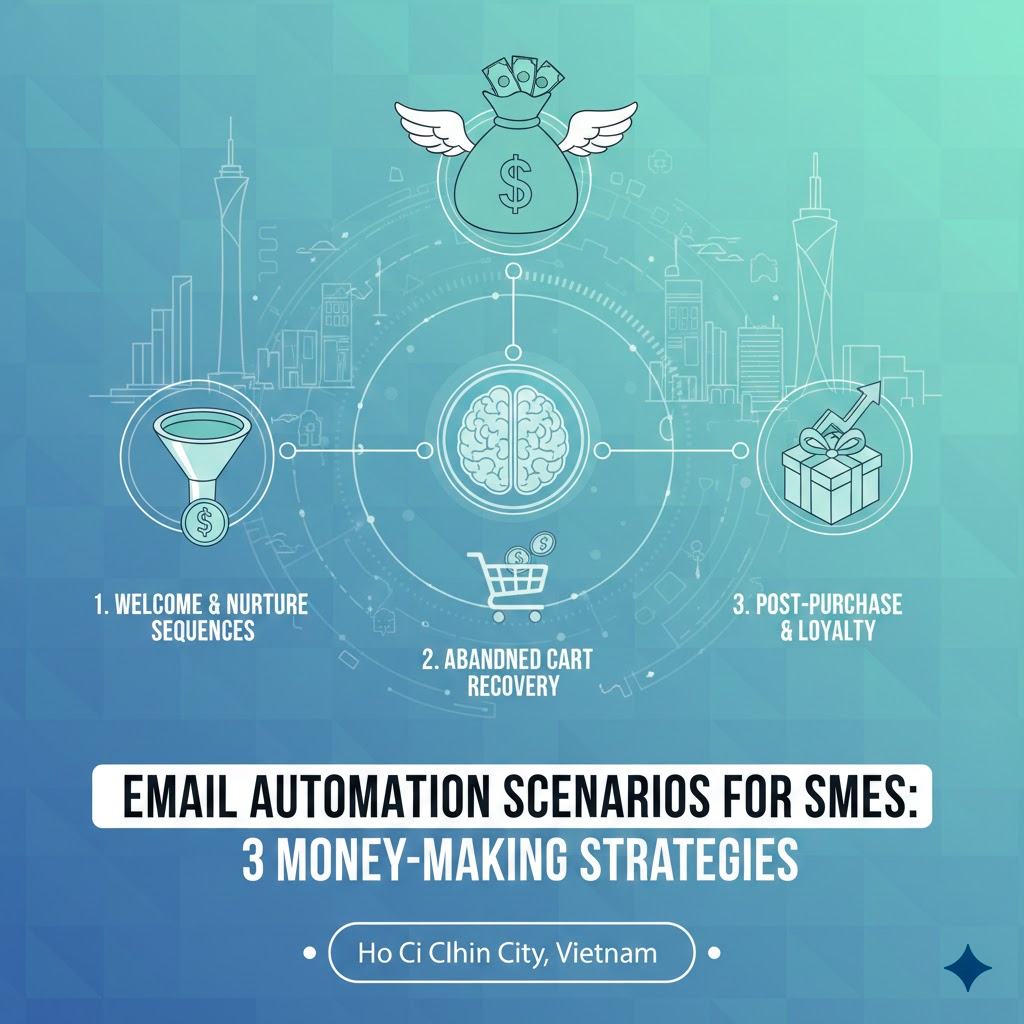
Đây là ấn tượng đầu tiên và quan trọng nhất với khách hàng mới. Email automation chào mừng thường có tỷ lệ mở cao nhất, lên tới 50-80%. Đừng lãng phí cơ hội này chỉ để nói “Xin chào”.
Hãy giới thiệu câu chuyện thương hiệu của bạn một cách cuốn hút. Hướng dẫn họ những bước tiếp theo để sử dụng sản phẩm hoặc dịch vụ. Bạn cũng có thể tặng một món quà nhỏ để tạo thiện cảm ngay lập tức.
Một chuỗi Welcome Series chuẩn thường gồm 3 email. Email 1: Chào mừng & Tặng quà. Email 2: Giới thiệu giá trị cốt lõi/Câu chuyện. Email 3: Gợi ý sản phẩm bán chạy/Social proof.
Abandoned Cart Email Series
Hơn 70% giỏ hàng bị bỏ lại mà không thanh toán. Kịch bản Email automation này giúp bạn cứu vãn doanh thu tưởng chừng đã mất. Đây là chiến thuật bắt buộc phải có đối với các doanh nghiệp E-commerce.
Gửi email nhắc nhở đầu tiên sau 1 tiếng khách rời đi. Email thứ hai sau 12-24 tiếng, có thể kèm mã giảm giá nhỏ hoặc freeship. Email thứ ba sau 48 tiếng tạo sự khan hiếm hoặc thông báo sắp hết hạn giữ hàng.
Nội dung cần đánh vào tâm lý sợ bỏ lỡ (FOMO) hoặc giải quyết lo ngại của khách. Đôi khi họ chỉ quên hoặc gặp lỗi thanh toán, một lời nhắc nhẹ nhàng là đủ.
Re-engagement Email Series for Old Customers
Chi phí tìm khách mới tốn gấp 5-7 lần giữ chân khách cũ. Email automation giúp bạn đánh thức những khách hàng đã lâu không tương tác. Đừng để danh sách email của bạn “ngủ đông” quá lâu.
Gửi một email thăm hỏi với tiêu đề gây tò mò như “Chúng tôi nhớ bạn!”. Đề xuất những sản phẩm mới cập nhật phù hợp với sở thích cũ của họ. Hoặc đơn giản là xin ý kiến phản hồi để cải thiện dịch vụ.
Nếu sau chuỗi này họ vẫn không phản hồi, hãy mạnh dạn lọc họ khỏi danh sách. Việc này giúp cải thiện tỷ lệ tương tác chung và tiết kiệm chi phí gửi mail.
Birthday/Anniversary Email Series
Đây là dạng Email automation mang tính cá nhân hóa cao nhất. Mọi người đều thích được quan tâm vào ngày đặc biệt của mình. Một lời chúc chân thành kèm ưu đãi độc quyền sẽ ghi điểm tuyệt đối.
Hãy thiết lập gửi email trước ngày sinh nhật 3-5 ngày để họ có thời gian mua sắm. Nội dung cần vui vẻ, ấm áp và không quá đặt nặng áp lực bán hàng. Đây là cách tuyệt vời để xây dựng mối quan hệ cảm xúc (emotional connection).
Real examples and data
- Example 1: Một nhãn hàng mỹ phẩm gửi email hướng dẫn skincare sau 7 ngày khách mua kem dưỡng. Tỷ lệ khách quay lại mua thêm serum tăng 35% nhờ nội dung hữu ích đúng thời điểm.
- Example 2: Website khóa học trực tuyến sử dụng Email automation nhắc học viên hoàn thành bài giảng. Tỷ lệ hoàn thành khóa học tăng từ 20% lên 65%.
- Số liệu: Các chuỗi email tự động tạo ra 320% doanh thu so với email quảng cáo thông thường (theo báo cáo ngành).
| Loại kịch bản | Tỷ lệ mở trung bình | Tỷ lệ Click trung bình | Main goal |
|---|---|---|---|
| Welcome Email | 50% – 80% | 15% – 25% | Xây dựng lòng tin, Brand Awareness |
| Abandoned Cart | 40% – 45% | 10% – 15% | Khôi phục doanh thu bị mất |
| Upsell/Cross-sell | 35% – 40% | 8% – 10% | Tăng giá trị đơn hàng (AOV) |
| Re-engagement | 15% – 20% | 2% – 5% | Lọc danh sách, hâm nóng mối quan hệ |
Tip: Kết hợp mã giảm giá có giới hạn thời gian trong các email tự động để thúc đẩy hành động nhanh hơn.
4. Powerful tools and platforms supporting Email automation

Criteria for choosing the right tool
Thị trường hiện nay có hàng trăm công cụ hỗ trợ Email automation. Việc lựa chọn sai công cụ có thể khiến bạn tốn kém và mất thời gian chuyển đổi sau này. Hãy cân nhắc kỹ dựa trên quy mô và nhu cầu thực tế.
Đầu tiên là tính dễ sử dụng (User Interface). Nếu bạn không rành kỹ thuật, hãy chọn những công cụ có trình kéo thả (Drag & Drop) trực quan. Khả năng tích hợp với CRM hoặc website hiện tại cũng rất quan trọng.
Yếu tố chi phí cũng cần được tính toán theo lộ trình tăng trưởng. Một số công cụ miễn phí ban đầu nhưng phí tăng rất nhanh khi lượng subscribers tăng. Hãy xem xét kỹ bảng giá cho các mốc 5.000, 10.000 email.
Top popular tools in Vietnam
Mailchimp: “Ông lớn” trong ngành với giao diện thân thiện, phù hợp cho người mới bắt đầu. Tuy nhiên, tính năng automation ở gói miễn phí khá hạn chế. Chi phí cho các gói cao cấp cũng không hề rẻ.
GetResponse: Rất phổ biến tại Việt Nam nhờ hỗ trợ tiếng Việt tốt. Tính năng Email automation của GetResponse rất mạnh mẽ và trực quan. Ngoài ra còn tích hợp sẵn Landing Page và Webinar.
HubSpot: Giải pháp toàn diện cho doanh nghiệp lớn muốn kết hợp CRM. Khả năng tự động hóa cực sâu nhưng chi phí khá đắt đỏ. Đây là lựa chọn cho các team marketing chuyên nghiệp.
Mautic: Mã nguồn mở dành cho các đơn vị muốn tự host dữ liệu. Chi phí phần mềm bằng 0 nhưng cần kiến thức kỹ thuật để cài đặt server. Phù hợp cho các công ty công nghệ hoặc agency.
Omnichannel integration
Email automation không nên đứng độc lập. Hãy kết hợp nó với các kênh khác như SMS, Zalo ZNS hoặc Facebook Messenger. Khi khách không mở mail, hệ thống có thể tự động gửi tin nhắn nhắc nhở qua Zalo.
Sự phối hợp đa kênh tạo ra trải nghiệm liền mạch cho khách hàng. Tuy nhiên, cần tránh việc spam khách hàng trên mọi mặt trận. Hãy chọn kênh giao tiếp mà khách hàng ưa thích nhất.
Theo kinh nghiệm triển khai comprehensive Digital Marketing solution tại DPS.MEDIA, việc đồng bộ dữ liệu giữa các kênh là thách thức lớn nhất. Bạn cần một hệ thống CDP (Customer Data Platform) hoặc CRM đủ mạnh để làm trung tâm.
Notes on sending techniques (Deliverability)
Công cụ xịn đến đâu mà email vào Spam thì cũng vô nghĩa. Hãy chú ý đến các chỉ số kỹ thuật như DKIM, SPF, DMARC. Đây là “chứng minh thư” để các nhà cung cấp dịch vụ email (ISP) nhận diện bạn là người gửi uy tín.
Sử dụng địa chỉ IP riêng (Dedicated IP) nếu bạn gửi lượng mail lớn hàng tháng. Điều này giúp bạn kiểm soát được uy tín gửi thư của chính mình, không bị ảnh hưởng bởi những người dùng xấu khác trên cùng server.
Tool selection checklist
- Giao diện trực quan, dễ thao tác kéo thả (Visual Builder).
- Hệ thống báo cáo chi tiết, dễ hiểu (Analytics).
- Khả năng phân khúc khách hàng sâu (Advanced Segmentation).
- Hỗ trợ A/B Testing cho các luồng tự động.
- Đội ngũ support nhanh chóng (ưu tiên có hỗ trợ tại Việt Nam).
- Khả năng tích hợp API với các hệ thống khác.
Advice: Hãy đăng ký dùng thử (Trial) ít nhất 3 công cụ trước khi xuống tiền mua gói năm.
5. Deadly mistakes to avoid when doing Email automation
Buying and selling floating email lists
Đây là con đường ngắn nhất để hủy hoại thương hiệu của bạn. Gửi Email automation cho những người không đồng ý nhận tin là vi phạm pháp luật và đạo đức. Tỷ lệ báo cáo spam sẽ tăng vọt, khiến tên miền của bạn bị đưa vào danh sách đen (Blacklist).
Những danh sách mua về thường có chất lượng rất thấp. Phần lớn là email chết hoặc đối tượng không phù hợp. Bạn đang ném tiền qua cửa sổ để gửi thư cho những người không bao giờ mua hàng.
Hãy xây dựng danh sách (List Building) một cách tự nhiên (Organic). Chậm mà chắc, những người tự nguyện đăng ký mới là khách hàng tiềm năng thực sự. Chất lượng luôn quan trọng hơn số lượng.
Poor content, lacking personalization
Đừng gửi những email khô khan như một cỗ máy vô hồn. Khách hàng biết đâu là thư tự động và đâu là thư được viết bằng tâm huyết. Sử dụng Email automation không có nghĩa là bạn được phép lười biếng trong sáng tạo nội dung.
Sai lầm phổ biến là chỉ thay mỗi cái tên (First Name) và gọi đó là cá nhân hóa. Cá nhân hóa thực sự phải dựa trên bối cảnh (Context). Nội dung phải liên quan trực tiếp đến vấn đề họ đang gặp phải.
Đừng spam khuyến mãi liên tục. Hãy tuân thủ quy tắc 80/20: 80% nội dung chia sẻ giá trị, kiến thức và chỉ 20% nội dung bán hàng. Hãy trở thành chuyên gia trong mắt khách hàng trước khi là người bán hàng.
Ignoring mobile device interface
Theo thống kê từ HubSpot, hơn 60% email được mở trên thiết bị di động. Nếu email của bạn bị vỡ layout, chữ quá nhỏ hoặc nút bấm không nhạy trên điện thoại, khách hàng sẽ xóa ngay lập tức.
Luôn kiểm tra hiển thị trên nhiều kích thước màn hình trước khi kích hoạt chuỗi Email automation. Thiết kế đơn cột (Single column) thường hiển thị tốt nhất trên mobile. Hãy giữ mọi thứ đơn giản và dễ đọc.
Not updating and maintaining the system
Nhiều doanh nghiệp thiết lập xong là “đem con bỏ chợ”. Thị trường thay đổi, hành vi khách hàng thay đổi, và hệ thống của bạn cũng cần cập nhật. Một kịch bản hiệu quả năm ngoái có thể đã lỗi thời vào năm nay.
Hãy rà soát lại toàn bộ quy trình mỗi quý một lần. Kiểm tra xem các đường link còn hoạt động không, hình ảnh có bị lỗi không. Đôi khi một lỗi kỹ thuật nhỏ có thể làm gián đoạn cả một chiến dịch lớn.
Luôn tuân thủ luật bảo vệ quyền riêng tư và cho phép khách hàng Unsubscribe dễ dàng. Giấu nút hủy đăng ký chỉ khiến khách hàng khó chịu và đánh dấu bạn là Spam nhanh hơn thôi.
| Mistakes | Consequences | How to fix |
|---|---|---|
| Spam tần suất dày đặc | Khách hàng Unsubscribe, Report Spam | Giãn cách thời gian gửi hợp lý |
| Tiêu đề giật tít, lừa dối | Mất niềm tin, tỷ lệ mở giảm dần | Trung thực, đi thẳng vào vấn đề |
| Quên Call-to-Action (CTA) | Khách đọc xong không biết làm gì | CTA rõ ràng, nổi bật, duy nhất |
| Không phân khúc data | Nội dung không liên quan (Irrelevant) | Segmentation kỹ càng từ đầu |
Examples of failures to avoid
- Trường hợp: Một công ty bất động sản gửi email chào bán căn hộ cao cấp cho sinh viên vừa đăng ký tải tài liệu. Kết quả là tỷ lệ Unsubscribe lên tới 5% chỉ sau 1 email.
- Cause: Phân loại sai đối tượng và không thấu hiểu chân dung khách hàng (Persona).
- The lesson: Email automation là con dao hai lưỡi nếu dữ liệu đầu vào không chính xác.
Kết luận phần này: Tự động hóa là để phục vụ con người tốt hơn, không phải để thay thế hoàn toàn yếu tố con người. Hãy giữ “chất người” trong từng email gửi đi.
Conclusion

Implementation Email automation là bước đi chiến lược giúp doanh nghiệp Việt bứt phá trong bối cảnh cạnh tranh khốc liệt. Nó không chỉ giúp tối ưu hóa doanh thu mà còn xây dựng mối quan hệ bền vững với khách hàng. Một hệ thống tự động hóa tốt giống như một đội quân bán hàng tinh nhuệ hoạt động 24/7.
Tuy nhiên, công cụ chỉ là phương tiện, tư duy chiến lược mới là yếu tố quyết định. Đừng quá sa đà vào kỹ thuật mà quên đi cốt lõi là giá trị mang lại cho người dùng. Hãy bắt đầu nhỏ, đo lường kỹ và tối ưu liên tục.
Hy vọng những bài học từ hơn 100 chiến dịch thực chiến mà DPS.MEDIA chia sẻ sẽ giúp bạn có cái nhìn rõ ràng hơn. Đừng chần chừ, hãy bắt tay vào xây dựng chuỗi email đầu tiên cho doanh nghiệp mình ngay hôm nay. Thành công luôn đến với những người dám thay đổi và áp dụng công nghệ mới.
Key points to remember:
- Email automation giúp tiết kiệm chi phí và tăng ROI dài hạn.
- Dữ liệu khách hàng là tài sản quý giá nhất, cần phân loại kỹ càng.
- Cá nhân hóa nội dung là chìa khóa để tăng tỷ lệ chuyển đổi.
- Lựa chọn công cụ phù hợp với quy mô và ngân sách doanh nghiệp.
- Luôn đo lường, A/B testing và tối ưu hóa định kỳ.
- Tránh xa việc mua bán dữ liệu và spam khách hàng.
- Kết hợp đa kênh để tạo trải nghiệm khách hàng liền mạch.
Nếu bạn đang gặp khó khăn trong việc thiết lập hệ thống hoặc cần tư vấn chiến lược chuyên sâu, đừng ngần ngại tìm kiếm sự hỗ trợ từ các chuyên gia. Chúc bạn thành công rực rỡ với các chiến dịch sắp tới!




