



Ultra-fast 3D modeling on Google AI Studio helps save up to 70% design time compared to traditional methods. This is an important step forward for businesses looking to enhance content creation efficiency.
DPS.MEDIA It is noted that SMEs are increasingly prioritizing technology solutions to boost competitiveness. Google AI Studio is not only fast but also easy to use, suitable for all design skill levels.
Understand the potential of Google AI Studio in ultra-fast 3D modeling
Google AI Studio – Công cụ đột phá cho SMEs
Google AI Studio is emerging as an effective solution helping SMEs access and apply AI technology in the field of 3D modeling. With a user-friendly interface and fast processing capabilities, this tool allows the creation of sharp 3D models in just a few minutes, saving time and costs compared to traditional methods. According to a recent Statista survey (2023), 68% of small businesses said AI has helped them significantly improve work efficiency.
Features and practical applications of Google AI Studio
Google AI Studio supports image uploads and detailed prompt input to automatically generate 3D models, simplifying complex design processes. This is especially useful in industries such as retail, advertising, and digital content production, where vivid, realistic 3D images are required to enhance customer experience. DPS.MEDIA recommends combining Google AI Studio with other digital marketing platforms to comprehensively optimize campaigns.
Checklist to maximize the potential of Google AI Studio
- Prepare quality images: Choose clear original images for more accurate 3D models.
- Write detailed prompts: Clearly describe the features to be represented in the model so AI understands the requirements.
- Check and refine: Build the model for the first time and adjust the prompt or image to improve quality.
- Integrate into marketing strategy: Use 3D models directly in advertising, websites, or social media.
| Advantages | Level of importance | Typical application |
|---|---|---|
| 3D model generation speed | Very high | Advertising, product simulation |
| A successful communication campaign requires careful preparation and detailed planning. | medium-high | Newly established SME businesses |
| Easy to use for non-professionals | Very high | Marketing department, content design |
Takeaway: Google AI Studio is not only a fast 3D modeling tool but also a strategic solution that helps SMEs enhance their competitiveness in the modern digital market. Understanding and leveraging available features will open up many sustainable development opportunities for businesses.

Strategies for data selection and optimal parameter setup on the AI platform
In the context of ultra-fast 3D modeling on Google AI Studio, selecting quality data and setting optimal parameters play a key role. According to Gartner research (2023), about 80% of AI model effectiveness depends on the input data processing workflow and precise parameter tuning. DPS.MEDIA recommends that SME businesses focus on clean, highly representative data sources, while also considering diversity factors so the model can generalize better.
Process for selecting suitable data
Selecting the right data starts with assessing quality and suitability for the 3D model's objectives. DPS.MEDIA suggests that data should be thoroughly cleaned, removing cases with errors or missing information to minimize inaccuracies. Integrating external data such as images and metadata increases model accuracy and depth. Additionally, applying few-shot learning techniques helps make effective use of limited data sources while enhancing AI's learning capability.
Optimal parameter setup on Google AI Studio
Parameter setup includes choosing the learning rate, batch size, and number of epochs so that the model achieves optimal performance without overfitting. DPS.MEDIA recommends using grid search or Bayesian optimization to determine the best parameters, while closely monitoring loss and accuracy metrics during training. Additionally, integrating prompt engineering such as chain-of-thought helps optimize AI's reasoning steps when creating 3D models, thereby shortening training time and improving accuracy.
| parameter | Description | Recommendations |
|---|---|---|
| Learning Rate | Weight update speed during training | 0.001 – 0.01, điều chỉnh theo độ phức tạp mô hình |
| Batch Size | Number of data samples per training batch | 32 – 128 để cân bằng tốc độ và hiệu suất |
| Epoch | Number of iterations over the entire dataset | 20-50 depending on dataset size and convergence level |
Checklist for optimizing data and parameter strategies
- Evaluate, clean, and normalize input data.
- Ensure data is diverse and representative of real-world scenarios.
- Apply few-shot and chain-of-thought techniques in prompt engineering.
- Use grid search or Bayesian optimization to fine-tune parameters.
- Closely monitor loss and accuracy metrics during training.
Takeaway: Investing methodically in data selection and parameter setup not only helps 3D models on Google AI Studio operate efficiently but also significantly saves costs and development time. DPS.MEDIA always emphasizes the importance of this process to help SMEs optimize the benefits of AI in digital marketing.
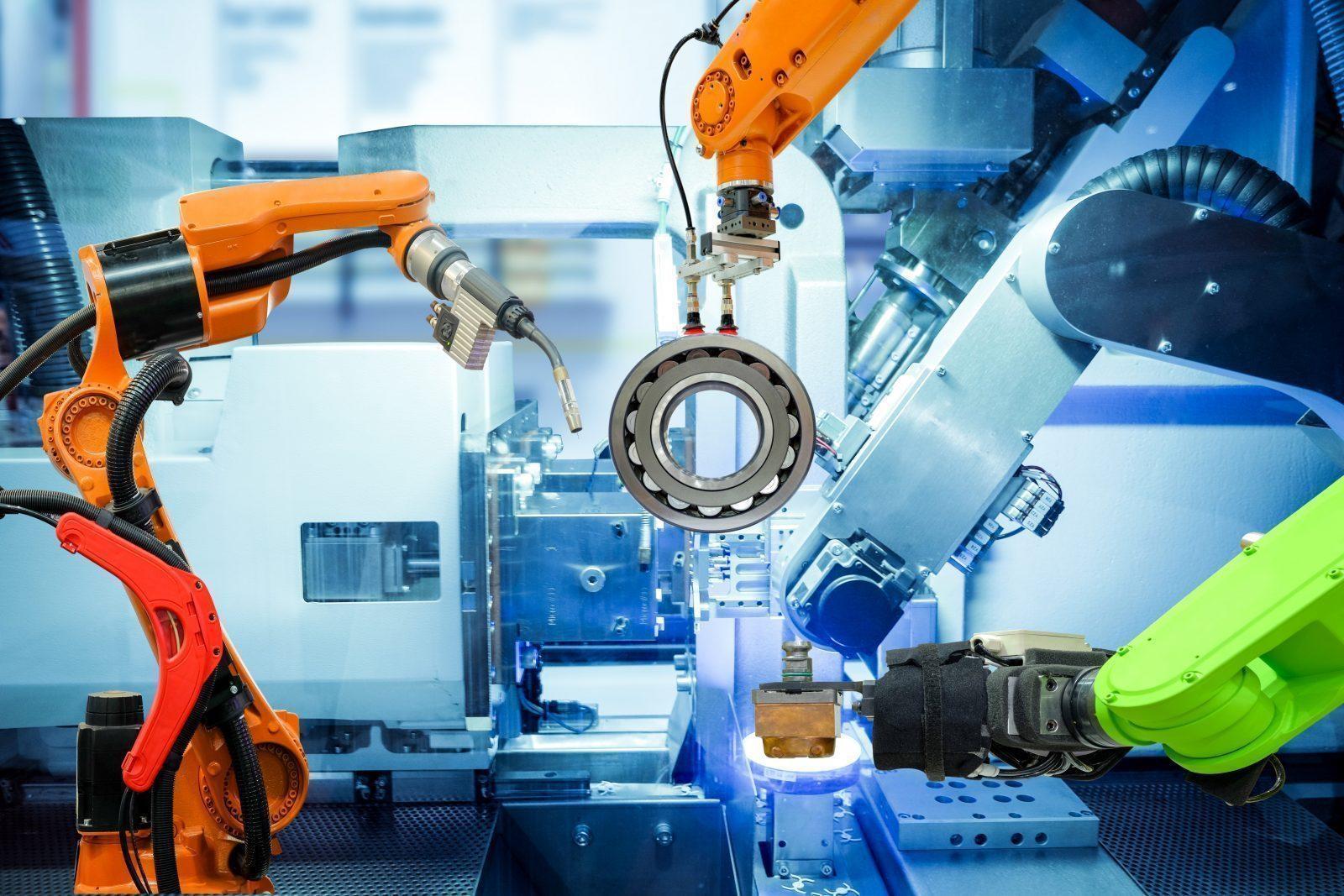
Leverage automation features to shorten modeling time
Understanding automation in 3D modeling on Google AI Studio
Google AI Studio provides powerful automation tools to optimize the 3D modeling workflow, from input data processing to final image rendering. Automation not only shortens execution time but also minimizes errors compared to traditional manual methods. According to Google reports, businesses applying AI in 3D design can save up to 40% of model deployment time.
For SMEs in Vietnam, leveraging these features helps businesses quickly experiment and bring products to market, while reducing operational costs. DPS.MEDIA always focuses on integrating automation to enhance digital marketing strategies for clients.
Checklist for applying automation in 3D modeling
- Prepare diverse input data: Images, technical drawings, CAD files to optimize model quality.
- Use pre-built templates: Google AI Studio supports various design templates to speed up the modeling process.
- Integrate models with marketing tools: Automatically post and update content on media channels.
- Automated checking and fine-tuning: Use AI algorithms to automatically detect errors and improve model details.
NOTE: Automation is a powerful support tool but does not completely replace the human factor. The coordination between the creative team and technology will bring optimal efficiency.
Comparison table of 3D modeling speed between manual and automated methods on Google AI Studio
| Method | Average time | Accuracy | Incurring additional costs |
|---|---|---|---|
| Manual | 5-7 days | 85% | High labor cost |
| Automation (Google AI Studio) | 2-3 days | 92% | Lower software and deployment costs |
Takeaway: Applying automation in 3D modeling not only shortens production time but also improves quality and minimizes operating costs. For SMEs, especially when receiving strategic consulting from units like DPS.MEDIA, this is a necessary step to stay ahead of the digital transformation trend in marketing.
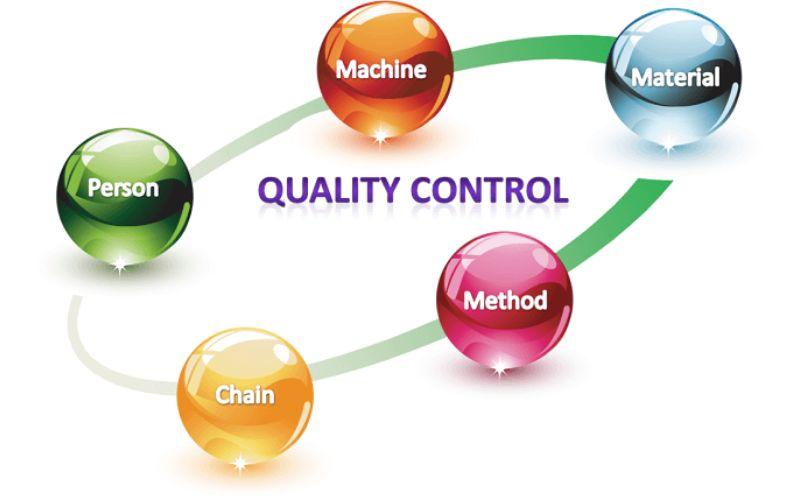
How to control quality and adjust 3D models to fit marketing objectives
Orientation and quality standards for 3D models
For 3D models to truly be effective in marketing strategies, quality control right from the design stage is key. DPS.MEDIA recommends that SMEs define clear standards, including resolution, detail ratio, and multi-platform compatibility. For example, a standard 3D marketing model often requires a minimum 4K resolution to ensure sharp images on both large and small screens. At the same time, adhering to technical standards helps models easily integrate on modern digital platforms such as websites, social networks, or AR applications.
Analysis and adjustment based on user feedback
Do not consider 3D modeling as the final step, but rather as a continuous process that needs to be optimized based on real data. DPS.MEDIA suggests using user behavior analysis tools, such as Google Analytics combined with heatmaps, to measure interaction levels with 3D models. Metrics like viewing time, click or share rates will serve as the basis for adjusting model details, from colors to layout and motion effects, to increase appeal and deliver messages more effectively.
Checklist for controlling and adjusting 3D models
- Define strategic goals: Brand communication, promotions, or customer interaction.
- Technical check: Resolution, file size, and platform compatibility.
- Analyze interaction behavior: Track user data and direct feedback.
- Adjust design: Colors, details, and effects suitable for the target audience.
- Multi-device testing: Ensure the model displays correctly on desktop, mobile, and AR/VR.
| Factors | Standards | Control solution |
|---|---|---|
| Resolution | Minimum 4K | Use professional rendering software, check output |
| File size | Under 50MB for fast loading | Optimize textures, reduce polygons if necessary |
| Platform compatibility | Web, Mobile, AR/VR | Test in reality on multiple devices and browsers |
| User feedback | At least 80% positive reviews | Continuously collect and process feedback |
Takeaway: Efficient management and adjustment of 3D models is a stepping stone for successful digital marketing campaigns, especially for SMEs needing to optimize resources and target the right customers. DPS.MEDIA emphasizes that flexibility in design and monitoring real data will help brands sustainably increase recognition and engagement.

Applying 3D models in building interactive content to attract SME customers
Create ultra-fast 3D models on Google AI Studio
In an increasingly competitive environment, applying 3D models helps SMEs create unique and eye-catching interactive content, which is becoming a prominent trend. Google AI Studio provides tools to quickly create 3D models, helping businesses save costs and development time. According to MarketsandMarkets, the 3D modeling technology market is expected to grow by more than 23% annually until 2027, showing the special appeal of this format.
Outstanding advantages of using 3D in digital marketing
3D models enable customers to interact directly with products or services through digital platforms, enhancing user experience. 3D content helps increase the time visitors stay on the website by up to 40%, while also boosting conversion rates. Especially for SMEs, this is a tool to make the brand stand out in a highly competitive digital market.
Checklist for deploying 3D models for SMEs
- Define interactive content goals: product presentation, service experience, or usage instructions.
- Use Google AI Studio to quickly create 3D models, saving production resources.
- Integrate 3D models into websites or social media channels to optimize customer experience.
- Track and analyze engagement effectiveness to adjust content strategy accordingly.
| Criteria | Benefits of applying 3D | How to optimize with Google AI Studio |
|---|---|---|
| Development time | Shorten by up to 50% compared to traditional methods | Use available templates and AI-powered automation |
| Increased engagement | Keep visitors on the website longer | Place visual models directly on the homepage or landing page |
| Cost | Save content production budget | Reduce outsourcing, leverage AI and integrated tools |
Takeaway: 3D models quickly created on Google AI Studio are a breakthrough solution helping SMEs build engaging interactive content, save costs, and increase marketing effectiveness. Proper investment will help businesses not only enhance their brand but also increase conversion rates on digital platforms.

Analysis of strengths and limitations when deploying 3D models with Google AI Studio
Strengths of using Google AI Studio for 3D modeling
Google AI Studio mang đến khả năng tạo mô hình 3D siêu tốc nhờ tích hợp công nghệ trí tuệ nhân tạo tiên tiến. Điều này giúp giảm đáng kể thời gian thiết kế, từ hàng tuần xuống còn vài giờ – hỗ trợ doanh nghiệp SME tiết kiệm nguồn lực đáng kể. Môi trường làm việc trực quan, dễ sử dụng cũng giúp người dùng không chuyên về lập trình vẫn có thể triển khai nhanh chóng.
Additionally, Google AI Studio supports multiple platforms, making it easy to apply models to digital marketing channels such as websites, social networks, or virtual reality experiences, increasing customer engagement. According to a Google survey (2023), 68% of SMEs applying 3D technology reported at least a 15% revenue growth.
Limitations and challenges to note
Despite its great potential, Google AI Studio still has some limitations in deep customization and cannot fully replace traditional 3D design tools for complex projects. Relying on AI may also lead to risks in accuracy and creativity if operators lack experience.
Moreover, the cost of using advanced features and data storage on this platform can put pressure on small businesses. Additionally, information security factors should be considered when deploying 3D models containing sensitive data.
Checklist for effective 3D model deployment with Google AI Studio
- Assess needs and clear objectives before starting a 3D project.
- Prepare high-quality input data to ensure model accuracy.
- Train or use a team skilled in operating AI Studio effectively.
- Regularly check and optimize 3D models based on user feedback.
- Ensure strict data management and privacy policies.
| Criteria | Advantages | Limitations |
|---|---|---|
| Model creation speed | Fast, time-saving | Difficult to optimize for complex projects |
| Ease of use | User-friendly interface, suitable for beginners | Limited advanced customization |
| Cost | Effective with basic packages | High cost when expanding or using advanced features |
| Security | Google's security system is guaranteed | Strict data management processes are required |
Takeaway: Google AI Studio offers a fast, cost-effective, and SME-friendly 3D design experience. However, balancing creativity, cost, and security is key to fully leveraging the power of this platform in digital marketing strategies.

Practical advice to enhance the effectiveness of AI technology in online marketing
Maximize the potential of AI in creating 3D models on Google AI Studio
Google AI Studio opens up new opportunities for SMEs with ultra-fast 3D modeling features, helping to enhance online customer experience. According to a Statista 2023 survey, 68% of online users said they find it easier to make purchasing decisions when they can interact with 3D product images. However, to utilize it effectively, businesses need standardized processes and clear strategies from content creation to actual implementation.
Practical checklist to optimize effectiveness
- Understand usage objectives: Identify products and services suitable for 3D modeling to avoid wasting resources.
- Prepare high-quality input data: Images, dimensions, and detailed characteristics help AI create accurate models.
- Smart integration: Combine 3D models with existing marketing platforms such as websites and social media to maximize reach.
- Continuous measurement and optimization: Use metrics such as interaction time and conversion rate to adjust strategy.
Applying and measuring the effectiveness of AI technology in online marketing
According to Deloitte's 2024 report, 54% of businesses applying AI in online marketing recorded at least a 20% increase in conversion rates. However, success comes not only from technology but also depends on the ability to analyze data and continuously improve. DPS.MEDIA recommends that SMEs combine ultra-fast 3D modeling techniques with customer behavior analysis to set up high-quality personalized campaigns.
| Criteria | Measurement indicators | Meaning |
|---|---|---|
| Interaction time | Average per session (minutes) | High indicates greater customer interest |
| Conversion rate | % of purchases / total visits | Increase revenue and campaign effectiveness |
| Bounce rate | % of users who leave the site quickly | A decrease indicates engaging content that retains customers |
Takeaway: To fully leverage AI technology in online marketing, SMEs need to apply a systematic process in 3D modeling and flexibly integrate it into the overall strategy. The combination of accurate data, modern technology, and customer behavior analysis is the key to optimizing communication effectiveness and revenue growth.
My journey ahead
Google AI Studio helps you create 3D models quickly and easily. The integrated Veo AI tool delivers an efficient creative experience.
Try creating 3D videos with Veo AI today. Discover creativity and enhance your design skills.
You can learn more about optimizing digital marketing strategies for SMEs. New technology solutions always support businesses to excel.
DPS.MEDIA always accompanies you on your digital transformation journey. Share your opinions and experiences in the comments section below!




