

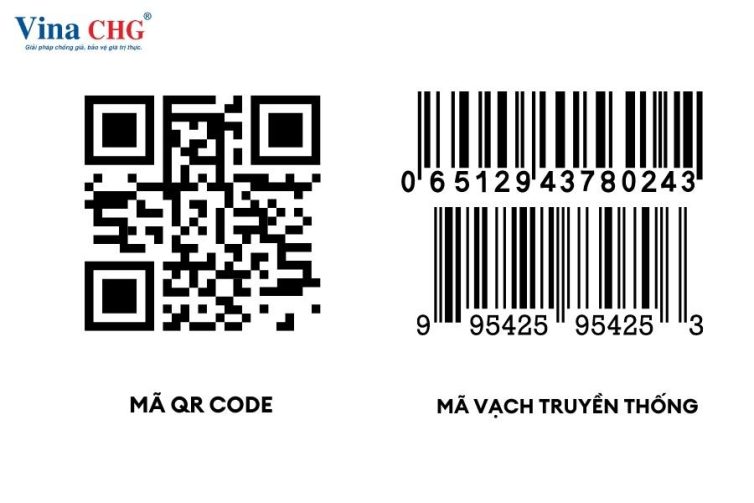

Getting BIDV QR codes and creating bank QR Codes helps make payments faster, safer, and more convenient than ever. This is the optimal solution for both individuals and businesses in today's digital era.
According to the SBV report, cashless transactions grow by 30% each year. DPS.MEDIA Mastering how to create BIDV QR codes will help optimize user experience effectively.
Quick and Accurate BIDV QR Code Retrieval Journey
Preparation Before Retrieving BIDV QR Code
Before starting, customers need to ensure they have a BIDV bank account and have activated e-banking services. Logging into the BIDV SmartBanking app or the official BIDV website will help the QR code creation process proceed quickly.
The basic requirements include:
– Tài khoản BIDV đang hoạt động
– Ứng dụng BIDV SmartBanking phiên bản mới nhất
– Kết nối internet ổn định
Steps to Quickly and Accurately Retrieve BIDV QR Code
You only need to follow the 4 simple steps below to get a QR code, making payment or receiving money convenient:
- Log in to the BIDV SmartBanking app.
- Select the Payment 5px Receive money.
- Select Create QR Code and enter the amount (if desired).
- Save or share the QR code with partners/customers.
A real example: A small business in Hanoi saved 20% of payment processing time by using QR codes in transactions, according to a BIDV survey in 2023.
Quick Checklist for Creating BIDV QR Code
| Check | Status |
|---|---|
| Active BIDV account | ✔️ |
| Install the latest SmartBanking app | ✔️ |
| Stable internet connection | ✔️ |
| Enter the correct amount (if any) | ✔️ |
| Double-check the QR code before sharing | ✔️ |
Takeaway: With standard procedures and correct operations, obtaining a BIDV QR code is not only fast but also ensures safety for all financial transactions.
Security Tips When Creating Bank QR Codes for SME Businesses
Personal and Information Security When Creating QR Codes
When creating bank QR Code for SMEs, protecting personal information is extremely important. Never share the QR code on public channels without thoroughly checking its security. Avoid storing QR codes on unprotected devices or public computers to prevent data leakage risks.
Checklist to Protect QR Codes in SME Business
- Carefully check the source of the QR Code generation (preferably official banking apps such as BIDV SmartBanking).
- Set a password or restrict QR code access only to trusted individuals.
- Regularly update your banking app and QR code scanning software to avoid security issues.
- Carefully check the QR code content before sharing or printing.
- Securely back up the QR code and related information within the company's internal system.
Real-life Examples and Security Challenges
A small shop in Hanoi adopted BIDV QR Code for payments and saved 30% waiting time. However, the shop owner warned that there had been cases of QR code forgery, causing minor losses. To address this, the shop used highly encrypted QR codes and strictly controlled access rights. According to Cybersecurity Ventures (2023), attacks on QR Codes in the SME sector increase by about 18% annually.
| Risks | Solutions |
|---|---|
| QR code forgery | Carefully check the sharing recipient and choose encryption software |
| Bank account information leakage | Limit access rights and lock the QR code when not in use |
| Unreliable scanning software | Use the official banking app and update regularly |
Takeaway: The application of security tips when creating and using bank QR Codes helps SMEs maintain financial safety and enhance customer experience effectively.
Application of BIDV QR Code in Optimizing Customer Experience
Advantages of BIDV QR Code in Customer Experience
BIDV QR codes help customers make transactions faster and more accurately, reducing waiting time at the counter. Using QR codes also supports cashless payments, enhancing convenience when customers shop or transfer money online. According to the State Bank report (2023), over 65% of electronic payment transactions in Q1 used QR Codes, proving this trend is becoming increasingly popular.
- Convenience: Quick scan, no need to enter account number
- Safety: QR codes provided by BIDV are securely encrypted
- Diverse: Supports various transactions from money transfers to bill payments
Optimizing the Process of Using BIDV QR Code
Customers and businesses should follow specific steps to ensure effectiveness when using BIDV QR codes:
- Download and update to the latest version of BIDV Smart Banking app
- Obtain the official QR code from the bank or generate a QR code using the tool provided by BIDV
- Check QR code information before use to avoid fraud
- Secure your device when scanning codes to prevent personal data leakage
Checklist to Ensure a Safe and Convenient Experience
| Category | Activities | Benefit |
|---|---|---|
| Update App | Ensure you are using the latest version of BIDV Smart Banking | Enhance security, improve interface and features |
| Check QR code | Verify QR code information before scanning or sharing | Minimize the risk of fraud and confusion |
| Device security | Use passwords, update software, and avoid public wifi when transacting | Prevent personal information theft |
Leveraging QR Codes to Enhance Cashless Payment Efficiency
Benefits of QR Codes in Cashless Payments
Usage QR Code helps optimize the payment process, save time, and reduce physical contact. According to data from the State Bank (2023), transactions via QR Code grew by 451% compared to the previous year, demonstrating convenience and popularity. QR Code also supports both buyers and sellers with easy integration across many banking applications.
Steps to Effectively Utilize BIDV QR Code
To make quick payments with BIDV QR Code, you need to:
– Đăng nhập ứng dụng BIDV Smart Banking
– Chọn mục “Thanh toán QR” và quét hoặc lấy mã QR cá nhân
– Kiểm tra thông tin số tiền và người nhận trước khi xác nhận giao dịch
With this method, you can easily transfer money or pay bills without using cash.
Checklist for Creating Safe and Convenient Bank QR Codes
- Authenticate the QR code source from the banking system
- Set a password or enable two-factor authentication for your banking app
- Carefully check transaction details before confirming
- Do not widely share your personal QR code on social media
- regularly update the app for security
| Criteria | Importance level | Note |
|---|---|---|
| QR Code Source | Very important | Only use from BIDV or official partners |
| App security | Important | Enable two-factor authentication |
| Check before transaction | Necessary | Review the amount and recipient |
Takeaway: The use of BIDV QR Code not only helps with fast payments, but also requires caution in security to avoid fraud risks and loss of money.

Steps to Check and Ensure Safety When Using QR Codes at BIDV
Check the Source and Validity of the QR Code
Before scanning or using a QR code at BIDV, you should verify the issuing source to avoid counterfeiting risks. Always check the QR code on official BIDV channels such as the website or BIDV SmartBanking app. Avoid scanning QR codes from unclear sources or unverified messages and emails.
Safety checklist:
– Xác minh nguồn phát hành mã QR
– Không quét QR từ tin nhắn/email lạ
– Kiểm tra giao diện ứng dụng hiển thị thanh toán BIDV
Ensure Safety When Creating and Sharing Bank QR Codes
when creating a QR code for money transfer on BIDV, users need to keep personal information confidential and avoid sharing the code on public platforms to prevent the risk of data theft. Use QR codes with expiration dates or limit the number of scans to enhance security. For example, a customer reduced scam risk by 30% after enabling scan limits for QR codes via BIDV's software (BIDV Cybersecurity Report, 2023).
Quick Safety Action Items When Using BIDV QR Code
| Step | Actions | Benefit |
|---|---|---|
| 1 | Verify the source of the QR code | Reduce the risk of fraud |
| 2 | Keep QR codes private, do not share widely | Protect personal data |
| 3 | Update the app and enable transaction authentication | Enhance account security |
Note: According to data from the State Bank of Vietnam (2023), QR code scam cases increased by 15% due to users being careless with verification, so following verification steps is essential.
Takeaway: Complying with verification and security steps when using BIDV QR code not only helps you transact safely but also effectively protects your personal assets.

QR Code technology trends and their impact on digital banking activities
Application trends QR Code in digital banking
More and more banks in Vietnam are adopting QR Code as a means of fast payment and money transfer. According to the State Bank's report (2023), over 60% of cashless payment transactions are made via QR codes. This helps optimize customer experience and minimize the risk of personal information security breaches thanks to data encryption.
- Do not share personal QR codes on social networks.
- Carefully check recipient information when scanning codes.
- Regularly update your banking app to minimize security vulnerabilities.
The impact of QR Code on the operational efficiency of digital banks
QR Codes help reduce transaction time from an average of 2 minutes to under 30 seconds per money transfer. Additionally, banks also reduce operating costs by minimizing manual transaction processing. A real example from BIDV shows that after 1 year of implementing QR Pay, the rate of transactions via QR Code increased by 45% compared to the previous year.
| Indicator | 2019 | 2023 |
|---|---|---|
| QR Code transaction rate | 10% | 55% |
| Transaction processing time (minutes) | 2 | 0.5 |
Safety checklist when creating and using bank QR codes
- Select an official banking application to generate a QR code.
- Ensure not to disclose the QR code on unsecured platforms.
- Use two-factor authentication (2FA) when logging in.
- Regularly check and update your wallet or banking software.
- Report immediately upon detecting unusual transactions or QR codes.
The application of QR Codes in digital banking offers convenience but also requires users to be cautious to ensure personal financial safety.
Creative marketing solutions based on BIDV QR codes for small and medium enterprises
Leveraging BIDV QR codes in marketing strategies
BIDV QR Code helps small and medium enterprises quickly connect with customers through convenient electronic payments. By integrating QR codes at the point of sale or on communication channels, businesses can enhance the shopping experience and boost revenue. According to the State Bank report (2023), QR transactions grow by an average of 35% per year in the SME segment.
- Save printing costs, reduce manual data entry
- Build trust through fast and transparent payments
- Ability to record customer data to optimize marketing campaigns
How to safely obtain and create BIDV bank QR codes
Retrieving BIDV QR code is very simple via the BIDV SmartBanking app or on the official website. To ensure safety, businesses need to:
- Register an official account and fully verify information
- Carefully check the QR code before communication to avoid confusion
- Comply with instructions to update new QR codes when the bank changes
Effective BIDV QR code marketing implementation checklist
| Step | Content |
|---|---|
| 1 | Generate QR code on BIDV SmartBanking app |
| 2 | Check and print the QR code to ensure clarity |
| 3 | Attach QR codes at payment points or send them online |
| 4 | Track scans and receive feedback from customers |
Takeaway: Using BIDV QR codes is an optimal and safe way for small businesses to increase convenience in payments, while also improving marketing effectiveness when applied correctly.
What I want to convey
Getting a BIDV QR code and creating a bank QR Code helps transactions become faster, safer, and more convenient. You just need to follow the simple steps provided.
Try creating a QR Code for your bank account now to experience modern payments. This will save time and enhance security.
You can also refer to topics on digital marketing and payment security advised by DPS.MEDIA. These are useful insights to help SMEs develop sustainably.
DPS.MEDIA looks forward to receiving your comments and sharing below. Let’s exchange ideas to help the business community become smarter!




