

TikTok Shop has become a popular platform for individuals and businesses to sell their products and services. With a large user base and attractive features, TikTok Shop offers a great opportunity for sellers to reach potential customers. However, when posting and promoting products on TikTok Shop, it is important to pay attention to certain regulations to minimize the risk of shop suspension. In this article, let's DPS learn about the following topics: Notes when posting products on TikTok Shop, What to do when you are reported for violations on TikTok Shop, Fake view buff on TikTok Shop, Product pricing on TikTok Shop, Adding products on TikTok Shop.

Notes when listing products on TikTok Shop
When posting your product on TikTok Shop, there are some important points to note:
Choose attractive and high-quality images
Product images play an important role in attracting customers' attention. Make sure to choose high-quality, clear images that fully showcase the product's features. Invest in the background and use good lighting to increase professionalism and attract customers.
Describe the product in detail and attractively
Describe your product in detail and engagingly so that customers can clearly understand the product's features, functions, and benefits. Use clear language, avoid using too many promotional words or prohibited content such as: mentioning other platforms, leaving contact information (phone number, address, etc.), describing negative phenomena (violence, pornography, fraud, incitement, horror, etc.), racist and sexist language. Especially products in sensitive industries such as aesthetics & medicine should avoid using words like cure, treat, recover, end disease, completely clean, 100%, definitely, clear acne/melasma, etc. Remember that your goal is to provide accurate and useful information so customers can make a purchasing decision.
Set a reasonable product price
Setting the product price is an important part of attracting customers and ensuring your profit. Research the market and consider the prices of similar products on TikTok Shop. Make sure your product price is competitive and matches the value customers are willing to pay.
Focus on customer reviews
Customer reviews and feedback can build trust and encourage other customers to be interested in your product. Encourage customers to leave reviews and feedback after purchasing. For negative reviews and feedback, consider them to improve your product and service.
Suitability level of the listed product
Not every product on other e-commerce platforms such as Shopee, Tiki, Lazada can be listed on TikTok Shop; all must go through TikTok's review team.
Guide to uploading products to TikTok Shop for beginners
Below are the basic steps to list products on TikTok Shop, save and apply them right away!
Step 1: Access TikTok Seller
First, you need to access the TikTok Shop admin page via the link: https://seller.tiktok.com/, then simply log in with your previously registered TikTok account.
Or if you want to list products using your phone, just download the TikTok Seller app to your device.
- TikTok Seller Android on CH Play
- TikTok Seller IOS on App Store
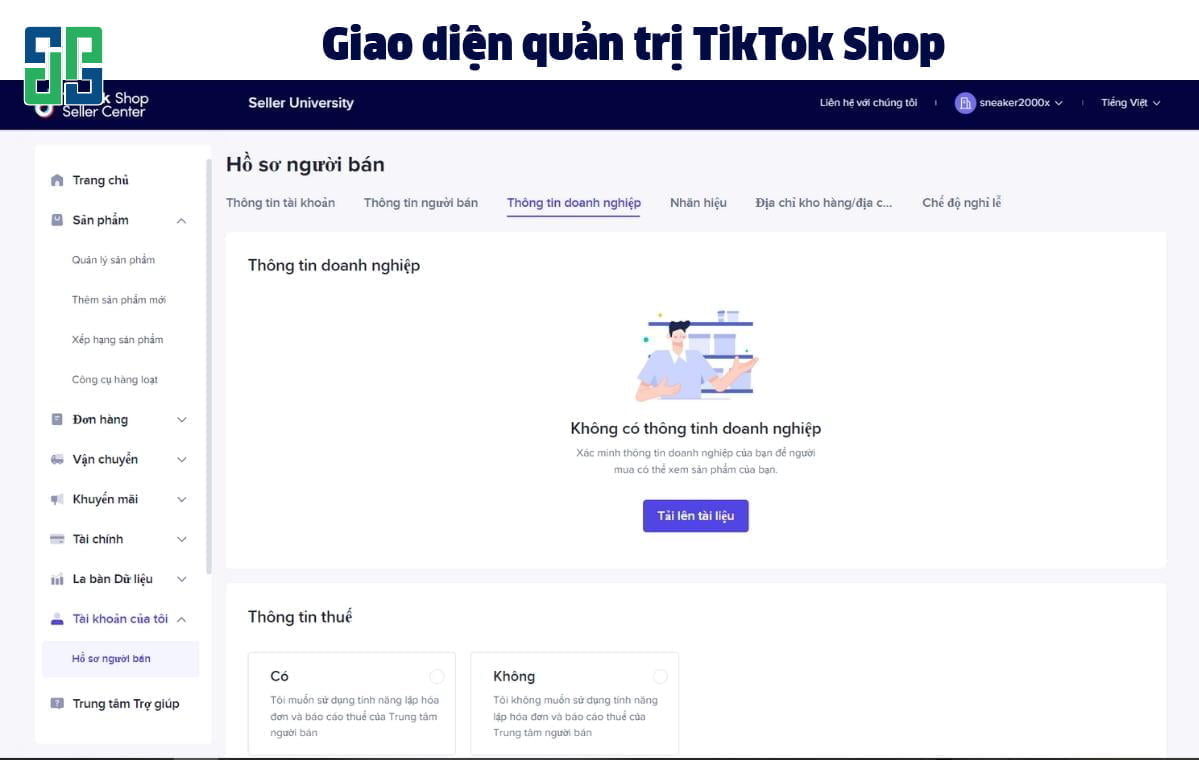
Step 2: Add a new product to TikTok Shop
After accessing the seller page, click Products > Manage Products > Add New Product to be able to add products to TikTok Shop.
Step 3: Fill in the basic information fields
Filling in the information fields is an important step in the process of listing products on TikTok Shop, including: Product name, Category, and Brand. If the brand's eligibility has been approved on TikTok Shop, the word “Approved” will appear below the brand.
Additionally, to increase the credibility of your store, you should also upload relevant certificates to confirm that you are the brand owner or an authorized agent of the brand at various levels.
Step 4: Add a product description
At this step, you need to fill in the detailed product description according to the following instructions:
– Product information:
- Describe in text and bullet points, provide as much detail as possible but don't be too lengthy or rambling
- Add up to 30 banners with related images
- Give the product a clear name, including its features such as size, weight, scent, etc.
– Product images:
- Each product can upload up to 9 images
- Image ratio is 1:1
- Minimum image size: 600x600px
- Maximum image upload size is 5 MB
– Add size images: This content is optional.
– Attributes:
- Select Brand. If the product has no brand, select No brand
- Add some other information about the attributes. This section is optional
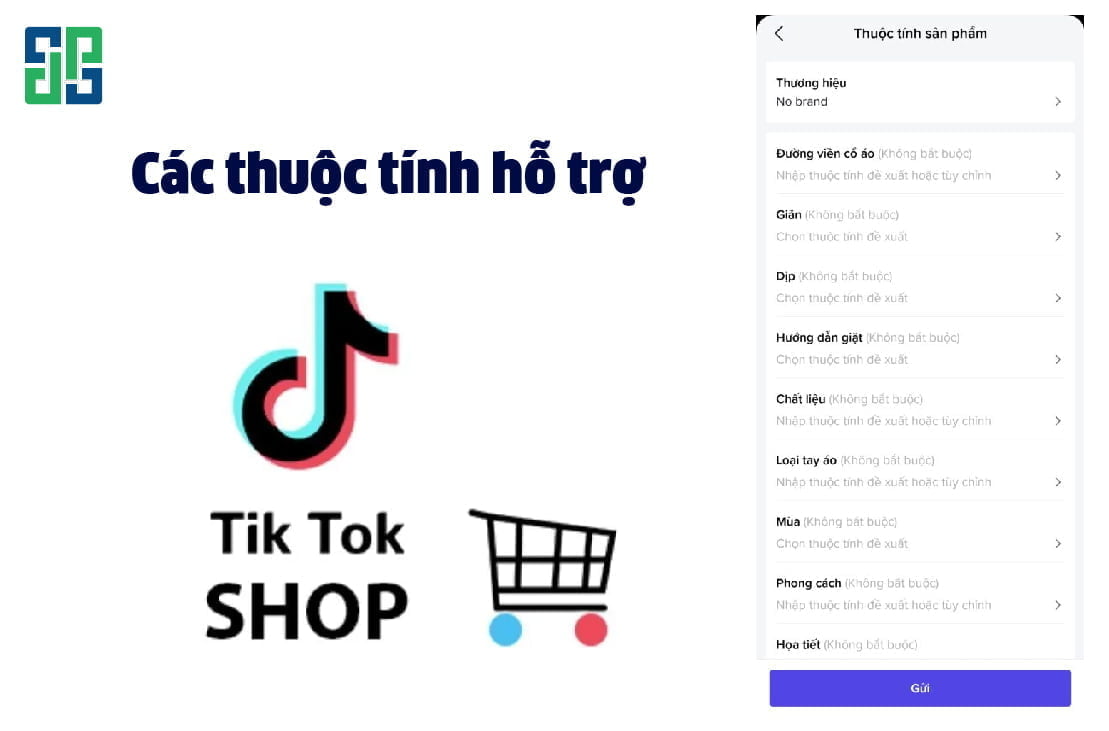
– Select product category: To optimize sales efficiency, sellers need to choose the category that fits the product you want to sell on TikTok Shop.
– Select variations:
- Choose Single variant or Multiple variants as appropriate for the product listing
- Enter retail price (Unit: VND) and stock quantity
– Weight: Please estimate the parcel weight (g) (including dimensions after packaging), then select the appropriate classification.
– Dimensions (Optional): Enter product dimensions to better describe the product.
– Cash on delivery: When clicking this button, it means you allow users to pay upon receipt of goods, instead of only being able to pay online.
Additionally, you can also add a product introduction video to make the product more lively. When making a TikTok Shop video, pay attention to the following factors:
- Video ratio: 1:1, 9:16 or 16:9
- Maximum video size is 20 MB
Step 5: Choose the product category
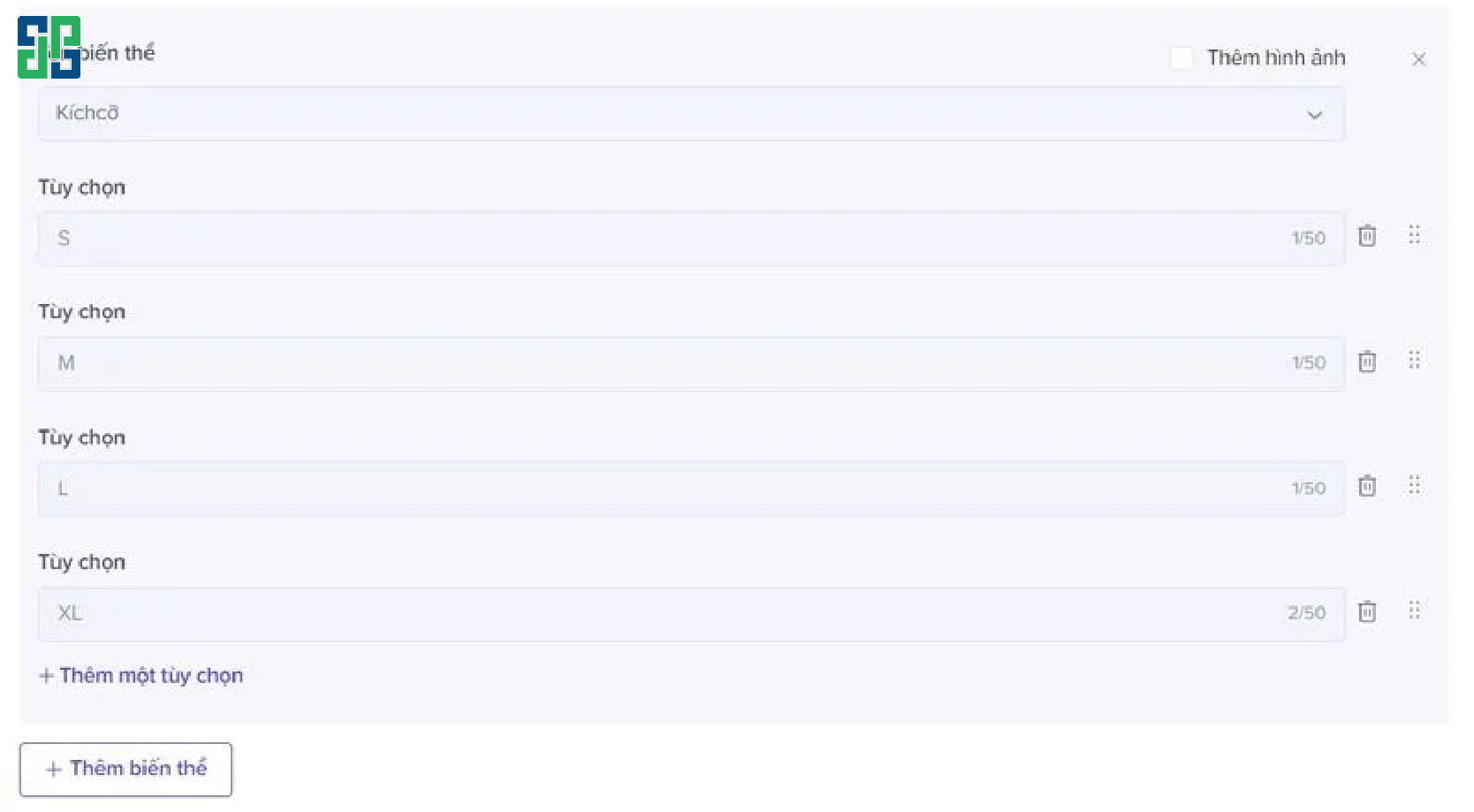
- Product variants: Depending on the characteristics of each category such as size, material, color, you can choose the appropriate classification. Currently, the TikTok Shop platform supports setting up to 3 types of classifications per product, and you can add descriptive images for each variant for easier visualization.
- SKU list: Here, you enter the price of the SKU, initial inventory quantity, and SKU name if you need to use it for separate identification (optional)
Step 6: Select the appropriate export option
After you have filled in all the necessary information above, there will be 3 options at the bottom of the page for you to operate:
- Remove: Delete all product descriptions just entered above
- Save as draft: Save the current description but the product will not be sent to the approval process yet. You can continue to adjust this product information
- Submit: The product will be immediately sent to the TikTok review team
What to do when you receive a violation on TikTok Shop
If you are flagged for a violation on TikTok Shop, there are several steps you can take to resolve this issue:
Check the violation notification
Access your TikTok Shop account and check the violation notification. TikTok Shop usually sends notifications providing detailed information about the reason for the violation and the actions needed to remedy the situation.
Follow TikTok Shop's instructions
Comply with the instructions provided by TikTok Shop to remedy the violation. This may include editing or removing the violating content, reviewing your business process, or providing additional relevant information.
Contact TikTok Shop support
If you are unclear about the violation notification or need additional support, contact TikTok Shop's support team. They can provide detailed information and guidance to help you resolve the issue. You can contact them via TikTok Shop's online support channel, hotline, Help Center or related emails, including:
- Support email for TikTok Shop advertising: ads@tiktok.com
- Support email for matters related to TikTok Shop: business-servicesupport@tiktok.com
- Support email for matters related to TikTok Shop accounts: support@tiktok.com

Wait for verification and resolution
After you have taken remedial steps, please wait for the verification and resolution process from TikTok Shop. Processing time may depend on the specific situation and TikTok Shop's workload.
Comply with regulations and policies
To avoid future violations, make sure to comply with the regulations and policies of TikTok Shop. This ensures that your business activities on this platform are conducted legally and do not infringe on the privacy or intellectual property rights of others.
Note: If you feel that the violation is unfair or if there is any dispute, you can also consider contacting the support team to request a review of the decision.
Fake view boosting on TikTok Shop
Fake view buff is a common concept in advertising and increasing engagement on TikTok Shop. However, it should be noted that fake view buff may violate TikTok Shop's policies and is not encouraged. Below are some related details about fake view buff on TikTok Shop:
What is fake view buff?
Fake view buff is the process of increasing video views on TikTok Shop through unnatural methods. By using third-party services, users can purchase fake views to boost the popularity and engagement of their videos, creating credibility for their channel.
Impact of fake view buff
Fake view buff can create some temporary effects such as increasing views, followers, and engagement on videos. However, there is no guarantee that this engagement is actually from real users.
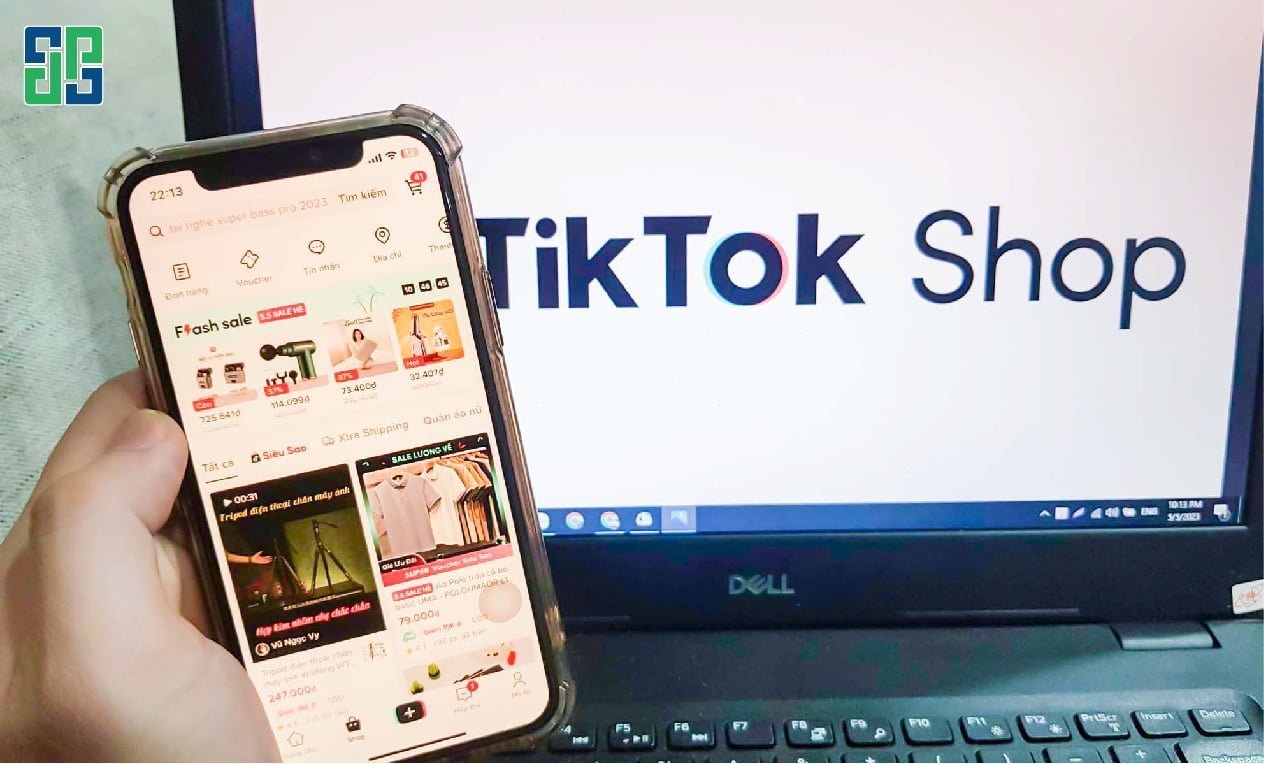
Risks of fake view buff
Fake view buff can have negative consequences for business activities on TikTok Shop. TikTok Shop has strict policies regarding the use of unnatural methods to increase views. If violations are detected, TikTok Shop may take actions such as reducing visibility, restricting activities, or suspending accounts.
Note: Using fake view buff can harm your credibility and trustworthiness on TikTok Shop. Instead, focus on building a truly interactive community and creating quality content to attract potential customers.
Product pricing on TikTok Shop
Setting and announcing product prices on TikTok Shop is an important part of doing business on this platform. Here are some suggestions and notes when quoting product prices on TikTok Shop:
Determine product value
Before quoting a price, determine the true value of the product. This includes factors such as product quality, technology, unique features, and the benefits the product brings to customers.
Research the market and competitors
Understanding market information and competitive pricing is very important. Research the comparable value of other products on TikTok Shop and consider competitive pricing to offer a reasonable and competitive quote.
Create unique value
To increase sales potential and achieve higher value, create special features in your product. This may include after-sales service, better quality, customer interaction, and special offers.

Show value through product description
When quoting product prices on TikTok Shop, focus on describing the product in a detailed and attractive way. Use descriptive words and information to showcase the value of the product and the benefits customers can receive.
Offer flexible options
When quoting product prices, consider offering flexible options for customers. This may include different product packages with varying prices and features, allowing customers to choose according to their needs and budget.
Note: Sellers can absolutely quote product prices in videos on TikTok Shop. Quoting product prices on TikTok Shop should be carefully considered and customized for each specific case. Refer to information from the market and competitors, and ensure the product value is presented honestly and attractively to customers.
Add products on TikTok Shop
Adding products on TikTok Shop is an important step to reach and attract customers on this platform. Here are some notes and guidelines when adding products on TikTok Shop:
Create a TikTok Shop account
First, you need to create a TikTok Shop account and verify your information. This ensures that you have the right to add and manage products on the platform.
Prepare product information
Before adding products, prepare complete information about your product. This includes product name, detailed description, high-quality product images, and other relevant information such as size, color, material, etc.
Use attractive images and videos
TikTok Shop allows you to upload images and videos of your products. Use high-quality, creative, and attractive images and videos to capture customers' attention.

Determine product category
During the process of adding products, determine the appropriate category for your product. This helps users easily search for and discover your products on TikTok Shop.
Tagging and keywords
Make sure to tag and use appropriate keywords to increase your product's visibility in search results. Use keywords related to the product, brand, and business field to optimize effectiveness.
Provide additional information
In addition to basic product information, provide additional information such as delivery policy, return policy, user manual, etc. This helps customers have a clearer view and more trust in your product.
Note: Make sure to comply with TikTok Shop's regulations and guidelines when adding products. If any issues arise, contact TikTok Shop's support team for answers and assistance.
Frequently Asked Questions (FAQs) about adding products on TikTok Shop
- How many products can I add on TikTok Shop?
Currently, TikTok Shop allows users to add up to 100 products per account.
- What requirements do I need to follow when uploading product images?
TikTok Shop requires product images to be high resolution, not infringe copyright, and not contain inappropriate content.
- How can I optimize my product to appear in search results?
To optimize product visibility in search results, use appropriate keywords, provide complete and quality information about the product, and optimize the product category.
- Can I edit product information after adding it to TikTok Shop?
Yes, you can edit product information after adding it to TikTok Shop. Access your account and find the product you want to edit to make changes.
- Can I offer promotions or discounts on products on TikTok Shop?
Yes, TikTok Shop allows you to offer promotions, discounts, or special offers for your products. This feature will help attract customers and increase sales.
Conclusion: Adding products on TikTok Shop is a great way to reach customers and expand sales. By preparing detailed information, leveraging features, and complying with TikTok Shop's regulations, you can build and run a TikTok Shop store that brings great profits.

Commitment
TikTok Shop is a “fertile land” if exploited correctly. If you don't know where to start, you can refer to TikTok Shop channel building services, increase video views, or buy TikTok accounts from DPS. Contact DPS for advice on TikTok Shop services!