Creating effective Microsoft Ads campaigns helps SMEs grow rapidly with optimal costs. More than 70% of ads with the right strategy achieve conversion rates 3 times higher than usual.
DPS.MEDIA has accompanied hundreds of Vietnamese businesses in smartly leveraging Microsoft Ads. Systematic planning and continuous optimization are the indispensable keys to success.
Clearly understand the business characteristics and objectives before starting the campaign.
SME business characteristics and the role of advertising campaigns.
For SMEs in Vietnam, financial and human resources are often more limited than large corporations. Therefore, each Microsoft Ads campaign needs to be streamlined and focused on specific objectives to maximize investment efficiency. According to Google research, 61% of consumers tend to prefer highly personalized ads, so understanding customer characteristics is an important starting point.
DPS.MEDIA emphasizes that no campaign is effective without correctly identifying the target customer segment and adjusting the message accordingly. Clearly understanding the characteristics of the product/service and user behavior helps minimize unnecessary costs and increase conversion rates.
Clearly define business objectives to guide the campaign.
Before starting to build a Microsoft Ads campaign, businesses need to set specific and measurable business goals. For example: increasing brand awareness, boosting sales, or collecting potential customer data. Clear objectives help select the right ad type (search, shopping, display, etc.) and optimize the budget more effectively.
A survey from HubSpot shows that 75% of successful marketing campaigns have clearly defined goals from the start. Therefore, DPS.MEDIA always advises clients to prepare detailed plans with specific KPIs to continuously evaluate effectiveness throughout the implementation process.
Preparation checklist before running a Microsoft Ads campaign
- Analyze industry characteristics: Understand the market, competitors, and customer needs.
- Determine campaign objectives: Choose SMART goals (Specific, Measurable, Achievable, Realistic, Time-bound).
- Segment target customers: Age, geographic location, interests, shopping behavior.
- Choose the appropriate advertising format: Search Ads, Shopping Ads, or Display Ads.
- Estimate and allocate budget reasonably: Prioritize the most effective channels and timing.
| Type of objective | suitable campaign | Key Performance Indicators (KPIs) |
|---|---|---|
| Increase brand awareness | Display Ads, Video Ads | Impressions, Reach, CTR |
| Drive sales | Search Ads, Shopping Ads | Click to Conversion, ROAS |
| Collect potential customer data | Lead Form Ads, Search Ads | Submission rate, CPL (Cost per lead) |
Takeaway: Analyzing the specific characteristics of the business and setting clear, measurable goals is the foundation for building effective Microsoft Ads campaigns for SMEs in Vietnam. DPS.MEDIA always encourages clients to invest time in this stage to maximize results and save advertising budget.
Choose appropriate keywords and optimize campaign structure
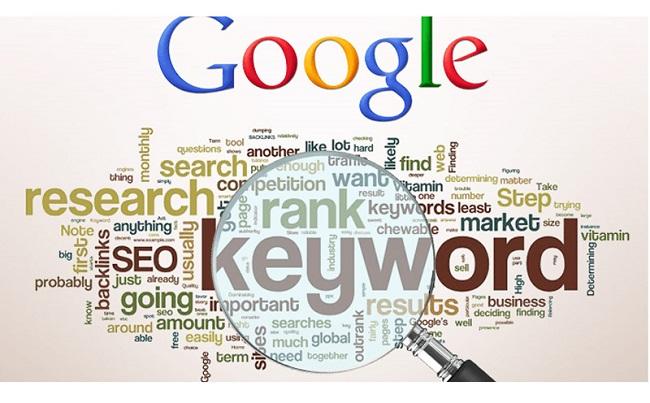
Understand the importance of keyword selection in Microsoft Ads campaigns
Choosing the right keywords is the foundation for Microsoft Ads campaigns to reach the right potential customers and increase conversion rates. According to DPS.MEDIA's digital marketing experts, thoroughly analyzing search volume, competition level, and keyword relevance helps save advertising budget more effectively. For example, a campaign running low-competition keywords with stable search volume can reduce cost per click (CPC) by up to 25% compared to popular keywords.
Optimize campaign structure to increase ad performance
A clear campaign structure, dividing ad groups by keyword topics, makes management and optimization easier. DPS.MEDIA always recommends grouping keywords by intent (purchase, research, comparison) to build suitable ad messages. Additionally, creating separate landing pages for each ad group is crucial to increase Quality Score from Microsoft Ads, helping reduce CPC and improve conversion rates.
keyword and campaign structure optimization checklist
- Thorough keyword analysis: Use the Microsoft Ads Keyword Planner tool to identify potential keywords and search trends.
- Keyword grouping: Segment by customer intent (purchase, research, comparison) to create targeted ad groups.
- Create relevant messages: Write ads that match each keyword group to increase CTR and quality score.
- Optimize Landing Page: Ensure the landing page content is closely related to the keywords and ads.
- Monitor and adjust: Monitor weekly performance metrics, adjust bids, and expand potential keywords.
| Factors | Role | DPS.MEDIA recommendations |
|---|---|---|
| Main keywords | Attract a large volume of targeted queries | Prioritize keywords with search volume >500/month and medium competition |
| Long tail keywords | Optimize costs, increase conversion rates | Choose specific keywords aimed at purchase actions |
| Ad group | Optimize messages tailored to each target group | Create groups of 5-10 closely related keywords |
Takeaway: Choosing the right keywords alongside a clear and optimized campaign structure will help you better control your budget and increase ad performance on Microsoft Ads. Applying these steps is the key to improving ROI for SMEs in Vietnam.
Design compelling ads with attractive headlines and clear calls to action
The role of headlines in Microsoft Ads campaigns
The title is the first element that attracts users when they see ads on Microsoft Ads. An attractive title not only helps increase the click-through rate (CTR) but also creates a professional impression with customers. According to research, ads with clear titles containing keywords related to the search can increase CTR by up to 30% compared to ads that do not optimize the title. DPS.MEDIA always encourages SME businesses to invest carefully in creating titles that are suitable for the target audience and product/service.
Elements for creating an effective Call to Action (CTA)
A call to action (CTA) helps guide customers to take the next step clearly and directly. The CTA should be concise, clearly show the benefit, or help users quickly understand what they will do next. Examples include “Buy now”, “Download for free” or ”Register to receive offers”. Research shows that specific CTAs can increase conversion rates from 20% to 50%, creating a significant impact for the campaign.
“Standard” headline and CTA design checklist from DPS.MEDIA
- Headline: Include main keywords and inspire action.
- Concise and succinct: Maximum 60 characters to ensure full display.
- Clear CTA: Use strong verbs such as “Get”, ”Discover”, ”Enhance”.
- Create urgency: Emphasize time or limited quantity.
- Highly relevant: Match the target audience by age group, interests, and behavior.
| Factors | Benefit | Note |
|---|---|---|
| Headline contains main keyword | Increase visibility in search results | Target the right audience |
| Clear CTA, call to action | Increase conversion rate | Encourage quick action |
| Concise, easy to understand | Optimized display on all devices | Not truncated on mobile |
Takeaway: Designing an attractive title combined with a clear call to action is the key to helping Microsoft Ads campaigns improve effectiveness and increase ROI for SME businesses. Properly implementing the steps recommended by DPS.MEDIA will help you create ads that are not only eye-catching but also highly convertible.

Leverage advanced targeting options to reach the right potential customers
Understand the true value of advanced targeting in Microsoft Ads
Advanced targeting in Microsoft Ads allows SMEs to accurately reach potential customer groups, thereby increasing advertising effectiveness. According to Microsoft data, campaigns that apply correct segmentation targeting can increase conversion rates by up to 30% compared to traditional methods. Understanding and accurately using targeting options such as geography, user behavior, device, and custom audiences is a key factor in optimizing advertising budgets more effectively.
Advanced targeting strategies to apply
To maximize the functions on Microsoft Ads, businesses need to segment customers based on actual behavior and needs. DPS.MEDIA often advises applying the following options: using lookalike audiences to expand clean customer files, targeting negative keywords to reduce wasted costs, and adjusting bids according to device and location to increase the ability to reach the most potential customers. Additionally, integrating CRM data helps personalize the user experience, delivering clear advertising effectiveness.
Advanced targeting application checklist
- Clearly define target customer profiles based on actual data
- Analyze user behavior and preferences through Microsoft Ads tools
- Set detailed targeting parameters: geographic area, language, device, time
- Use lookalike audiences to expand reach
- Check and adjust campaigns based on regular performance analysis
| Targeting Type | Purpose | Benefits |
|---|---|---|
| Geography | Reach customers by specific geographic area | Cost savings, budget optimization |
| Behavior | Target customers with relevant interaction behaviors | Increase interaction quality, improve conversion rate |
| Custom audience | Deliver ads to a private customer list | Ensure reaching the right target group |
Takeaway: Taking advantage of advanced targeting options in Microsoft Ads is the key to making advertising campaigns both effective and budget-saving. SMEs need to build detailed strategies, experiment diversely, and closely monitor to make timely adjustments and optimize advertising investment results.

Monitor and analyze campaign performance through key metrics
Understand the core metrics in Microsoft Ads campaigns
To optimize advertising effectiveness on Microsoft Ads, tracking metrics such as CTR (Click-Through Rate), CPC (Cost Per Click), and Conversion Rate is extremely important. For example, according to data from Microsoft Advertising, the average CTR in the retail sector reaches about 3.5%, helping to increase the ability to reach target customers. These metrics not only reflect the level of engagement but also help SMEs adjust their budgets in the right direction, avoiding wasted investment.
Analyze data to boost campaign effectiveness
DPS.MEDIA always emphasizes the use of data analysis tools to evaluate user behavior and market trends in detail. Combining data from Microsoft Ads with tools like Google Analytics allows businesses to capture the customer journey from the first click to the final conversion. By identifying strengths and weaknesses in the campaign, businesses can promptly optimize content, target audiences, and bidding methods more effectively.
Checklist to perform when monitoring performance
- Regularly check key metrics such as CTR, CPC, CPA (Cost per Acquisition) daily or weekly.
- Compare performance between ad groups and keywords to eliminate ineffective parts.
- Set up automatic alerts when costs exceed the budget or conversion rates drop sharply.
- Run A/B tests to find the most attractive message and ad format.
- Use data to optimize the budget flexible allocation based on actual performance.
| Metric | Meaning | Retail industry average (Source: Microsoft Advertising) |
|---|---|---|
| CTR (Click-through Rate) | Percentage of ad viewers who click on the link | 3.5% |
| CPC (Cost per click) | Average cost per click | About 1.2 USD |
| Conversion Rate | The rate of customers taking the target action | 2.1% |
Takeaway: Accurately tracking and analyzing performance metrics helps Vietnamese SMEs not only increase advertising effectiveness on Microsoft Ads but also ensure the budget is used appropriately. DPS.MEDIA recommends that you proactively check and continuously optimize to achieve the best ROI in each campaign.

Optimize budget and adjust bids to achieve the highest ROI
Understand the budget and bidding mechanism on Microsoft Ads
Managing budgets and adjusting bids accurately is the key to optimizing Microsoft Ads campaign effectiveness for SMEs. According to DPS.MEDIA's experience, advertisers need to closely monitor cost fluctuations to avoid waste and ensure profitability. For example, with a daily budget of about 500,000 VND, flexibly adjusting bids based on the performance of ad groups helps increase conversion rates by more than 25% after 1 month of implementation.
Microsoft Ads operates on an auction mechanism, in which the bid you set will determine the ad position. If the bid is too low, the ad may be limited in display; conversely, if the bid is too high, it can drive up costs without a corresponding increase in effectiveness.
Budget optimization strategy and bid adjustment
DPS.MEDIA recommends applying a model of regular monitoring and adjustment based on actual collected data. You should prioritize adjusting bids for keywords, devices, and geographic locations with high conversion rates. This helps optimize cost per conversion (CPA), thereby improving overall ROI.
However, note to lower bids or pause underperforming ad groups to reallocate budget to more profitable channels. According to statistics from actual campaign deployments, detailed bid adjustments help SMEs save up to 20-30% of their marketing budget while still achieving expected conversion goals.
Callout: Always use weekly ad group performance reports to flexibly raise or lower bids. A successful campaign is a continuous cycle of balancing budget based on real data.
Action checklist to help optimize budget and bids
- Check daily spending budget to ensure it does not exceed the planned limit.
- Classify keywords and ad groups by conversion effectiveness to prioritize bid adjustments.
- Use Microsoft Ads' automated bid adjustment tool based on CPA or ROAS targets.
- Regularly monitor KPIs such as CTR, CPC, and CPA to make timely decisions.
- Reevaluate the campaign every 7-10 days to optimize budget and overall performance.
| Number only | Meaning | Recommended action |
|---|---|---|
| CTR (Click-Through Rate) | Measures the attractiveness of the ad | Increase bids for keywords with high CTR, decrease bids if CTR is low |
| CPC (Cost Per Click) | The cost you pay for each visit | Monitor to avoid exceeding the target budget |
| CPA (Cost Per Action) | Cost per conversion such as registration or purchase | Prioritize adjusting ad groups with low CPA to increase ROI |
Takeaway: Optimizing budget and bids is not a one-time task but requires continuous maintenance, relying on real data to improve advertising effectiveness. DPS.MEDIA believes that with a strategic approach and methodical execution, SMEs can maximize the potential of Microsoft Ads and achieve the highest ROI in every campaign.
Continuously A/B test and update strategies based on real data
The importance of A/B Testing in Microsoft Ads campaigns
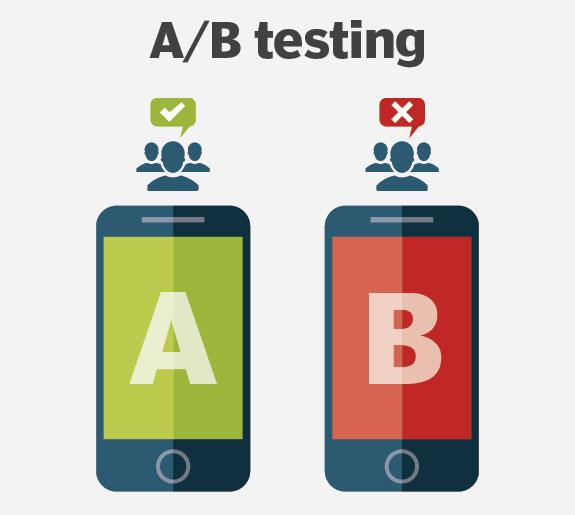
A/B testing is an essential tool that helps SMEs identify the best ad version, thereby optimizing budget and increasing conversion effectiveness. According to research by WordStream, ad campaigns optimized through A/B Testing can increase conversion rates by up to 20-30%. Comparing ad variations such as headlines, images, or calls to action will help you understand how your target customers respond in the Microsoft Ads environment.
Implement and update strategies based on actual results
Not just a one-time test, continuously repeating A/B Testing helps track changes in customer behavior and market trends. DPS.MEDIA recommends that each campaign update data weekly, focusing on metrics such as CTR, CPC, and Conversion rate for appropriate adjustments. This allows you to promptly eliminate underperforming versions and focus resources on higher-profit ad samples.
A/B testing optimization checklist for Microsoft Ads
- Clearly define goals before running tests (increase CTR, reduce CPC, increase conversions).
- Create at least two ad versions with clear differences.
- Track data for at least 7-14 days to collect reliable results.
- Use Microsoft Ads and Google Analytics analysis tools to evaluate results.
- Immediately update your strategy based on the collected data.
| Indicators | Meaning | Optimization goal |
|---|---|---|
| CTR (Click-Through Rate) | Click-through rate | Increase from 2% or more |
| CPC (Cost Per Click) | Cost per click | Reduce costs while ensuring conversion quality |
| Conversion Rate | Desired conversion rate | Increase >10% compared to the average value |
Takeaway: This not only helps you maintain a competitive advantage but also maximizes advertising budget effectiveness on Microsoft Ads. Applying the right methods and analytical tools will help your campaign grow sustainably and quickly achieve set business goals.
What I want to convey
An effective Microsoft Ads campaign requires thorough preparation and continuous optimization. Focus on clear objectives and the right customer segments.
Start creating your campaign today. Track results and adjust to achieve optimal performance.
You can learn more about remarketing and data analysis in digital marketing. These are topics that help improve advertising effectiveness. DPS.MEDIA always accompanies and supports you in developing the right strategy. Don't hesitate to share your opinions and questions in the comments below!